


After a brief break, we return to NSX. Today, I will show you how to set up NAT and Firewall.
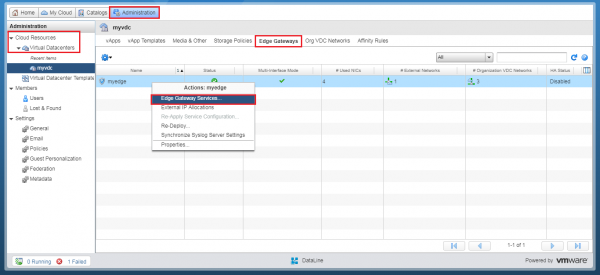
In the tab Administration go to your virtual data center – Cloud Resources – Virtual Datacenters.
Select the tab Edge Gateways and right-click on the desired NSX Edge. In the menu that appears, select the option Edge Gateway Services. The NSX Edge management panel will open in a new tab.
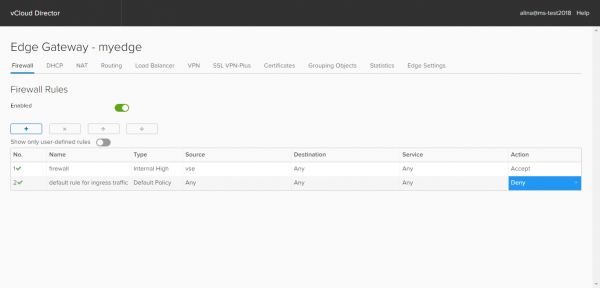
Configuring Firewall Rules
By default, in the item default rule for ingress traffic the option Deny is selected, i.e., the Firewall will block all traffic.
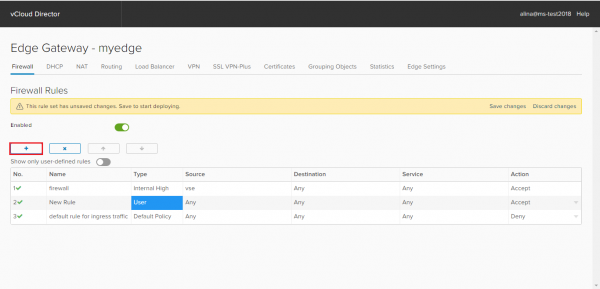
To add a new rule, click +. A new entry titled New rule. Edit its fields according to your requirements.
I feltet Navn set a name for the rule, for example, Internet.
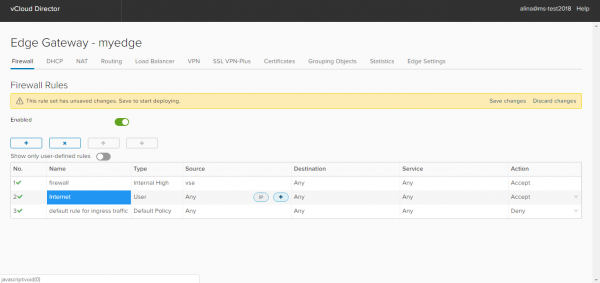
I feltet Source enter the required source addresses. By clicking on IP, you can specify a single IP address, a range of IP addresses, or CIDR.
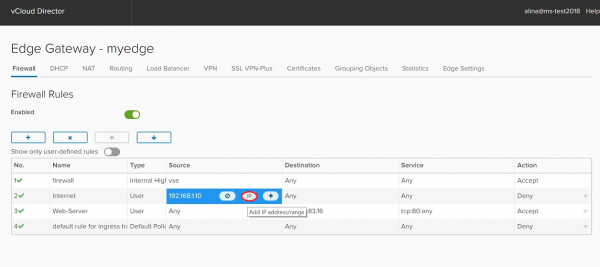
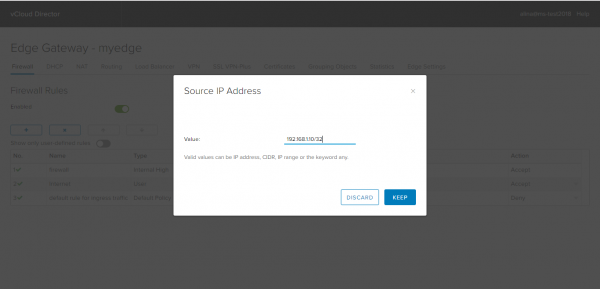
By clicking +, you can specify additional objects:
- Gateway interfaces. All internal networks (Internal), all external networks (External), or Any.
- Virtual machines. Associate rules with a specific virtual machine.
- OrgVdcNetworks. Organization-level networks.
- IP Sets. A user-created group of IP addresses (created in Grouping object).
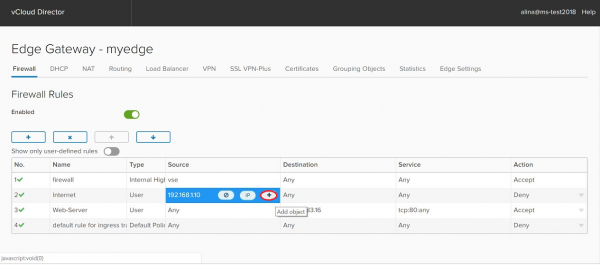
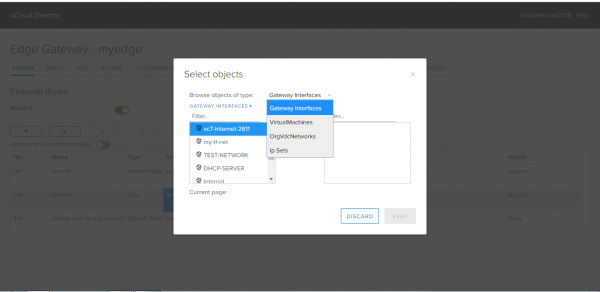
I feltet Destination specify the recipient's address. Here, the same options as in the Source field apply.
I feltet Service you can select or manually specify the destination port (Destination Port), required protocol (Protocol), and source port (Source Port). Click Keep.
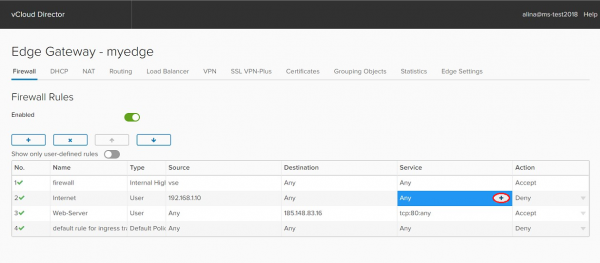
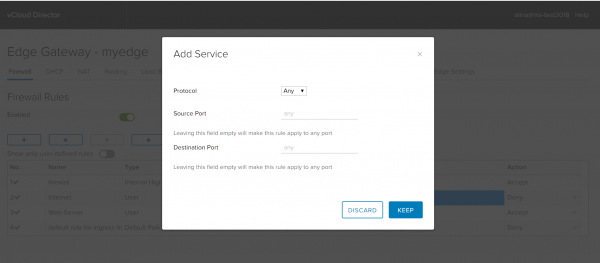
I feltet Handling select the required action: allow traffic to pass as per this rule, or deny it.
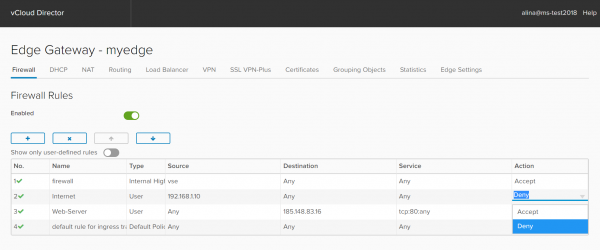
Apply the entered configuration by selecting the item Save changes.
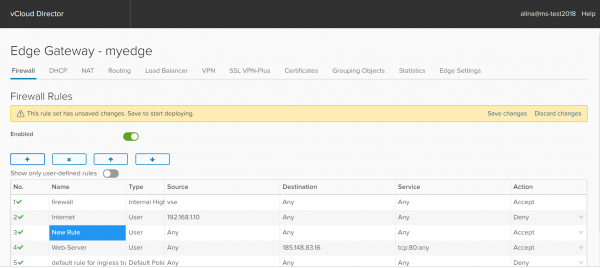
Examples of Rules
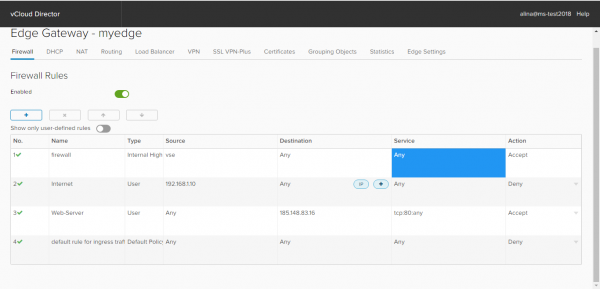
Rule 1 for Firewall (Internet) allows access to the Internet via any protocols to the server with IP 192.168.1.10.
Rule 2 for Firewall (Web-server) allows access from the Internet via TCP protocol, port 80 through your external address. In this case – 185.148.83.16:80.
Configuring NAT
NAT (Network Address Translation) – translates private (gray) IP addresses to external (white) IPs, and vice versa. Thanks to this process, a virtual machine gains Internet access. To set up this mechanism, SNAT and DNAT rules need to be configured.
Important! NAT works only with an enabled Firewall and configured corresponding allow rules.
Creating an SNAT Rule. SNAT (Source Network Address Translation) – a mechanism whose essence is to replace the source address when forwarding a packet.
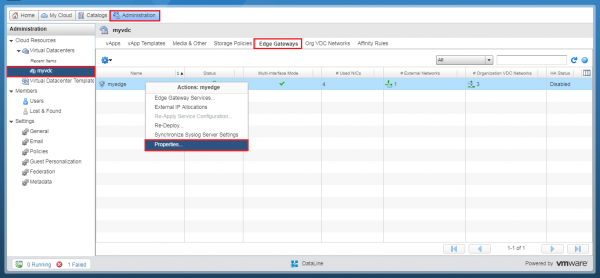
Først skal vi finde den tilgængelige eksterne IP-adresse eller IP-adresseområde. Gå til Administration og dobbeltklik på den virtuelle datacenter. I det fremkomne indstillingsmenu skal du gå til fanen Edge Gateways. Vælg den ønskede NSX Edge og højreklik på den. Vælg indstillingen Properties.
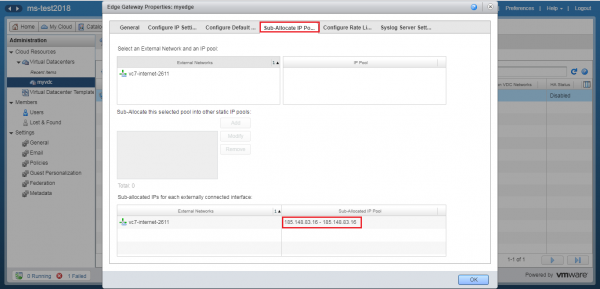
I det fremkomne vindue under fanen Sub-Allocate IP Pools kan du se den eksterne IP-adresse eller IP-adresseområdet. Noter eller husk det.
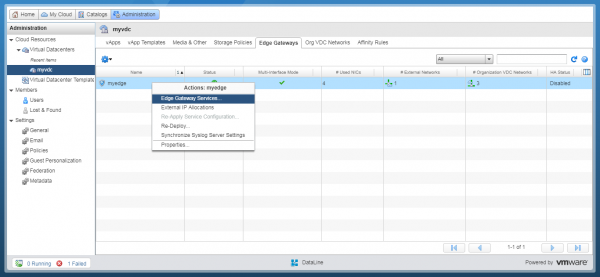
Derefter højreklik på NSX Edge igen. Vælg indstillingen i den fremkomne menu Edge Gateway Services. Og vi er tilbage i kontrolpanelet NSX Edge.
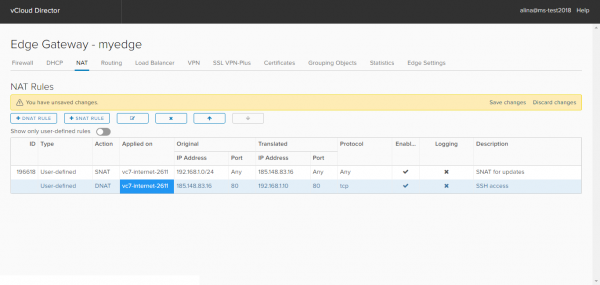
I det fremkomne vindue åbner vi fanen NAT og klikker på Add SNAT.
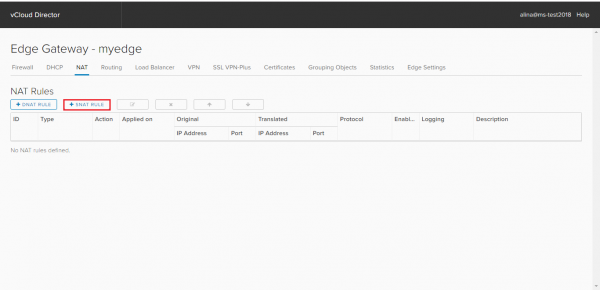
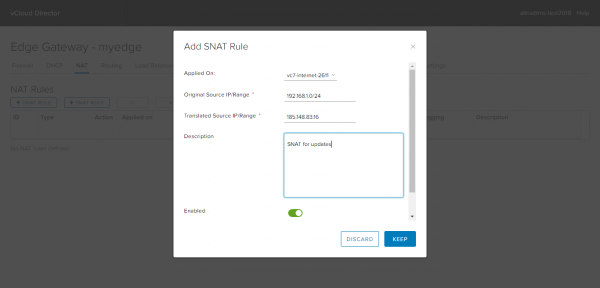
I det nye vindue angiver du:
- i feltet Applied on – den eksterne netværk (ikke organizationsniveau netværk!);
- Original Source IP/range – det interne adresseområde, f.eks. 192.168.1.0/24;
- Translated Source IP/range – den eksterne adresse, som du så under fanen Sub-Allocate IP Pools.
Klik på Keep.
Oprettelse af en DNAT-regel. DNAT er en mekanisme, der ændrer destinationen for en pakke samt destinationsporten. Den bruges til at omdirigere indkommende pakker fra en ekstern adresse/port til en privat IP-adresse/port inde i et privat netværk.
Vælg fanen NAT og klik på Add DNAT.
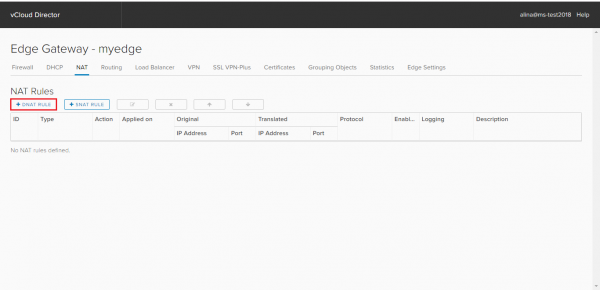
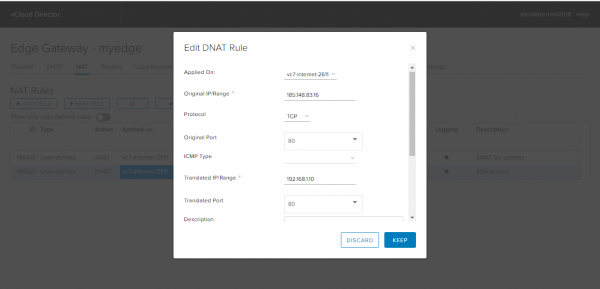
I det fremkomne vindue angiver du:
– i feltet Applied on – den eksterne netværk (ikke organizationsniveau netværk!);
– Original IP/range – den eksterne adresse (adressen fra fanen Sub-Allocate IP Pools);
– Protocol – protokollen;
– Original Port – porten til den eksterne adresse;
– Translated IP/range – den interne IP-adresse, f.eks. 192.168.1.10
– Translated Port – porten til den interne adresse, som den eksterne adresseport skal omdirigeres til.
Klik på Keep.
Apply the entered configuration by selecting the item Save changes.
Færdig.
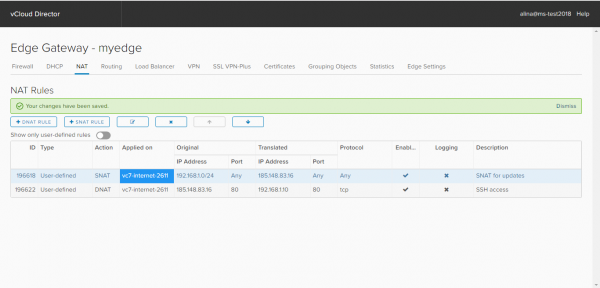
Næste skridt er vejledningen til DHCP, inklusive opsætning af DHCP Bindings og Relay.
Kilde: habr.com
