

The release of Linux Mint 20.2 has been announced, continuing the development of the branch based on the Ubuntu 20.04 LTS package base. The distribution is fully compatible with Ubuntu but significantly differs in its approach to user interface organization and the selection of default applications. The developers of Linux Mint provide a desktop environment that adheres to the classic principles of desktop organization, which is more familiar to users who do not embrace the new ways of GNOME 3 interface design. DVD images based on the MATE 1.24 (2 GB), Cinnamon 5.0 (2 GB), and Xfce 4.16 (1.9 GB) shells are available for download. Linux Mint 20 is classified as a long-term support (LTS) release, with updates available until 2025.
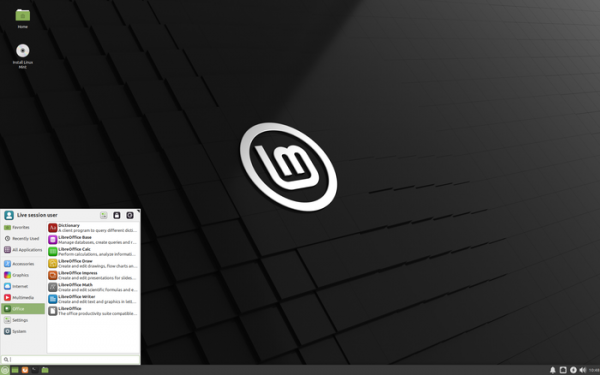
Major changes in Linux Mint 20.2 (MATE, Cinnamon, Xfce):
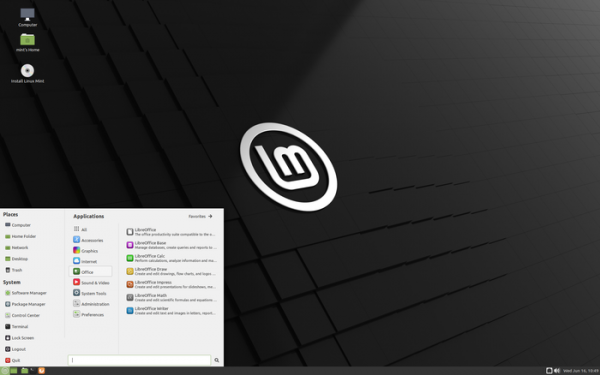
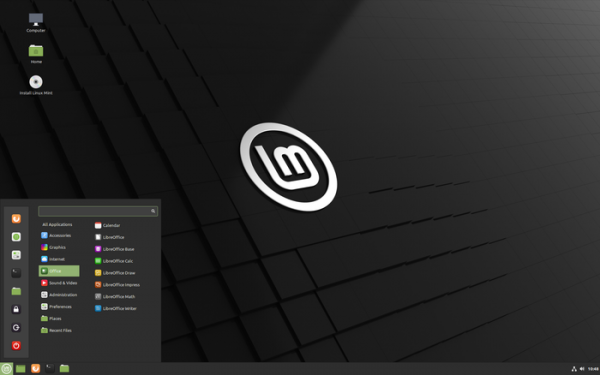
- Included is a new release of the Cinnamon 5.0 desktop environment, whose design and operation continue the ideas of GNOME 2 — users are offered a desktop and a panel with a menu, a quick launch area, a list of open windows, and a system tray with running applets. Cinnamon is based on GTK3 and GNOME 3 technologies. The project develops the GNOME Shell and the Mutter window manager to provide an environment in the style of GNOME 2 with a more modern design and utilizing elements from GNOME Shell that complement the classic desktop tools. Editions with Xfce and MATE desktops come with Xfce 4.16 and MATE 1.24.

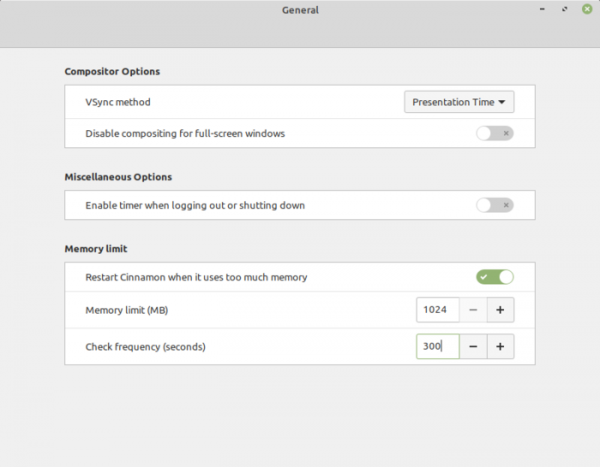
Cinnamon 5.0 features a component for monitoring memory usage. It offers settings to define the maximum allowable memory consumption for desktop components and to set an interval for checking memory status. When the specified limit is exceeded, background Cinnamon processes are automatically restarted without losing the session and while keeping the application windows open. This feature has provided a workaround for addressing issues with hard-to-diagnose memory leaks, which may manifest only with certain GPU drivers. Five memory leaks have been fixed.

- The screen saver launch method has been revamped — instead of running continuously in the background, the screen saver now starts only when necessary during screen lock activation. This change has freed up between 20 and up to 100 megabytes of RAM. Additionally, the screen saver now opens an extra backup window in a separate process, which allows blocking input leakage and session capture even in the event of a screen saver crash.
- Application switching via Alt+Tab has been accelerated.
- The detection of power state changes has been improved, providing more accurate battery charge information and timely notifications about low charge.
- The window manager has improved focus capture, the functionality of fullscreen applications based on Wine, and window placement after a restart.
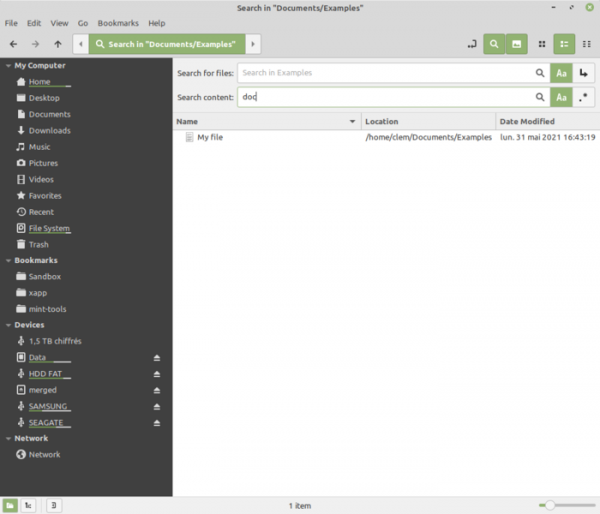
- The Nemo file manager has introduced the ability to search file contents, including combining content search with filename search. Regular expressions and recursive directory traversal can be used in searches. In dual-panel mode, a shortcut key F6 has been implemented for quick panel switching. An option to sort favorites before other file types in the list has been added to the settings.

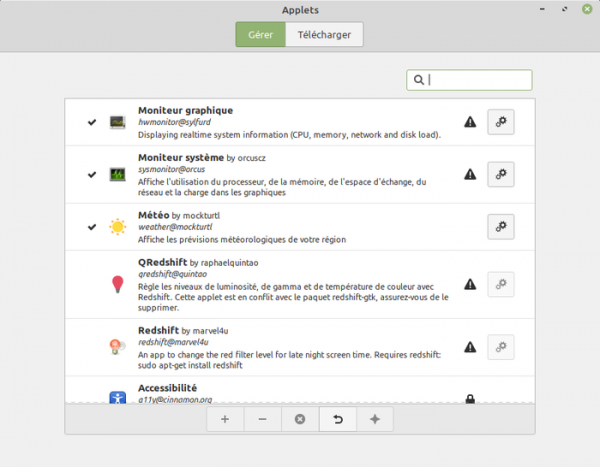
- Management of additional components (spice) has been improved. The separation in the information view between installed and downloadable applets, desklets, themes, and extensions has been removed. The same names, icons, and descriptions are now used across different sections, simplifying internationalization efforts. Additionally, extra information has been added, such as an authors list and a unique package identifier. A command-line utility, cinnamon-spice-updater, has been proposed to list available updates and apply them, along with a Python module providing similar functionality.
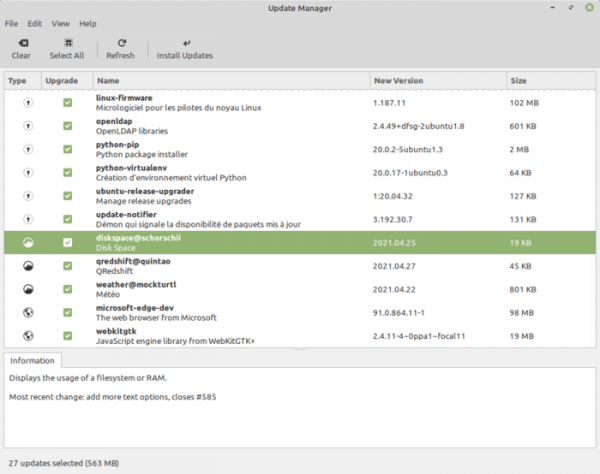
- The update manager has been enhanced with the ability to check for and install updates for additional components (spice). Previously, updating spice components required invoking the configurator or a third-party applet.

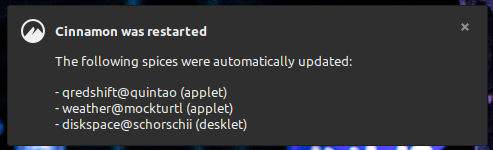
The update manager also supports the automatic installation of spice updates and Flatpak packages (updates are downloaded after the user logs in, and after installation, Cinnamon restarts without session interruption, followed by a pop-up notification of the completed operation).

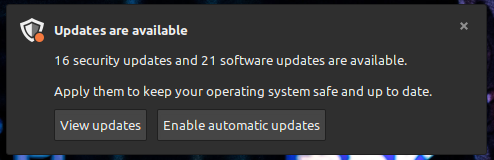
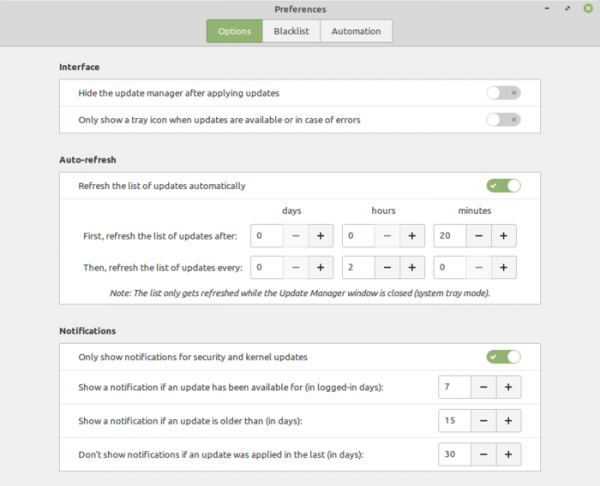
- The update installation manager has been upgraded to enforce keeping the distribution up to date. Research has shown that only about 30% of users install updates timely, within a week of their release. Additional metrics have been added to the distribution to assess the relevance of packages in the system, such as the number of days since the last update was applied. In the event of a prolonged absence of updates, the Update Manager will display reminders about the need to apply the accumulated updates or switch to a new distribution branch.

By default, the update manager will show a reminder if an update has been available for more than 15 calendar days or 7 days of system uptime. Only kernel updates and updates related to addressing vulnerabilities are considered. After an update is installed, notification display is disabled for 30 days, and when the notification is closed, the next warning will be shown in two days. The warning display can be disabled in the settings or the criteria for reminder displays can be modified.

- The applet with the menu has been adapted to account for natural sizes. The ability to switch categories by clicking instead of hovering the mouse has been added.
- The sound management applet now displays the player, playback status, and artist in the tooltip.
- The NVIDIA Prime applet, designed for hybrid graphics systems combining Intel integrated GPU and NVIDIA discrete graphics card, has added support for systems equipped with AMD integrated GPUs and NVIDIA discrete graphics cards.
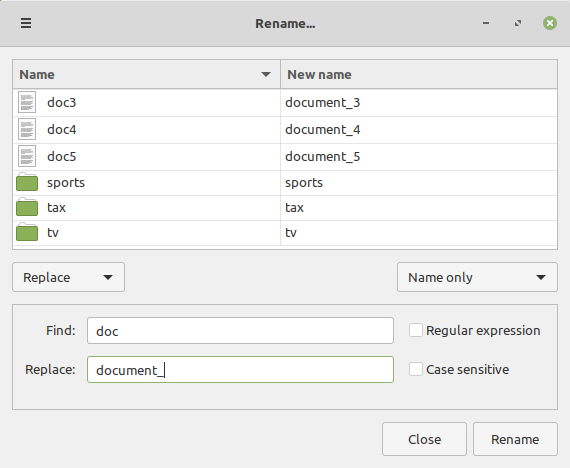
- A new application, Bulky, has been added for batch renaming of files.

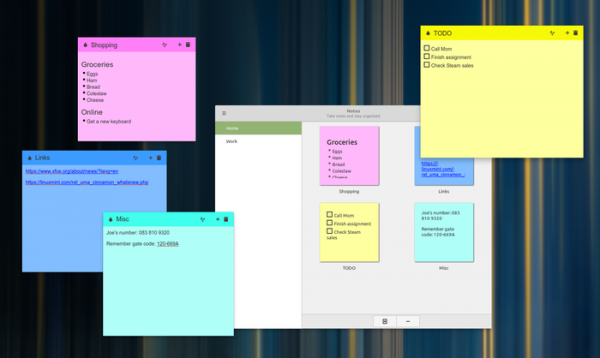
- For sticky note management, the Sticky Notes application is used instead of GNote, which utilizes GTK3, supports HiDPI, and has a built-in backup creation mechanism and import from GNote. It allows notes to be marked in different colors, formatted text, and can integrate with the desktop (unlike GNote, notes can be placed directly on the desktop and quickly viewed through the icon in the system tray).

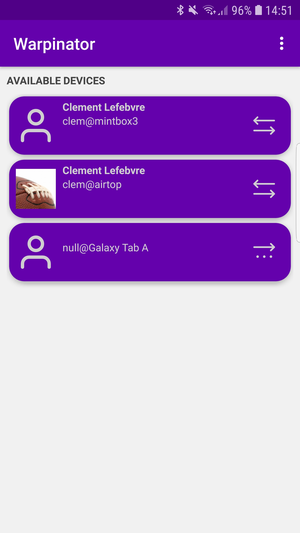
- The Warpinator utility for file sharing between two computers on a local network has been improved, utilizing encryption during data transmission. A feature has been added to select the network interface to determine which network will be used for file sharing. Settings for compressed data transfer have been implemented. A mobile application has been prepared, allowing file sharing with devices running the Android platform.

- The improvement of applications developed under the X-Apps initiative, aimed at unifying the software environment across different desktop editions of Linux Mint, continues. The X-Apps incorporate modern technologies (GTK3 for HiDPI support, gsettings, etc.), while retaining traditional interface elements such as the toolbar and menu. Among these applications are: the text editor Xed, the photo manager Pix, the document viewer Xreader, and the image viewer Xviewer.
In Xviewer, the ability to pause the slideshow with the spacebar has been implemented, along with support for the .svgz format. The document viewer now displays annotations in PDF files below the text, and the ability to scroll through documents by pressing the spacebar has been added. New options for highlighting spaces have been introduced in the text editor. The web application manager now includes incognito mode.
- Printer and scanner support has been improved. The HPLIP package has been updated to version 3.21.2. New packages ipp-usb and sane-airscan have been backported and included.
Source: opennet.ru
