

After six months of development, the release of the GNOME 41 desktop environment has been presented. Specialized Live builds based on openSUSE and an installation image prepared as part of the GNOME OS initiative are offered for a quick assessment of GNOME 41's capabilities. GNOME 41 is also already included in the experimental build of Fedora 35.
In the new release:
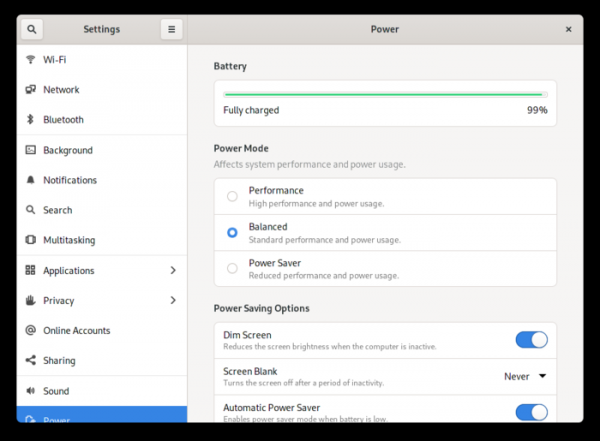
- Power management capabilities have been expanded. A quick switch between power modes ('Power Saver', 'High Performance', and 'Balanced Settings') is now available through the System Status menu. Applications can request a specific power mode — for example, performance-sensitive games can request activation of High Performance mode. New options for configuring Power Saver mode have been added, allowing management of screen brightness reduction, screen shutdown after a certain period of user inactivity, and automatic shutdown at low battery levels.

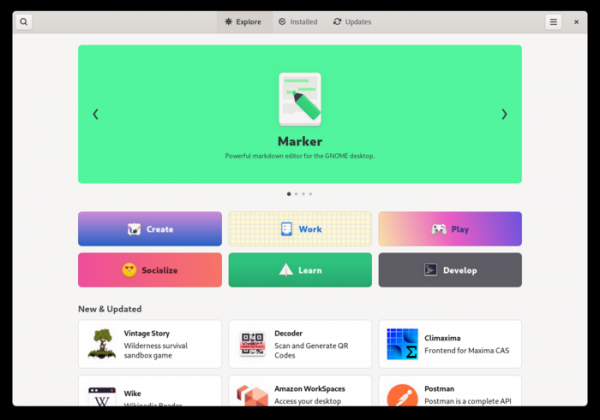
- The application installation management interface has been redesigned to simplify navigation and searching for desired programs. Application lists are presented in more visually appealing cards with brief descriptions. A new set of categories has been introduced to classify applications thematically. The detailed information page for applications has been reworked, featuring larger screenshots and enhanced information about each application. The layout of settings and lists of already installed programs and those with available updates has also been revamped.

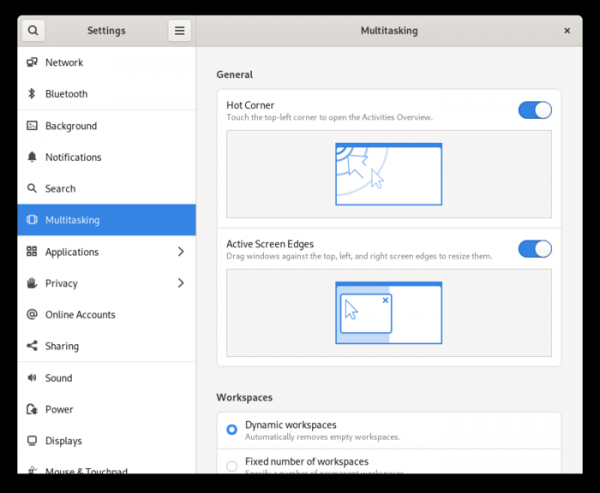
- A new Multitasking panel has been added to the GNOME Control Center for managing windows and workspaces. Specifically, the Multitasking section offers options to disable the overview mode triggered by touching the top left corner of the screen, resize windows when dragging them to the edge of the screen, and select the number virtual desktops, of workspaces to display on additionally connected monitors and switch between applications only on the current workspace when pressing the Super+Tab combination.

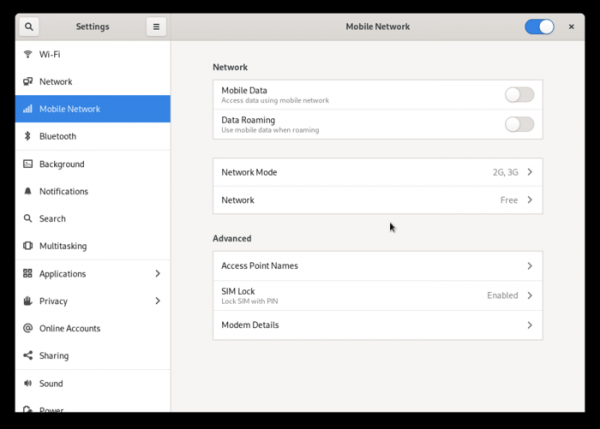
- A new Mobile Network panel has been added for managing connections via cellular operators, selecting the type of network, traffic limitations while roaming, configuring modem operation for 2G, 3G, 4G, and GSM/LTE networks, and switching between networks for modems that support multiple SIM card insertion. The panel is displayed only when a supported modem is connected.

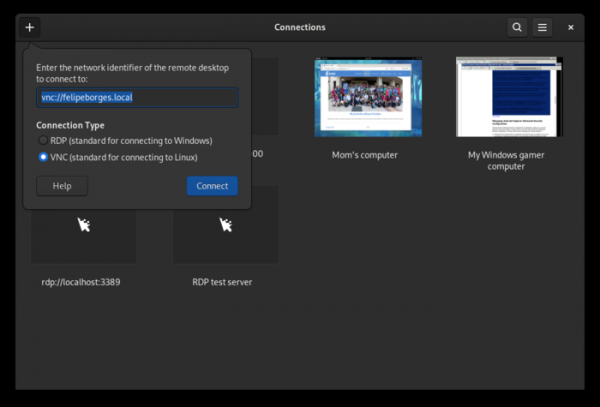
- The new Connections application has been included, implementing a client for remote desktop connection using VNC and RDP protocols. This application has replaced the remote access functionality to desktops previously offered in the Boxes program.

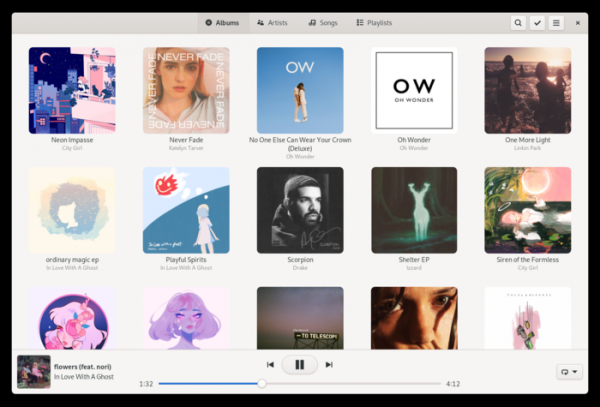
- The GNOME Music interface has been redesigned, with increased graphic element sizes, rounded corners, added display of artist photos, and completely revamped playback. control panel A new album information view screen with a playback transition button has been introduced.
- The GNOME Calls interface for making calls has been included, which, in addition to making calls through cellular operators, supports the SIP protocol and VoIP calls.
- Performance and responsiveness of the interface have been optimized. In the Wayland session, screen information refresh rates have increased, and key press and cursor movement response times have been reduced. A new rendering engine based on OpenGL has been implemented in GTK 4, which has reduced energy consumption and accelerated rendering. The codebase cleanup of the window manager Mutter has enhanced its efficiency and simplified maintenance.
- The reliability and predictability of multitouch gesture handling have been improved.
- In the Nautilus file manager, the compression management dialog has been redesigned, adding the ability to create password-protected ZIP archives.
- The calendar/planner now supports importing events and opening ICS files. A new tooltip with event information has been introduced.
- In the Epiphany browser, the built-in PDF viewer PDF.js has been updated, and an ad blocker for YouTube based on the AdGuard script has been added. Additionally, support for dark mode has been expanded, handling of freezes when opening websites has been improved, and pinch-to-zoom operations have been accelerated.
- The calculator interface has been completely redesigned, now automatically adapting to screen size on mobile devices.
- The notification system has added support for categories.
- The GDM display manager now allows starting sessions based on Wayland, even if the login screen is running on X.Org. Wayland sessions are permitted for systems with NVIDIA GPUs.
- In gnome-disk, LUKS2 is used for encryption. A dialog has been added for configuring the filesystem owner.
- The initial setup wizard has restored the dialog for connecting to third-party repositories.
- GNOME Shell now supports launching X11 programs using Xwayland on systems that do not use systemd for session management.
- GNOME Boxes now supports audio playback from environments connected via VNC.
Source: opennet.ru
