

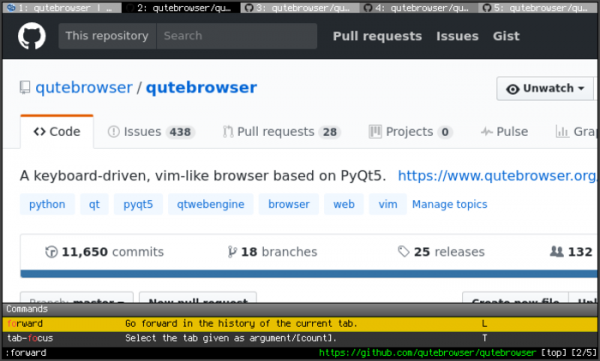
The release of the qutebrowser 2.4 web browser has been published, offering a minimal graphical interface that does not distract from content viewing, along with a navigation system styled after the Vim text editor, entirely based on keyboard shortcuts. The code is written in Python using PyQt5 and QtWebEngine. The source code is distributed under the GPLv3 license. The use of Python does not affect performance, as rendering and content parsing are handled by the Blink engine and the Qt library.
The browser supports a tab system, download manager, private browsing mode, built-in PDF viewer (pdf.js), ad-blocking system (at the host blocking level), and an interface for browsing the history. For viewing videos on YouTube, an external video player can be configured. Navigation through the page is accomplished using the "hjkl" keys, opening a new page can be done by pressing "o", and switching between tabs is done using the "J" and "K" keys or "Alt-tab number". Pressing ":" brings up a command line prompt where page search and standard commands can be executed, just like in vim, for example, ":q" to quit and ":w" to save the page. A system of "hints" marks links and images for quick navigation to elements on the page.
In the new version:
- A vulnerability (CVE-2021-41146) has been addressed, allowing for code execution through manipulation of URL handler arguments. This issue only manifests in Windows platform builds. In Windows, the handler "qutebrowserurl:" is registered, through which a third-party application can initiate command execution in qutebrowser, while the commands ":spawn" and ":debug-pyeval" can be used to execute arbitrary code.
- A new setting called "content.blocking.hosts.block_subdomains" has been added, which can be used to disable subdomain blocking in the ad blocker that employs redirection. domains through /etc/hosts.
- A setting called "downloads.prevent_mixed_content" has been added to protect against the downloading of mixed content (loading resources over HTTP from a page opened via HTTPS).
- A flag "--private" has been added to the command ":tab-clone", allowing the creation of a tab clone opened in a new private browsing window.
At the same time, a new version of the Min browser 1.22 has been released, offering a minimalist interface built around address bar manipulations. The browser is created using the Electron platform, which allows for the development of standalone applications based on the Chromium engine and Node.js platform. The Min interface is written in JavaScript, CSS, and HTML. The code is distributed under the Apache 2.0 license. Builds have been created for Linux, macOS, and Windows.
Min supports navigation through open pages via a tab system, providing features such as opening a new tab alongside the current one, hiding inactive tabs (which the user hasn't accessed for a certain period), grouping tabs, and viewing all tabs as a list. There are tools for creating lists of deferred tasks/links to read later, as well as a bookmarking system with full-text search support. The browser has an ad-blocking system (based on the EasyList) and tracking code blocking, and offers the ability to disable loading images and scripts.
The central control element in Min is the address bar, through which you can send requests to the search engine (default is DuckDuckGo) and search the current page. As you type in the address bar, a summary of relevant information for the current query is generated, such as links to articles on Wikipedia, selections from bookmarks and browsing history, as well as recommendations from the DuckDuckGo search engine. Each page opened in the browser is indexed and becomes available for subsequent searches in the address bar. Commands can also be entered in the address bar to quickly perform actions (for example, "!settings" to go to settings, "!screenshot" to create a screenshot, "!clearhistory" to clear the browsing history, etc.).

In the new release:
- The address bar has been enhanced to allow for the calculation of mathematical expressions. For example, you can enter "sqrt(2) + 1" and receive the result immediately.
- A search field for open tabs has been added to the task list.
- The settings for the dark theme, enabled in the user environment, are now adhered to.
- The number of languages supported by the built-in page translation system has been expanded (accessible through right-clicking on the page).
- A shortcut for rearranging tabs has been added.
- The browser engine components have been updated to Chromium 94 and Electron platform 15.
Source: opennet.ru
