

The developers of the Raspberry Pi project have released an autumn update for the Raspberry Pi OS (Raspbian) distribution, which is based on the Debian package base. Three builds have been prepared for download — a slim version (463 MB) for server systems, a desktop version (1.1 GB), and a full version with an additional set of applications (3 GB). The distribution comes with the PIXEL user interface (a derivative of LXDE). About 35,000 packages are available for installation from the repositories.
In the new release:
- The transition to the Debian 11 "Bullseye" package base has been completed (previously, Debian 10 was used).
- All components of the PIXEL desktop and offered applications have been migrated to use the GTK3 library instead of GTK2. The reason for the migration is to eliminate the overlap of different versions of GTK in the distribution — GTK3 is actively used in Debian 11, but the PIXEL desktop was based on GTK2. Previously, the migration to GTK3 had been hindered by the fact that many aspects, especially those related to configuring the appearance of widgets, were significantly easier to implement on GTK2, and some useful features utilized in PIXEL were removed in GTK3. The transition required implementing substitutes for old GTK2 features and slightly affected the appearance of the widgets, but the developers ensured that the interface retained its familiar look.

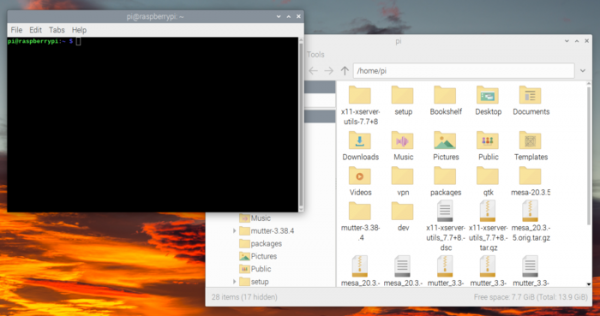
- By default, the Mutter compositing window manager is in use. Previously, rounded corners of tooltips were handled by GTK2, but in GTK3, such operations have been delegated to the compositing manager. Compared to the previously used Openbox window manager, Mutter provides pre-rendering of the screen content in memory (compositing) before it is actually displayed on the screen, allowing for additional visual effects such as window corner rounding, shadows on the window edges, and animations for opening/closing windows. The migration to Mutter and GTK3 also helps to eliminate the reliance on the X11 protocol and ensures support for working on top of Wayland in the future.

The downside of switching to Mutter is the increased memory consumption. It has been noted that Raspberry Pi boards with 2 GB of RAM are sufficient for operation, but boards with less memory aren't enough for the graphical environment. A fallback mode is provided for boards with 1 GB of RAM, reverting to Openbox, which has limited interface customization options (for instance, rectangular pop-up hints are shown instead of rounded ones, and there are no visual effects).
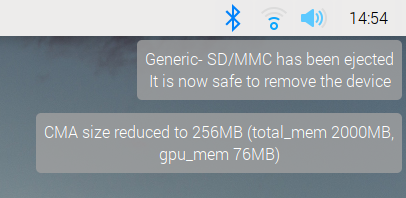
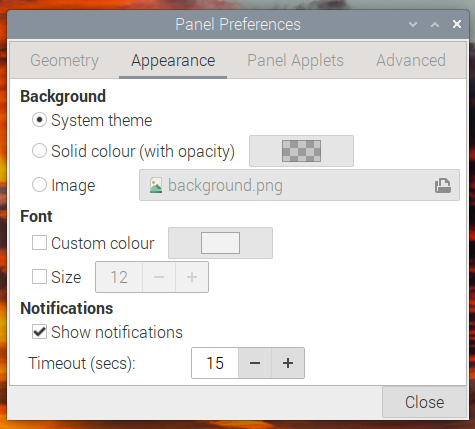
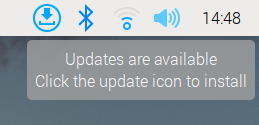
- A notification system has been implemented that can be used in the taskbar, in panel plugins, and in various applications. Notifications appear in the upper right corner of the screen in chronological order and automatically close 15 seconds after they appear (or can be closed manually immediately). Currently, notifications are displayed only when USB devices are ready to be removed, when the battery charge is dangerously low, when updates are available, and when firmware-level errors are detected.

Options have been added to the settings to change the timeout or disable the display of notifications.

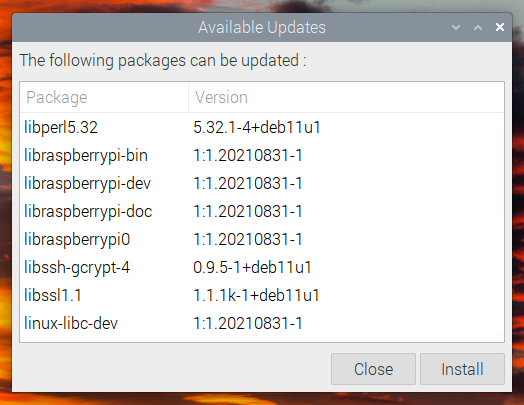
- A plugin with a graphical interface has been implemented for the panel to check for and install updates, simplifying the process of keeping the system and applications up to date, and allowing users to avoid manually starting the apt package manager in the terminal. Update checks are performed at every boot or every 24 hours. When new package versions are detected, a special icon is displayed on the panel and a notification is sent.

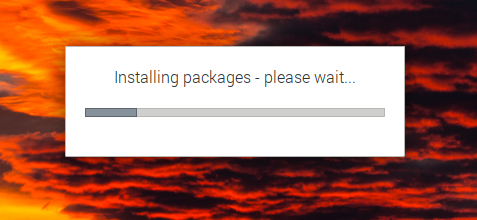
Clicking on the icon opens a menu through which one can access the interface to view the list of updates awaiting installation and initiate selective or complete installation of updates.


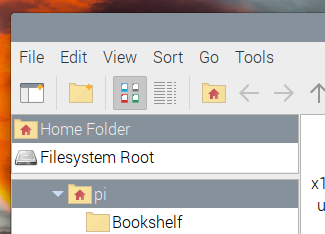
- In the file manager, the number of view modes has been reduced — instead of four modes (thumbnails, icons, small icons, and list), there are two — thumbnails and list, as the thumbnail and icon modes differed only in icon size and the display of content previews, which confused users. The display of content previews can be controlled via a special option in the View menu, and the size can be changed using zoom buttons.

- The default KMS driver modesetting is enabled, which is not tied to specific types of graphics chips and essentially resembles the VESA driver, but operates over the KMS interface. This means it can be used on any hardware for which there is a working kernel-level DRM/KMS driver. Previously, a specific driver was offered for the Raspberry Pi graphics subsystem, including closed-source firmware components. Using the standard KMS interface and employing the driver provided in the Linux kernel allows for the removal of dependencies on the proprietary Raspberry Pi driver and enables compatibility with applications designed for the standard Linux API's graphics subsystem.
- The proprietary driver for camera operation has been replaced with the open library libcamera, offering a universal API.
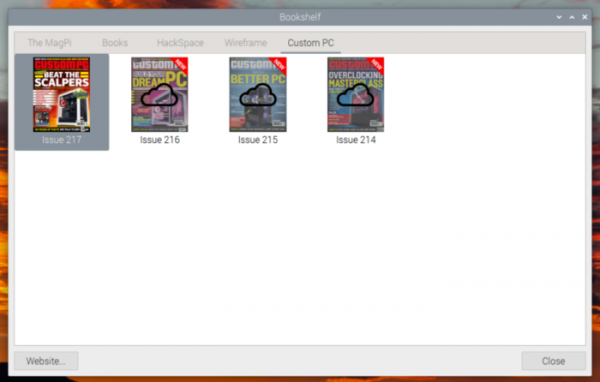
- The Bookshelf app provides free access to PDF issues of Custom PC magazine.

- Updated software versions, including the use of Chromium 92 browser with optimizations for hardware-accelerated video playback.
- Improved selection of time zones and localization settings in the initial setup wizard.
Source: opennet.ru
