

The release of the Elementary OS 6.1 distribution has been announced, positioning itself as a fast, open-source, privacy-respecting alternative to Windows and macOS. The project focuses on quality design aimed at creating an easy-to-use system that consumes minimal resources while providing high startup speeds. Users are offered their own Pantheon desktop environment. Bootable ISO images (2.47 GB) are available for download for the amd64 architecture (for free download from the project's site, enter 0 in the donation amount field).
The original components of Elementary OS are developed using GTK3, the Vala language, and the custom Granite framework. The distribution is based on the work of the Ubuntu project. At the package and repository support level, Elementary OS 6.x is compatible with Ubuntu 20.04. The graphical environment is based on its own Pantheon shell, which includes components such as the Gala window manager (based on LibMutter), the WingPanel top menu, and the Slingshot launcher. control panel Switchboard, the Plank taskbar (a Vala-rewritten counterpart of the Docky panel), and the Pantheon Greeter session manager (based on LightDM) are also part of the environment.
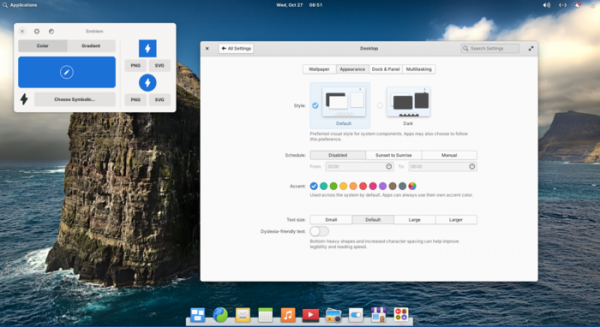
The environment includes a set of tightly integrated applications necessary for users' needs. Most of the applications are proprietary developments of the project, such as the Pantheon Terminal emulator, the Pantheon Files file manager, the Code text editor, and the Music (Noise) player. The project also develops the Pantheon Photos photo manager (a branch of Shotwell) and the Mail client (a branch of Evolution).
Key innovations:
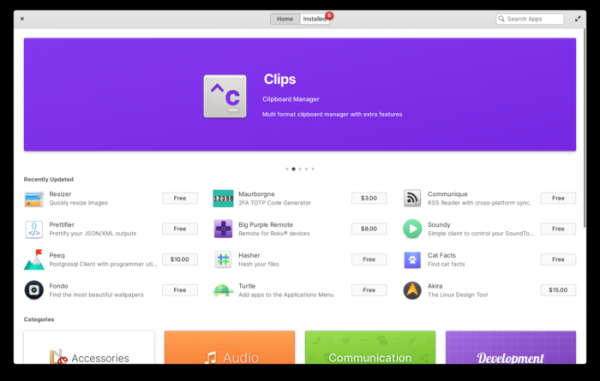
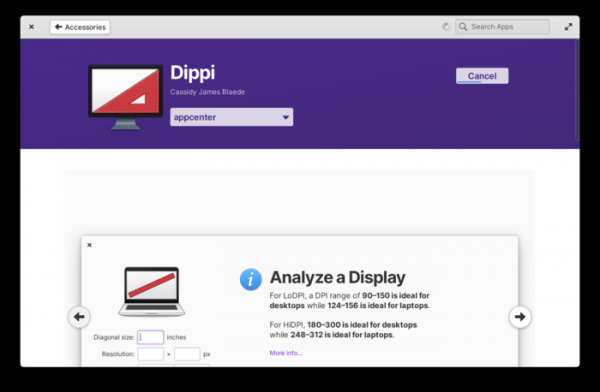
- The modernization of the application installation center has continued, where, in addition to packages from the official repositories, more than 90 separately supported programs are offered in Flatpak format. The new version features a significantly redesigned homepage, at the top of which are rotating banners with information about recently released programs, developed with the support of the project. Below the banners is a new section showcasing 12 recently updated applications, with a quick install button displayed immediately. Information about the displayed applications is now extracted from the local database rather than from external sources. server, which has enabled up to three times faster loading of the homepage.

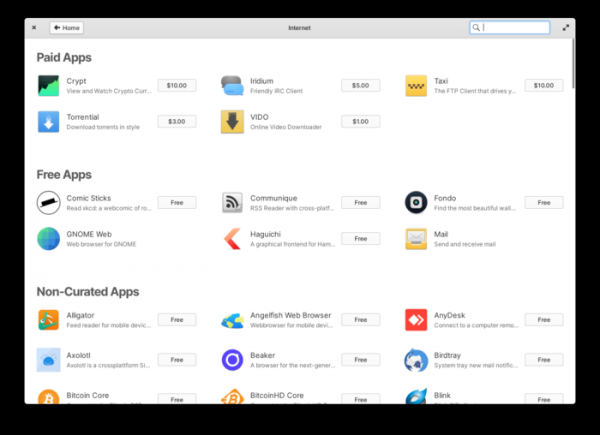
The pages displaying the content of the selected application categories (for example, sound-related programs or system applications) have been revamped. Information about programs in the categories is now shown in a grid format, clearly separating free, paid, and unrelated applications (downloaded from external repositories like Flathub). A new category for 'Privacy and Security' has been added. The category for entertainment applications has been moved to the games section.

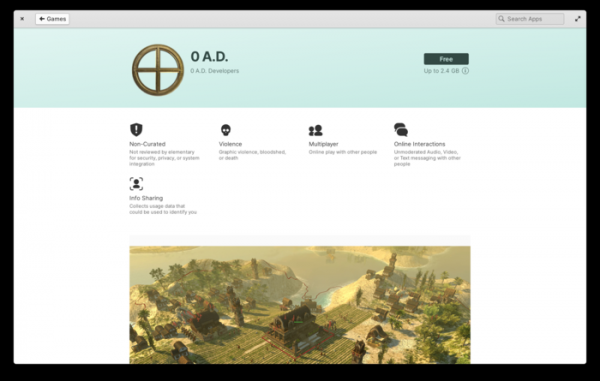
The design of the detailed information pages for the selected applications has been improved. Instead of displaying a warning about the content (such as telemetry transmission, the presence of violent scenes or nudity in games) during installation, such warnings are now permanently shown below the top banner with the application's name. The color selection for the top banner has also been enhanced. At the bottom, a new section features a selection of applications from the same author.
The display of the AppCenter on small screens has been improved. A new progress indicator for installation, updating, or removal of packages has been added, located alongside the 'Cancel' button and shown in the upper right corner of the window.

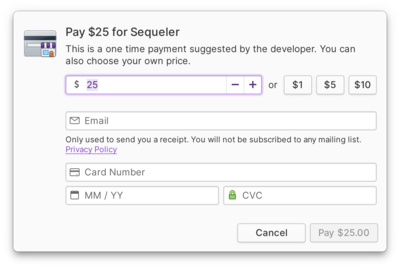
The interface for purchasing paid applications has been improved. A unified payment widget is employed across different parts of the AppCenter, incorporating a pricing adjustment form for applications sold on a 'pay what you want' basis.

Improved integration with programs from external repositories, such as Flathub, for instance, programs from external repositories are now displayed immediately after activating these repositories without the need to restart. In the event of an unsuccessful search in the AppCenter, users are reminded of the ability to install external programs through the Sideload interface. When installing drivers tied to DKMS, the AppCenter will now automatically install the necessary Linux kernel header files. The web version of AppCenter has been updated. All applications distributed via AppCenter have been built for the ARM64 platform, enabling their use on devices such as Pinebook Pro and Raspberry Pi 4.
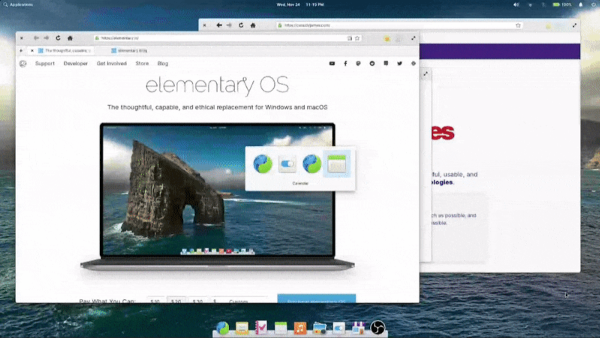
- The interface for quickly switching between windows has been redesigned. Instead of indicating the current window directly in the bottom panel by bringing the window to the foreground, switching between windows is now managed via a separate widget displayed at the center of the screen, showing icons and titles of open windows.

- A new animation has been added for the display of dialog windows, which now appear from the top of the parent window. When displaying modal dialogs, the parent window is now dimmed to indicate that interactions with it are not possible until the dialog is closed.
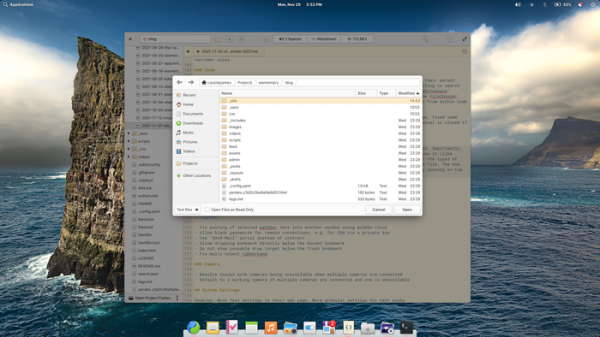
- The file selection dialog has been significantly improved, adding the ability to create new directories, an option to show only files of a specific type, and a parameter to restrict access to the selected file in read-only mode (when accessing resources outside the flatpak container through the portal system).

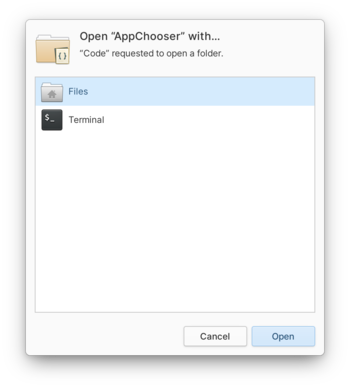
- For Flatpak applications, a new AppChooser dialog has been introduced, allowing files to be opened in different applications.

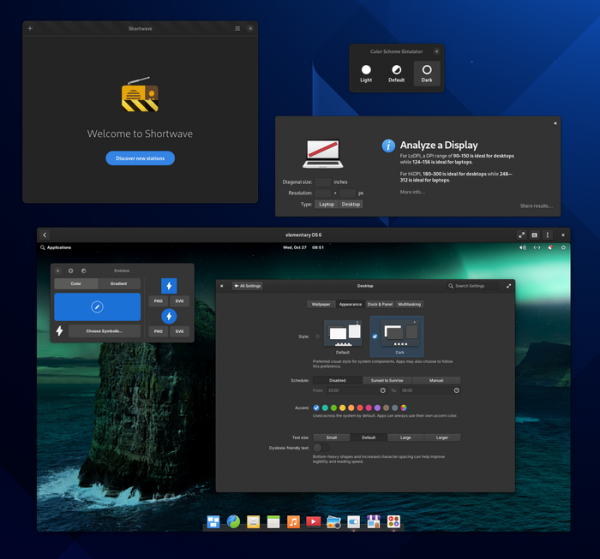
- The implementation of the dark theme and related settings has been improved. It now adheres to the selected style of applications from GNOME, and in the future, from KDE applications as well.

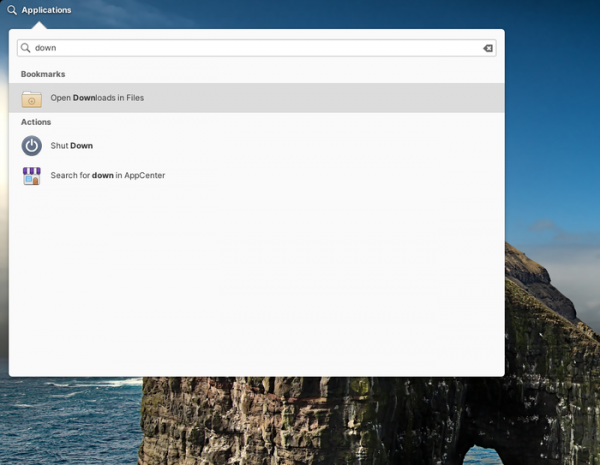
- The application menu now provides the ability to launch programs bound to a specific GPU on systems with hybrid graphics (for example, NVIDIA Optimus). Improved detection of newly installed programs. The search functions in the application menu now cover network sections, bookmarked directories, as well as standard directories such as Downloads and Pictures. Search for settings in the configurator has been enhanced. The search is no longer tied to the selected file manager.

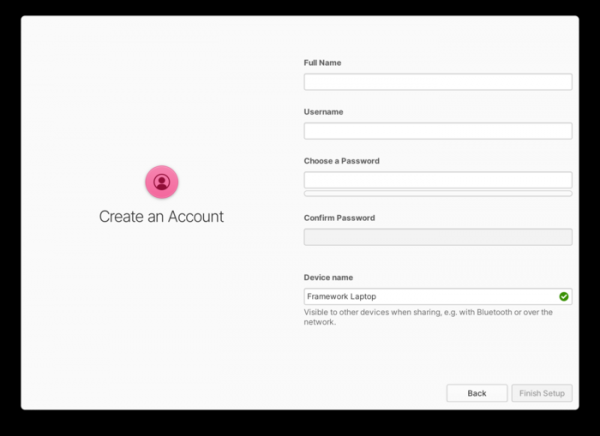
- In the installer and initial setup interface, the process of changing the hostname has been simplified and issues with assigning a user-friendly arbitrary name have been resolved (for example, a user can name the system 'Cassidy’s StarBook', which will appear in the Elementary OS configurator, but will be saved as Cassidys-StarBook in /etc/hostname for system applications). The installer has addressed issues with unused disk partitions in manual installation mode and added a warning regarding the specifics of installation in a virtual machine.

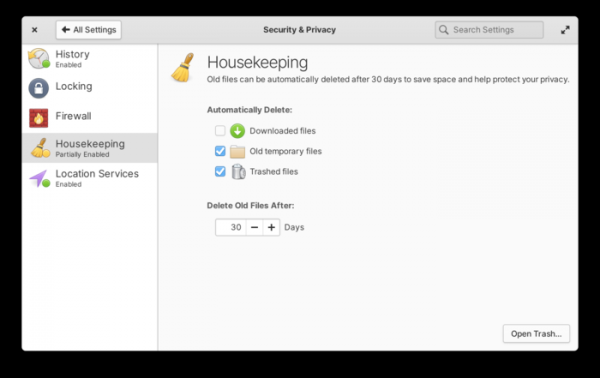
- In the disk space freeing program (Housekeeping), in addition to configuring automatic deletion of temporary files and clearing the recycle bin, there is now the option to remove downloads. The Housekeeping interface has been aligned with the design of the configurator and the Welcome application.

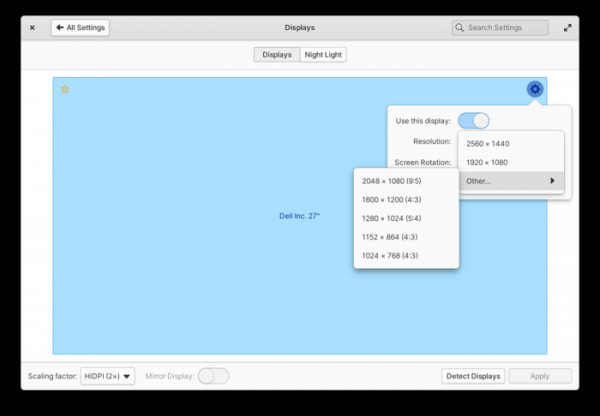
- The configurator has improved the scaling and screen settings section, resolving issues with screen selection in multi-monitor configurations. Resolutions for screens with different aspect ratios have been moved to a separate submenu.

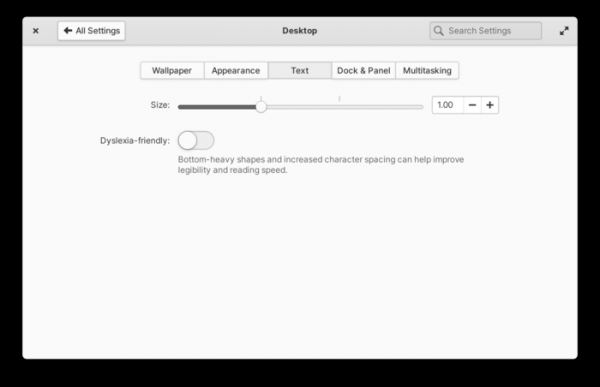
Text scaling settings have been moved to a separate page. There is now the option to set intermediate scaling values.

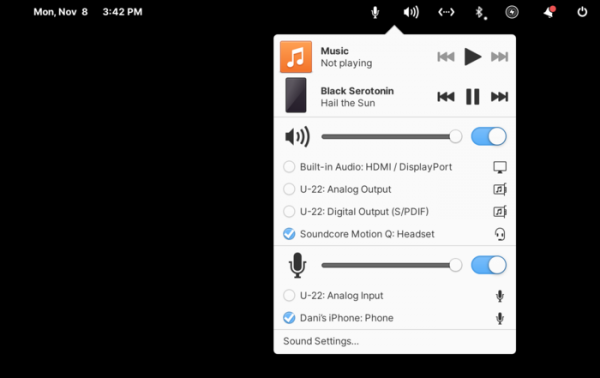
- In the sound control widget, icons have been replaced, the volume slider scrolling has been enhanced, and incorrect analog output devices have been hidden. The layout of settings on the sound parameters configuration page has been improved and color icons have been utilized.
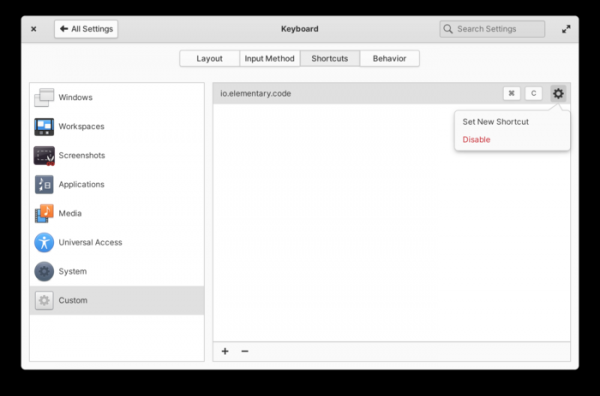
- The keyboard settings interface has improved tools for defining custom hotkeys, as well as editing and deleting hotkeys. An on-screen layout switcher has been added to the keyboard layout settings tab.

- The power consumption indicator includes an option to enable or disable the display of battery charge percentages in the panel.
- The system information screen displays details about the graphics chipsets, including Intel Xe Graphics.
- Improved Bluetooth state retention during restart and wake from sleep.
- Simplified the process of porting the desktop from Elementary OS to other distributions like Fedora and NixOS.
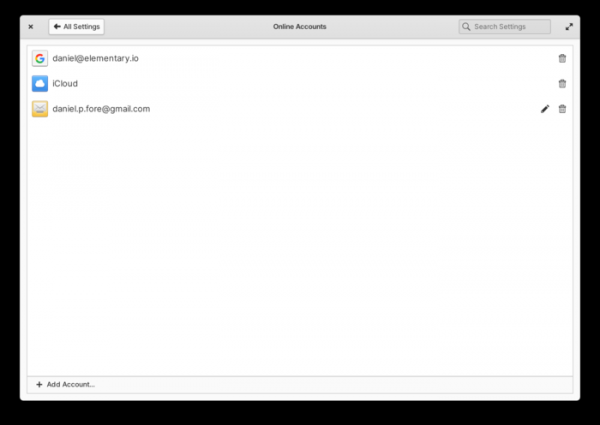
- Enhanced the capabilities of the Online Accounts service, improving the reliability of authentication method detection for IMAP and allowing the editing of CalDAV and IMAP accounts.

- In the Mail client, based on Evolution Data Server (EDS), efforts continue to bring its capabilities in line with the older client based on the Geary engine. New message arrival notifications have been added, which are shown even when the window is closed. Notification grouping has been improved. A context menu has been added, which appears upon right-clicking on message headers in the list. Automatic selection of the next message thread after deleting or archiving the current one has been ensured. New buttons for manually fetching new messages and separately activatable filters for unread and starred messages have been added.
- In the Tasks application, which helps maintain task lists and notes, a confirmation dialog for delete operations has been implemented. The performance of task list processing has been improved.
- In the calendar-scheduler, the reliability of sending and displaying notifications has been increased. Time zone support has been improved.
- The Web browser has been synchronized with GNOME Web 41 (Epiphany 41). The toolbar design has been changed, performance optimizations made, and window corners rounded. Search functions have been added to settings. The management interfaces for search engines and passwords have been completely redesigned. An option to block access to local storage has been added. Google search recommendations are disabled by default. In the appearance settings, there is an option to add custom JavaScript code. Smooth animation for opening, closing, and rearranging tabs has been added.

- The file manager has improved the movement of bookmarks to the sidebar with drag & drop. Renaming bookmarks issues have been resolved, and the ability to open bookmarks in a new tab has been added. Group file selection with the mouse has been enhanced (previously made selections no longer disappear when clicking on surrounding areas). Open tabs are restored after a restart. The display of permissions for files and directories on network shares has been improved. The Send Mail portal has been added for sending files via email.
- The camera application now saves videos to disk in full resolution, even though the display in the window continues to show in low resolution for improved performance. Issues encountered when connecting multiple cameras have been resolved.

Source: opennet.ru
