

The release of Deepin 20.4 has taken place, based on the Debian 10 package base, but developing its own Deepin Desktop Environment (DDE) and around 40 user applications, among which are the music player DMusic, the video player DMovie, the messaging system DTalk, the installer, and the Deepin Software Center. The project is founded by a group of developers from China but has transformed into an international project. The distribution supports the Russian language. All developments are distributed under the GPLv3 license. The size of the bootable ISO image is 3 GB (amd64).
Desktop components and applications are developed using C/C++ (Qt5) and Go. A key feature of the Deepin desktop is the panel, which supports several operating modes. In the classic mode, there is a more explicit separation of open windows and suggested applications to launch, and the system tray area is displayed. The efficient mode somewhat resembles Unity, mixing indicators of running programs, favorite applications, and control applets (volume/brightness settings, connected drives, clock, network status, etc.). The program launcher interface is fullscreen and provides two modes — viewing favorite applications and navigating through the catalog of installed programs.
Key innovations:
- In the installer, the privacy agreement has been modified and the logic for creating disk partitions has been optimized (if an EFI partition exists, a new partition for EFI is not created).
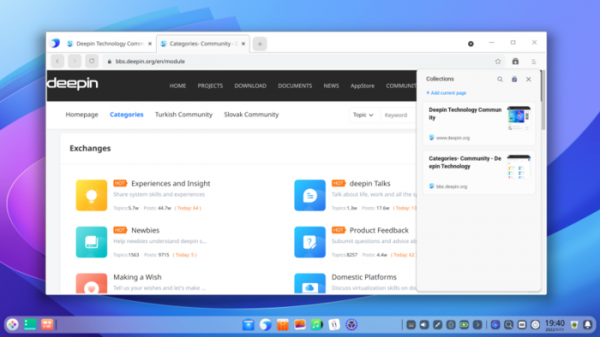
- The browser has been upgraded from Chromium 83 to Chromium 93. Support for tab grouping, collections, quick searching within tabs, and sharing links has been added.

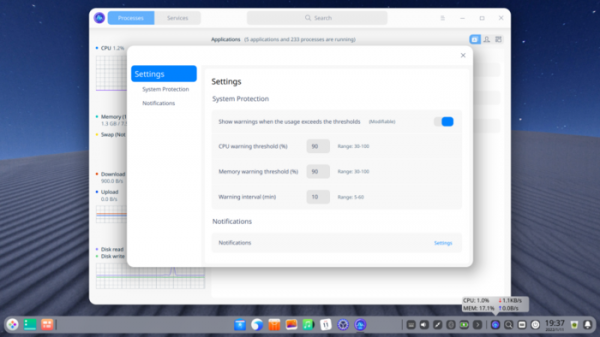
- A new plugin has been added to System Monitor for monitoring system parameters, allowing for more accurate tracking of memory and CPU load, with notifications displayed when a specified load threshold is exceeded or when processes consuming excessive resources are identified.
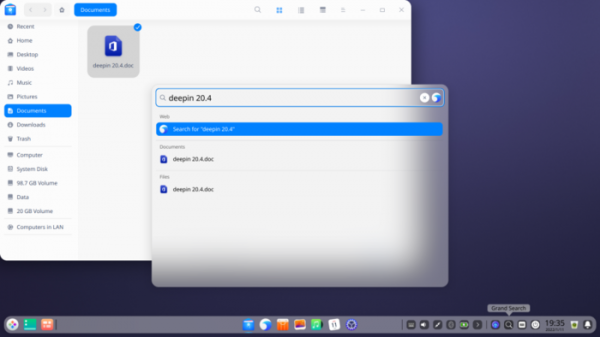
- The Grand Search interface can now be enabled or disabled in the panel settings. In search results, it is now possible to display paths for files and directories by clicking while holding the Ctrl key.
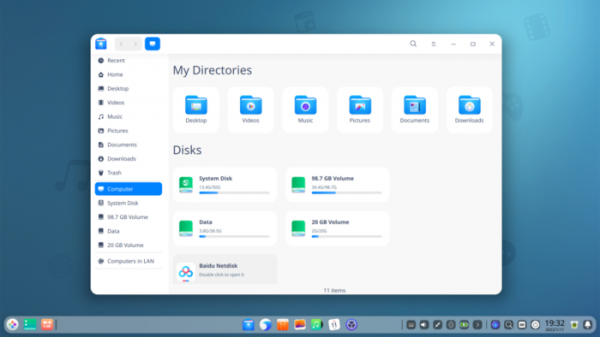
- For desktop shortcuts, the number of characters displayed in the file name has been increased. In the file manager on the Computer page, the display of third-party applications has been added.
- The ability to quickly restore a file moved to the trash via Ctrl+Z has been added.
- Password input forms now include an indication of password strength.
- The configurator has added the option "Resize Desktop" to expand the desktop to full screen in low-resolution environments. Additional settings for input methods have been introduced. An automatic update installation mode after the completion of downloads has been implemented. Support for biometric authentication has been added.
- In the camera application, the ability to change exposure and filters has been introduced, ensuring proportional stretching of photos during preview.
- The interface for disk management now includes fast, secure, and custom disk cleaning modes. Automatic mounting of partitions has been implemented.
- Linux kernel packages have been updated to versions 5.10.83 (LTS) and 5.15.6.
Source: opennet.ru
