

The release of the Firefox 98 web browser has taken place. Additionally, an update for the long-term support branch — 91.7.0 — has been formed. The Firefox 99 branch has entered beta testing, with its release scheduled for April 5.
Key innovations:
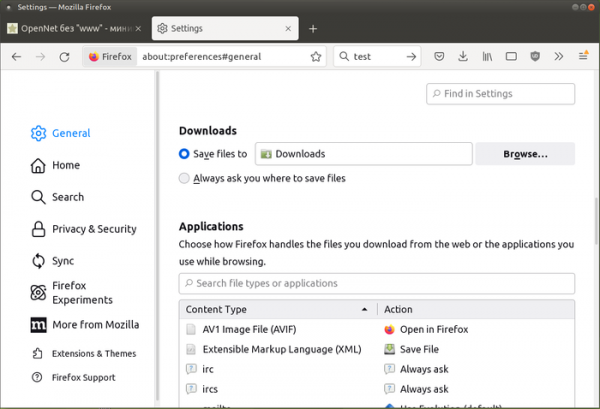
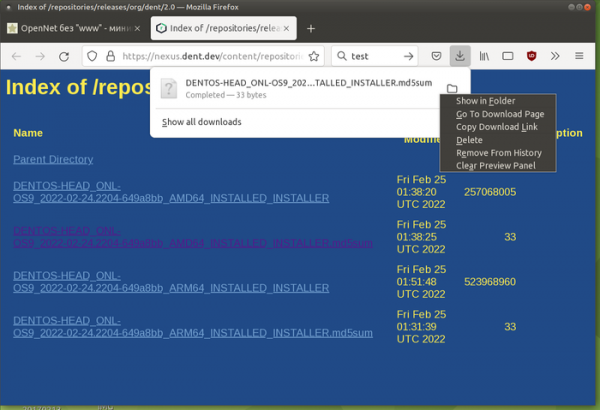
- The behavior of file downloads has been changed — instead of prompting before the download begins, files now start downloading automatically, with a notification displaying in the panel at the start of the download. Through the panel, users can get information about the download process at any time, open the file being downloaded during the process (this action will be performed after the download is complete), or delete the file. Settings have been provided to enable a prompt during each download and to determine the default application for opening specific types of files.

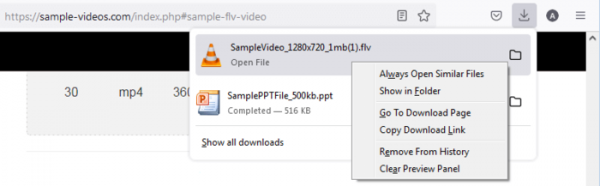
- New actions have been added to the context menu that appears when right-clicking on files in the downloads list. For example, with the "Always Open Similar Files" option, users can allow Firefox to automatically open a file in the associated application after the download is complete. Users can also open the folder containing downloaded files, go to the page from which the download was initiated (not the download itself, but the link to it), copy the link, remove the download entry from the browsing history, and clear the list in the downloads panel.


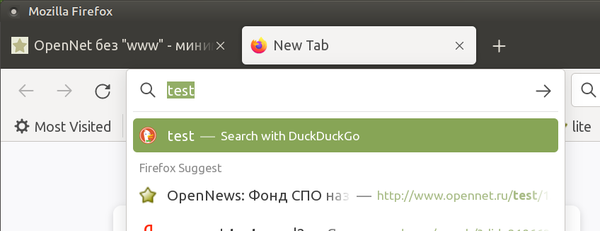
- For some users, the default search engine has been changed. For example, in the tested English-language build, DuckDuckGo has now been enforced as the default instead of Google. However, Google remains listed among the search engines as an option and can be set as the default in settings. The reason for the enforced change in the default search engine is cited as the inability to continue supplying handlers for some search engines due to the lack of formal permission. The deal with Google for transferring search traffic was in effect until August 2023 and brought in approximately $400 million per year, which constitutes a significant portion of Mozilla's revenue.

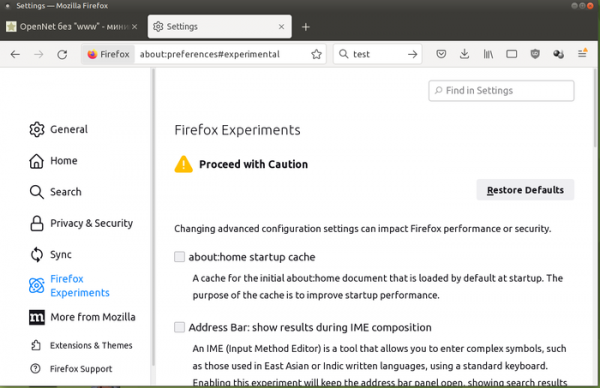
- The default settings show a new section with experimental features that users can test at their own risk. For example, available for testing is the caching feature for the homepage, SameSite=Lax and SameSite=None modes, CSS Masonry Layout, additional panels for web developers, setting Firefox 100 in the User-Agent header, and global indicators for muting audio and microphone.

- To optimize the browser startup process, the logic for loading extensions that use the webRequest API has been changed. Only blocking webRequest calls will cause extensions to load during Firefox's startup. Access to webRequest in non-blocking mode will be deferred until Firefox has finished starting.
- Support for the HTML tag
- In the implementation of the Custom Elements specification, which allows the addition of custom HTML elements that extend the functionality of existing HTML tags, support has been added for incorporating custom elements related to input form handling.
- The CSS property hyphenate-character has been added, which can be used to set a string that will be used in place of the end-of-word hyphenation character ('-').
- Support for registering protocol handlers for URL schemes ftp, sftp, and ftps has been implemented in the navigator.registerProtocolHandler() method.
- The HTMLElement.outerText property has been added, which returns the content inside the DOM node, similar to the HTMLElement.innerText property, but unlike the latter, writes replace the entire node rather than just its content.
- The WebVR API, which is deprecated, is disabled by default (to re-enable it in about:config, set the parameter dom.vr.enabled=true).
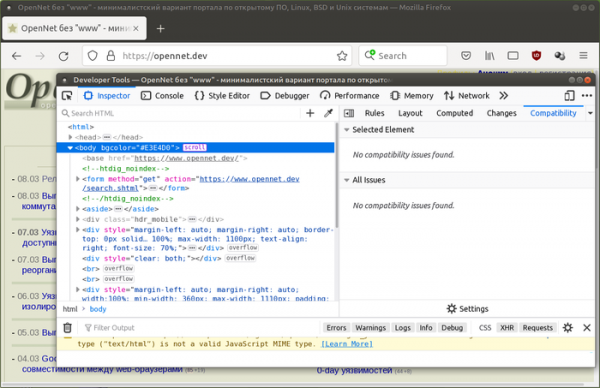
- A compatibility evaluation panel has been added to the web developer tools. The panel displays indicators warning of potential issues with the CSS properties of the selected HTML element or the entire page, allowing identification of incompatibilities across different browsers without needing to test the page separately in each browser.
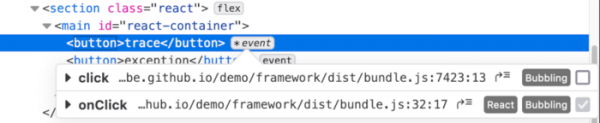
- The ability to disable event listeners for a specified DOM node has been provided. Disabling is done via a tooltip that appears when hovering over the event in the page inspection interface.

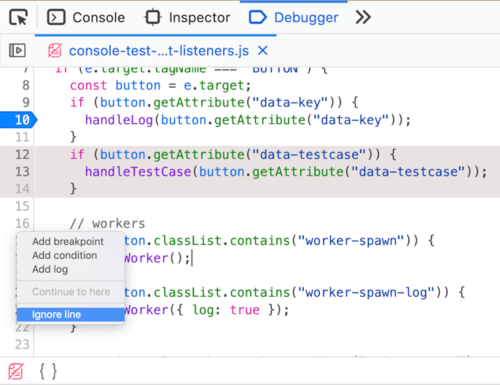
- An 'Ignore line' option has been added to the context menu in the debugger's editing mode to ignore a line during execution. This option is displayed when the parameter devtools.debugger.features.blackbox-lines=true is set in about:config.

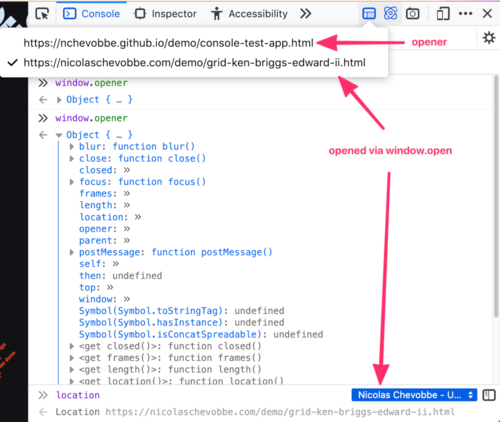
- A mode for automatically opening developer tools for tabs opened through window.open has been implemented (in devtools.popups.debug mode; for pages where developer tools are open, they will automatically open for all tabs opened from that page).

- In the Android platform version, the ability to change the background image on the homepage has been provided, and support for clearing cookies and site data for a single page has been added. domain.
In addition to new features and bug fixes, Firefox 98 addresses 16 vulnerabilities, 4 of which are marked as critical. 10 vulnerabilities (classified under CVE-2022-0843) are caused by memory management issues, such as buffer overflows and accessing freed memory areas. These issues could potentially allow an attacker to execute code by opening specially crafted pages.
The beta version of Firefox 99 adds support for native GTK context menus, enables floating GTK scrollbars, introduces diacritic-sensitive and insensitive search support in the PDF viewer, and adds the 'n' hotkey in Reader Mode to toggle text-to-speech (Narrate) mode.
Source: opennet.ru
