

A significant release of the open-source cross-platform password manager KeePassXC 2.7 has been published, providing tools for securely storing not only regular passwords but also one-time passwords (TOTP), SSH keys, and other information that the user considers confidential. Data can be stored both in a local encrypted vault and in external cloud storage. The project's code is written in C++ using the Qt library and is distributed under GPLv2 and GPLv3 licenses. Ready-made builds are prepared for Linux (AppImage, Flatpak, Ubuntu PPA), Windows, and macOS.
Main Features:
- Creating and working with databases in KDBX format.
- Systematizing information by grouping.
- Built-in search system.
- Reliable password generator.
- Automatic password filling in applications.
- Integration with web browsers Chrome, Mozilla Firefox, Edge, Chromium, Vivaldi, Brave, and Tor Browser.
- Support for importing password databases from CSV, 1Password, and KeePass1 formats. Export to CSV and HTML formats.
- Analysis of saved password quality and generation of reports with statistics.
- Storage and generation of one-time passwords (TOTP).
- Attachment of files and addition of custom attributes.
- Support for YubiKey and OnlyKey.
- Command-line management capability (keepassxc-cli).
- Sharing KeeShare database.
- Integration with SSH Agent.
- Support for FreeDesktop.org Secret Service, for example, for use instead of GNOME keyring.
- Support for Twofish and ChaCha20 encryption algorithms.
In the new release:
- Support for KDBX 4.1 format.
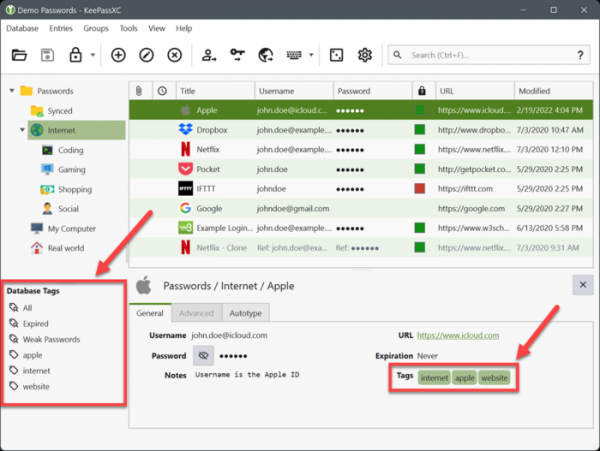
- The ability to bind tags and search by tags has been provided.

- Quick unlocking via FreeDesktop.org Secret Service (Linux), Windows Hello, and macOS Touch ID has been added. You can now quickly unlock the password list with a fingerprint scanner, similar to what is done in KeePassDroid.
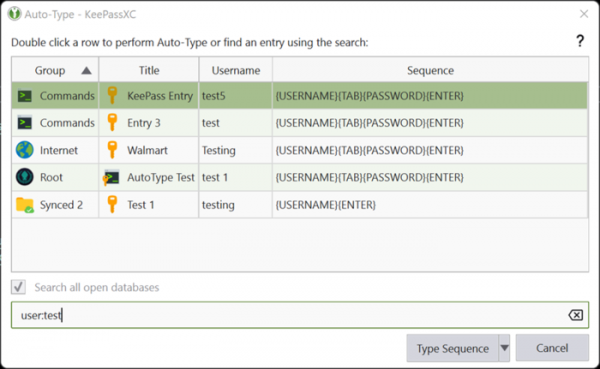
- Significantly reworked tools for automatic password entry. Keyboard layout variations are now considered during auto-entry.
- Vulnerable passwords are highlighted in the interface with a special label.
- Improved processing of attachments, including the ability to work with attachments via CLI.
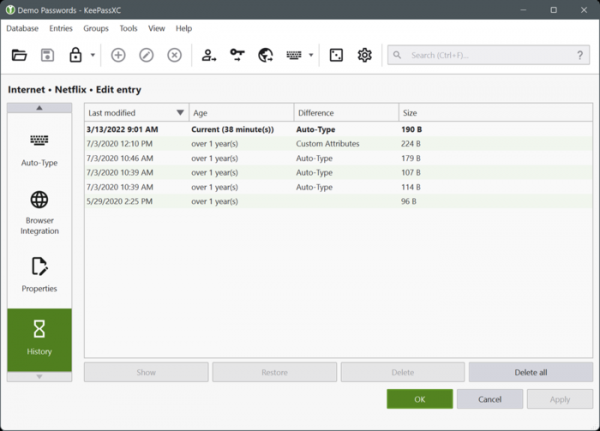
- The operation history display has been redesigned, showing exactly which fields were changed and providing the ability to undo operations.

- The encryption backend has been switched from libgcrypt to the Botan library.
- An option for direct writing to cloud storage and GVFS has been added.
- Screen capture protection has been implemented in Windows and macOS.
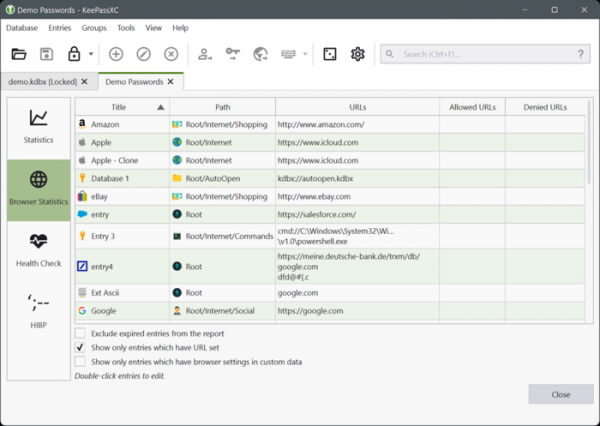
- A new tab has been added to the database reports section, showing data used in the browser extension.

- Support for defining paths for backup storage.
- The group cloning feature has been added.
- Support for interaction with hardware keys through NFC has been added.
- Support for Microsoft Edge on the Linux platform has been added.
Source: opennet.ru
