

After six months of development, the GNOME 42 desktop environment has been released. Specialized Live builds based on openSUSE and an installation image prepared under the GNOME OS initiative are offered for a quick evaluation of GNOME 42's capabilities. GNOME 42 is also already included in the experimental build of Fedora 36.
In the new release:
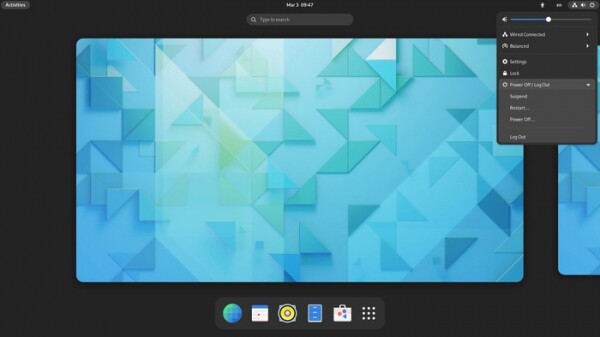
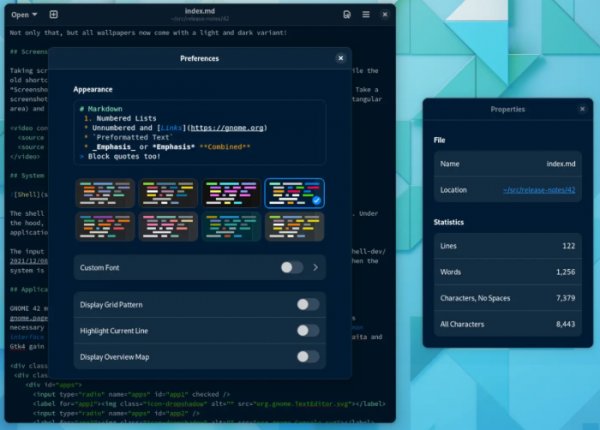
- Global settings for the dark theme have been implemented, informing applications about the need to switch to the dark theme instead of the light one. The dark mode can be enabled in the 'Appearance' panel and is supported in most GNOME applications, as well as in all standard desktop wallpapers. Applications have the option to define their own style settings, which can be used, for example, to activate lighter or darker themes independently of the overall system style.
- The screenshot interface has been redesigned, integrating with the screencasting tool and allowing the capture of a specific part of the screen or a separate window. After pressing the Print Screen key, a dialog appears that allows you to select a screen area and the mode for saving a single snapshot or recording video. Hotkeys can also be used for control.
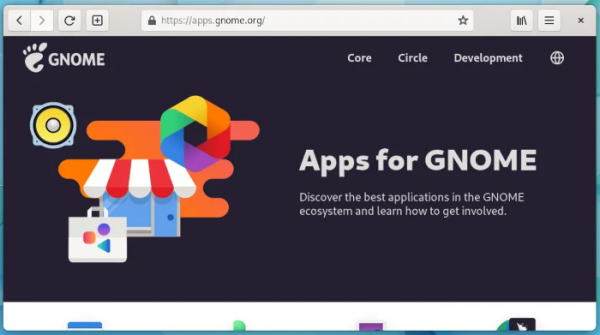
- Many applications have been transitioned to use GTK 4 and the libadwaita library, which offers ready-made widgets and objects for building applications that comply with the GNOME HIG (Human Interface Guidelines) and can adapt responsively to screens of any size. Notably, libadwaita is now used in applications such as Disk Usage Analyzer, To Do, Fonts, Tour, Calendar, Clocks, Software, Characters, Contacts, Weather, Calculator, Sound Recorder, App Icon Preview, Icon Library, and Secrets. Many of these applications can now be installed separately in Flatpak format.
- The system style of the user interface and the GNOME Shell have been updated, visually unifying with the new design of applications that have transitioned to using Libadwaita. The style of symbolic icons has been revamped.

- The GNOME Settings configurator interface has been updated, now also based on libadwaita. The layout of the panels for configuring appearance, applications, screens, languages, and users has been redesigned.

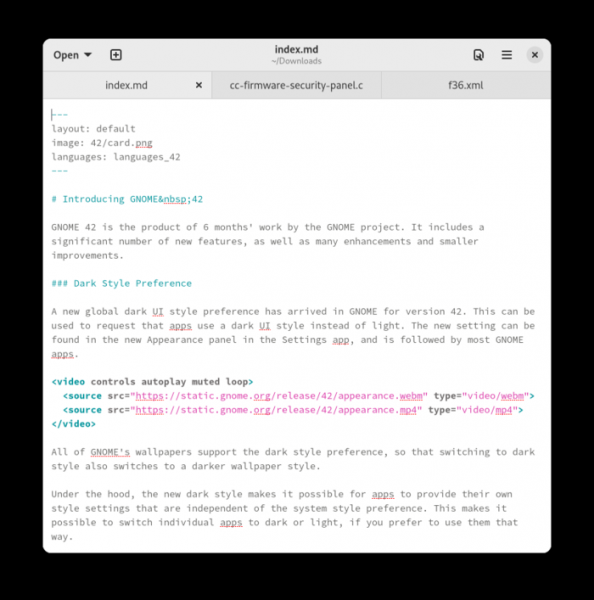
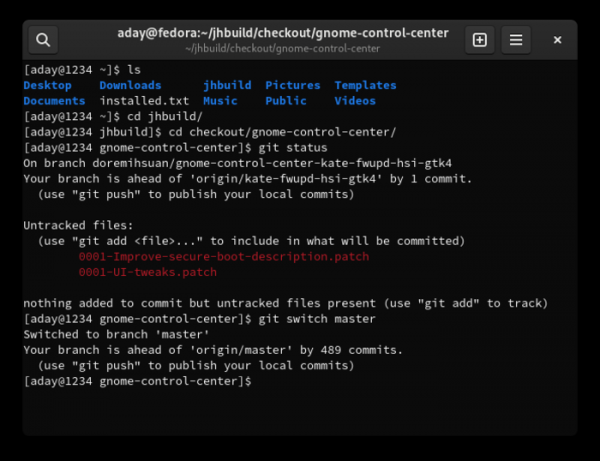
- Two new applications have been added to the list of recommended default applications for GNOME installations: the Text Editor text editor and the Console terminal emulator. These applications use GTK 4, offer a tabbed interface, support a dark theme, and provide their own set of styles allowing users to switch between light and dark themes independently of other applications. The Text Editor features automatic saving of changes to protect against data loss in the event of a crash.

The interface of the Console terminal emulator is notable for its overlaying scrollbars and size indicator, as well as the color change of the header when operating with root privileges.

- Web (Epiphany) has included hardware acceleration for rendering, providing smoother scrolling, preparations for transitioning to GTK 4, an updated built-in PDF viewer (PDF.js), and support for applying dark themes.

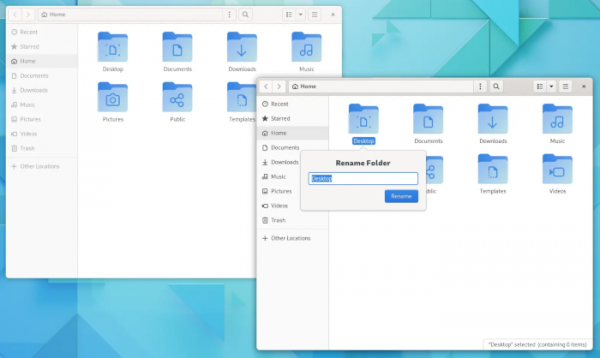
- The file manager now allows scrolling through file paths in the panel, updated icons, and introduced a new interface for renaming files and folders. Significant improvements have been made to file indexing in the Tracker search engine, reducing memory usage and speeding up startup.

- The video player utilizes OpenGL-based widgets and implements support for hardware-accelerated video decoding. The integration of video playback with the GNOME Shell has been enhanced through the use of the MPRIS standard, which defines means for remote control of media players. Playback can now be controlled using buttons integrated into the notification list.
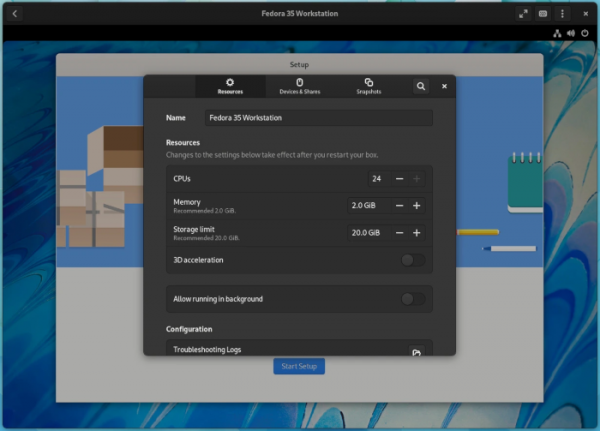
- In GNOME Boxes, the remote desktop manager, the settings interface has been redesigned to adapt to different screen sizes. Support for operating systems using UEFI has been improved. of virtual machines The remote desktop access tools now include the option to use the RDP protocol instead of VNC. Enabling RDP can be done in the settings under the "Sharing" panel, after which establishing a session with the remote system occurs automatically.

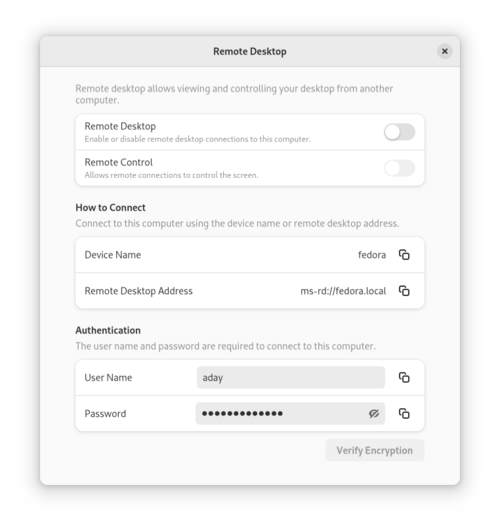
- The remote desktop access tools have been updated to allow the use of the RDP protocol instead of VNC. RDP can be enabled in the settings under the "Sharing" panel, after which a session with the remote system will be established automatically.

- Input handling has been significantly improved — input delays have been reduced and responsiveness has been enhanced in high-load systems. These optimizations are especially noticeable in games and resource-intensive graphical applications.
- The rendering of applications running in fullscreen mode has been optimized, which, for example, has reduced power consumption during fullscreen video playback and increased FPS in games.
- The Clutter library and related components Cogl, Clutter-GTK, and Clutter-GStreamer have been removed from the GNOME SDK. To ensure compatibility with existing extensions, internal copies of Cogl and Clutter have been retained in GNOME Shell. Developers are advised to migrate their applications to GTK4, libadwaita, and GStreamer.

Source: opennet.ru
