

The release of the Ubuntu 22.04 "Jammy Jellyfish" distribution has taken place, categorized as a Long-Term Support (LTS) release, with updates scheduled for 5 years, until April 2027. Installation and boot images have been created for Ubuntu, Ubuntu Server, Lubuntu, Kubuntu, Ubuntu Mate, Ubuntu Budgie, Ubuntu Studio, Xubuntu, and UbuntuKylin (the edition for China).
Key Changes:
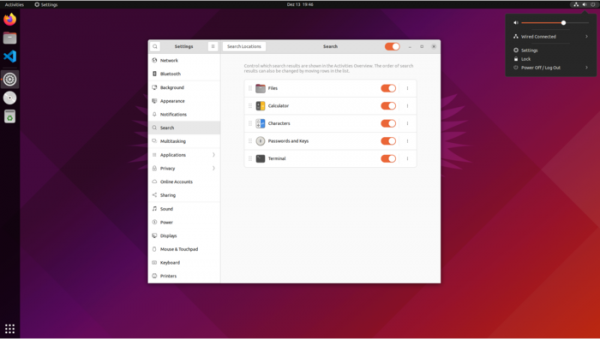
- The desktop has been updated to the GNOME 42 release, adding universal dark theme settings for the interface and optimizing the performance of GNOME Shell. The PrintScreen button now offers the ability to create a screencast or screenshot of a selected area of the screen or a separate window. To maintain the integrity of the design and stability of the user environment, some applications from the GNOME 41 branch have been retained in Ubuntu 22.04 (mainly those that were transitioned to GNOME 42 on GTK 4 and libadwaita). For most configurations, the default session is based on the Wayland protocol, but users can choose to revert to using the X server at login.
- Ten options for color themes in dark and light styles have been proposed. The default desktop icons have been moved to the bottom right corner of the screen (this behavior can be changed in the appearance settings). In the Yaru theme, all elements of buttons, sliders, widgets, and switches have switched from eggplant color to orange. A similar change has been made in the icon set. The color of the close button of the active window has changed from orange to gray, and the color of slider handles has changed from light gray to white.

- New settings have been added to manage the appearance and behavior of the Dock panel. Integration with the file manager and device widget panel has been improved.
- Support has been provided for screens that display confidential information; for instance, some laptops come equipped with screens that feature a built-in privacy mode, making it difficult for others to view the display.
- The possibility of using RDP protocol for desktop sharing has been introduced (VNC support remains as an option that can be enabled in the configurator).
- Firefox browser is now only available in Snap format. The deb packages for firefox and firefox-locale have been replaced with placeholders that install the Snap package with Firefox. For users of deb packages, a transparent transition to Snap is provided through the release of an update that will install the Snap package and transfer current settings from the user's home directory.
- To enhance security, the os-prober utility is disabled by default, which finds boot partitions of other operating systems and adds them to the boot menu. To boot alternative OSes, it is recommended to use the UEFI bootloader. To restore automatic detection of third-party OSes, you can change the GRUB_DISABLE_OS_PROBER setting in /etc/default/grub and run the command 'sudo update-grub'.
- Access to NFS shares using the UDP protocol is disabled (the kernel is built with the CONFIG_NFS_DISABLE_UDP_SUPPORT=y option).
- Proprietary NVIDIA drivers have been added to the linux-restricted-modules set for ARM64 architecture (previously only provided for x86_64 systems). You can use the standard ubuntu-drivers utility to install and configure NVIDIA drivers.
- The primary kernel in use is Linux 5.15, but in Ubuntu Desktop on some certified devices (linux-oem-22.04), kernel 5.17 will be provided.
- The system manager systemd has been updated to version 249. For proactive memory shortage response in Ubuntu Desktop, the systemd-oomd mechanism is enabled by default. This is based on the kernel's PSI (Pressure Stall Information) subsystem, which allows user space to analyze the wait times for accessing various resources (CPU, memory, input/output) for a precise assessment of system load and performance degradation. The oomctl utility can be used to check the state of OOMD.
- The versions of developer tools have been updated: GCC 11.2, LLVM 14, glibc 2.35, Python 3.10.4, Ruby 3.0, PHP 8.1.2, Perl 5.34, Go 1.18, Rust 1.58, OpenJDK 18 (OpenJDK 11 is also included), PostgreSQL 14, MySQL 8.0.28.
- The versions of LibreOffice 7.3, Firefox 99, Thunderbird 91, Mesa 22, BlueZ 5.63, CUPS 2.4, NetworkManager 1.36, Poppler 22.02, Chrony 4.2, PulseAudio 16, xdg-desktop-portal 1.14, samba 4.15.5, Apache httpd 2.4.52, containerd 1.5.9, runc 1.1.0, QEMU 6.2, libvirt 8.0.0, virt-manager 4.0, openvswitch 2.17, and LXD 5.0 have been updated. Significant new branches of OpenLDAP 2.5, BIND 9.18, and OpenSSL 3.0 have been introduced.
- The main repository for Ubuntu Server now includes the wireguard and glusterfs packages.
- The package includes the FRRouting routing protocol stack (BGP4, MP-BGP, OSPFv2, OSPFv3, RIPv1, RIPv2, RIPng, PIM-SM/MSDP, LDP, IS-IS), which has replaced the previously used Quagga package (FRRouting is a fork of Quagga, so compatibility has not been compromised).
- By default, the nftables packet filter is in use. To maintain backward compatibility, the iptables-nft package is available, providing utilities with the same command line syntax as iptables, but translates the received rules into nf_tables bytecode.
- In OpenSSH, support for RSA key-based digital signatures with SHA-1 hash ('ssh-rsa') is disabled by default. The scp utility has been enhanced with the '-s' option for SFTP protocol support.
- Support for Power8 processors has been discontinued in Ubuntu Server builds for IBM POWER systems (ppc64el); builds are now compiled for the Power9 CPU ('--with-cpu=power9').
- Working live-install builds have been created for the RISC-V architecture.
- Ubuntu 22.04 is the first LTS release with official builds for Raspberry Pi boards. Support has been added for the Pimoroni Unicorn HAT LED matrix and DSI touch screens. The rpiboot utility has been introduced for Raspberry Pi Compute boards. For microcontrollers supported by MicroPython, such as the Raspberry Pi Pico, the rshell utility (pyboard-rshell package) has been added. The imager utility (rpi-imager package) has been included for pre-configuring boot images.
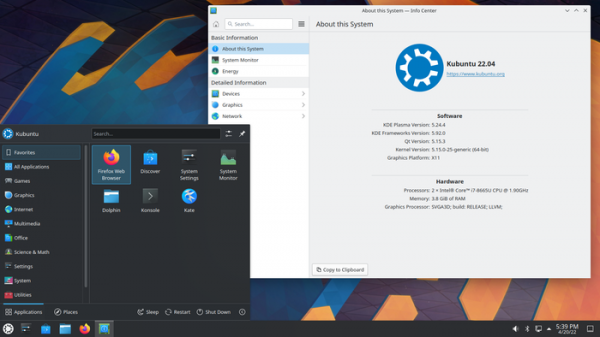
- Kubuntu has introduced KDE Plasma 5.24.3 desktop and KDE Gear 21.12.3 applications.

- Xubuntu continues to deliver the Xfce 4.16 desktop. The Greybird theme set has been updated to version 3.23.1 to support GTK 4 and libhandy, improving the unification of GNOME and GTK4 application styles with Xubuntu's overall theme. The elementary-xfce 0.16 set has been updated, offering many new icons. The Mousepad 0.5.8 text editor has been included with session saving and plugin support. Improvements have been made to thumbnail handling in the Ristretto 0.12.2 image viewer.
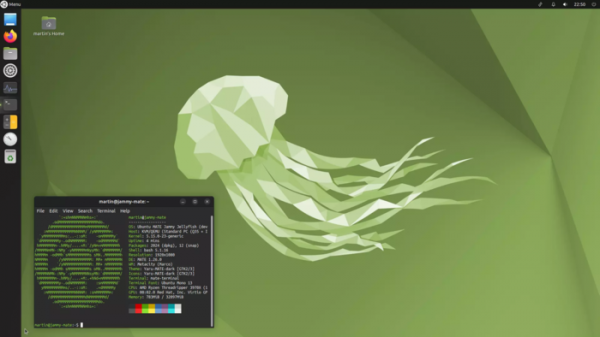
- In Ubuntu MATE, the MATE desktop has been updated to the corrective release 1.26.1. The stylistic design has been translated to the Yaru theme variant (used in Ubuntu Desktop), adapted for use in MATE. New applications GNOME Clocks, Maps, and Weather have been included in the main set. The indicator set for the panel has been updated. By removing proprietary NVIDIA drivers (which now load separately), eliminating duplicate icons, and removing old themes, the installation image size has been reduced to 2.8 GB (down from 4.1 GB before cleaning).
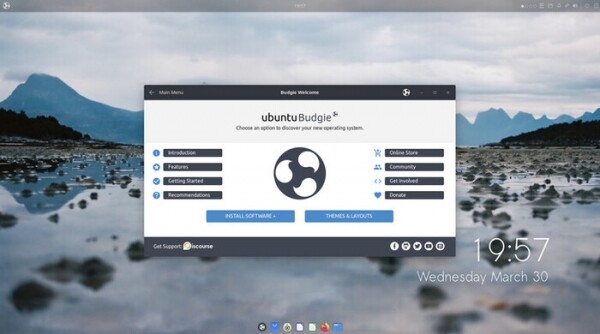
- Ubuntu Budgie now features a new release of the Budgie 10.6 desktop. Applets have been updated.

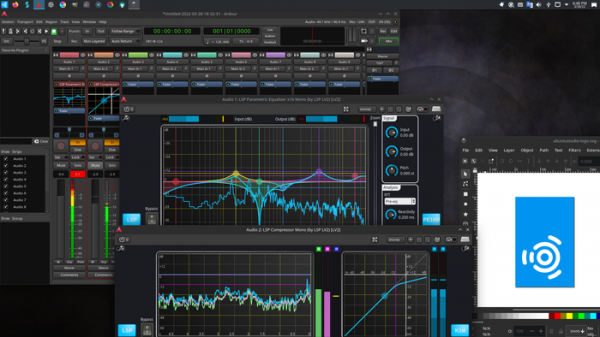
- Ubuntu Studio has updated versions of Blender 3.0.1, KDEnlive 21.12.3, Krita 5.0.2, Gimp 2.10.24, Ardour 6.9, Scribus 1.5.7, Darktable 3.6.0, Inkscape 1.1.2, Carla 2.4.2, Studio Controls 2.3.0, OBS Studio 27.2.3, and MyPaint 2.0.1.
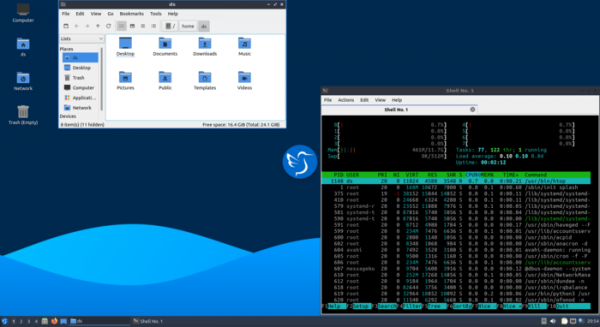
- Lubuntu builds continue to ship with the LXQt 0.17 graphical environment.

Additionally, two unofficial editions of Ubuntu 22.04 have been released — Ubuntu Cinnamon Remix 22.04 (ISO images) with the Cinnamon desktop and Ubuntu Unity 22.04 (ISO images) with the Unity7 desktop.
Source: opennet.ru
