

The Document Foundation has released the LibreOffice 7.4 office suite. Ready-to-install packages have been prepared for various Linux distributions, Windows, and macOS. 147 developers participated in preparing the release, of which 95 are volunteers. 72% of changes were made by employees of three sponsoring companies — Collabora, Red Hat, and Allotropia, while 28% of changes were added by independent enthusiasts.
The release of LibreOffice 7.4 is labeled as 'Community', will be supported by enthusiasts, and is not aimed at enterprise use. LibreOffice Community is available for free to everyone without exception, including corporate users. For enterprises in need of additional service, products in the LibreOffice Enterprise family are being developed separately, which will receive full support from partner companies, the ability to receive long-term updates (LTS), and additional features such as SLAs (Service Level Agreements).
The most notable changes:
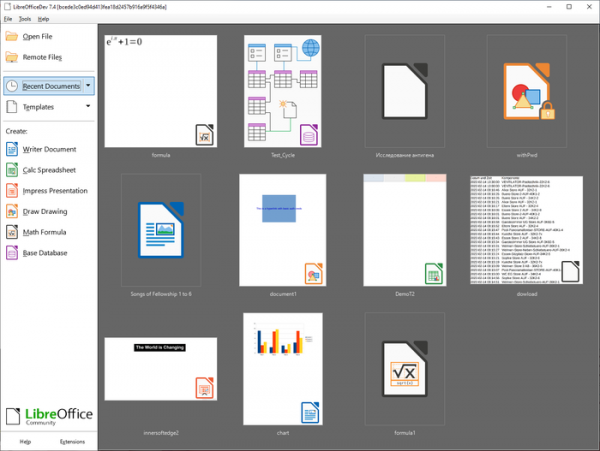
- The drawing of document thumbnails has been improved in the Start Center.

- The extensions manager now includes a search field.
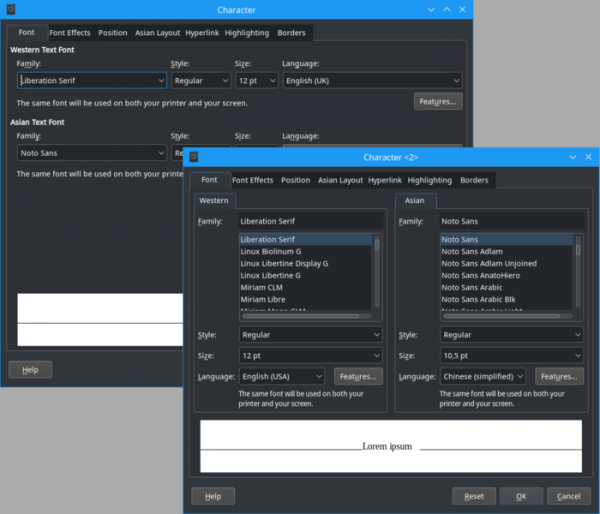
- The font options dialog has been redesigned.

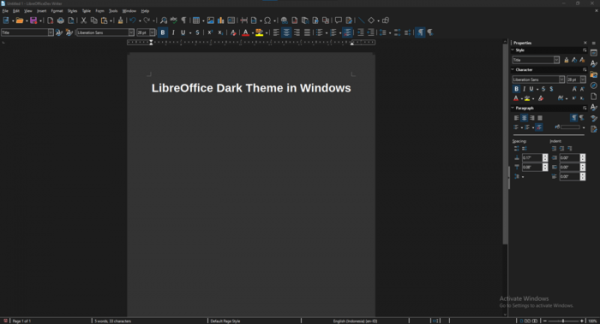
- An experimental dark theme is offered for Windows 10 and Windows 11.

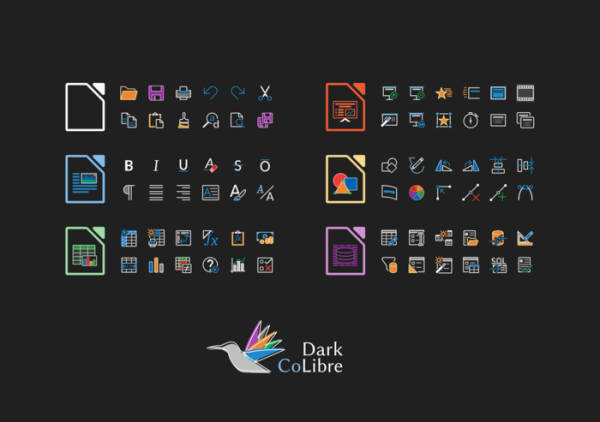
- A dark variant of the Colibre icon set, which is applied by default in Windows, has been proposed.

- Support for importing and exporting images in WebP format has been added; this format can now also be used to insert pictures into documents, spreadsheets, presentations, and Draw drawings.
- Support for EMZ and WMZ file formats has been added.
- Performance improvements have been made for document layout creation during operations such as document loading and exporting to PDF.
- Help information for the ScriptForge macro library has been added.
- Changes in Writer:
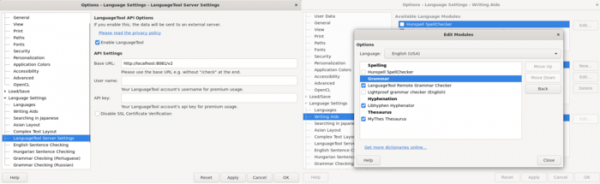
- The option to use the external LanguageTool for grammar checking has been added.

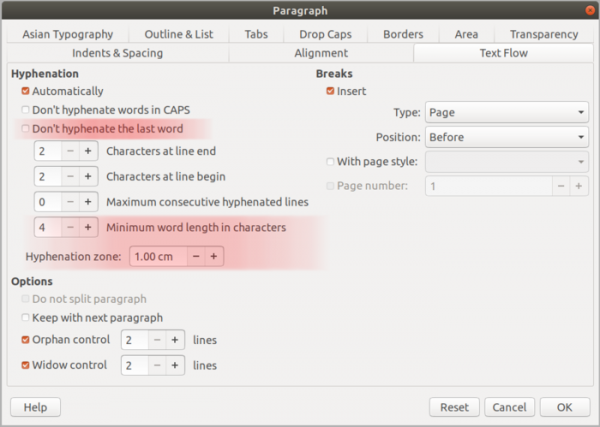
- New hyphenation options have been added to the typography settings for text composition in a paragraph: Break Zone (hyphenation limitation), minimum word length for hyphenation, and disabling hyphenation for the last word in a paragraph.

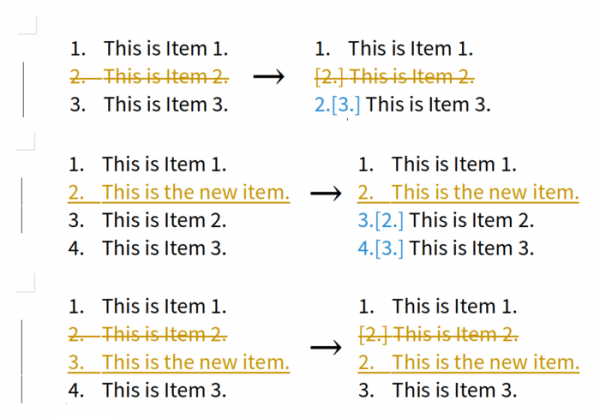
- The numbering of list items in Show Changes mode has been modified to include both current and original item numbers.

- When selecting the action from the menu ‘Tools ▸ Update ▸ Update all’, the OLE object thumbnails are now updated as well.
- The handling of borders around tables and paragraphs has been aligned more closely with MS Word behavior.
- The capability to clean breaks in MS Word documents has been implemented to enhance layout accuracy.
- The accessibility check dialog (Tools ▸ Accessibility Check…) has been translated to render in asynchronous mode.
- For documents uploaded in read-only mode, changes can now be viewed both through the dialog ‘Edit ▸ Tracked Changes ▸ Manage…’ and the sidebar.
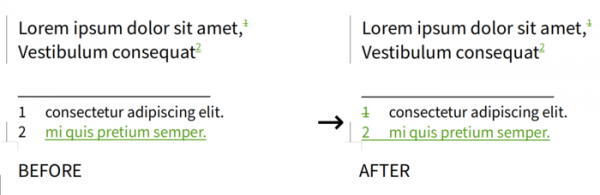
- Changes in the document related to the deletion and insertion of footnotes are now shown in the footnotes area.

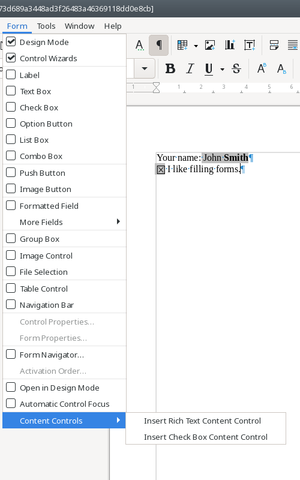
- For improved compatibility with MS Word, support for DOCX-compatible content controls has been added for form filling elements: ‘Rich Text’ (indicator for text block), ‘Check Box’ (element selection toggle), ‘Drop-Down’ (dropdown list), ‘Picture’ (image insertion button), and ‘Date’ (date picker field).

- By default, autocorrection for markdown tags ‘*bold*’, ‘/italic/’, ‘-strikeout-’, and ‘_underline_’ in text is disabled.
- The option to use the external LanguageTool for grammar checking has been added.
- Changes in the Calc spreadsheet application:
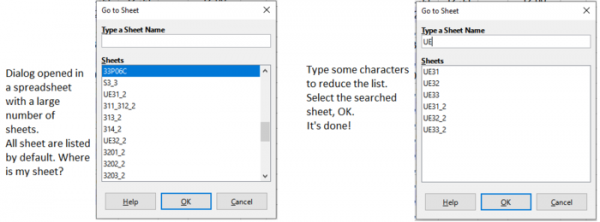
- A new menu item ‘Sheet ▸ Navigate ▸ Go’ has been added to simplify access to sheets in large spreadsheets with a high number of sheets. A new dialog for searching by sheet names appears when navigating the menu.

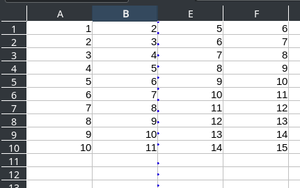
- A setting ‘View ▸ Hidden Row/Column Indicator’ has been added to show a special indicator for hidden columns and rows.

- Access to sorting options has been simplified.

- The capability to work with spreadsheets containing up to 16,000 columns has been implemented (previously, documents could not include more than 1,024 columns).
- The AutoSum widget now offers new functions COUNTA, PRODUCT, STDEV, STDEVP, VAR, and VARP for use in formulas.
- The modified height of the formula input panel is now saved in the document.
- The dialog for copying and moving sheets has been improved, with the note for the ‘OK’ button now changing based on the selected operation.
- Automatic filling of cell ranges for array and matrix-returning formulas has been implemented, similar to how it would work if the combination 'Shift + Ctrl + ↵' was used for input. To retain the old behavior, simply select the desired cell before entering the formula (previously, only one cell was filled with the first top element).
- Performance improvements have been made. The processing of large numbers of data columns has been optimized. The performance of the COUNTIF, SUMIFS, and VLOOKUP functions has been enhanced, particularly when using unsorted data. Calculations in documents with a high number of formulas have been accelerated. The speed of loading large CSV files has increased. The performance of the filter for exporting to Excel files has been improved. The loading time of spreadsheets requiring recalculation has been sped up.
- A new menu item ‘Sheet ▸ Navigate ▸ Go’ has been added to simplify access to sheets in large spreadsheets with a high number of sheets. A new dialog for searching by sheet names appears when navigating the menu.
- Changes in Impress:
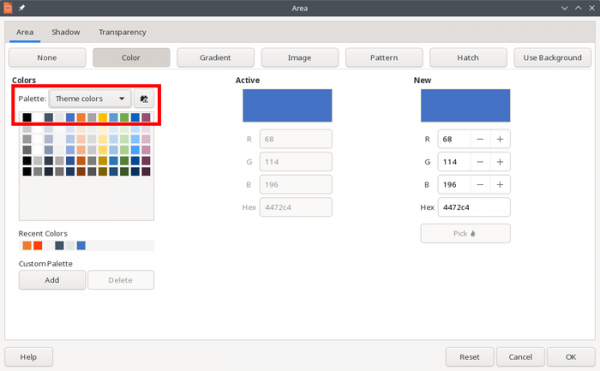
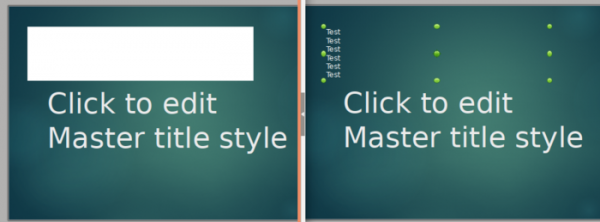
- Initial support has been implemented for themes that allow defining common colors and font parameters used for text and fill shapes throughout the presentation (to change the color scheme of the presentation, simply change the theme).

- To enhance compatibility with PPTX files, the option to use slide backgrounds for filling shapes has been introduced.
- Initial support has been implemented for themes that allow defining common colors and font parameters used for text and fill shapes throughout the presentation (to change the color scheme of the presentation, simply change the theme).
- Filters:
- For the DOCX format, the import of text blocks with tables and images within grouped shapes has been realized. The ability to unlock access to the document's change history, protected by a password, has been added.
- For PPTX, support for anchor points has been implemented for basic shapes (ellipse, triangle, trapezoid, parallelogram, rhombus, pentagon, hexagon, heptagon, octagon). Issues with exporting and importing multimedia files embedded in PPTX have been resolved.
- The export and import of documents in RTF format have been improved.
- The capabilities for converting documents to PDF format from the command line have been expanded. Support for exporting form fields for entering numbers, currency, date, and time to PDF has been added.
- Support for text encoding selection in HTML export has been discontinued. The encoding is now always UTF-8.
- Support for importing files in EMF and WMF formats has been enhanced.
- The filter for importing TIFF images has been rewritten (migrated to libtiff). Support for the OfficeArtBlip TIFF format variant has been added.

Source: opennet.ru
