

The Blender Foundation has released version 3.3 of the free 3D modeling software Blender, suitable for various tasks related to 3D modeling, 3D graphics, game development, simulation, rendering, compositing, motion tracking, sculpting, animation creation, and video editing. The code is distributed under the GPL license. Ready builds are available for Linux, Windows, and macOS. This release has been designated as a long-term support (LTS) release and will be supported until September 2024.
Among the added improvements:
- A completely redesigned hair modeling system has been introduced, featuring a new object type called 'Curves', which can be used in sculpting mode and applied in geometry nodes. The capability to use the old particle-based hair generation system has been retained, allowing hair created in different systems to be transferred from one system to another.
- A sculpting mode for curves has been added, which can be used to control hair generation and hairstyles. Curves deformed using geometry nodes can be utilized, as well as the definition of control points or control curves, symmetry settings, and filter creation in the table editor. The following tools have been implemented: Add/Delete, Density, Comb, Snake Hook, Pinch, Puff, Smooth, and Slide. The rendering engines EEVEE and Cycles can be used.
- New nodes have been added to the implementation of geometry nodes for finding paths along the edges of meshes, which can be used to generate mazes, lightning, and plants — Shortest Edge Path (the shortest path between vertices), Edge Paths to Selection (selection of edges through which the path passes), and Edge Paths to Curves (generation of a curve that includes all edges in the path). Support for procedural UV unwrapping has been expanded — new nodes UV Unwrap and Pack UV Islands have been proposed for creating and modifying UV maps using geometry nodes. Performance has significantly increased for nodes UV Sphere (3.6 times faster at high resolution), Curve (3-10 times faster), Separate XYZ, and Separate Color (20% faster).
- The features of the Grease Pencil system for 2D drawing and animation have been expanded, allowing users to create sketches in 2D and then use them in a 3D environment as three-dimensional objects (a 3D model is formed based on several flat sketches from different angles). Support for silhouette recognition around objects and collections has been added, enabling different priority assignments when objects intersect and computing light and shadow separation lines. The Dopesheet Editor now displays keyframes for Grease Pencil, which can be used alongside regular objects when animating and adjusting properties. The loading time for art-line objects has been significantly reduced (by 4-8 times), and performance has been improved (the modifier calculation is now performed in a multithreaded mode).

- In the Cycles rendering system, support for hardware acceleration using the oneAPI interface implemented in Intel Arc GPUs has been introduced. On Linux and Windows platforms, hardware acceleration on AMD Vega architecture GPUs and APUs (Radeon VII, Radeon RX Vega, Radeon Pro WX 9100) has been enabled. Optimizations for Apple Silicon chips have been added. Memory consumption has been reduced when processing large data in OpenVDB format.
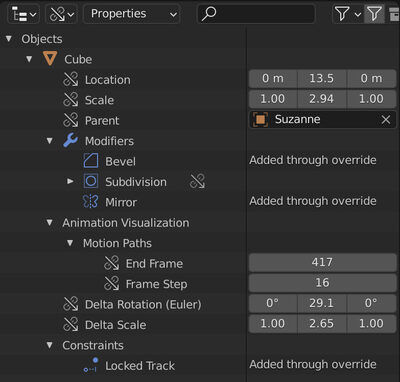
- The library overrides interface has been significantly redesigned, with all overridden properties now displayed in a hierarchical view showing available labels and icons. A quick switch between editable and non-editable overrides has been added. A submenu for library overriding has been integrated into the context menu of the Outliner interface (Project Structure).

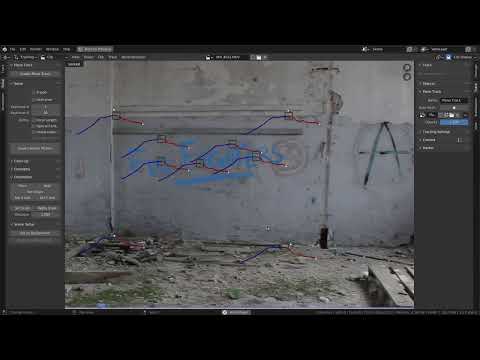
- The motion tracking system now allows the creation and updating of images from pixels behind the plane marker, which can be used to create undistorted textures based on existing video material and project those textures back into the video material after editing in external applications.

- The nonlinear video editor (Video Sequencer) has introduced a new resampling system for changing playback speed or fitting to the desired FPS.
- The user interface provides the ability to attach a scene to the workspace. Scroll bars are permanently visible. A manipulator (Gizmo) is displayed during transformations.

Source: opennet.ru
