

Red Hat has released the first significant version of Podman Desktop, a graphical interface for creating, running, and managing containers, competing with products like Rancher Desktop and Docker Desktop. Podman Desktop allows developers without system administration skills to create, run, test, and publish microservices and applications developed for container isolation systems on their workstations before deploying them in production environments. The code for Podman Desktop is written in TypeScript using the Electron platform and is distributed under the Apache 2.0 license. Pre-built packages are available for Linux, Windows, and macOS.
Integration with Kubernetes and OpenShift platforms is supported, as well as the use of various runtimes for container execution such as Podman Engine, Podman Lima, crc, and Docker Engine. The developer's local system environment can reflect the configuration of the production environment where the finished applications run (among other things, a multi-node Kubernetes cluster and OpenShift environments can be simulated locally). Support for additional container runtimes, Kubernetes providers, and toolchains can be implemented in the form of plugins to Podman Desktop. For example, plugins are available for running a single-node OpenShift Local cluster and connecting to the OpenShift Developer Sandbox cloud service.
Tools are provided for managing container images, working with pods and volumes, building images from Containerfile and Dockerfile, connecting to containers via the terminal, pulling images from OCI container registries, and publishing your images to them, managing resources available in containers (memory, CPU, storage).
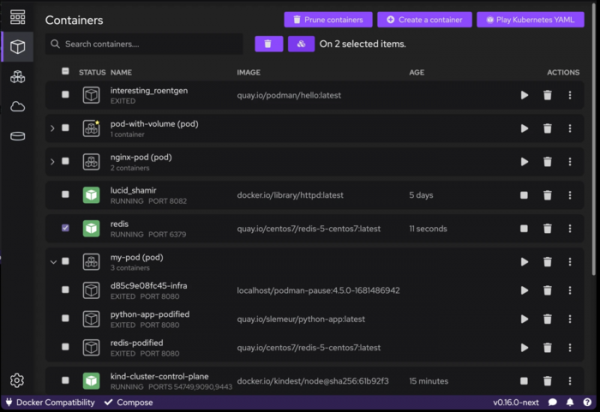
Podman Desktop can also be used for converting container images and connecting to both local container isolation engines and external Kubernetes-based infrastructures to host your pods and generate YAML files for Kubernetes or run Kubernetes YAML on a local system without Kubernetes.
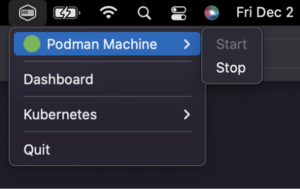
The application can be minimized to the system tray for quick management via a widget, allowing you to assess the state of containers, stop and start them, and manage environments based on Podman and Kind tools without interrupting your development.
Source: opennet.ru
