

After 7 months of development, the release of the Cinnamon 5.8 user environment has been formed, within which the community of Linux Mint developers is advancing a fork of the GNOME Shell, the Nautilus file manager, and the Mutter window manager, aimed at providing an environment in the classic GNOME 2 style with support for successful interaction elements from GNOME Shell. Cinnamon is based on GNOME components, but these components are provided as a periodically synchronized fork, independent of external dependencies on GNOME. The new release of Cinnamon will be offered in Linux Mint 21.2, which is scheduled for release at the end of June.
Key innovations:
- The work with themes has been reorganized and the structure of themes has been simplified. For example, the brown and beige colors have been unified, and support for colored stripes on icons has been removed where symbolic icons are possible.

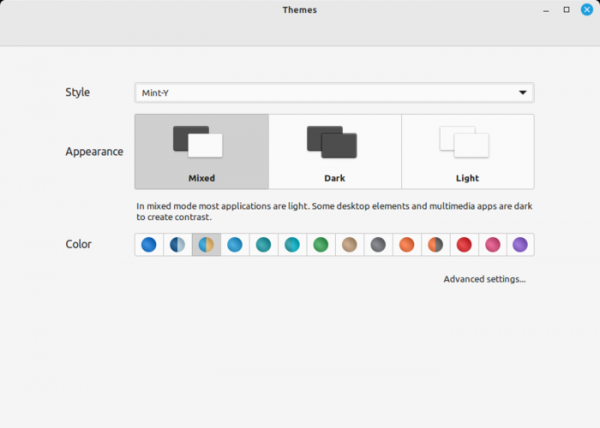
- The concept of styles has been added, offering three interface element color modes: mixed (dark menus and controls on a generally light window background), dark, and light. Each mode allows the selection of its own color variant. Styles and color variants enable sought-after interface templates without the need to choose individual themes.

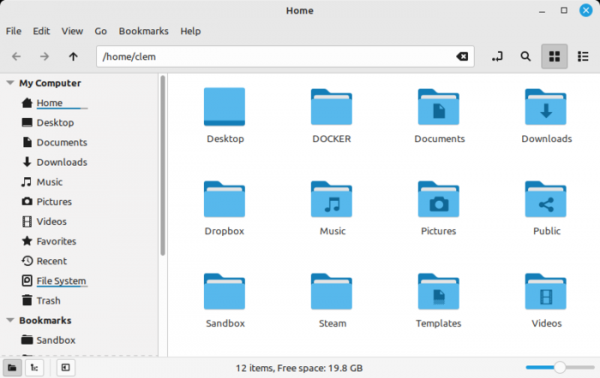
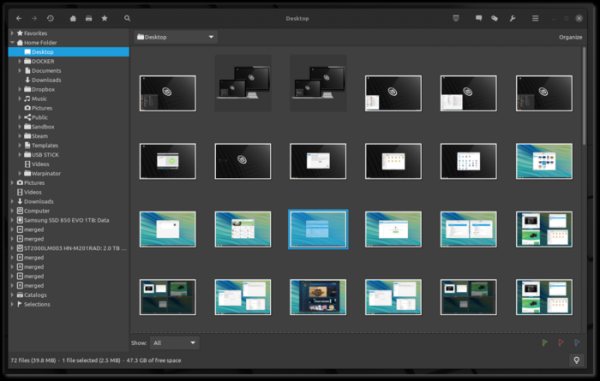
- New bi-color icons have been utilized in the file manager, and multi-threaded thumbnail generation has been enabled.

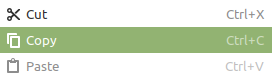
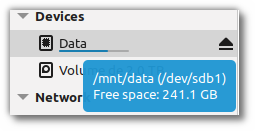
- The design of tooltips has been modified.

- The spacing between applets in the panel has been increased.
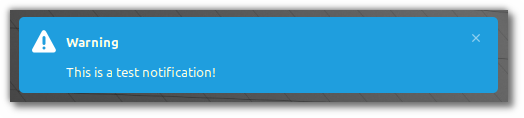
- Symbolic icons and colors used for highlighting active elements (accent) have been incorporated into notifications.

- Common dark mode settings for all applications have been added, allowing the selection of three options: prefer light theme, prefer dark theme, and the mode chooses based on the application.
- The ability to manage windows and virtual desktops using screen gestures has been added, as well as using gestures for mosaic layouts and controlling multimedia playback. Gestures on touch screens and touchpads are supported.
- The interface of the application installation program has been redesigned, and algorithms for sorting and grouping applications have been improved. The touchegg package has been utilized to define gestures.
- A setting has been added to change the mouse pointer after completing the Alt+Tab action.
- A setting has been added to change the behavior of the middle mouse button, which is used by default to paste from the clipboard.
- A setting has been added to disable the low battery warning on connected external devices.
- Background effects have been redesigned and included.
- Window grouping and sound management applets have been reworked.
- A separate style for selected categories has been added to the menu.
- It is now possible to resize applets by mouse, which is enabled in the applet with the menu. Settings have been added to restore the original menu size and change the size based on the scaling factor.
- An option has been added to the context menu displayed for applets to call the menu editor.
- Support for the VGA Switcheroo subsystem has been added for switching between different GPUs on laptops with hybrid graphics.
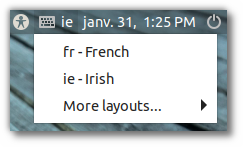
- The login screen now supports switching between multiple keyboard layouts. Keyboard navigation has been improved. It is now possible to configure the layout in the on-screen keyboard.

- The user interface in the Pix image editing program has been changed, which has been ported to the gThumb 3.12.2 codebase (previously gThumb 3.2.8 was used). Buttons and a dropdown menu in the header have replaced the toolbar and classic menu. Support for AVIF/HEIF and JXL formats has been added. Color profile support has been implemented. Generating large thumbnails (512, 768, and 1024 pixels) is now allowed. Scaling management has been improved. New effects and image editing tools have been added.

- The CJS JavaScript bindings have been updated to use GJS 1.74 and the SpiderMonkey 102 JavaScript engine (Mozjs 102). Previously, SpiderMonkey 78 was used.
- Implementation of Freedesktop portals (xdg-desktop-portal) has been added, which are used to provide access to user environment resources from isolated applications (for instance, with portals, flatpak packages can enable screenshot creation and add support for dark themes).
Source: opennet.ru
