

The release of Elementary OS 7.1 has been introduced, positioned as a fast, open, and privacy-respecting alternative to Windows and macOS. The project focuses on quality design aimed at creating an easy-to-use system that consumes minimal resources and ensures high boot speed. Users are provided with the Pantheon desktop environment. Bootable iso images (3 GB) are prepared for download, available for the amd64 architecture (to download for free from the project's website, you need to enter 0 in the donation field).
The original components of Elementary OS are developed using GTK3, the Vala language, and the proprietary Granite framework. The distribution is based on the developments of the Ubuntu project. At the package and repository support level, Elementary OS 7.x is compatible with Ubuntu 22.04. All additional applications offered for installation through the AppCenter, as well as some pre-installed applications, are packaged using the Flatpak format. The graphical environment is based on the custom Pantheon shell, which includes components such as the Gala window manager (based on LibMutter), the WingPanel top panel, and the Slingshot launcher. control panel Switchboard, the Plank taskbar (a Vala-rewritten counterpart of the Docky panel), and the Pantheon Greeter session manager (based on LightDM) are also part of the environment.
The environment includes a set of tightly integrated applications necessary for users to accomplish their tasks. Most of the applications are developed by the project, such as the Pantheon Terminal emulator, Pantheon Files file manager, Code text editor, and Music (Noise) music player. The project also develops the Pantheon Photos manager (a fork of Shotwell) and the Mail client (a fork of Evolution).
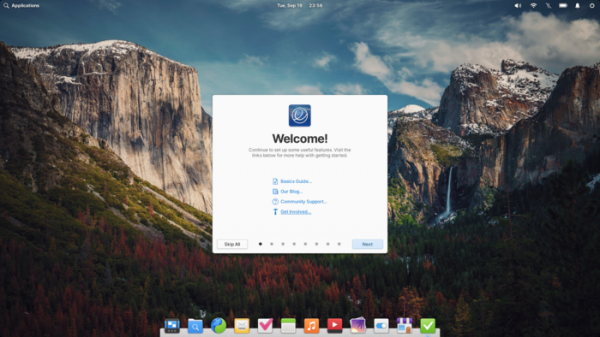
Key innovations:
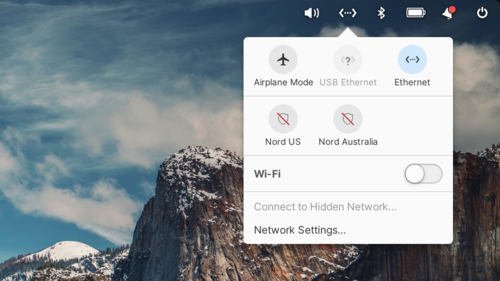
- The panel has modified the network status indicator and improved handling of complex network configurations. Round buttons have replaced the list of toggles. The possibility of simultaneous connections through multiple... VPN...is enhanced. The indication of VPN usage and the status of various network connections has been improved. A quick switch to airplane mode has been added by pressing the middle mouse button on the indicator.

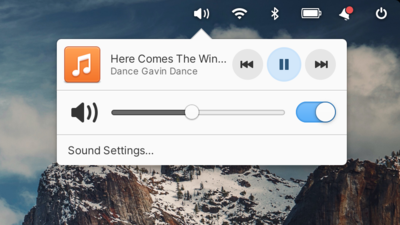
- The display of Bluetooth devices in the panel has been redesigned, prioritizing the names assigned by users. The accuracy of battery charge level indication has been improved. Icons for the Bluetooth, network connection, night mode, notification, and volume control indicators have been updated. Round playback control buttons are used in the volume change indicator.

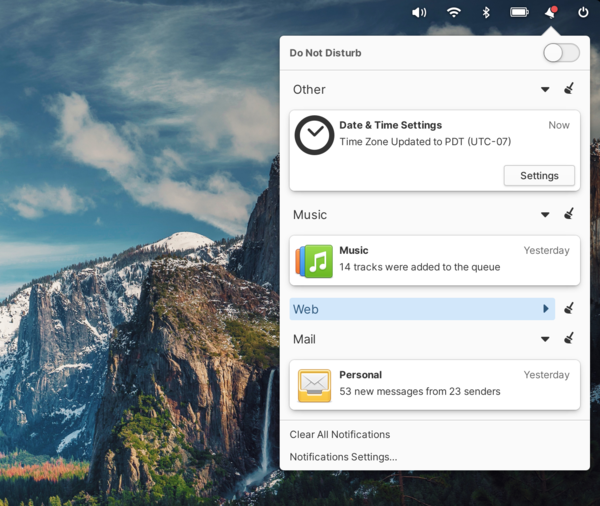
- The notification system indicator, which provides access to missed notifications, now supports advanced notification management methods, such as tapping a notification to open the app that sent it, as well as dismissing notifications with screen gestures like 'swipe left' or 'swipe right'. The missed notifications display buttons. There is an option to replace old notifications with new ones instead of accumulating them and collapsing multiple notifications from a single app. In 'Do Not Disturb' mode, critical notifications, such as low battery warnings, are still allowed. Support for text formatting in notifications has been improved (such as bold or italic text).

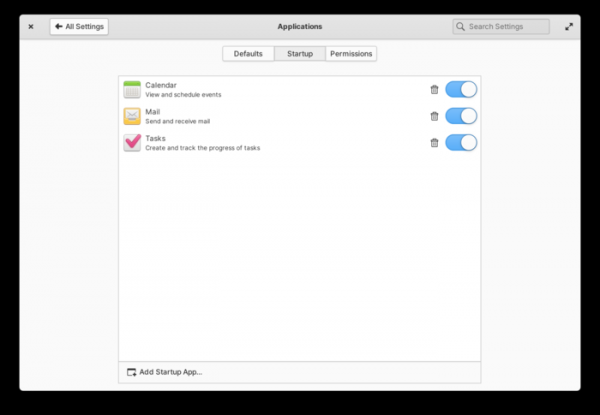
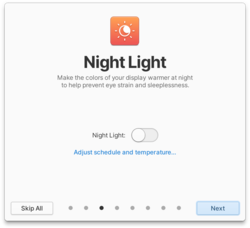
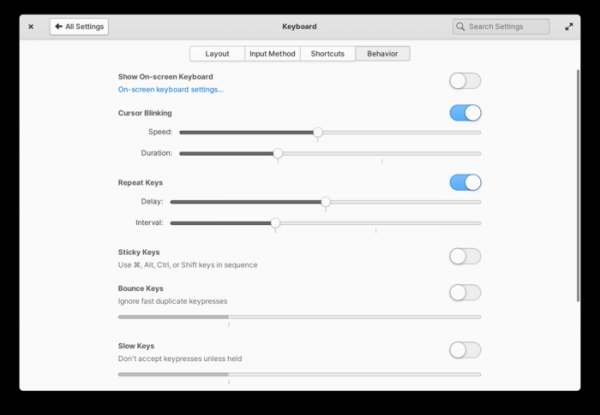
- Work on modernizing application design and implementing adaptive design that adjusts to screens of any size has continued. For example, some pages in the configurator, such as 'Applications → Defaults', 'Applications → Startup', 'Desktop → Dock & Panel', 'Displays → Night Light', 'Keyboard → Behavior', and 'Sound', have been adapted for both large and small screens.
- A FreeDesktop portal 'Background & Autostart' has been added, informing users about applications running in the background and requiring separate permission for automatic app launches. This new portal is already applied in the Calendar, Mail, and Tasks applications to request autostart permissions. The autostart settings can also be managed in the 'System Settings → Applications → Startup' section. Additionally, the File Chooser portal has been integrated into the calendar, mail client, and notes to request permissions when accessing external files during operations, such as adding an attachment to an email or exporting files from the calendar.

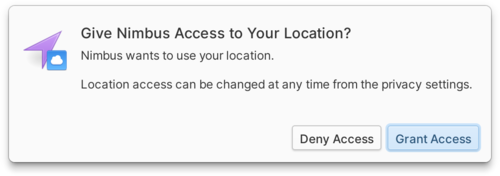
- Location access services have been transitioned to the portal system, enhancing security and improving the portability of tools for requesting permissions and granting apps access to location data. You can manage location access settings through the configurator section 'System Settings → Security & Privacy → Location Services'.

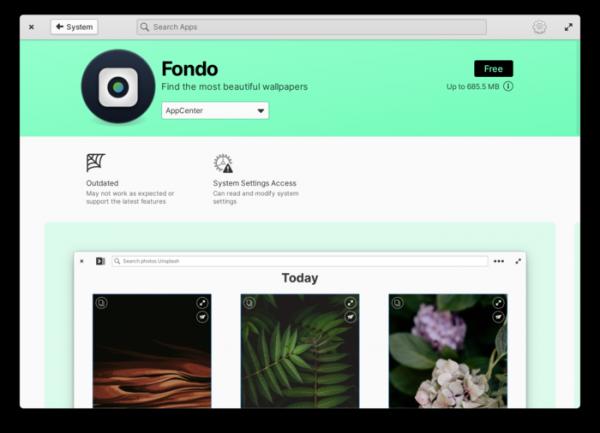
- The AppCenter installation center has expanded information on the permissions requested by applications and potential security issues. Warnings have been added to indicate when an application accesses system files, the home directory, settings, notification systems, and location, as well as when it disables sandbox isolation, uses deprecated tools, or is added to startup.

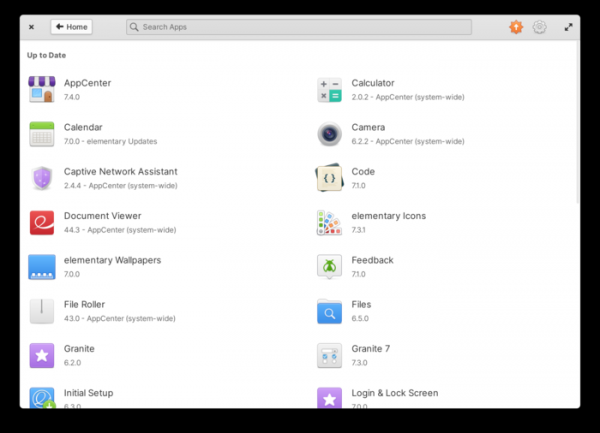
The AppCenter interface has been further adapted for screens of various sizes. The layout of the application information screen has been redesigned. The screen displaying installed applications has been changed to a grid layout.
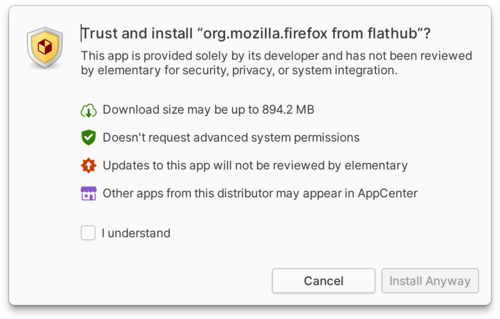
- In the Sideload application, which allows users to install downloaded flatpak packages by clicking on them in the file manager, a preliminary warning about the request for additional system permissions by the installing application has been implemented, along with information to help users understand how much they can trust the application.

- The installation of flatpak packages from third-party repositories, such as Flathub, has been improved. A Flatpak Repair feature has been added to fix many failures that occur during the installation of Flatpak packages. In the AppCenter, the separation of applications installed from official and alternative repositories has been removed.
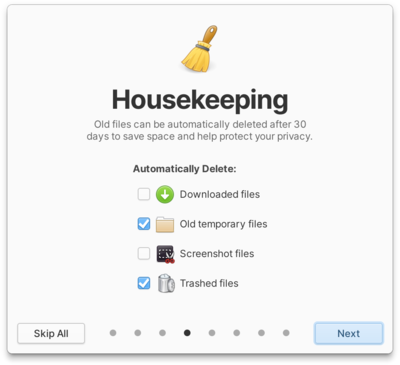
- In the Housekeeping program, designed to free up disk space and remove old files, an option has been added for automatic deletion of screenshots stored for more than 30 days (previously, only automatic deletion of the contents of the trash, downloads, and temporary system files was supported).

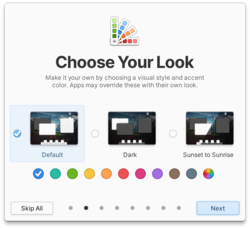
- The onboarding interface, which allows users to modify default settings, define data processing rules, and install popular third-party applications upon first entering the system, now includes information explaining the option for guest access without account registration, as well as a warning about the automatic deletion of all data accumulated in the guest session after exiting. The design of some pages has been revamped, new icons added, and bolder font styles employed. Desktop wallpaper previews have been enabled on the relevant initial setup screen.


- Upon launching the installer and initial setup wizard, an automatic audio prompt plays, providing information on the keyboard shortcut to activate the screen reader for visually impaired users.
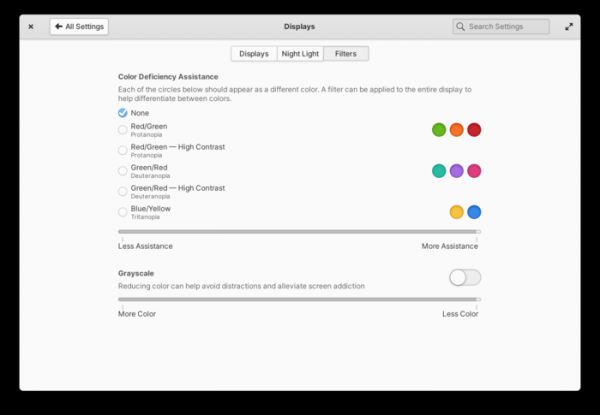
- Five color filters for people with color vision deficiencies have been added to the screen settings, along with several options to enhance contrast and a filter for displaying information in shades of gray. Options for dimming desktop wallpapers and using a warmer color palette in the night mode have also been introduced.
- Navigation using on-screen gestures in the installer and multi-step dialogs has been improved. Additional settings for switching virtual desktops by moving the mouse cursor to the corners of the screen have been added. New keyboard shortcuts, such as 'Alt + ~' for toggling between windows of the same application, have been implemented. The configurator section for adjusting keyboard behavior has been completely redesigned. Options to customize key hold duration and ignore rapid key presses have been added.
- On the login and lock screen pages, basic settings specified by the user in their session, such as keyboard, mouse, and touchpad parameters, text and font sizes, night mode settings, and colors of active elements have been taken into account.
- An option has been added to the installer to enable proprietary drivers for the proper functioning of certain hardware (such as Wi-Fi or graphics cards). The Linux kernel has been updated to version 6.2 with enhanced support for 13th generation Intel processors, Intel Arc graphics cards, and AMD Zen 4 CPUs.
- Automatic firmware update checks have been implemented, along with notifications when updates are available.
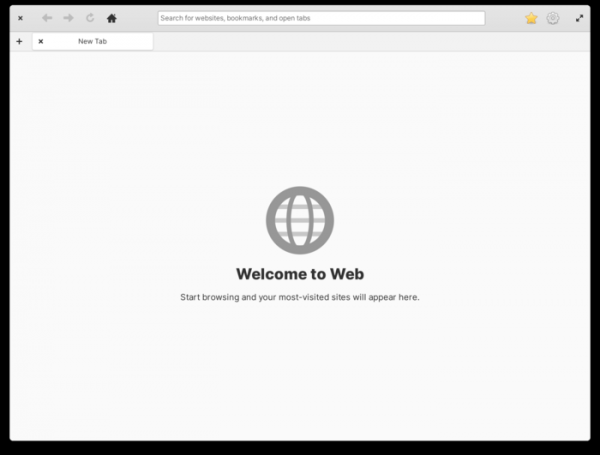
- The web browser GNOME Web (Epiphany) from the GNOME 44 suite is offered, packaged in Flatpak.

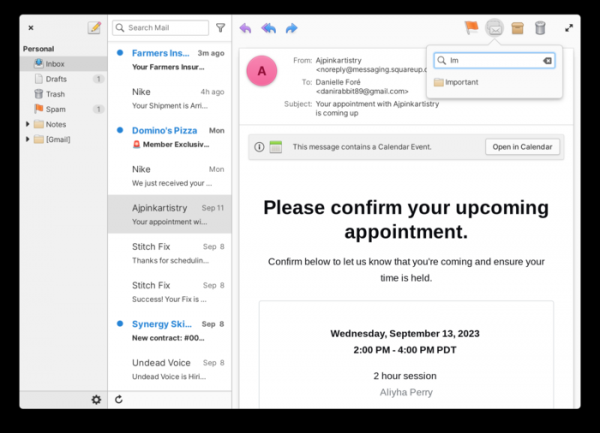
- The overhaul of the email client has continued. The archive and spam folders have been moved to the top level in the sidebar. The ability to rename folders from the context menu has been added. Performance for switching between folders has been enhanced. While viewing the message list, multi-touch gestures for quick deletion or archiving of messages are now supported. A new 'Move conversation' menu has been added, along with the ability to undo archiving and moving of messages. A separate information panel is now displayed when there is an invitation in a message sent via the calendar planner. When composing messages, the ability to insert images inline, attach files to forwarded messages, and choose between several signature options has been added. The message composition dialog now always opens in a separate window that does not block the rest of the interface.
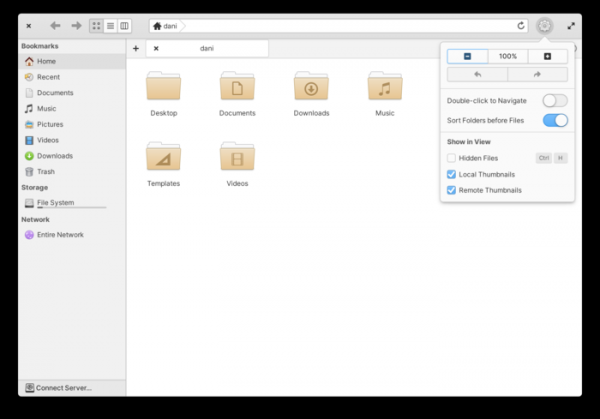
- The file manager features a new dropdown menu located in the header area, offering undo/redo operation buttons and settings for changing the zoom level, displaying folders before files, selecting the reaction to double clicks, showing hidden files, and thumbnail options. The context menu for tabs has been reorganized, and tab movement in drag-and-drop mode has been improved. The color of the storage usage indicator changes based on the remaining free space.

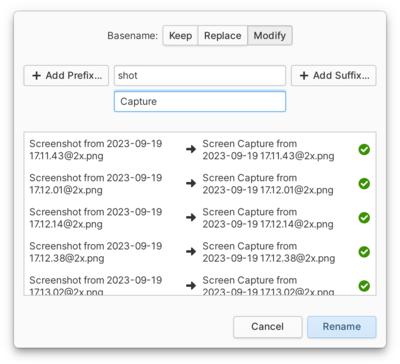
The ability to rename multiple files at once has been added (you can select multiple files and rename them according to a common pattern, as well as use automatically generated prefixes or suffixes, and replace part of the name).

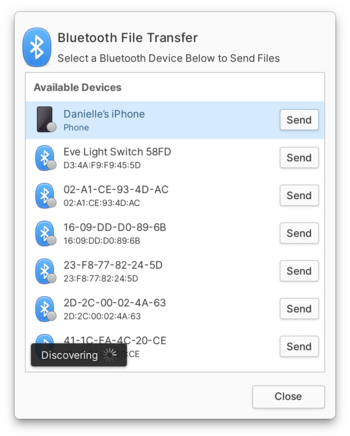
File sharing with other devices via Bluetooth has been implemented, accessible through the 'Send Files via Bluetooth' option in the context menu.

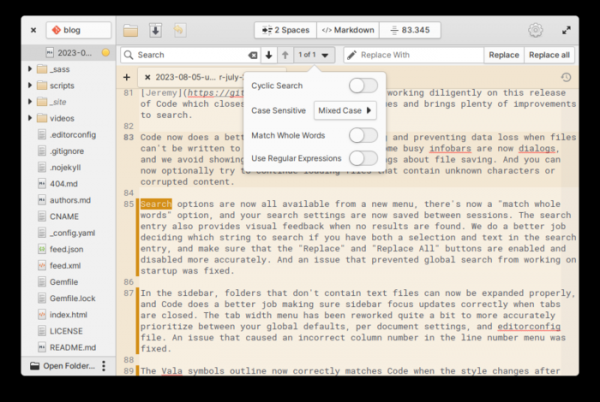
- In the Code text editor, the search functions have been redesigned and moved to a separate menu. An option to search for whole words has been added. The modified search parameters are now preserved between sessions. Error handling during writing (for example, when it's impossible to save data in a read-only directory) or reading (allowing the continuation of loading corrupted files) has been improved.

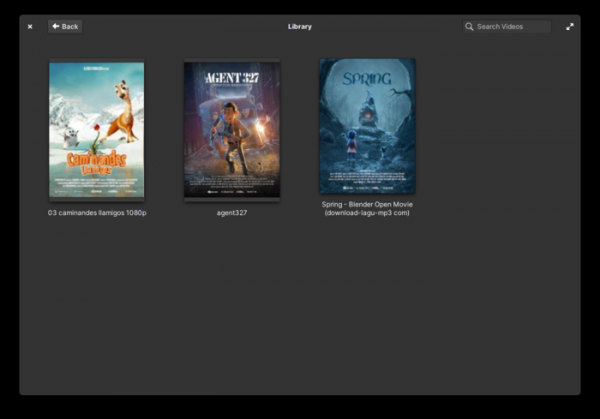
- To enhance stability and performance, some internal components of the video player have been rewritten. A flatter design for the home screen and video library has been implemented. The saving of the last playback position has been improved. A notification display has been realized when new items are added to the playlist.
- The music player now allows dragging and dropping of music folders.
Source: opennet.ru
