

Astian, which acquired the Midori project in 2019, has introduced a new branch of the Midori web browser 11, now using the Mozilla Gecko engine utilized in Firefox. Key goals for the development of Midori include user privacy and resource efficiency — the developers aimed to create a browser that is the least demanding on resources among Firefox engine products and suitable for use even on outdated systems. The project's code is distributed under the MPLv2 license. Builds are available for Linux, Windows, and macOS.
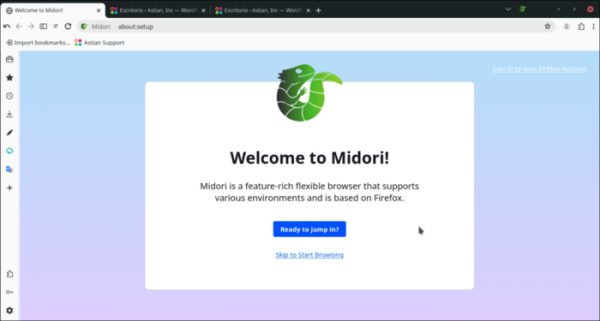
The repository with the code for Midori 11 was created by borrowing the codebase of the Floorp browser, developed by a group of Japanese students, combining the Firefox engine with a Chrome-style interface and features. The release of Midori 11 is similar to the Floorp 11 branch. It is noted that this branch has been created in collaboration with the Floorp development team, which will continue in future cooperation. At the same time, the codebases of the projects will evolve separately, and the interfaces will differ significantly.
Interestingly, this is not the first major overhaul of Midori. Initially, this browser was developed by members of the Xfce project based on the WebKitGTK engine and the GTK3 library (using the Vala programming language). After the project transitioned to Astian, a radically redesigned branch, Midori 10, was released, created by branching off from the Wexond browser, which is based on the Chromium engine and Electron platform.
Key features of Midori 11:
- Inclusion of components to enhance privacy protection. For example, default features include ad blocking, tracking protection, and settings to prevent hidden user identification. The Midori browser successfully passed 401 tests from the BrowserAudit suite, receiving 27 warnings and no critical issues.
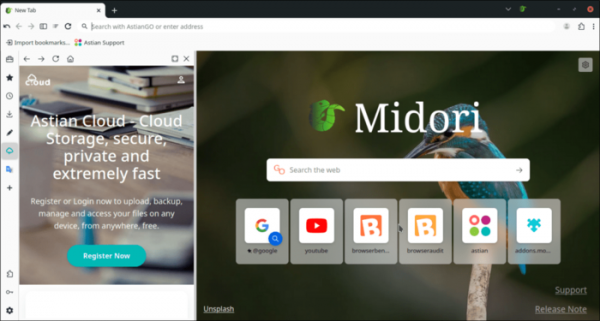
- The AstianGO search engine, focused on privacy preservation, is used by default.
- Integration with cloud storage for file hosting is provided. 50GB of free storage is available.
- Tools for note-taking and translation between languages (based on Google Translate) have been added. There is also the possibility to add other tools, such as the web version of Telegram.
- Integrated VPN to hide your IP address and bypass censorship. It uses the Midori VPN service, which offers free access and advanced paid plans.
- Flexible options for customizing the interface and functionality to your liking.
- A 20% increase in performance compared to the previous version of Midori is claimed, and 15% compared to browsers based on the Chromium engine.
- A new concept of workspaces has been added, allowing you to group pages by specific themes and quickly switch between them. For example, you can separate sites used for work from those used for personal purposes.
- The design has been revamped; for instance, a constantly visible sidebar has been added for quick access to history, downloads, bookmarks, and web applications like notes and translation. New themes have been added, including one styled after the GNOME environment.

Source: opennet.ru
