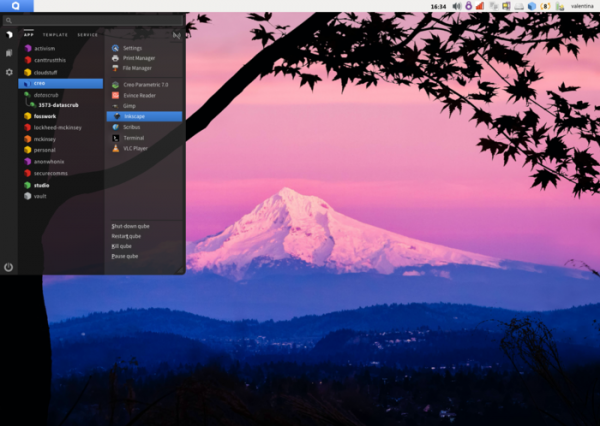
After nearly two years of development, the release of the Qubes OS 4.2.0 is here, implementing the concept of using a hypervisor for strict isolation of applications and OS components (each class of applications and system services runs in separate virtual machines). A system with 16 GB of RAM (minimum 6 GB) and a 64-bit Intel or AMD CPU supporting VT-x with EPT/AMD-V with RVI and VT-d/AMD IOMMU technologies is recommended, with Intel GPU preferred (NVIDIA and AMD GPUs have not been thoroughly tested). The size of the installation image is 6 GB (x86_64).
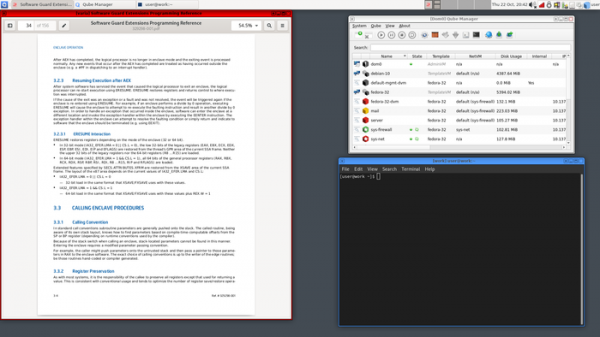
Applications in Qubes are divided into classes based on the importance of the processed data and the tasks to be accomplished. Each application class (for example, work, entertainment, banking operations), along with system services (network subsystem, firewall, storage management, USB stack, etc.), operates in separate virtual machines, launched using the Xen hypervisor. These applications are accessible within a single desktop and are visually distinguished by different colored window borders. Each environment has read access to the underlying root filesystem and local storage, which does not overlap with the storage of other environments, with a special service facilitating interaction between applications.
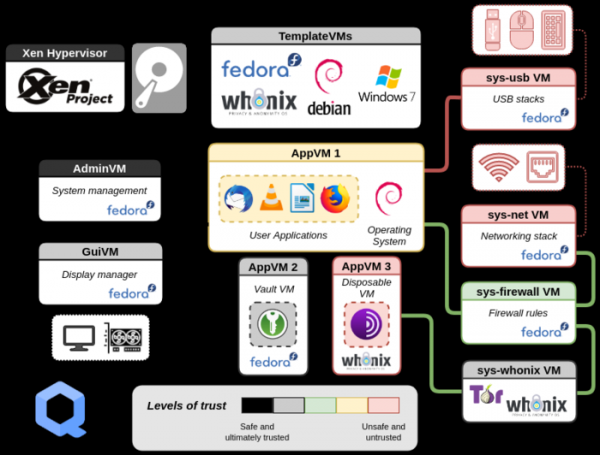
Fedora and Debian package bases can serve as the foundation for forming virtual environments; the community also supports templates for Ubuntu, Gentoo, and Arch Linux. Access to applications in a Windows virtual machine can also be arranged, along with the creation of virtual machines based on Whonix to provide anonymous access through Tor. The user interface is built on Xfce. When a user launches an application from the menu, that application starts in a specific virtual machine. The content of the virtual environments is determined by a set of templates.
Key Changes:
- The base environment Dom0 has been upgraded to the Fedora 37 package base (the template for virtual environments based on Fedora 37 was proposed in the previous Qubes 4.1.2 update).
- The template for creating virtual environments based on Debian has been updated to Debian 12 branch.
- The Xen hypervisor has been updated to version 4.17 (previously Xen 4.14 was used).
- Templates for creating virtual environments based on Fedora and Debian have been switched by default to using the custom Xfce environment instead of GNOME.
- The Fedora-based virtual environments template now includes support for the SELinux mandatory access control system.
- The implementation of the application menu and graphical interfaces for settings (Qubes Global Settings), creating new environments (Create New Qube), and updating virtual machine templates (Qubes Update) has been completely rewritten.

- The placement of the GRUB configuration file (grub.cfg) has been unified for UEFI and classic BIOS.
- Added multimedia support server PipeWire.
- The fwupd tool has been used for updating firmware.
- An option for automatic clearing of the clipboard one minute after the last paste operation has been added. To enable auto-clearing, use the command qvm-service —enable VMNAME gui-agent-clipboard-wipe.
- A new Qubes Builder v2 build tool has been introduced for building official packages, enhancing the isolation of build processes.
- The configurator now features a separate section for managing GPG.
- The Qrexec services now use a new, more flexible Qrexec rule format by default, defining who can do what and where in Qubes. This new rule format offers a significant performance increase and a notification system that simplifies problem diagnosis.
Source: opennet.ru