

After 12 years of development, a new stable branch of the free document layout package Scribus 1.6.0 has been formed, incorporating changes from the experimental branch 1.5.x. The package provides tools for professional print layout, includes flexible PDF generation tools, and supports the use of separate color profiles, CMYK, spot colors, and ICC. The system is written using the Qt toolkit and is released under the GPLv2+ license. Pre-built binary packages are available for Linux (AppImage), macOS, and Windows.
Key improvements in the new branch include a new user interface based on Qt5, a changed file format, full support for tables, enhanced text processing tools, and an expansion of supported import and export formats. After the release of Scribus 1.6.0, developers began work on the experimental branch 1.7, which will transition to Qt 6, switch to SVG format for icons, propose a new palette implementation, and introduce a new system for dockable panels.
Key Changes:
- The user interface has been redesigned. The transition from Qt4 to Qt5 has been made. Canvas rendering on high-resolution screens (Hi-DPI) has been improved. A new set of icons, primarily in gray tones, has been proposed. The option to use a dark color scheme has been implemented.

- The file format has undergone significant changes.
- The 'Symbol' feature has been implemented similar to Adobe Illustrator (when the primary object is changed, all its clones are automatically updated).
- The 'Weld' feature has been implemented, allowing objects to be combined with each other and moved together without creating a group, meaning each object remains accessible for separate editing.
- Text processing capabilities have been expanded: vertical scaling, cross-references, text variables, footnotes, and editing of objects embedded in text blocks have been introduced.
- Support for full tables has been added.
- The Picture Browser plugin has been added for managing a collection of graphic files, including support for tagging.
- Support for all extended types of gradients available in Adobe Illustrator and XARA Designer has been added, including mesh gradients.
- A shadow adding feature has been proposed.
- The ability to maintain a separate disk cache for images has been implemented, allowing for reduced RAM consumption when working with documents containing a large number of graphical inserts.
- A large number of new import filters have been introduced, and many older filters have been rewritten. Filters for MS Visio, CorelDraw, Computer Graphics Metafile (CGM), Photoshop Custom Shapes (CSH), Micrografx Draw (DRW), Enhanced Metafile (EMF), StarView Metafile (SVM), WordPerfect Graphics (WPG), and Xara Designer (XAR) have been added. The import filters for Adobe Illustrator and OpenDocument have been completely rewritten from scratch.
- Support for working with multi-layer SVG files has been added.
- Support for connecting GraphicsMagick for importing XCF files created in GIMP, as well as connecting OpenSceneGraph for importing 3D objects and using UniConvertor for importing various vector formats has been added.
- Support for opening and importing files in DTP formats has been added, including Adobe InDesign XML (IDML), Adobe InDesign Snippets (IDMS), Adobe PageMaker (P65, PMD), Apple iWorks PAGES, Microsoft Publisher (PUB), QuarkXPress Tags (XTG), VIVA Designer XML, and Xara Page & Layout Designer (XAR).
- An import filter for XPress Tags has been added, supporting the reading of files in the XPress Tags format created in various versions of XPress.
- Import filters for text extraction from documents in RTF and DOCX formats have been added. The import filter from ODT files has been completely rewritten. The new filter expands the number of supported features of the OpenDocument format and improves the support for ODT files created in programs other than LibreOffice and OpenOffice.
- Import filters for vector drawings in ZonerDraw and QuarkXPress documents have been added.
- A filter for vector graphics in Adobe FreeHand has been added.
- A filter for importing images in KRA (Krita) format has been added.
- Support for exporting in PDF/X-4, PDF 1.6, and Microsoft XPS formats has been implemented. PDF file import has been significantly improved.
- The ability to connect palettes in Adobe Color Swatch (ACO), AutoCAD ColorBook (ACB), GIMP Gradients (GGR), and GIMP Patterns (PAT) formats has been added.
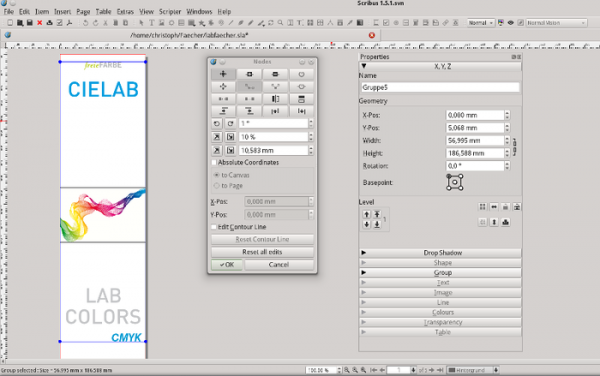
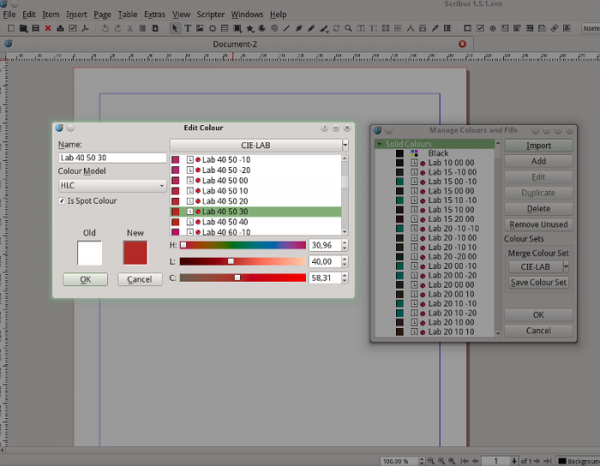
- Support for CIE L*a*b* and CIE HLC color spaces has been provided, which are also available in color editing mode.

- Support for the SBZ file format used in the SwatchBooker color editor has been added. SBZ support allows the use of all color palettes from the Open Colour Systems Collection in Scribus while preserving the original color space. Additionally, ACO (Adobe Color Book) and ASE (Adobe Swatch Exchange) files can also be used in Scribus.
- The ability to change the background color for selected text has been provided.
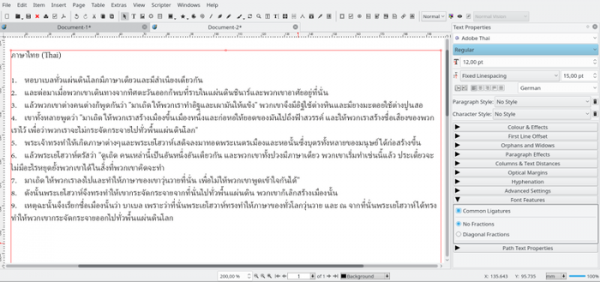
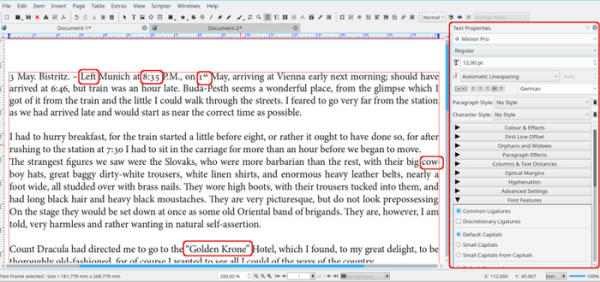
- The text layout engine has been completely rewritten. This overhaul has increased stability and expanded the capabilities of certain text processing functions. Advanced OpenType features such as ligatures and alternate glyphs have been implemented, and support for Hindi, Hebrew, Arabic, and Chinese languages has been added. In total, Scribus now supports around 500 languages and writing systems.

- The font embedding code has been completely rewritten, and the associated user interface components have been redone.
- The functions for text drawing on the canvas have been significantly accelerated.
- A preview of each font is provided in the font selection menu.
- The 'Text' tab has been separated from the general properties into a standalone settings block.
- New CIE LAB and CIE HLC color palettes have been suggested, utilizing the CIE L*a*b color space parameters.
- The performance of copy and paste operations for objects from files with large palettes has been noticeably increased.
- The 'Wikipedia RAL Classic' palette has been updated.
- Support for palettes in the new ISO standard CxF3 has been added. CxF3 files can save not only palettes for various color models (RGB, CMYK, LAB) but can also include information about spectral colors, providing more accurate color reproduction.
- The color depth for filling has been expanded to a 64-bit floating-point value.
- Support for the LAB color model has been implemented in the existing import filters.
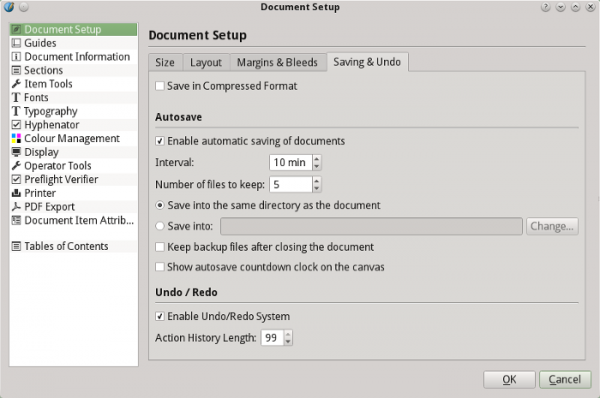
- The auto-save and file recovery functions have been significantly improved, and additional settings have been added.

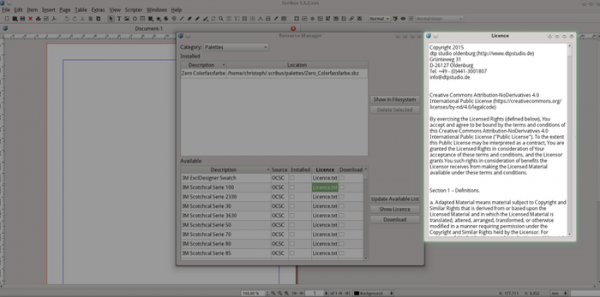
- The resource manager and catalog have been extensively expanded. Direct access to over 300 color palettes in the LAB color space from the Open Colour Systems Collection has been provided. The resource manager interface has been modernized. Downloaded resources from external servers sources are verified using SHA256 checksums. License display before downloading resources from online services has been added.

- A 'Caption' script has been added to insert a text frame into an image frame while maintaining specified proportions.
- The barcode generation plugin has been updated and expanded.
- Several new commands have been added to the scripting engine, simplifying the automatic creation of documents from scripts.
- A significant amount of work has been done to refactor the codebase to simplify project maintenance, enhance code readability, and improve performance.
- An interface for function searching has been added, similar to that provided in GIMP, G’MIC, and Photoshop. The search results dialog also displays links to menu items that can be used to invoke the found functions when possible.
- In the Document Setup / Preferences settings, a separate tab has been added for fonts that are installed on the system but cannot be used in Scribus. Tooltips have been implemented in the font selection form, allowing for quick identification of font names.
- Configuration file storage has been updated to comply with the XDG standard (instead of being located in ~/ .scribus/, configurations are now placed in ~/ .config/ scribus/).
Source: opennet.ru
