

The release of ONLYOFFICE DocumentServer 8.0.0 has been published, featuring a server for the ONLYOFFICE online editors and enabling collaborative work. The editors can be used for working with text documents, spreadsheets, and presentations. The project's code is distributed under the AGPLv3 open license.
Simultaneously, the product release of ONLYOFFICE DesktopEditors 8.0 has been created, built on a unified codebase with the online editors. The desktop editors are provided as desktop applications, written in JavaScript using web technologies, which combine client and server components packaged for self-contained use on the user's local system, without relying on external services. The Nextcloud Hub platform is also available for collaborative work, providing full integration with ONLYOFFICE. Ready-made builds have been generated for Linux, Windows, and macOS.
ONLYOFFICE claims full compatibility with MS Office and OpenDocument formats. Supported formats include: DOC, DOCX, ODT, RTF, TXT, PDF, HTML, EPUB, XPS, DjVu, XLS, XLSX, ODS, CSV, PPT, PPTX, ODP. The functionality of the editors can be extended through plugins, for instance, plugins for creating templates and adding videos from YouTube are available. Pre-built packages are available for Windows and Linux (deb and rpm packages).
Key innovations:
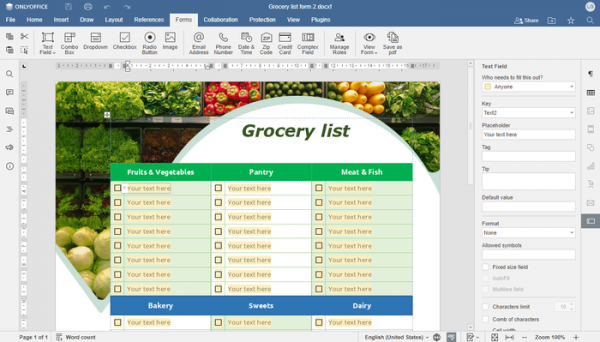
- The ability to create complex PDF forms, which can be filled out online, has been added. In the forms editor, the transition from OFORM format to PDF format with OOXML forms has been made. A dialog for converting old OFORM files to PDF has been added.

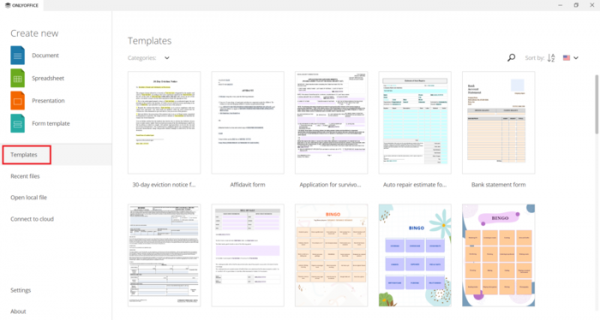
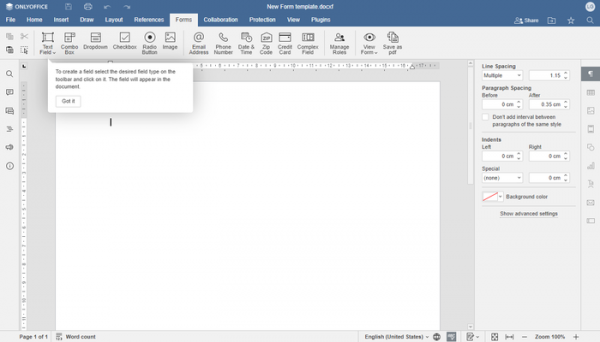
Templates in DOCXF format can be used to create forms.

Hints have been added that are displayed when working with templates in DOCXF format.
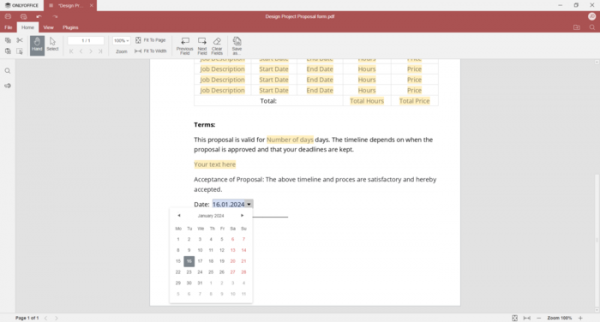
A Date Picker tool has been added, allowing users to select a date when filling out a PDF form.

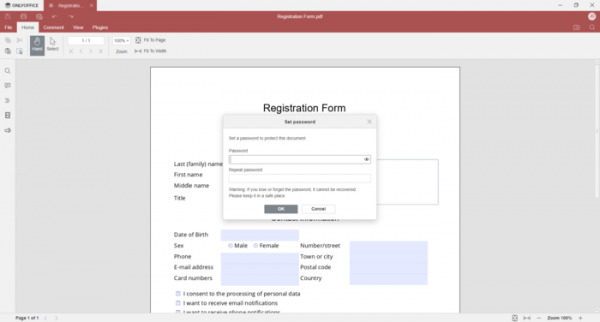
- The ability to encrypt PDF files using a specified password has been added.
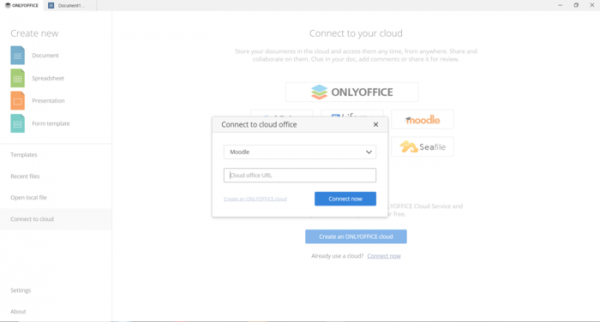
- A module for integration with the Moodle distance learning system has been added.
- In Linux and Windows, the ability to upload local themes for the editors has been implemented.
- In Linux, the styles of window control buttons have been adjusted to match the user interface design.
- In Linux and Windows, the widget for displaying downloads and the download indicator has been modified.
- In the Windows builds, shortcuts for creating new files in ONLYOFFICE have been added to the Start menu, along with a list of recently opened files, the ability to pin recent files in the context menu, and support for selecting and deselecting all formats in the MSI installer. The update delivery system has been improved.
- New logos for all applications and packages have been introduced.
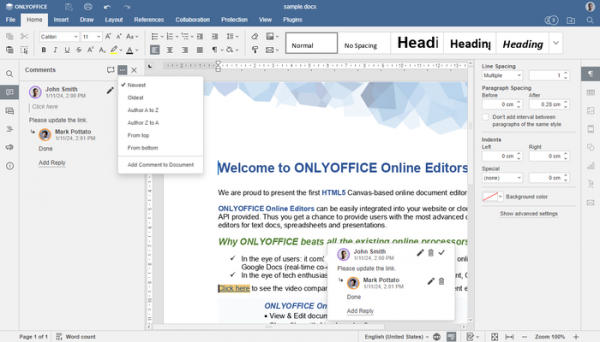
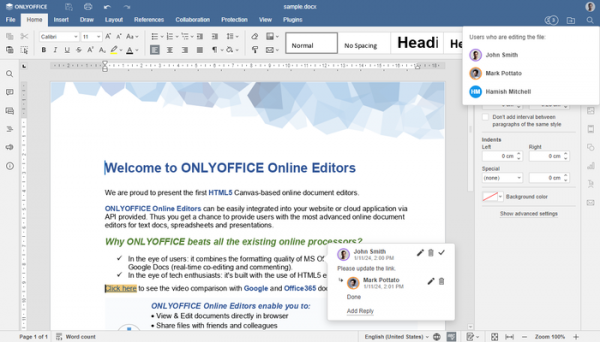
- The comment addition feature has been moved from the bottom of the comments panel to the settings area. A separate button has been added to the header of the comments panel for adding a comment to the text.
- Buttons that don't fit vertically (category and plugin buttons) have been moved to the dropdown menu '…'.
- A setting has been added to enable the screen reader.
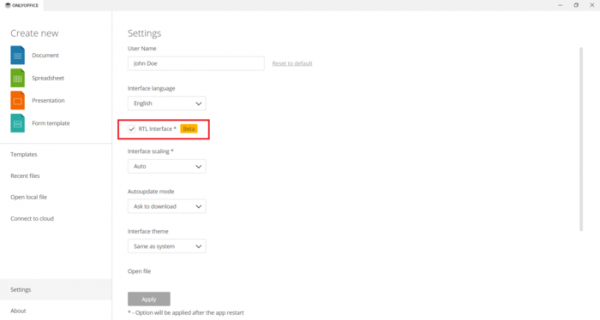
- Editors now support languages that are typed from right to left (RTL).
- Partial support for bidirectional text has been added to the document editor.
- Improvements in the spreadsheet application:
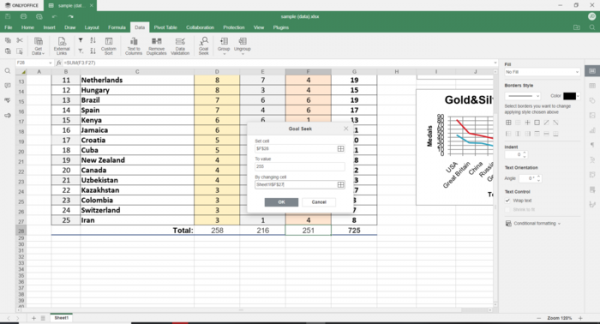
- The 'Goal Seek' function has been added, which can be used to adjust the contents of related cells to achieve a value desired in the specified cell.

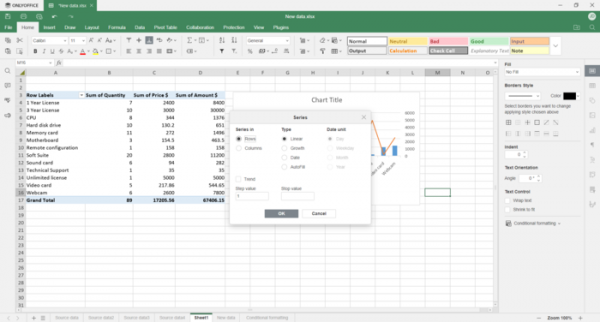
- A 'Series' utility has been added for creating numerical sequences.
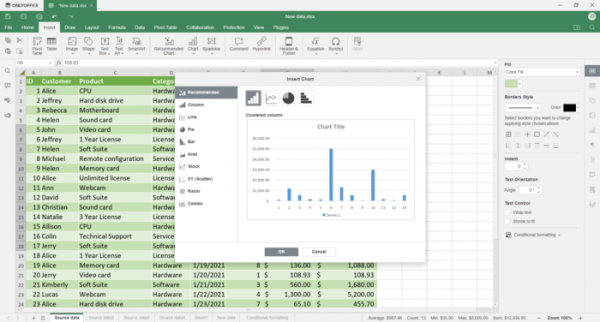
- A chart insertion wizard has been added, which suggests a list of recommended chart types based on the selected data and provides a preview based on that data.
- Settings for filling expanded cells have been added.
- An 'expand/collapse' element and a context menu for pivot tables have been added to the panel.
- When printing, the option for horizontal and vertical centering of the document has been provided.
- Support for creating a link to the selected range in view mode has been added.
- The 'Goal Seek' function has been added, which can be used to adjust the contents of related cells to achieve a value desired in the specified cell.
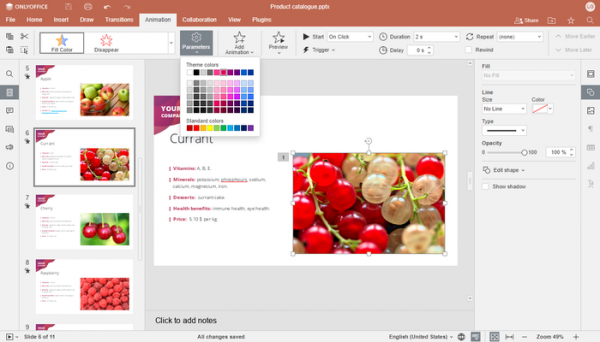
- In the presentation editor, the ability to set a final color for animation effects that change color has been added. The icons for animation effects will be grayed out if they are not applicable to the object. Partial support for bidirectional text has been added.
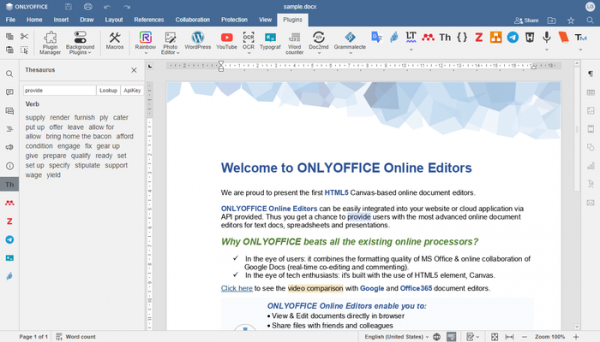
- The ability to use multiple visual plugins simultaneously has been added—each running plugin now has a separate button in the panel, allowing for tasks like translating text, spell checking, and creating bibliographies to be switched on the fly. In the plugin manager, a tab has been added for each plugin showing the change log. A separate button has been added to output the list of system plugins running in the background.
- Performance optimization has been carried out: the time to create empty files has been reduced by 15%, the time to open regular files has decreased by 20%, and the time to open large files has reduced by 15%.
- Support for Oracle DB and MS SQL Server has been added to the server backend.
- The mobile version now provides the option to switch to the system theme. The interface for working with forms has been changed. A capability to search for formulas and view recently used formulas has been added. Support for adding a custom cell format for spreadsheets has been implemented. In the document editor, a toggle has been added between view and edit modes, along with a setting to select the document language.
- A new parameter config.editorConfig.user.image has been added to settings to set the avatar for the current user.
- Vulnerabilities causing buffer overflows when converting formats PPT to PPTX and ODP to PDF have been fixed, as well as a vulnerability that allowed manipulation of the user's system when converting specially formatted HTML to DOCX. Six XSS vulnerabilities that permitted cross-site scripting have been eliminated.
Source: opennet.ru
