

The release of project labwc 0.7.2 (Lab Wayland Compositor) is available, developing a compositing server for Wayland with features reminiscent of the Openbox window manager (the project is presented as an attempt to create an alternative to Openbox for Wayland). Notable features of labwc include minimalism, compact implementation, extensive customization options, and high performance. The project code is written in C and distributed under the GPLv2 license.
It uses the wlroots library, developed by the creators of the Sway desktop environment, which provides the basic functions for organizing the work of a compositing manager based on Wayland. Among the extended Wayland protocols supported are wlr-output-management for configuring output devices, layer-shell for desktop shell functionality, and foreign-toplevel for connecting custom panels and window switches.
Extensions can be connected to implement features such as taking screenshots, displaying desktop wallpapers, and placing panels and menus. Animated effects, gradients, and icons (except for window buttons) are not supported by design. To run X11 applications in a Wayland-based environment, the DDX component XWayland is supported. The theme, basic menu, and hotkeys are configurable through XML configuration files. There is built-in support for high pixel density (HiDPI) displays.
In addition to the built-in root menu, configurable via menu.xml, external implementations of application menus such as bemenu, fuzzel, and wofi can be connected. For a panel, you can use Waybar, sfwbar, Yambar, or LavaLauncher. To manage monitor connections and change their settings, wlr-randr or kanshi is suggested. Screen locking is performed using swaylock.
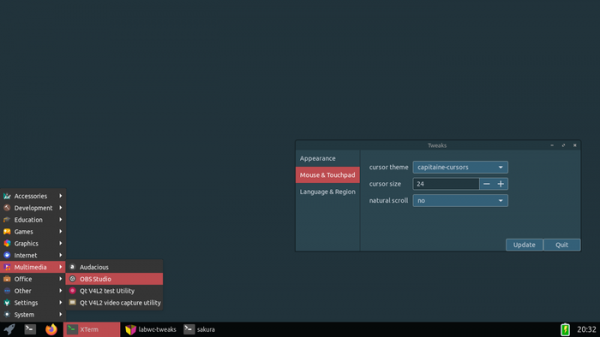
Key changes in the new release:
- A
- Support for drop shadows for windows decoded on the client side has been added. serverTo enable shadows in the section, a setting is suggested, and properties window.active|inactive.shadow.size and window.active|inactive.shadow.color have been added for customizing the size and color.
- An ignoreConfigureRequest rule has been added to allow ignoring configuration requests from X11 clients for changing size and position on the screen.
- Window binding rules are permitted based on the type of windows (). For example, for XWayland windows, the type NET_WM_WINDOW_TYPE_DESKTOP is applied.
- The loops have added support for 'none' sections that trigger when there are no successful matches.
- An option '-S' (—session) has been added to run a specified command at startup and to terminate the compositing manager upon the command's completion.
- In themes, it is now possible to specify the color encoding for opacity levels using the format '#aabbccff'.
- In the window-switching interface settings, the creation of arbitrary fields with printf-style formatting is now allowed, for example, . The width of the window-switching interface can also be set in percentages relative to the screen width ('osd.window-switcher.width: 75%'), along with changing the size and color of the border around window thumbnails (osd.window-switcher.preview.border.width|color). New fields workspace, state, type_short, and output have been added for customizing the content.
- Support for Openbox-compatible menus (pipe-menu) has been added.
- The ability to set screen edge snapping options has been introduced.
- Support for configuring input methods and an interface for editing them has been added.
- Support for calibrating input devices has been added.
- The interface for switching between virtual desktops now includes the ability to define a prefix for desktop names.
- It is now possible to define environment variables in *.env files located in the 'environment.d' directory.
- Support for specifying an empty value to clear an environment variable has been added.
- The ability to define a fallback output device (LABWC_FALLBACK_OUTPUT) that will be selected in case the primary output devices are unavailable has been added, which can be useful, for example, when launching a VNC server.
- A configuration option <windowSwitcher allWorkspaces=»yes»> has been added, allowing the window switcher to display windows from all virtual desktops.
- The capability to run a shutdown script upon termination has been provided.
Source: opennet.ru
