

ONLYOFFICE DocumentServer 8.1 has been released, featuring a server for the ONLYOFFICE online editors and enabling collaborative work. The editors can be used for working with text documents, spreadsheets, and presentations. The project's code is distributed under the free AGPLv3 license.
The release of ONLYOFFICE DesktopEditors 8.1 has also been simultaneously created, built on the same codebase as the online editors. The desktop editors are designed as desktop applications written in JavaScript using web technologies, yet combine client and server components in one package, tailored for self-sufficient use on the user's local system without calling external services. The Nextcloud Hub platform can also be used for collaborative work, ensuring full integration with ONLYOFFICE. Ready-made builds have been prepared for Linux, Windows, and macOS.
ONLYOFFICE claims full compatibility with MS Office and OpenDocument formats. Supported formats include: DOC, DOCX, ODT, RTF, TXT, PDF, HTML, EPUB, XPS, DjVu, XLS, XLSX, ODS, CSV, PPT, PPTX, ODP. The functionality of the editors can be extended through plugins, for instance, plugins for creating templates and adding videos from YouTube are available. Pre-built packages are available for Windows and Linux (deb and rpm packages).
Key innovations:
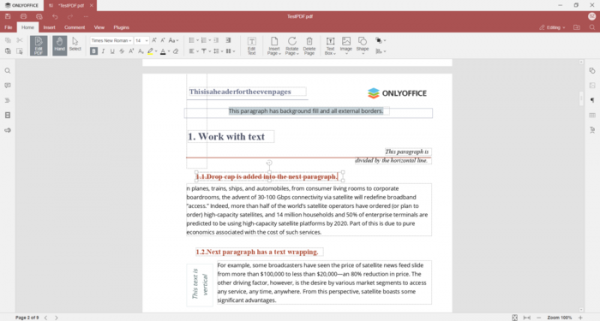
- A full-fledged PDF file editor has been implemented, allowing users to edit text, add, rotate, and delete pages, insert and modify objects (tables, shapes, text, images, links, etc.), and attach comments and footnotes to highlighted text. Switching between editing and viewing modes for PDF is done via a new button on the toolbar.

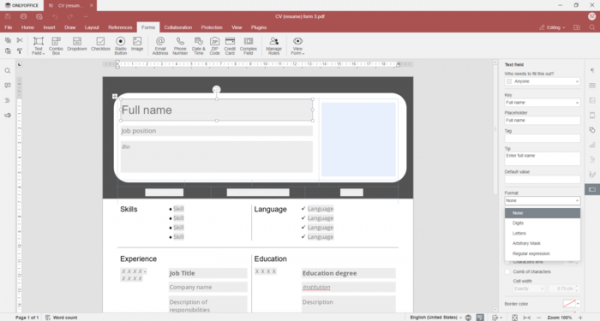
- For creating and editing fillable forms, the previously used DOCXF format has been replaced with PDF format. Users can now create a template with necessary interactive fields in the PDF editor, configure properties, and save the created form as a PDF file.
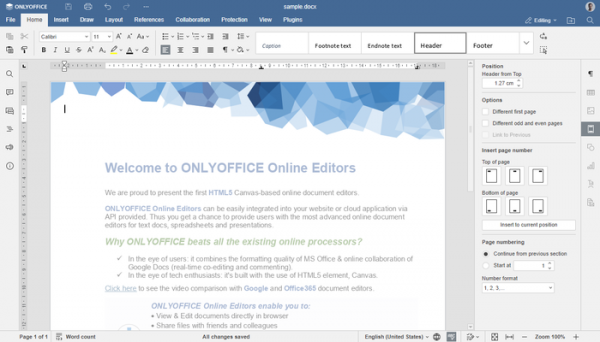
- Changes in the document editor:
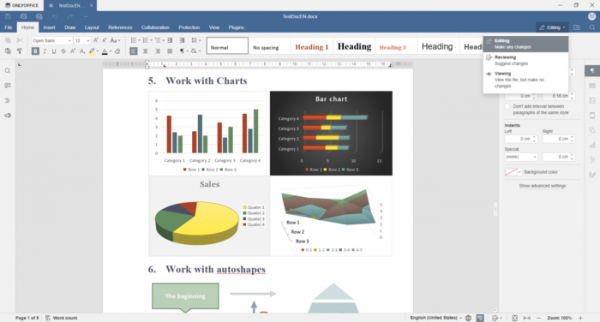
- A button has been added to the top panel to switch between editing, reviewing, and viewing modes of the document.

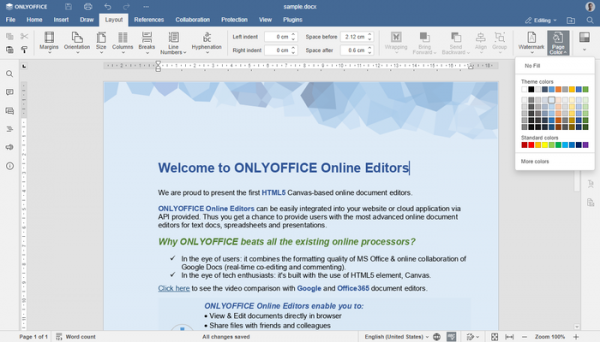
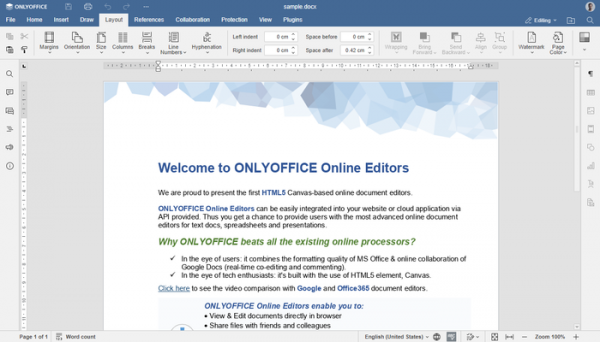
- Support for changing the background color of the page (Layout -> Page Color) and displaying the proper background set when editing in other office suites has been added.

- The ability to customize page numbering format has been provided.
- Built-in paragraph styles have been updated.
- Elements for managing paragraph indentations have been added to the menu and toolbar.
- Line spacing settings have been updated.
- A button has been added to the top panel to switch between editing, reviewing, and viewing modes of the document.
- Changes in the spreadsheet editor:
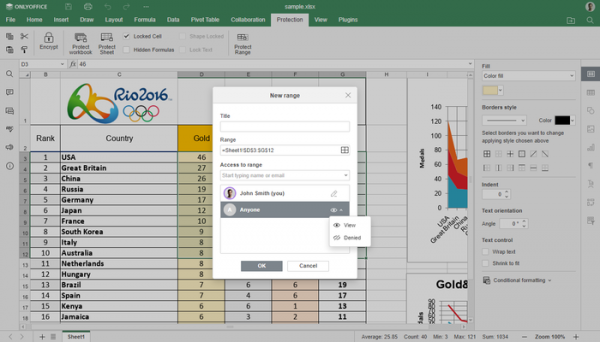
- Added the ability to restrict access to a specific range of cells (in ONLYOFFICE DocumentServer, through the "Protection -> Protect Range" dialog, certain users can be allowed or denied access to view the selected cells containing confidential information).
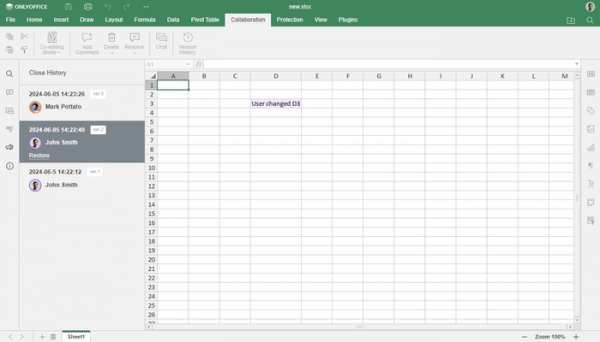
- In the version history panel of the spreadsheet, changes made in the selected version are highlighted.
- Functions GETPIVOTDATA and IMPORTRANGE have been implemented.
- Tooltips for inserting custom functions have been added.
- The ability to copy and move sheets between workbooks opened in the same browser has been added.
- Row and column numbers for selected cells are highlighted.
- Added the ability to restrict access to a specific range of cells (in ONLYOFFICE DocumentServer, through the "Protection -> Protect Range" dialog, certain users can be allowed or denied access to view the selected cells containing confidential information).
- Changes in the presentation editor:
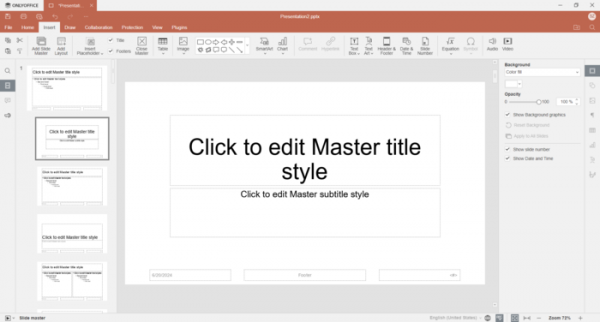
- A "Slide Master" has been introduced for quickly modifying slides, allowing certain changes to be applied to multiple slides in a presentation without the need to repeat the operation for each slide.
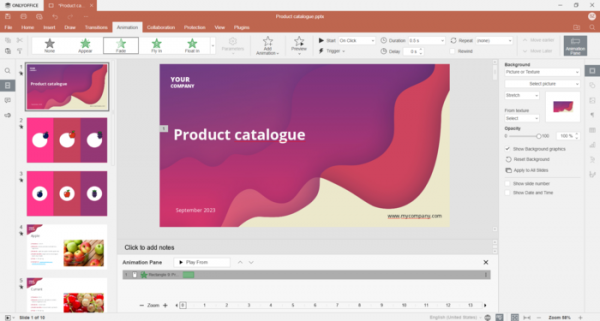
- A new sidebar with enhanced background settings for slides has been implemented.
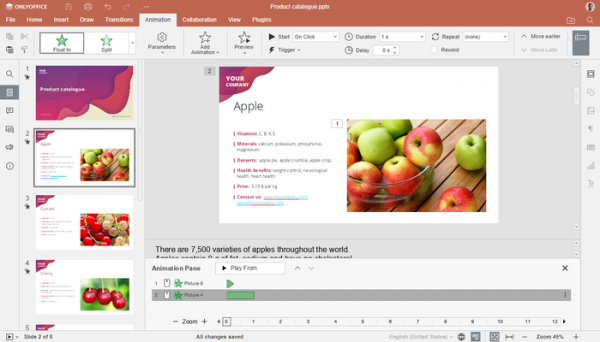
- An additional lower panel showing all applied effects on the timeline has been added to the "Animation" tab.
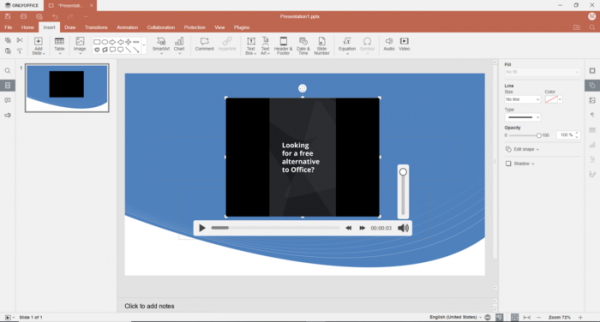
- A new interface for playing audio and video files, styled as an embedded panel in the presentation, has been implemented on Linux and Windows platforms.
- A "Slide Master" has been introduced for quickly modifying slides, allowing certain changes to be applied to multiple slides in a presentation without the need to repeat the operation for each slide.
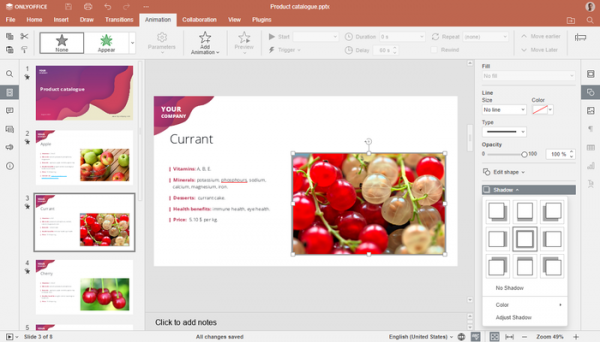
- Support for enabling shadows for inserted shapes has been added in all editors, along with the ability to adjust shadow opacity, size, angle, and distance.
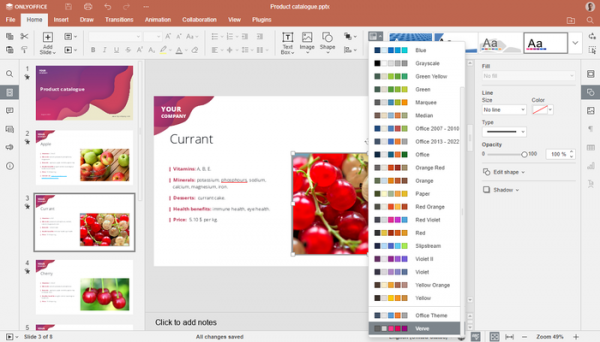
- The set of color schemes has been expanded.
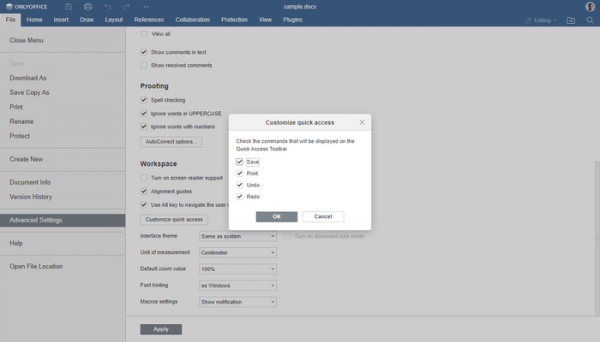
- The ability to customize the presence of the "Save", "Print", "Undo", and "Redo" buttons in the quick launch area of the header has been provided.
- The design of interface elements has been changed. For example, the placement of many buttons in the toolbar has been adjusted.
- In the online template library, in addition to forms, templates for text documents, spreadsheets, and presentations are now available.
- A command line option "—lock-portals" has been added to the desktop editors to hide the connection page to cloud services, for instance, if working only with local files. To restore cloud connection support, the option "—unlock-portals" is provided.
- A parameter to enable/disable hardware acceleration for graphic operations has been added to the settings.
- In desktop editors for the Linux platform, there is an option to specify the filename to open from the terminal.
- A button has been added in the hyperlink insertion dialog for selecting a local file.
- Support for using TLS for encrypting the connection with MySQL has been added.
- The ability to customize the interface through plugins has been provided.
- 11 vulnerabilities have been fixed (CVE identifiers not assigned), including buffer overflows when converting EPUB to PDF and ODP to PPTX.
Source: opennet.ru
