

A year after the last significant release, the Thunderbird 128 email client, developed by the community and based on Mozilla technologies, has been published. Thunderbird 128 is built on the ESR version codebase of Firefox 128 and falls under the category of long-term support releases, with updates provided for a year.
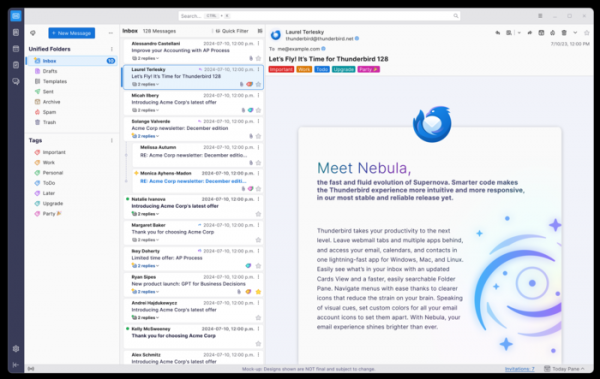
Key changes in Thunderbird 128:
- The ability to develop components in Rust has been added. It is noted that using Rust will reduce the likelihood of memory errors, increase performance, and integrate into the existing ecosystem, developing email-related modules in Rust.
The first component in Rust will be the implementation of the Microsoft Exchange Web Services (EWS) email protocol, allowing for the elimination of third-party add-ons that have provided Microsoft Exchange support until now. Built-in MS Exchange support is planned to be enabled in one of the future minor releases 128.x.
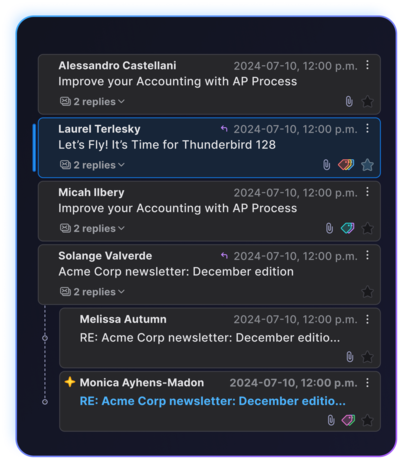
- The layout of the vertical message list mode (Card View) has been modernized, styled after mobile interfaces where items are displayed as 'flat' cards. Navigation through conversation threads has been simplified, and the height of cards now automatically adjusts based on settings. Unread message indication is shown with a green dot, and new messages since the last opening appear with a yellow star.

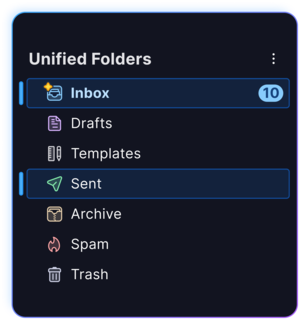
- The folder pane capabilities have been expanded. Rendering and searching of unified folders have been accelerated. The ability to select multiple folders at once has been added.

- Support for accent colors defined in themes has been added, which are used to highlight active elements. This change allows for a unified color scheme with other applications in distributions that actively use accent colors in themes, such as Ubuntu and Linux Mint.

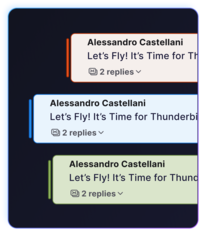
- The option to choose a color for visually distinguishing different accounts has been provided. When composing an email, the 'From' field is highlighted with a color corresponding to the selected account.
- Navigation has been simplified using the menu.
- On the Windows platform, the built-in notification system is used for displaying notifications. Clicking on a notification closes it and redirects to the corresponding message in the Thunderbird interface.
- The context menu has been reorganized, and the most significant operations are represented by icons for quick access. A context menu has been added for the 'Get Messages' button, allowing new message retrieval for individual accounts.
- Support has been implemented for processing the List-Unsubscribe, Archived-At, and List-Archive email headers to provide unsubscribe actions from mailing lists or access to the mailing list archive site.
- An option for synchronizing settings across different systems is prepared but not enabled by default, implemented via linking to a Mozilla Account.
- A setting for mail.addressDisplayFormat has been added to consistently display the full name and email of all recipients in the message list.
- A counter for new messages has been added to the threaded message view mode.
- The OpenPGP key manager now includes a procedure for revoking any key.
- Support for encryption and decryption using the ECDH protocol has been implemented for S/MIME messages.
- The default sorting order of the message list has been changed — new messages are now shown at the top.
- The toolbar in the address book has been redesigned.
Source: opennet.ru
