

The StartWine-Launcher project has developed an application designed for launching Windows applications and games on Linux-based systems. The primary goal of developing StartWine-Launcher was to simplify the process for novices to create Wine prefixes—sets of libraries and dependencies required for running Windows applications on Linux. Notable features include a container based on runimage, no need for system dependency installation, and a user-friendly graphical interface. The StartWine-Launcher code is written in Python and distributed under the GPLv3 license. The interface is implemented using the GTK library.
StartWine-Launcher features:
- Runimage-based container: applications run in a container, eliminating the need to install dependencies in the system and isolating the launched application from the main system.
- A graphical user interface that eliminates the need to deal with complicated settings.
- Universal installation: the application can be installed anywhere without affecting system files.
New version features:
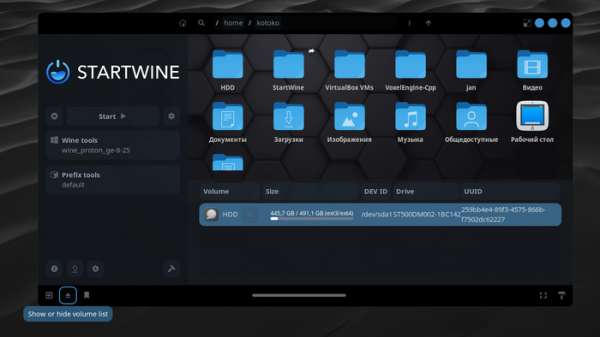
- Added the ability to view all files and drives.
- Implemented update checking.
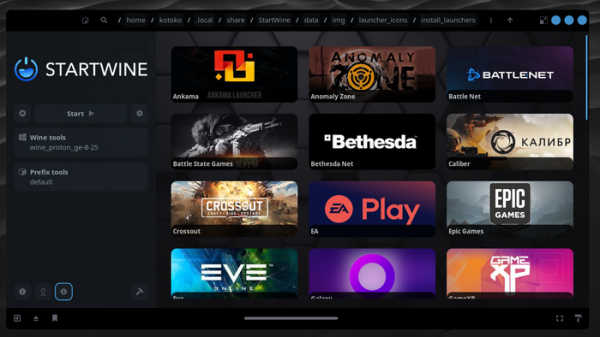
- Provided the ability to create shortcuts and add them to the desktop, Start menu, or Steam application, which can be useful for SteamDeck users.
- Enabled changing icons and posters for games.
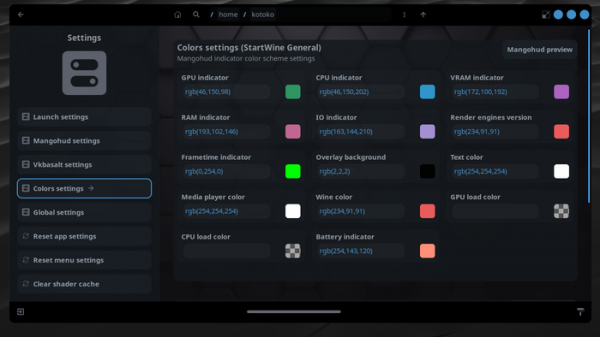
- Flexible settings for mangohud and vkbazalt have been added for optimization and performance enhancement in games.
- Various color options for OpenGL animations have been added.
- A new animation, 'Sin Cos 3d', has been added.
- Interface settings have been moved to the top panel menu.
- MangoHud indicator color settings have been moved to the MangoHud settings section.
- The overlay panel has been moved to the bottom panel of the window.
- File sorting has been added to the file manager's context menu.
- A panoramic file viewing mode (split view) has been added.
- Added detailed list view (tables) for file browsing.
- Support for viewing files from mobile devices has been added.
- The ability to resize shortcuts and file icons separately has been added.
- Support for automatically hiding the top and bottom panels has been added.
- Launching from the system file manager has been modified.
- Zstd and zstd ultra compression have been added to the file manager.
- Statistics for total and average time spent in games have been added.
- Bugs have been fixed and performance has been improved.
- Startup time has been reduced.
- A video playback issue in games has been fixed.
- An issue with changing Windows versions has been resolved.
- Fixed errors that occurred when searching for files.
- Issues with generating image and video thumbnails have been fixed.
- Launching in OpenGL mode has been improved.
- An issue with file display when resizing icons has been resolved.
- The list of available Wine builds for download has been updated. Added functionality to refresh the list of Wine builds.
- Fixed the command line parsing.
- The compact menu size mode has been removed.
- Locales have been updated.
- Prefix configurations have been updated.
- The list of Wine versions has been updated.
- Libraries and drivers in the container have been updated.
- The list of hotkeys has been updated.
Source: opennet.ru
