

After nearly two years of development, System76, the company behind the Pop!_OS Linux distribution, has released the first alpha version of the COSMIC desktop environment, written in Rust (not to be confused with the old COSMIC based on GNOME Shell). Two ISO images with COSMIC have been created — for systems with NVIDIA GPUs (3 GB) and Intel/AMD (2.6 GB), based on the Pop!_OS 24.04 distribution. Ready packages for Fedora, NixOS, Arch Linux, and Serpent OS are also available.
The shell is evolving as a universal project, not tied to a specific distribution and compliant with Freedesktop specifications. To build the interface in COSMIC, the Iced library is used, which employs safe types, a modular architecture, and a reactive programming model, and also offers an architecture familiar to developers acquainted with the declarative interface-building language Elm. Several rendering engines are provided, supporting Vulkan, Metal, DX12, OpenGL 2.1+, and OpenGL ES 2.0+. Developers are offered a ready-made set of widgets, the ability to create asynchronous handlers, and to use adaptive layout of interface elements depending on the window and screen size. The project is also developing a compositor. server cosmic-comp based on Wayland.
The alpha release marks the readiness of a minimal baseline of features defining a workable product for everyday use and serves as a foundation for fine-tuning functionality and improving usability based on feedback received from users. Distributions have the opportunity to create customized versions of COSMIC, delivered with their color schemes, applets, settings, and themes.
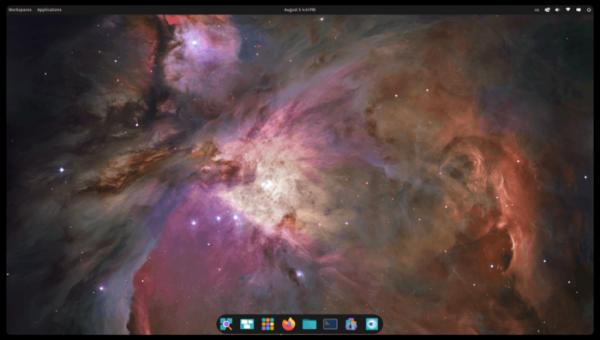
Key features of the COSMIC alpha version:
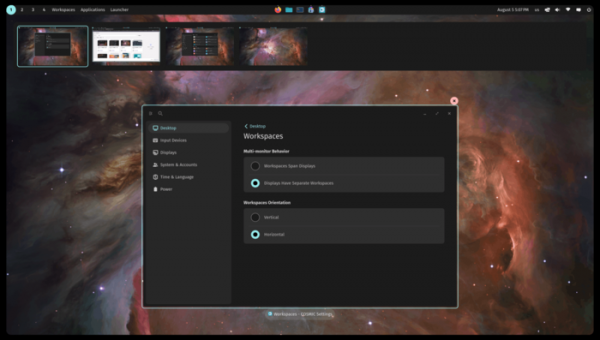
- A panel displaying a list of active windows, shortcuts for quick access to applications, and applets (built-in applications running in separate processes). The panel can be divided into parts, such as the upper part with the menu and indicators and the lower part with the list of active tasks and quick access shortcuts. The panel parts can be arranged either vertically or horizontally, occupy the entire width of the screen or only a selected area, use transparency, change style depending on light and dark themes, and be configured separately for each. virtual desktops.

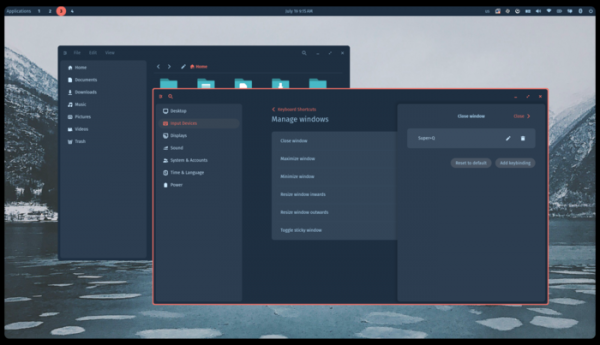
- In addition to classic multi-window functionality, an automatic tiling feature is provided, which, when enabled, automatically selects the position for new windows on the screen and aligns them to a grid. A quick window replacement mode allows you to quickly move a window by pressing and holding the keyboard combination 'Super + X' (Windows + X) and additionally pressing the cursor control keys. Tiled and classic window arrangements can be combined and activated for a specific virtual desktop.
There is a window stacking mode for grouping different application windows similar to browser tabs, as well as a persistent window display mode, where the window remains accessible across all virtual desktops.
- Customization options for themes, choosing between dark and light themes, saving appearance settings for use on other systems, and a cyclical display of a collection of desktops.

- Applets with application menus, window switching interface, virtual desktop system, search system, calculator, dialogue for launching arbitrary commands, as well as indicators for changing keyboard layouts, controlling multimedia playback, adjusting volume, managing Wi-Fi and Bluetooth, displaying notifications, showing the time, and calling up the shutdown screen.
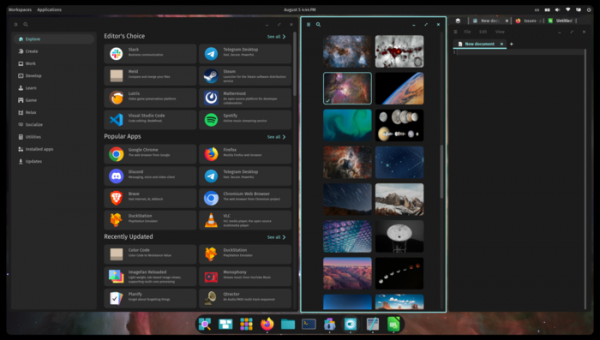
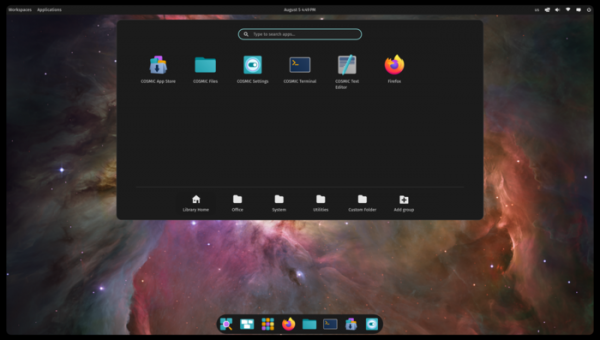
- An application library that allows for grouping programs by theme.
- A basic set of applications including a file manager, text editor, terminal emulator, and application installer.
- A configurator that allows changing the settings of the panel, desktop, wallpaper, input devices, screen, and power modes.
Plans for the future include:
- Adding modules to the configurator for adjusting sound settings, accounts, language, window manager, network devices, Bluetooth, offline mode, accessibility options, updating management, and selecting applications for processing specific types of files.
- Implementation of an application for initial system setup.
- Extending the capabilities of the file manager.
- Adding funds for people with disabilities.
- Calendar scheduler integration (evolution-data-server).
- Improving window management across desktops.
- Enhancing animation effects.
- Adding support for DPMS (to turn off the screen) in the compositing manager, VRR (Variable Refresh Rate) mechanism, the ability to display a translucent background, HDR, and the Night Light mode.
Source: opennet.ru
