

The release of the proprietary Vivaldi 7.0 browser has been announced, developed on the Chromium engine. Vivaldi builds are prepared for Linux, Windows, and macOS. Changes made to the Chromium codebase are distributed under an open license. The browser interface is written in JavaScript utilizing the React library, Node.js platform, Browserify, and various ready-made NPM modules. The interface implementation is available in the source code but under a proprietary license.
The browser is developed by former Opera Presto developers and aims to create a customizable and functional browser that preserves user data privacy. Key features include a tracker and ad blocker, note, history, and bookmark managers, a private browsing mode, synchronization, secured with end-to-end encryption, a tab grouping mode, a sidebar, a configurator with numerous settings, a horizontal tab display mode, as well as a built-in email client, RSS reader, and calendar in beta mode.
The new version includes about 120 improvements, among which are:
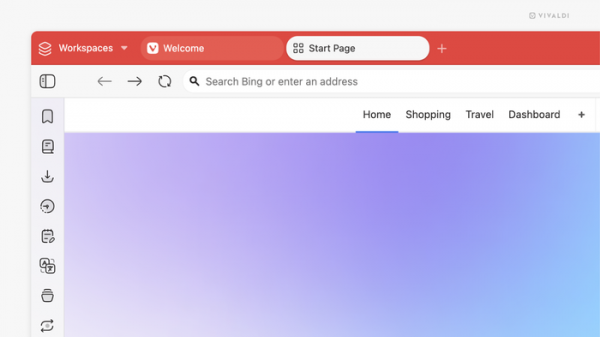
- A new interface design: changes have affected both the appearance of elements and the set of stock icons. If desired, users can switch to a compact interface mode in the settings, which is closer to the previously used one. A wide array of theme customization options is offered to adapt the design according to personal preferences.

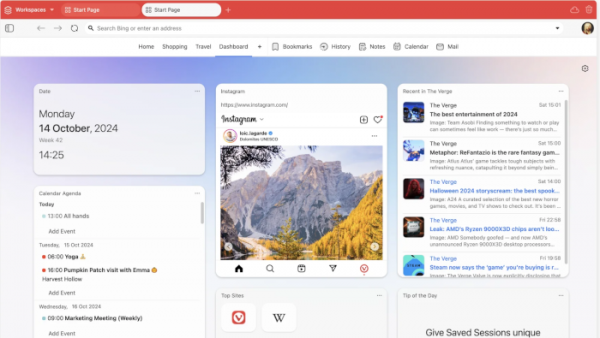
- A widget panel has been added—a new tab on the Speed Dial where date/time, notes, bookmarks, sticky notes, calendar, and more are located. Users can also add websites as widgets. Technical recommendations for creating custom widgets have been published.

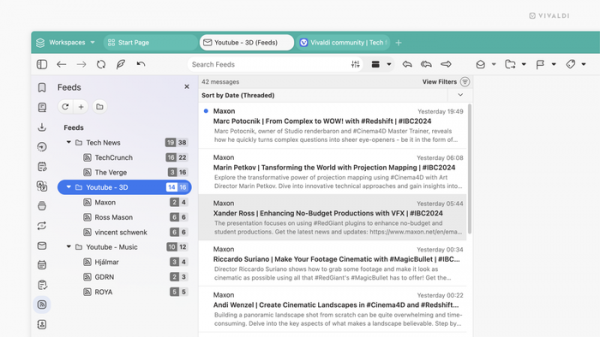
- The built-in news feed client has introduced the ability to create folders for organizing news feeds by categories or topics. Additionally, developers reminded users that it is possible to watch YouTube videos directly within the client, allowing for an ad-free experience. Viewing is available in the feed manager, full-screen mode, or as a detached window. Videos can also be listened to in the background.
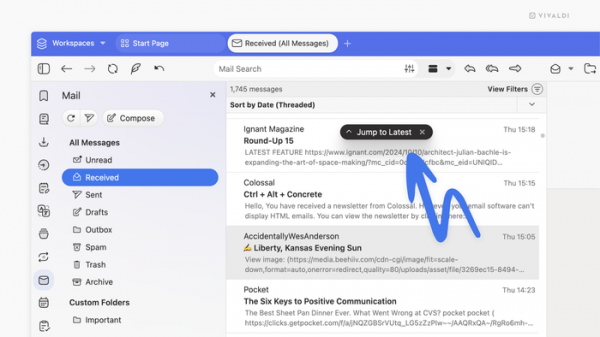
- A pop-up button has been added to the email client, allowing users to jump to the most recently received emails with one click.
- Synchronization has been revamped—it now works in real-time. This feature is currently available only on desktop versions, with a mobile release coming later.
- The ability to sync web panels has been introduced—on another device, they will be displayed in the web panels column on the Windows tab. Users can drag this element to the sidebar to restore the usual layout of the web panel.
Source: opennet.ru
