

The developers of the openSUSE project have released version 10 of the Agama installer, designed to replace the classic installation interface of SUSE and openSUSE. It notably separates the user interface from the internal components of YaST. Agama allows for the use of various front-ends, such as a front-end for managing installations via a web interface. Live builds have been created for testing the new installer, supporting the x86_64, ppc64le, s390x, and ARM64 architectures. These support the installation of the alpha version of openSUSE Leap 16, the continuously updated build of openSUSE Tumbleweed, and the MicroOS container-based edition. The source code of the installer components is distributed under the GPLv2 license and is written in Ruby, Rust, and JavaScript/TypeScript.
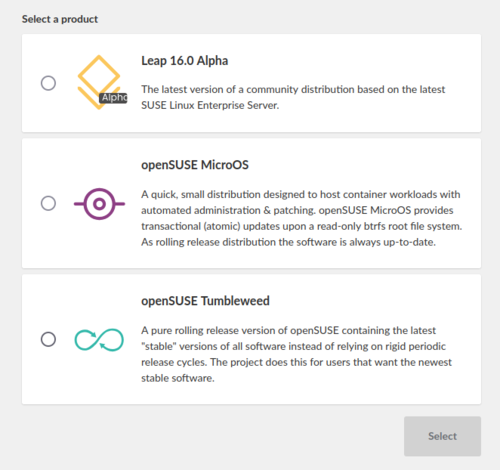
The main goals of developing Agama are to eliminate existing limitations in the graphical interface, expand the functionality of using YaST features in other applications, move away from reliance on a single programming language, and encourage the creation of alternative settings by community representatives. The installer includes features such as selecting an initial set of applications, configuring network connections, language, keyboard, time zone, and localization options, preparing storage devices, and partitioning, as well as adding users to the system.
To install packages, check hardware, partition disks, and perform other necessary installation functions, Agama continues to utilize YaST libraries, atop which service layers are implemented, abstracting access to the libraries via a unified communication protocol based on HTTP. The installer employs a multi-process architecture, allowing the user interaction interface to remain responsive while other tasks are executed. The basic interface for managing installations is built using web technologies. The web interface is developed in JavaScript using the React framework and PatternFly components. A messaging service and an integrated HTTP server, written in Ruby, are also included.
In the new version:
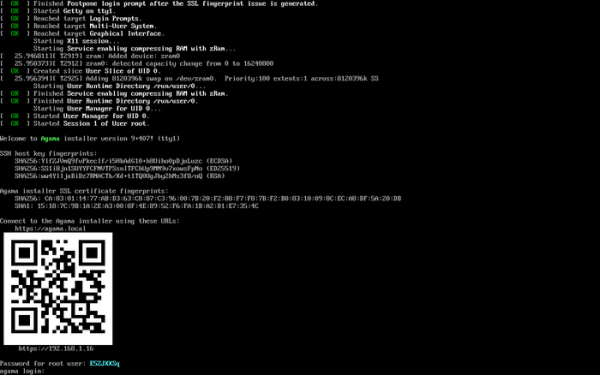
- A QR code generation feature has been added, containing a link to open the installer’s web interface in a browser, making it easier to connect to the installer from a smartphone.

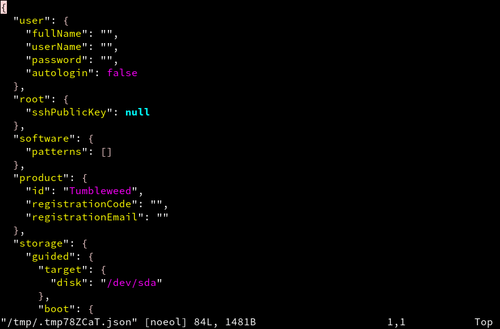
- Components for syntax highlighting have been added, used when editing the configuration file in JSON format with the command "agama config edit". By default, Vim is called for editing (you can specify any other editor through the EDITOR environment variable).

- In the automated installation mode, the ability to create LVM volume groups, LVM logical volumes, as well as pools and LVM volumes with dynamic space allocation (thin provisioning) has been implemented. The use of existing logical volumes and volume groups is not yet supported. Two modes of automatic partition deletion have been added — unconditional deletion and deletion only when necessary (when there is not enough space to create the specified partitions).
- A boot parameter "agama.install_url" has been added, through which you can specify a repository URL for package installation, different from the one specified in the configuration.
- The ability to develop components of the installer web interface in TypeScript has been provided. In the future, developers intend to gradually translate code from JavaScript to TypeScript as needed.
- A framework called TanStack Query has been employed in the web interface for managing state in asynchronous mode.
- The size of storage available for installing additional packages after booting in Live mode has been increased from 500 MB to 3.5 GB.
- For automated testing of the web interface, the JavaScript library Puppeteer has been employed instead of the Playwright system.
- Installer control components, running from the command line, have been switched from DBus to using an HTTP client that connects to the embedded HTTP server in the installer.
Source: opennet.ru
