

System76, the company developing the Linux distribution Pop!_OS, has introduced the third alpha version of the COSMIC desktop environment, written in Rust (not to be confused with the old COSMIC, which was based on GNOME Shell). ISO images for systems with NVIDIA GPU (3 GB) and Intel/AMD (2.6 GB) are available for testing, built on the test version of the Pop!_OS 24.04 distribution. Pre-built packages for Fedora, NixOS, Arch Linux, openSUSE, Serpent OS, Redox, and CachyOS are also available.
COSMIC is evolving as a universal project, not tied to a specific distribution and compliant with Freedesktop specifications. The Iced library is used to build the interface in COSMIC, which employs safe types, a modular architecture, and a reactive programming model, offering an architecture familiar to developers experienced with the declarative interface-building language Elm. Several rendering engines are provided, supporting Vulkan, Metal, DX12, OpenGL 2.1+, and OpenGL ES 2.0+. Developers are offered a complete set of widgets, the ability to create asynchronous handlers, and the use of responsive layout for interface elements based on window and screen sizes. The project is also developing a compositor. server cosmic-comp based on Wayland.
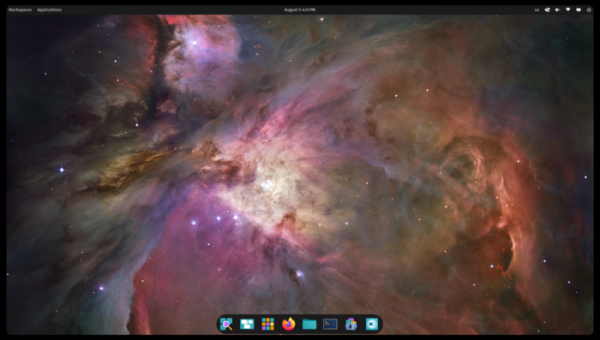
Key changes compared to the second alpha version of COSMIC:
- Power management settings now include options for automatically turning off the screen and putting the system to sleep.
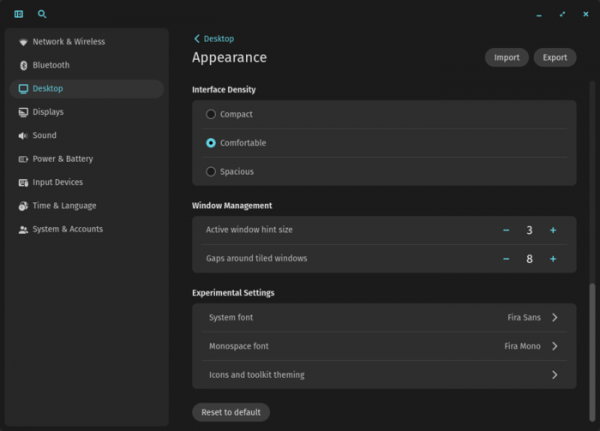
- The appearance settings panel has been enhanced with a section for experimental settings, allowing users to change the system font, select a monospace font, modify icons, and customize the theme of the graphic toolkit.

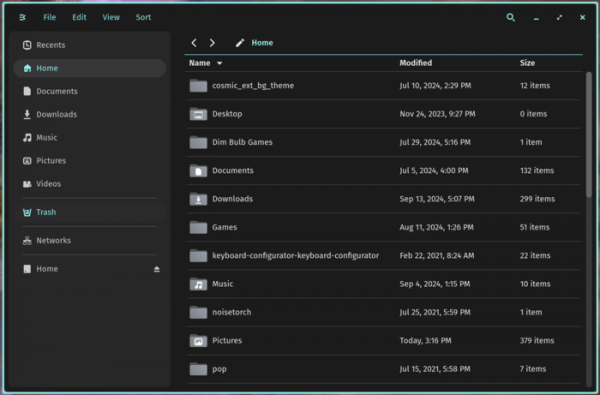
- COSMIC Files has expanded its capabilities:
- Support for pinning favorite directories in the sidebar has been added.
- Long file names that do not fit in the line are now shown in a tooltip that appears when hovering the mouse cursor over the file.
- A new option to show hidden files and directories has been added to the View menu.
- Search results can now be separated for each tab.
- The ability to mount encrypted drives and run executable files has been introduced.
- A button to empty the trash has been added.
- Support for JPEG XL image format has been included.
- Options 'Open' and 'Open with' have been added for files in the sidebar and navigation panels.
- The gallery mode has been improved, allowing the file manager to be used as an image viewer — a call to the gallery has been added to the View menu, as well as the ability to view selected images by pressing the spacebar.
- By default, the file preview feature is disabled before files are opened — to preview, users must now explicitly use the context menu, the keyboard combination Ctrl + Space, or the 'show details' option in the View menu.

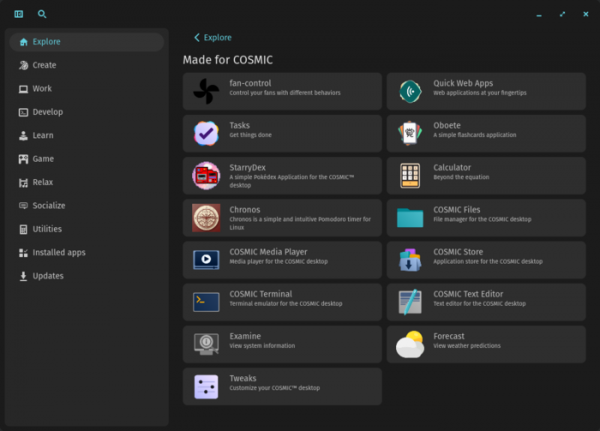
- A new section "Made for COSMIC" has been added to the application manager (COSMIC Store), featuring a selection of applications created by the community specifically for COSMIC. Information about the application now includes details on the URL and license. Support for installing local deb packages and flatpak packages via external links has been added.
- The connection information applet now supports automatic reconnection after waking from sleep mode or after a connection drop.
- The libcosmic library, used in COSMIC for creating graphical applications, has added a new widget with footer implementation. Icons for open and close buttons have been updated.
- Search performance has been improved.
- Support has been added for remapping the Caps Lock key to function as the Ctrl key.
- Support for screen readers has been added, currently limited to using Orca in Firefox and GNOME applications. The ability to use Orca in the COSMIC interface and applications is planned for next month. A new applet is also in development, allowing the screen reader to be turned on and off from the panel (currently, Orca must be launched from the terminal).
Source: opennet.ru
