

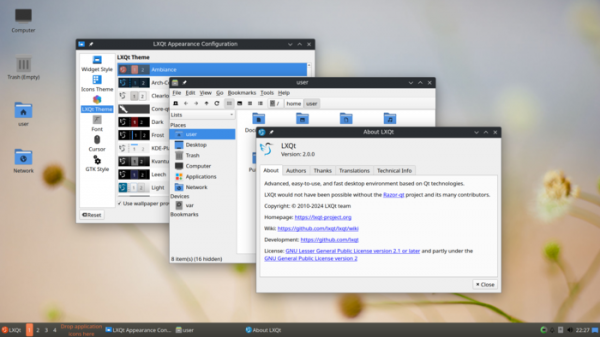
After six months of development, the release of the LXQt 2.1.0 desktop environment (Qt Lightweight Desktop Environment) has been presented, continuing the evolution of the LXDE and Razor-qt projects. The LXQt interface follows the ideas of classic desktop organization but brings modern design and techniques that enhance usability. LXQt is positioned as a lightweight, modular, fast, and user-friendly environment that incorporates the best features of LXDE and Razor-qt. The code is hosted on GitHub and is licensed under GPL 2.0+ and LGPL 2.1+. Ready builds are expected for Ubuntu (LXQt is offered by default in Lubuntu), Arch Linux, Fedora, openSUSE, Mageia, FreeBSD, ROSA, and ALT Linux.
The new version continues the work on implementing full support for the Wayland protocol. A new component, lxqt-wayland-session, has been added, allowing LXQt to run with various Wayland compositors. The session settings now include the option to select the desired compositor. Currently, support is provided for LabWC, WayFire, kwin_wayland, Sway, Hyprland, River, and Niri. By default, the environment based on the X11 protocol is still offered, while the Wayland-based session is categorized as an experimental option. To run X11 applications in a Wayland-based session, the DDX component (Device-Dependent X) XWayland can be used.
It is noted that the most stable performance in the Wayland session is observed when using the Labwc compositor, while the most functional session can be achieved with kwin_wayland, thanks to the installation of additional KDE packages. Moreover, kwin_wayland is currently the only compositor supported in the switch panel virtual desktops and in the power management interface for turning off the monitor. Visual effects for the desktop are available when selecting kwin_wayland, Wayfire, or Hyprland. A screensaver can be used with compositing servers waylock, swaylock, hyprlock, and kwin_wayland (kwin offers its own implementation, enabled by the command "loginctl lock-session").
Other changes:
- In the PCManFM-Qt file manager, while working in a Wayland session, the ability to create separate multi-screen workspaces has been implemented, along with support for transparency to connect third-party desktop wallpaper handlers. The file selection dialog now allows manual input of file paths in the filename field. An option has been added to disable thumbnail generation for external file systems in the settings.
- The panel functionality has been expanded. The newly proposed application menu 'Fancy Menu' now includes support for filtering programs by the executable file name. The Custom Command widget now supports horizontal scrolling. The trash has a new option to display contents in reverse order. Issues related to the ALSA sound system have been resolved in the volume control plugin.
- The ability to use a taskbar in Wayland-based environments has been added. Two backends have been developed for the panel — one specifically for kwin_wayland, and the other suitable for composite managers based on the wlroots library. The virtual desktop switcher can currently only be used with kwin_wayland.
- The session settings interface has added experimental sections for selecting the composite server and the system login screen for Wayland. This section is only available when the lxqt-wayland-session package is installed and supported composite managers are present in the system. servers.
- The configurator (Configuration Center) has been made compatible with Wayland and additional tooltips have been added. The appearance settings now offer options for adjusting the icon size in the toolbar and changing the tooltip colors.
- In the QTerminal terminal emulator, Wayland support has been expanded, screen splitting configuration has been simplified, and an issue that arose when changing settings in another instance of the application has been resolved.
Source: opennet.ru
