

After 6 months of development, the release of the Cinnamon 6.4 desktop environment has been finalized. This version involves the community of the Linux Mint distribution, which is developing a fork of the GNOME Shell, the Nautilus file manager, and the Mutter window manager. It aims to provide an environment in the classic GNOME 2 style with support for successful interaction elements from the GNOME Shell. Cinnamon is based on GNOME components, but these components are provided as a periodically synchronized fork, independent of external dependencies on GNOME. The new release of Cinnamon will be available in the Linux Mint 22.1 distribution, which is planned for release in the second half of December.
Key innovations:
- A new theme has been proposed that features darker colors, more pronounced contrast, rounded interface elements, and increased spacing between applets and the panel.
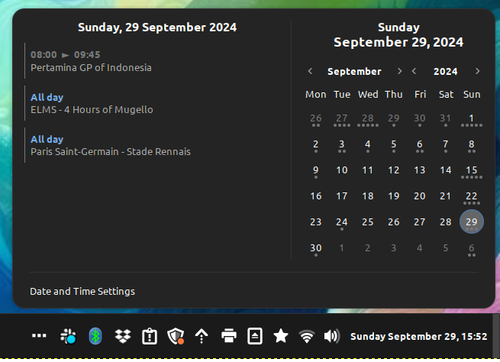
- The design of the calendar applet has been updated.

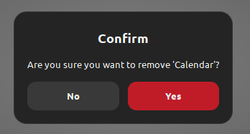
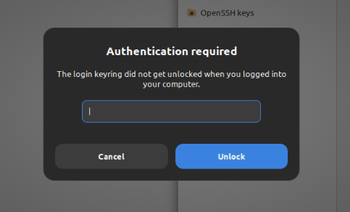
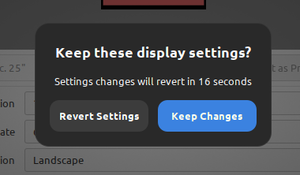
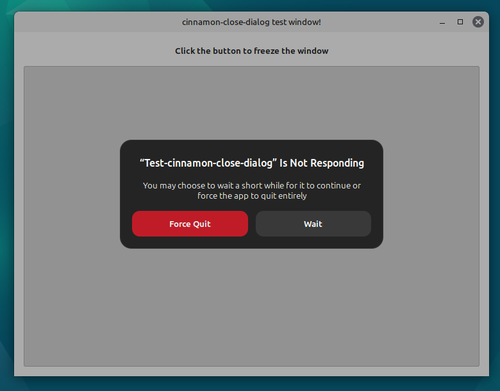
- The design of dialog windows has been changed. The ability to use colored buttons in dialogs has been added.

- The Clutter library has been used for rendering key popup dialog windows.


- The dialog for force quitting applications has been redesigned, which appears in case a program hangs and stops responding to user actions.

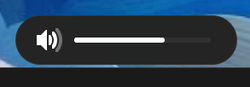
- The appearance of on-screen display indicators (OSD), used when adjusting brightness and volume with media buttons, as well as when switching has been modernized. virtual desktops.


- A Night Light mode has been integrated, which changes the color temperature according to the time of day and can be used in environments based on X11 and Wayland. For example, when working at night, the intensity of blue light on the screen is automatically reduced, making the color scheme warmer to reduce eye strain and decrease factors leading to insomnia when working before bedtime.
- The design of the notification system dialogs has been revamped. Horizontal spacing between buttons has been reduced. An option to display notifications in fullscreen mode has been added.
- The task switching interface via Alt-tab has been improved. An option to display only the windows located on the current monitor has been added. The functionality with minimized windows has been redesigned.
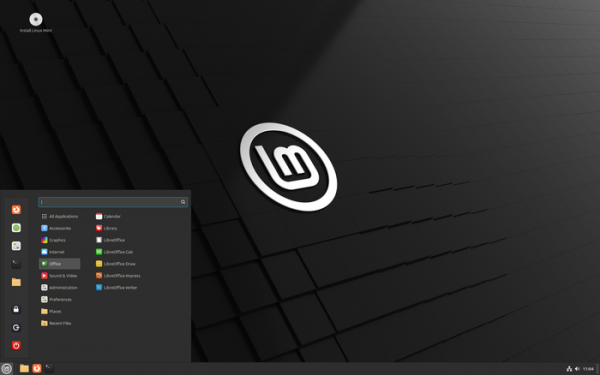
- The menu style has been updated, and the spacing in the main menu has been increased. Navigation using the arrow keys on the numeric keypad has been added. The animation when interacting with the menu has been simplified.
- Image preview support for JPEG-XL has been established.
- A new status bar applet has been proposed.
- A new password input widget has been added.
- The power module now supports power consumption profiles. DBus interface support has been added for managing power consumption profiles.
- An optional feature to install session files for Wayland has been added.

Source: opennet.ru
