

A corrective release of Firefox 134.0.1 is available, which resolves several issues:
- Interface freezes occurring while working in Google Docs or viewing YouTube have been eliminated.
- A crash issue that occurred when trying to launch after updating from Firefox 133 has been fixed.
- The problem with context menus and search engine selection menus not functioning correctly when a user previously downgraded Firefox to an earlier version has been resolved.
Additionally, it is worth noting the testing of a revamped new tab opening page in nightly builds of Firefox, which ensures the grouping of sections into thematic categories and implements a modular layout of content blocks instead of displaying them as cards. Settings for this can be enabled in about:config with browser.newtabpage.activity-stream.discoverystream.sections.enabled and browser.newtabpage.activity-stream.discoverystream.sections.cards.enabled.
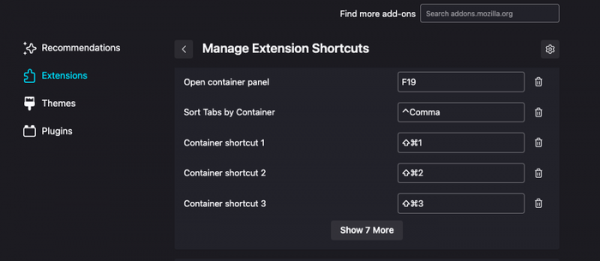
The address bar now supports searching tab groups by name. Users can also assign their own keyboard shortcuts for browser extensions using the F13-F19 keys. The interface for setting keyboard shortcuts for extensions can be accessed via the gear icon on the about:addons page.
Source: opennet.ru
