

Google has released version 132 of the web browser Chrome. At the same time, the stable release of the open-source project Chromium, which serves as the basis for Chrome, is also available. The Chrome browser differs from Chromium by using Google logos, featuring a crash notification system, modules for playback of protected content (DRM), an automatic update installation system, constant Sandbox isolation, delivery of keys to Google API, and transmission of RLZ parameters during searches. For those who need more time to update, a separately maintained Extended Stable branch is available, lasting for 8 weeks. The next release, Chrome 133, is scheduled for February 4.
Main changes in Chrome 132:
- A heuristic has been added that automatically enables the 'HTTPS-First' feature, redirecting HTTP requests to HTTPS for users who typically use HTTPS in their practice. If a user disagrees with enabling 'HTTPS-First', they can forcibly disable this mode in the settings. With 'HTTPS-First' active, interactions with sites that do not support HTTPS will revert to HTTP if a request cannot be completed over HTTPS after redirection or if certificate issues arise. A special warning will be displayed before opening the site over HTTP if the HTTPS option is unavailable.
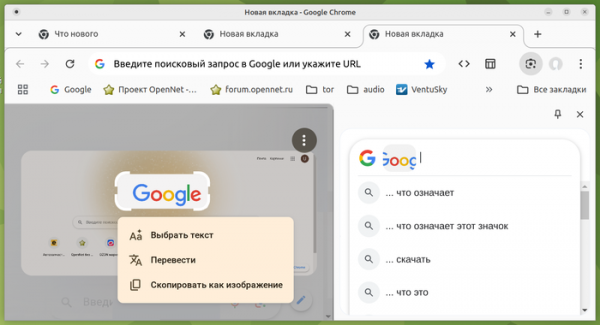
- Search capabilities have been expanded via Google Lens, accessible through the context menu. In addition to searching by images and highlighted text, support has been added for posing natural language questions related to the content of web pages and PDF documents. To submit a question, the search interface through Google Lens should be called from the menu, and the question can be entered at the top of the appearing sidebar. The number of languages available in the translation overlay feature has been increased (translated text is displayed over the original text in the image).

- Support for sandbox isolation of the process enabling network services has been provided for the Windows platform. To enable isolation, the option '--enable-features=NetworkServiceSandbox' has been added. Sandbox modes can be checked on the page 'chrome://sandbox/'.
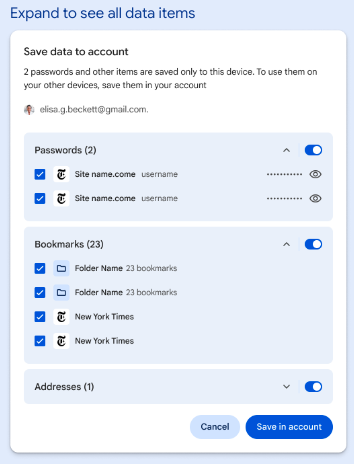
- The settings now include the option to selectively upload passwords and addresses previously saved on the local system to the cloud storage linked to the Google account.

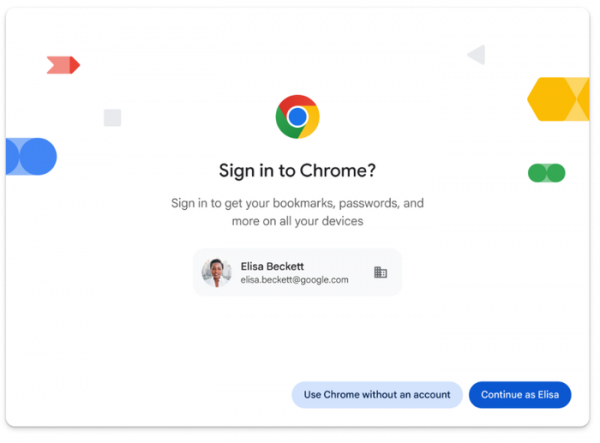
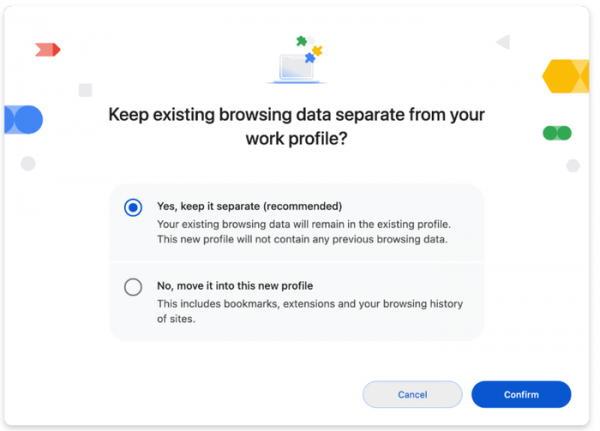
- In desktop builds, instead of synchronizing between devices using a separate account, users can link their browsers to their Google account used in services like Gmail and Google Docs. For example, when signing into Gmail, there will now be a prompt to log in with this account in Chrome to save and synchronize open tabs, settings, history, bookmarks, passwords, addresses, extensions, themes, and PWA applications.


- A setting 'chrome://flags/#enable-user-link-capturing-pwa' has been added, which, when activated, allows links related to installed Web applications (PWAs) to lead to the opening of a standard website, displaying an indicator in the address bar for switching to the use of the web application. Previously, opening such links would immediately lead to the web application without the possibility of interacting with the page as a regular site.

- For the
- An InvalidStateError exception is now generated when calling the showPopover() and showModal() methods for elements with the 'popover' attribute or 'dialog' elements that are in an inactive document. Previously, such calls were silently ignored.
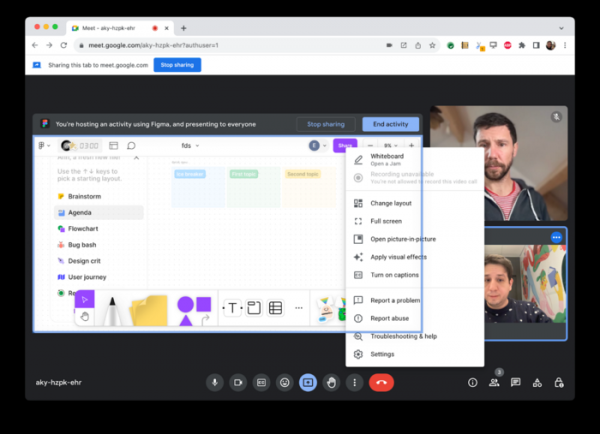
- In addition to the ability to capture video and arbitrary areas in the tab, the Element Capture API has been added for capturing individual HTML elements. This capability may be useful in situations where elements overlap each other. For example, in a web application for video conferencing, allowing other web applications to be embedded via iframe, the new API may be needed to capture the content of an iframe as video and send it to other participants.

- The method getAllScreensMedia() has been added to capture the content of all screens connected to the device.
- In the Android version and WebView-based components, the File System Access API is now allowed, enabling web applications to read and write data directly to files and directories on the user's device. Previously, this API was only available in desktop builds. The methods showOpenFilePicker() and showSaveFilePicker() can be used to invoke file selection dialogs.
- The CSS property writing-mode, which allows configuring text positioning in forms, now supports the keywords sideways-rl and sideways-lr, useful for organizing vertical output of traditional text that does not use hieroglyphs.
- The CSS properties 'inset' and 'margin' now allow the use of the anchor-size() value.
- The ability to activate scroll areas when navigating using the keyboard has been restored, allowing users without a mouse to first switch to the desired area using the Tab key and then scroll its contents with the arrow keys. This feature was previously disabled due to regressions in accessibility tools, which have been resolved in this version.
- New methods Request.bytes() and Response.bytes() have been added, returning a promise for reading using a Uint8Array object.
- HTTP header Strict-Transport-Security is now ignored in responses from server, hosted on the local system and accepting requests via localhost.
- The WebGPU API has implemented texture blending with 32-bit floating-point color formats (r32float, rg32float, and rgba32float). The GPUDevice object now includes the adapterInfo attribute.
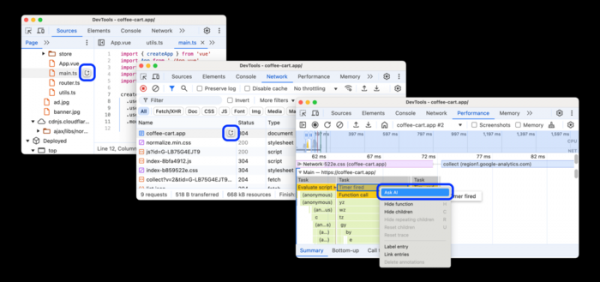
- The capabilities of tools for web developers have been expanded. Support for the AI assistant Gemini has been added to simplify debugging and clarify questions related to network requests, source files, and performance tracing. The chat history with the AI assistant can now be saved.

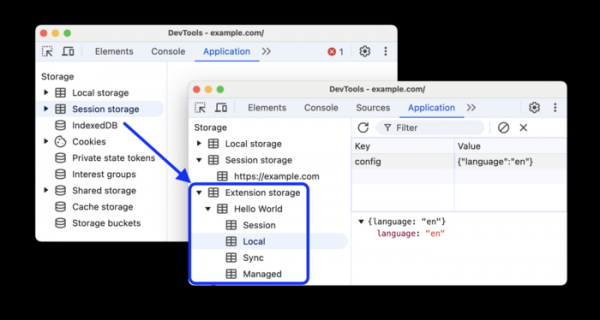
The Sensors panel features a simulation of various CPU load intensities (Nominal, Fair, Serious, Critical). The memory consumption assessment panel now supports grouping JavaScript objects by name. The configuration design has been updated. The Computed tab allows real-time updates of computed values (useful for tracking changes during animation). In the 'Application > Storage' section, the ability to inspect browser extension storage has been added.




In addition to new features and bug fixes, this version addresses 16 vulnerabilities. Many of these vulnerabilities were identified through automated testing using AddressSanitizer, MemorySanitizer, Control Flow Integrity, LibFuzzer, and AFL tools. Five issues have been assigned a high severity level. No critical issues that could bypass all layers of browser protection and execute code outside of the sandbox environment were detected. Under the vulnerability rewards program for this release, Google has awarded 13 prizes totaling $37,000 (including two prizes of $7,000 and $5,000, one prize of $3,000, three prizes of $2,000, and four prizes of $1,000). The exact amount of one of the rewards has not yet been determined.
Source: opennet.ru
