

Introducing the Orbitiny Desktop environment, developed from scratch using the Qt framework. This project is presented as an attempt to combine innovative ideas that have not been seen before in user environments with traditional elements such as a taskbar, menus, and icon placement on the desktop. The project is evolving with a focus on ensuring portability across various Linux distributions and usability in Live environments. The code is written in C++ and is distributed under the GPL license.
The panel supports extended functionality through plugins, Drag&Drop manipulations (for example, files can be moved from the desktop to the panel, applets can be swapped), and the ability to save different profiles that define their own set of applets and settings. It provides 18 plugins, such as an applet that implements a start menu for navigating installed applications.
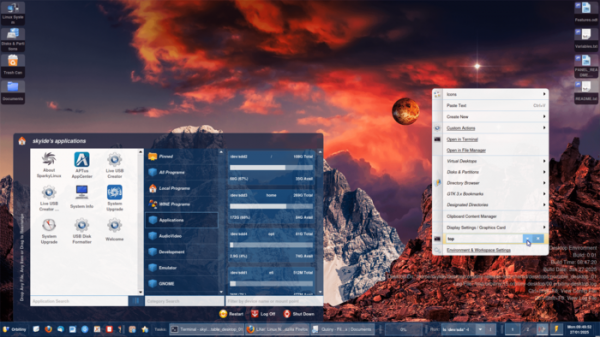
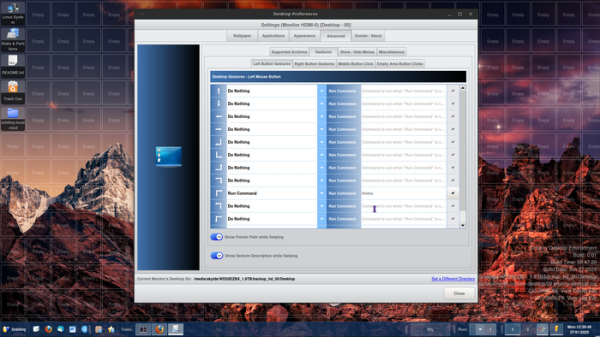
In addition to menus and keyboard shortcuts for triggering various actions and operations, Orbitiny can utilize screen gestures, input through outlining a specific shape on the empty area of the desktop while holding the mouse button. Up to 12 screen gestures can be defined for each mouse button. For instance, a gesture can be linked to launching a desired program.
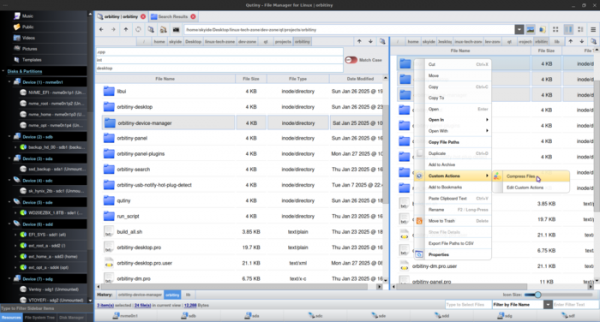
Beyond the desktop and taskbar, the project develops its own set of utilities and applications, such as a file manager, notification output system, file search interface, and a screenshot capture program. The desktop can be launched in any existing user environments, including KDE and GNOME — in this case, Orbitiny displays its own full-screen window that overlaps the existing desktop.
Other features of Orbitiny Desktop include:
- The ability to use any directory for desktop content placement (not bound to $HOME/Desktop). Different desktops are displayed on each screen.
- Support for defining personal context menus that do not block other applications. An integrated interface in the context menu for navigating directory content (Directory Browser). A button in the context menu to run arbitrary commands on selected files.
- Display of special tags on file icons copied or moved to the clipboard. The tag also appears when the content of the directory changes.
- The ability to merge files by dragging one file onto another with the mouse.
- Support for pasting from the clipboard to the end or the beginning of an existing file. If pasting occurs in a directory, a file is created automatically. It is possible to paste from the clipboard directly into multiple selected directories.
- A feature to open a terminal emulator for the selected directory (if multiple directories are highlighted, multiple terminals can be opened at once).
- Support for defining actions that can be applied to selected files.
- A dashboard window showing ongoing tasks and installed applications.
- Portable Mode, in which all necessary working files and programs are placed in a separate directory or on a Flash drive to recreate the existing environment on another system.
- Built-in support for Wine and DOSBOX — simply click on an exe file, and it will launch in Wine.
- Support for MAFF (Mozilla Archive Format) files for packaging web page content into a single archive.
- The ability to bind multiple commands to a single shortcut (for example, one command for a left mouse click and another for the middle one).
- The ability to change the scale of icons on the desktop through the context menu or by using Ctrl+mouse wheel.
- The ability to bind actions triggered by double-clicking on assigned empty areas of the desktop.
- A device manager that allows enabling and disabling available hardware devices at the kernel module load and unload level.
Source: opennet.ru
