

System76, the company behind the Linux distribution Pop!_OS, has introduced the sixth alpha version of the COSMIC desktop environment, written in Rust (not to be confused with the old COSMIC, which was based on GNOME Shell). ISO images with the latest version of COSMIC have been made available for testing, built on top of the alpha builds for the upcoming release of Pop!_OS 24.04 for systems with NVIDIA (3.1 GB) and Intel/AMD (2.6 GB) GPUs. Ready packages for Fedora, NixOS, Arch Linux, openSUSE, Serpent OS, Redox, and CachyOS are also being prepared.
COSMIC is evolving as a universal project, not tied to a specific distribution and compliant with Freedesktop specifications. The Iced library is used for building the interface in COSMIC, which employs safe types, a modular architecture, and a reactive programming model, as well as providing an architecture familiar to developers with experience in the declarative interface-building language Elm. Several rendering engines support Vulkan, Metal, DX12, OpenGL 2.1+, and OpenGL ES 2.0+. Developers are provided with a ready-made set of widgets, the ability to create asynchronous handlers, and to use adaptive layouts for interface elements based on the window and screen size.
In addition to using Rust, notable features of COSMIC include hybrid tiled window layout modes and stacked window anchoring (grouping windows like browser tabs), which can be enabled in conjunction with virtual desktops. The project is also developing a compositor server cosmic-comp based on Wayland. The first stable release of COSMIC is scheduled for the first quarter of 2025.
Key changes compared to the fifth alpha version of COSMIC:
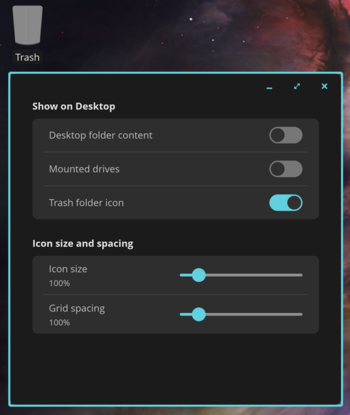
- Support for placing icons on the desktop has been added. Through the context menu displayed by right-clicking on an empty area of the screen, users can enable the display of icons for directories, drives, and the recycle bin, as well as select the size of the icons and the spacing between them. Files and directories can be moved using the mouse between the desktop and the file manager.

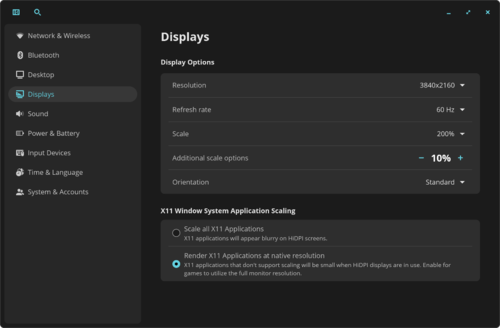
- Additional scaling options have been added. The maximum scaling level has been increased to 210%. An option for additional scaling of 5-20% over the base scale has been introduced.

- Capabilities have been expanded virtual desktops. Support for scrolling between available desktops in overview mode has been added. In addition to desktop thumbnails, names and ordinal numbers are now displayed. The ability to move minimized windows between desktops using the mouse has been introduced.

- A new option has been added to settings: 'Snap Floating Windows to Nearest Edges', enabling movable windows to automatically align with the edges.
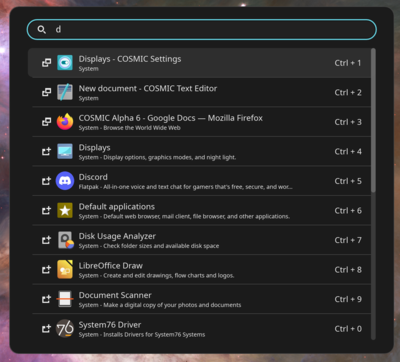
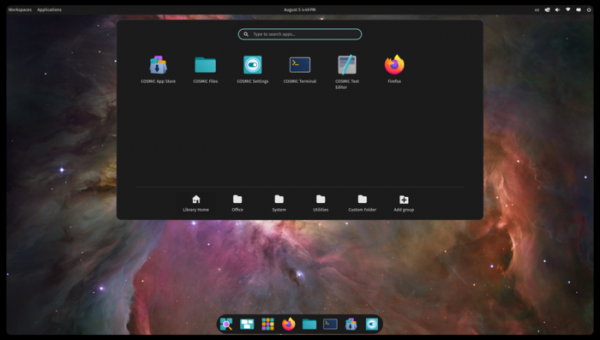
- The application launcher interface now supports scrolling in search results.

- A countdown timer is now displayed for actions such as shutdown and reboot.
- The file manager now supports auto-completion of file paths (press the down arrow to auto-complete the path in the search bar). A feature for copying the file path for use in other applications has been added. Navigation through files is enabled using the Home and End keys. Support for creating and extracting password-protected zip files has been included.
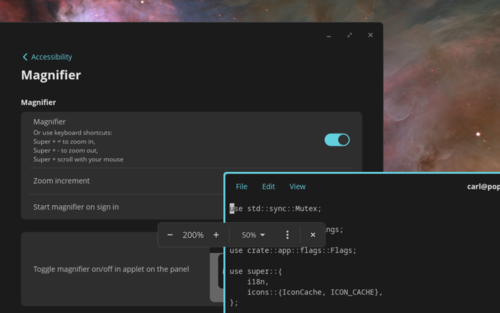
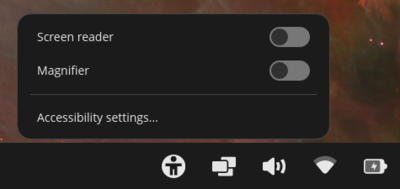
- A tool for magnifying specific areas of the screen has been added for visually impaired users. The tool can be activated via the settings 'Settings > Accessibility', through the Accessibility applet in the panel, or using the keyboard shortcuts Super + ‘+’, Super + ‘-’, and Super + mouse wheel.

- An Accessibility applet has been implemented for the panel, allowing users to enable a screen reader and the area magnification tool. Soon, options for enabling high-contrast mode, inverting colors, and color filters for the colorblind will be added to the applet.

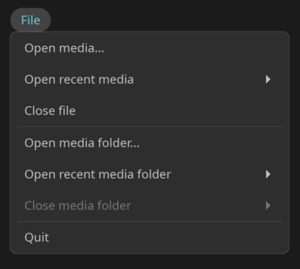
- The COSMIC Media Player has added a navigation panel for viewing the directory tree. During playback, the song title, album, artist, and year of the track are displayed. Playback control has been added from the volume control applet, using the MPRIS protocol. A File menu with operations for opening files and directories has been introduced.

- The COSMIC Edit text editor has introduced a feature for undoing all changes and reverting the file to its last saved state. The menu now includes the 'File > Close Project' option for closing the project and beginning work on a new document. Keyboard shortcuts Ctrl+Tab and Ctrl+Shift+Tab have been implemented for switching between tabs. The 'View' menu now has buttons for adjusting the zoom. The spell-checking menu has been restored. Search functionality highlights all matches in the text.
- Opens Sans has been set as the default font instead of Fira Sans.
- Reduced memory consumption in the file manager when working with virtual desktops, minimizing windows, and in multi-line field handlers (cosmic-text) and icons (freedesktop-icons). Changes have been made to the libcosmic library to prevent memory fragmentation. Optimization of screen and wallpaper configurators has been conducted.
- Support for copying and pasting from the clipboard using the middle mouse button has been added.

Source: opennet.ru
