

Seven years after the release of version 2.10, the release of the graphics editor GIMP 3.0 has been formed. Ready builds have been published for Linux (AppImage and Flatpak for x86_64 and ARM64). Builds for Windows and macOS are in preparation.
In preparing the next releases, it has been decided to move to a more predictable and frequent schedule for publishing new stable branches. In the future, the developers will not try to promote many significant changes at once but will focus on refining individual new features. The next major branch GIMP 3.2 is planned to be released in about a year. Between significant releases, corrective updates with bug fixes will be issued.
Among the most significant improvements in GIMP 3.0:
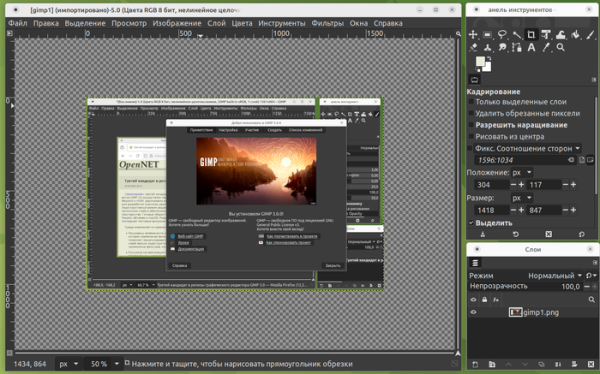
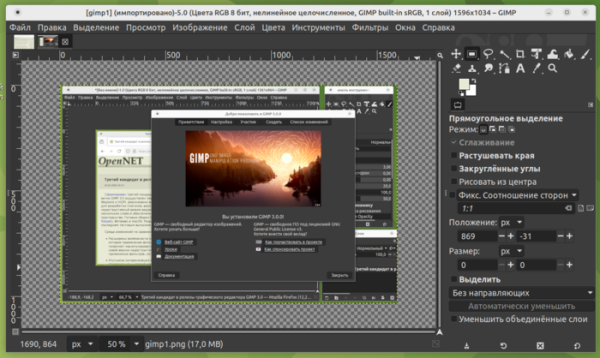
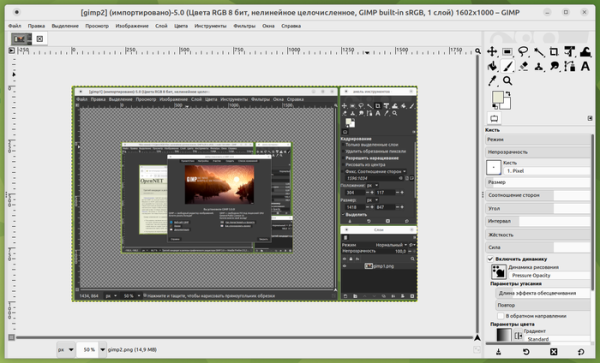
- Transitioned to the GTK3 library, a CSS-like style definition system, and implemented client-side window decoration (CSD), where the title and window borders are rendered by the application itself rather than the window manager. New widgets have been proposed.
- Native support for operations in environments based on the Wayland protocol has been ensured.
- Support for HiDPI has been added, taking into account system scaling settings when forming the interface.
- The interface has been significantly modernized. Support for icon font sets has improved; they now automatically adjust to the set foreground and background colors (when switching from light mode to dark, there is no longer a need to manually change the icon set).


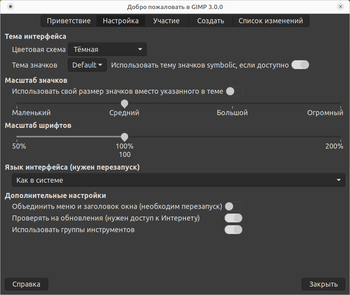
- Five basic themes (Default, Gray, System, Darker, Compact) in light and dark variants have been replaced with System and Default themes that have three condition variants—light, dark, and gray. Similarly, four icon themes have been transformed into two sets Legacy and Default with colored and symbolic variants. The quality of the dark theme has improved, now encompassing window decoration elements.

- The welcome screen for the first launch has been redesigned, allowing for quick adjustment of basic settings, the opening/creation of image files, or access to documentation.

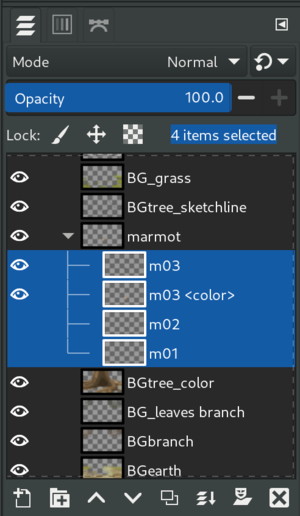
- Multi-layer selection has been implemented, allowing you to select multiple layers at once using the standard combinations Shift+click to select a range of layers and Ctrl+click to add or remove individual layers from the selection. Operations in GIMP apply to all selected layers, enabling you to move, group, delete, merge, and duplicate all selected layers at once, as well as scale, crop, rotate, and modify content in all selected layers simultaneously.

- A non-destructive editing mode has been added, allowing you to manipulate filters and effects without losing the original image (the result of applying the filter is now layered on top of the original layer instead of being merged).
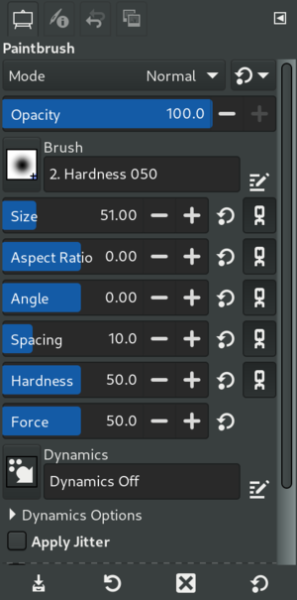
- An automatic layer expansion mode has been implemented. The 'Brush' tool now includes an option 'Expand Layers,' which allows the layer to automatically expand when the brush goes beyond its boundaries. In the settings, you can specify how much the layer should expand and what filling to use in the new area.
- The ability to edit beyond the canvas has been added. In the canvas size dialog, you can now choose from predefined templates that describe common sizes corresponding to standardized page formats (A1, A2, A3, etc.). New snapping parameters have also been added to assist in aligning layers on the canvas.
- A brush stroke selection tool has been introduced, allowing you to gradually encompass an area with the selection using approximate brush strokes. The tool is based on the application of a selective segmentation algorithm (graphcut) to isolate only the area of interest.
- Basic support for the CMYK color model has been added (later binding – the ability to export to CMYK). The color management code has been significantly upgraded and an internal color profile representation has been adopted. Integrations from the "Space Invasion" project, aimed at enhancing color accuracy and improving color management in GIMP, have been included. The invocation of intermediate color transformation operations has been eliminated, along with the loss of information resulting from such transformations (color conversion is now performed at the final stage, only when necessary). Support for editing in the original color space has been added.
- The compact view of slider buttons, which are typically used for setting filter and tool parameters, is now enabled by default. This compact style, which reduces the top and bottom margins, saves significant vertical screen space and allows for more elements to fit in the visible area.

- Support for canvas scaling and rotation through a pinch gesture on touchpads and touch screens has been added.
- Support for resizing brushes directly on the canvas has been implemented, using mouse movement while holding the right mouse button and the Alt key, without diverting attention to adjusting settings in the panel.
- The option to customize modifier keys that act when mouse buttons are pressed on the canvas has been provided, such as Ctrl for scaling, Shift for rotating the canvas, and Alt for layer selection or brush resizing.
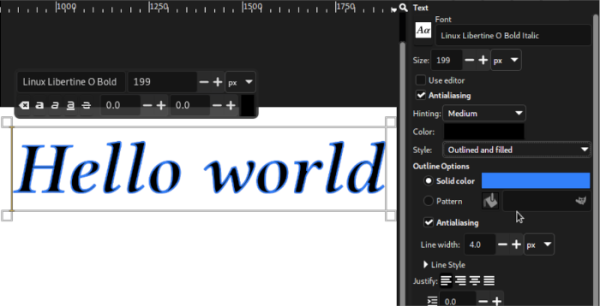
- The text placement tool has been enhanced with new capabilities for non-destructive outline and fill of letter contours. A new setting called "Style" has been added, offering three modes: Fill (original style), Outline (contour highlighted in color), and Outline and Fill (highlighting the contour and filling the inner part of letters with selected colors). An option "Show on-canvas editor" has been added, allowing the block with editing parameters displayed while typing to be hidden, leaving only the entered text.

- Automatic activation of transformation tools (transformation, rotation, scaling, etc.) is ensured. Previously, after selecting a tool from the panel, it was necessary to click on the canvas for related markers to appear. Now, the handler for applying the tool appears immediately after its selection in the panel.
- A new API for plugin development has been added, which is incompatible with old plugins. Some functions in the API have been deprecated, and instead of manipulating object identifiers, it is suggested to use ordinary objects. The entire GIMP API has been made accessible through GObject introspection, allowing plugins to be created in different programming languages.
- A new public API for filters based on the GEGL library has been implemented, allowing instant display of the results of effect applications and adding them in a non-destructive editing mode.
- Support for a rendering cache has been implemented, which stores the results of scaling as well as manipulations with colors, filters, and masks. To speed up work, a setting has also been added to define the level of scaling quality (Preferences -> Display -> Zoom Quality). In 'fast' mode, faster interpolation is applied than when using linear or quadratic methods. File saving for XCF has been significantly sped up due to multi-threaded packing.
- Improved import and export for PSD format (Adobe Photoshop). Support has been added for JPEG-XL, ICNS, PAM, QOI, Amiga IFF/ILBM, DCX, FITS, ANI, Farbfeld, PIX (Esm Software), HEJ2, and WBMP formats. The dialog for exporting images in RAW formats has been redesigned. It is now possible to export RAW images with any color depth.
- Improved support for graphics tablets and light pens. Tablets and pens are now available immediately after connection, without the need to change settings. Access to advanced input device settings has been simplified.
- A significant cleanup of the codebase has been conducted. Internal subsystems have been migrated to the GEGL (Generic Graphics Library) image processing framework.
Source: opennet.ru
