

The release of the web browser Firefox 137 has occurred, along with updates for the long-term support branches — 115.22.0 and 128.9.0. The Firefox 138 branch has entered beta testing, with a release scheduled for April 29.
Key features in Firefox 137:
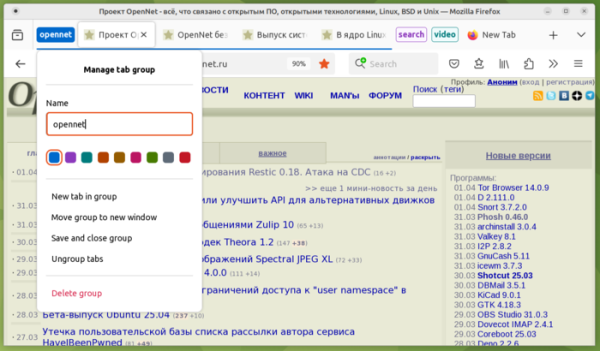
- Tab grouping support has been added, allowing multiple tabs to be combined and minimized into a single button to save space when viewing other tabs. A name and color can be assigned to the group, and it can be saved separately in case the content is needed in the future. To create a group, you can use the 'Add tab to group' submenu in the context menu shown when right-clicking on tab buttons, or simply by dragging one tab onto another (a dialog for group creation will open).
Grouping can be useful for categorizing tabs by theme (entertainment, shopping, reading later). Additionally, grouping helps when initially exploring a topic or selecting a product, where many related pages are opened that will need to be revisited later, but you don’t want to keep secondary pages as separate tabs, as they take up space on the panel. For now, this feature is not enabled by default for everyone and will gradually be activated for an increasing percentage of users. To force-enable it, the parameter 'browser.tabs.groups.enabled' can be activated on the about:config page.

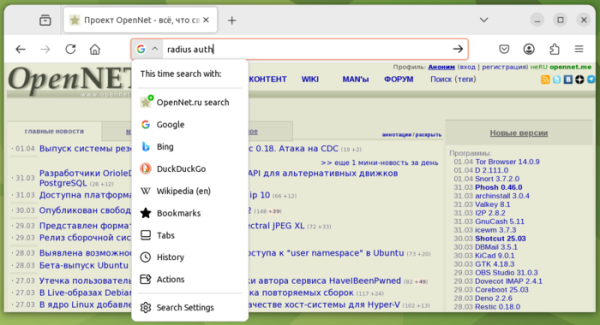
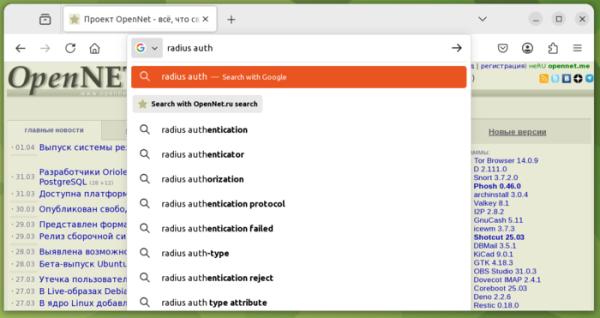
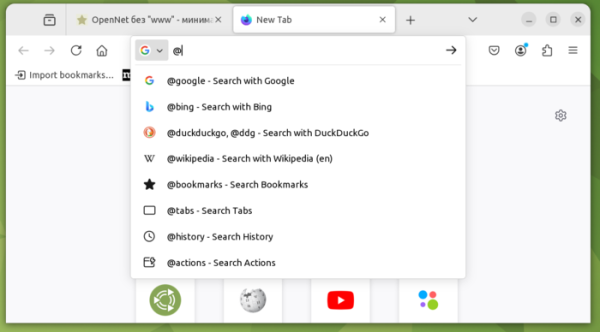
- The address bar has been significantly upgraded. A unified search engine selection button has been added. In addition to quickly sending a query to the desired search engine, the newly added button menu also provides options to navigate to the browsing history interface, view open tabs, and manage saved bookmarks, as well as the ability to search settings.

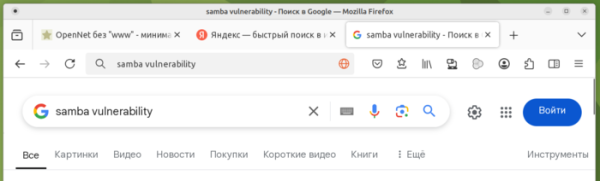
When sending a query from the address bar, the entered data now remains in the address bar as is, even after sending the query to the search engine, allowing you to modify the query directly in the address bar if needed. For example, when sending the query "samba vulnerability" in the address bar, the URL of the search engine is no longer displayed, but the entered text remains:

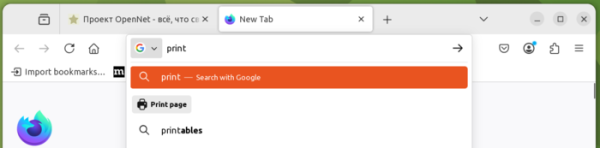
The dropdown list of recommendations now shows buttons for performing additional actions, such as printing the page.

- When you start typing a search query in the address bar while on a website, the recommendations will automatically suggest the option to send a query through that site's search engine, if it provides the corresponding features. After sending two such search queries to the site, the browser will suggest adding the site's search engine to the list of search engines.

- The ability to choose a search area has been provided, using control tags such as @bookmarks, @tabs, @history, and @actions. When entering the "@" symbol, a prompt for available tags appears.

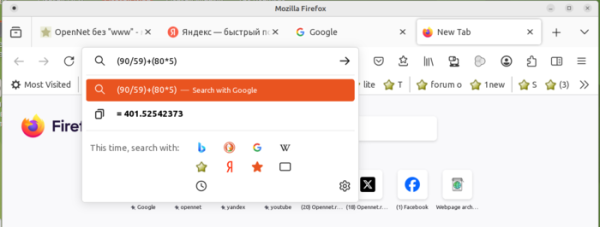
The address bar can now be used as a calculator; simply enter any mathematical expression into it, and the result will be shown in the dropdown suggestion. You can copy the result to the clipboard by clicking on it with the mouse.

The new features of the address bar are currently enabled by default only for a small percentage of users. To force-enable them in "about:config", you can use parameters from the "browser.urlbar" section, such as "browser.urlbar.quicksuggest.enabled", "browser.urlbar.unifiedSearchButton.always", and "browser.urlbar.suggest.calculator".
- Hardware acceleration for HEVC (H.265) video decoding is included in builds for the Linux platform.
- When viewing PDF documents, all links are identified and converted into hyperlinks.
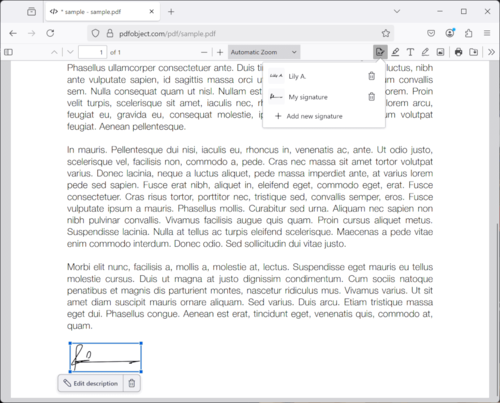
- A dialog has been added to the PDF viewer for attaching an image of your signature to the document.

- Support for the SVG Path API has been added for rendering shapes and creating outlines using the SVG element "path". Support for the methods getPathData(), setPathData(), and getPathSegmentAtLength(), provided by the SVGPathElement interface, has been added.
- The CSS property "hyphenate-limit-chars" has been added, which can be used to specify the minimum number of characters in parts of a word divided by hyphenation at the end of a line.
- Support for the values "spelling-error" and "grammar-error" has been added to the CSS property text-decoration-line for styling highlighting of syntactic and grammatical errors in text.
- The Math.sumPrecise() method has been introduced to calculate the sum of array elements and other iterable objects with precision exceeding that of standard summation in a loop (avoiding precision loss during intermediate result storage).
- The Atomics.pause() method has been added to signal that a thread is in a blocked state due to waiting for access to a shared resource, which can be used by the system for CPU power management.
- For extensions, a limit (10 MB) has been imposed on the size of data stored through the API storage.session.
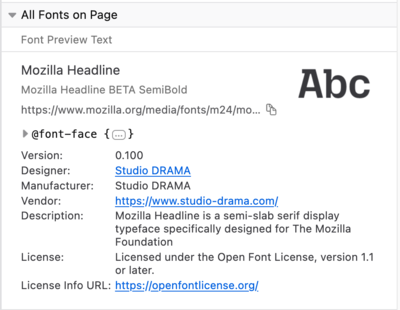
- The web developer tools have been updated to display font metadata in the font inspection panel, including version, author, provider, and license.

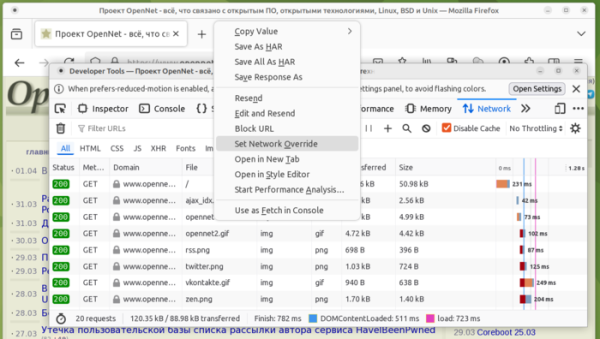
- The network activity inspection panel now allows overriding responses to network requests (the content of a selected file can be substituted for the actual response).

- Support for HEVC (H.265) video format has been added in the Android platform version.
In Firefox 137, along with new features and bug fixes, 14 vulnerabilities have been resolved. 13 vulnerabilities have been marked as critical. All critical vulnerabilities stem from memory handling issues such as buffer overflows and accessing already freed memory regions. These issues could potentially lead to the execution of malicious code when opening specially crafted pages.
Source: opennet.ru
