

Blender Foundation has released the free 3D modeling package Blender 5.0, suitable for a variety of tasks related to 3D modeling, 3D graphics, game development, simulation, rendering, compositing, motion tracking, sculpting, animation creation, and video editing. The code is distributed under the GPL license. Ready builds have been created for Linux, Windows, and macOS. The LTS branches Blender 4.2 and 4.5 continue to be supported, with updates planned until July 2026 and 2027, respectively.
Among the added improvements:
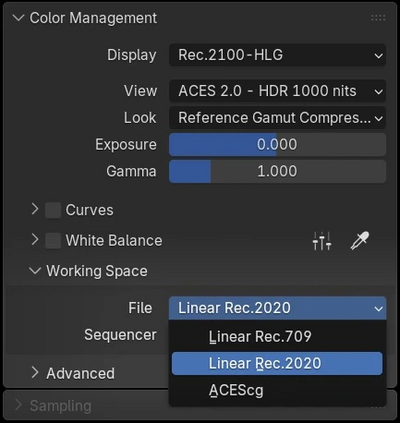
- A new implementation of the color management system has been introduced, with integrated support for High Dynamic Range (HDR) brightness and wide-gamut color spaces. The capability to display, read, and export wide-gamut and HDR colors for images and videos has been provided. New display modes supporting ACES 1.3 and 2.0 (Academy Color Encoding System), HDR profiles Rec.2100-PQ/Rec.2100-HLG, and AgX HDR have been added, which can be used for integration with professional film production systems and for displaying content on HDR-compatible screens. To use HDR on Linux, Blender needs to be run in Wayland-based environments, and the backend utilizing the Vulkan graphic API needs to be enabled.

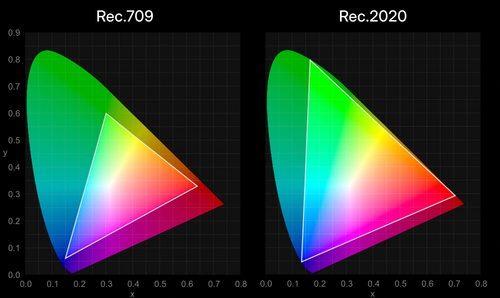
Support for wide-gamut colors, including the ACEScg and Linear Rec.2020 color spaces, has been added when working with materials, light sources, and compositing. There is the ability to set the working color space separately for each file and sequencer.

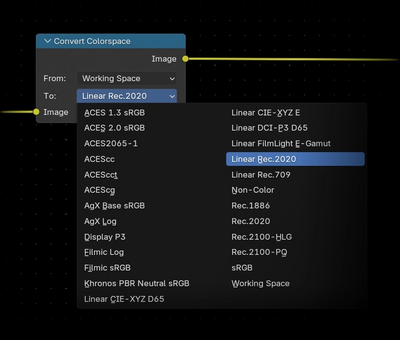
The capability to save images in OpenEXR format in color spaces ACES2065-1 and ACEScg has been implemented. Support for view transformations described in the ACES 2.0 standard has been added (view transform — color transformations calculated during rendering to a representation displayed on the monitor). Compatibility with OpenColorIO configuration for ACES 2.0 has been improved, applied to ensure color consistency at different stages of film production. A node for color space transformations during compositing has been added.

- A new sky model has been added to the 'Sky Texture' node, utilizing multiple scattering for increased realism. The old sky model is preserved as an option named 'Single Scattering'. In addition to generating sky images, the new model can be used to create accurate reflections indoors. The Sky Texture node can now also quickly generate dawn or sunset scenes by changing just one parameter.
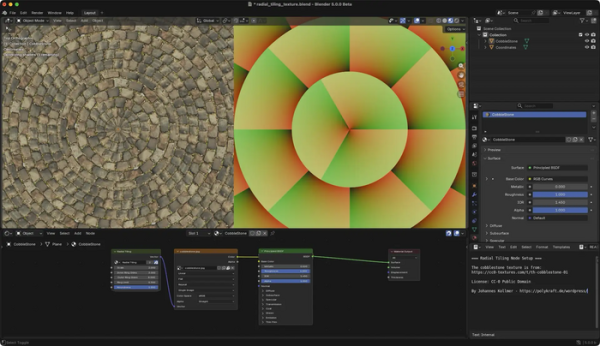
- The 'Radial Tiling' node has been added for creating rounded shapes and mosaic images.

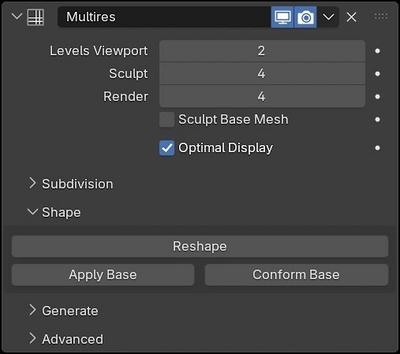
- The texture baking capabilities from meshes using the 'Multiresolution' modifier have significantly expanded. For example, support for n-gon faces has been added, along with the ability to bake vector displacement, bake only to selected and active images, and consider the 'Subdivision Surface' modifier.

- Support for repeat zones has been added to shader nodes, similar to their implementation in geometry nodes. With the EEVEE rendering system, it is possible to dynamically set the number of iterations, while in the Cycles system, only a fixed number of iterations can be specified.
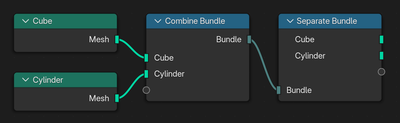
- Nodes 'Bundle' (combining several elements into a set), 'Closure' (passing custom functions for node groups), and 'Menu Switch' (outputting values based on the selected menu item) have been added.

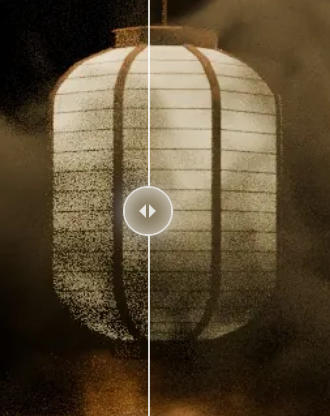
- A new volumetric rendering algorithm is now enabled by default in the Cycles rendering engine, eliminating block artifacts in overlapping volumes and allowing operation without setting parameters such as step size, maximum number of steps, and volume homogeneity.

- A more accurate method of subsurface scattering rendering has been implemented in Cycles. The new method takes multiple reflections into account when modeling light scattering within complex translucent objects and eliminates excessive darkening of areas, but requires more time for rendering.

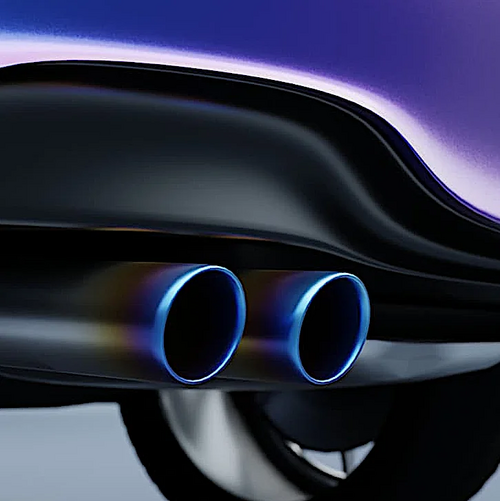
- The Cycles engine features the implementation of the iridescence effect on metallic materials, for example, to visualize the rainbow sheen in areas of metal overheating.

- The adaptive subdivision mechanism, which divides the mesh cells based on the distance from the camera, has been stabilized and is enabled by default in the Subdivision Surface modifier. An Object Space option has been added, allowing the edge length to be set not in pixels but in the object's measurement units.
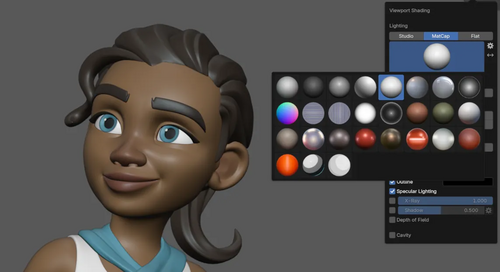
- In the EEVEE rendering engine, optimizations have been implemented that significantly speed up material compilation. Speed increases are observed with all backends; for instance, in configurations based on NVIDIA and Vulkan backends, acceleration can reach up to 4 times. Operations for instancing meshes have been sped up by up to 3 times. EEVEE also updates the MatCaps (Material Capture) implementation, which now supports reflective light, improving the rendering quality of dark surfaces when viewing 3D scenes.

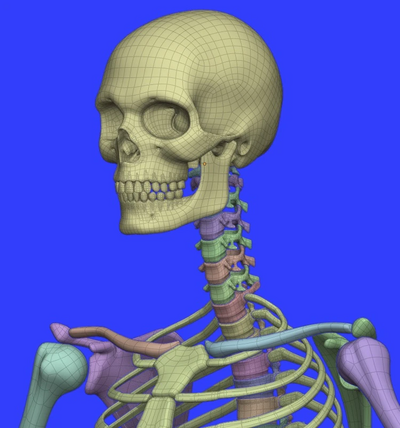
- The sets of demonstration files and assets have been updated. A new asset with a human skeleton has been added to the Human Base Meshes set.

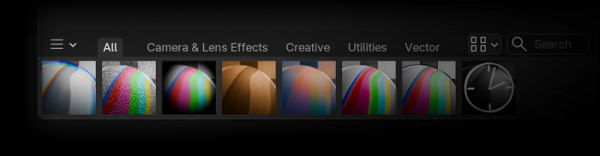
- A new Asset Shelf panel has been implemented in the compositor, providing quick access to preset effects.

- Compatibility with the specification defining the utilities and libraries of the VFX reference platform has been ensured.
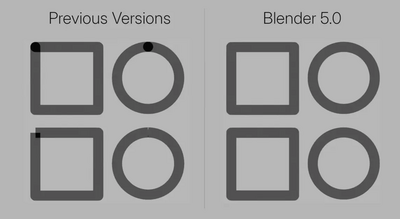
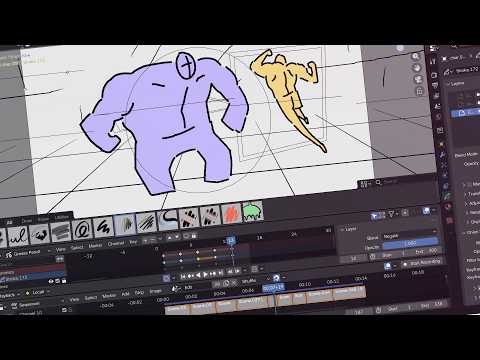
- The capabilities of the Grease Pencil 2D drawing and animation system have been expanded, allowing users to create 2D sketches and then use them in a 3D environment as three-dimensional objects (a 3D model is formed based on several flat sketches from different angles). The ability to apply motion blur effects to moving objects has been added. A Curve Data panel has been added to the side panel of the 3D viewport, allowing values for one or several selected curves to be set. Support for setting different angle types for each point has been implemented: with flat, sharp, or round peaks. A Pen tool has been added for creating and editing Bezier curves, ensuring the correct joining of the starting and ending segments of closed strokes without gaps or overlaps.

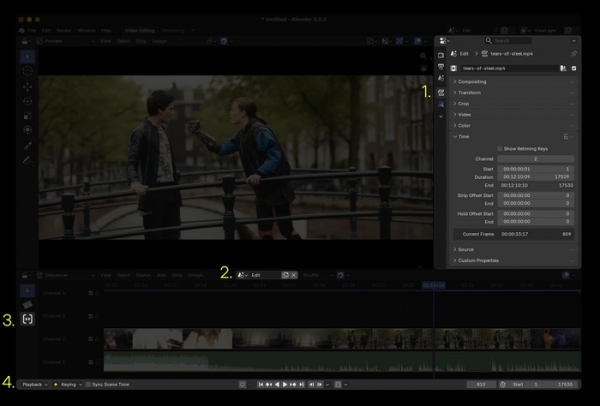
- The integration of the non-linear video editor (Video Sequencer) with other Blender components has been expanded. Separate tabs for modifiers and track parameters have been added to the properties editor. A modifier based on compositing nodes has been implemented. Playback control buttons are integrated into the bottom panel.

- The Array modifier has been revamped using geometry nodes, allowing for easy configuration and extension based on personal preferences, as well as using randomization, circular distribution, and gizmos when placing objects.
- In the UV editor, UV unwrapping synchronization has been redesigned and enabled by default. The performance of undo operations has been improved.
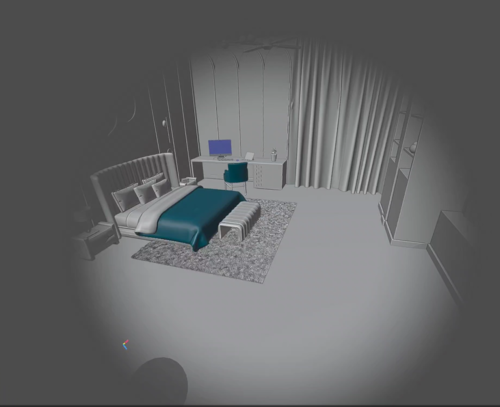
- Movement during VR Scene Inspection has been enhanced using virtual reality headsets. New navigation settings in virtual reality mode have been added. The option to change movement speed in flight mode has been introduced. Navigation in teleportation mode has been improved. To reduce disorientation, discrete camera movement has been ensured during joystick actions on the controller. To lessen motion sickness while working, a vignetting effect has been added to limit the field of view during movement.

- Theme customization settings have been simplified. An option to 'Reduce Motion' has been added to disable unnecessary animation effects. The nodes editor interface has been optimized.
- By default, the saving of blend files in compressed form is enabled.
- A command line option '--gpu-vsync [on/off/auto]' has been added to control the activation of vertical synchronization (VSync) with frame-dampening impulses, applied to prevent tearing during output.
- On systems with Wayland, the cursor-shape protocol has been implemented to customize the appearance of the cursor.

Source: opennet.ru
