

After three months of development, the Niri 25.11 composite server has been released, implementing a mosaic (tiling) layout method inspired by the GNOME extension PaperWM, in which windows are grouped into an endlessly scrollable ribbon on the screen. Opening a new window expands the ribbon, while previously added windows do not change their size. The project is based on the use of the Wayland protocol but allows the launching of X11 applications via the Xwayland DDX server. The project's code is written in Rust and is distributed under the GPLv3 license. Packages are available for Fedora, NixOS, Arch Linux, and FreeBSD.
A fundamental difference between Niri and PaperWM is the binding of a separate window strip to each monitor, which does not intersect with strips on other monitors (in PaperWM, separate monitor handling cannot be implemented due to binding to global window coordinates in GNOME Shell). Niri supports HiDPI and can operate on systems with multiple GPUs (for example, hybrid systems with a discrete graphics card and integrated GPU). It features a built-in interface for taking screenshots and recording screencasts, which notably allows the exclusion of specific windows with confidential information.
Virtual desktops in Niri are created dynamically and, similar to GNOME, are arranged vertically (the window ribbon rotates horizontally while the desktop ribbon is vertical). An independent set of desktops can be displayed on each monitor. virtual desktops. To switch between desktops and windows, control gestures on the touchpad can be used. When a monitor is disconnected, the layout of virtual desktops is remembered and transferred to the remaining monitor, and when the monitor returns, it is restored to its original state. Configuration is done through a configuration file, allowing changes to parameters such as frame width, padding, output modes, and window sizes. Changes made to the configuration file are applied automatically without restarting the compositing server.
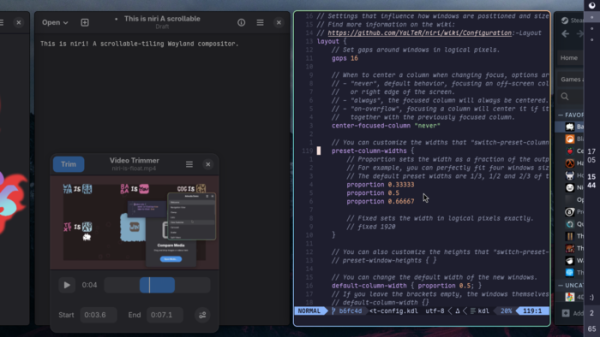
In the new version:
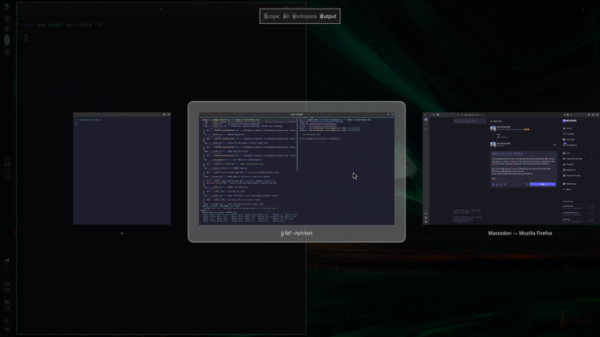
- An interface has been added for switching between windows using Alt+Tab, displaying thumbnails during window scrolling. Windows can be shown relative to the current virtual desktop (key 'w') or the output device (key 'o'). A shortcut Alt+` is also available for switching between the windows of the current application.

- Animated effects have been added for transitioning windows to fullscreen mode and exiting from it.
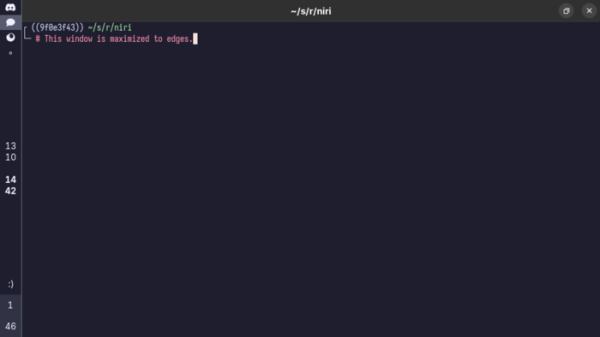
- Full support for maximizing windows has been implemented (previously, only expanding the window to the full width while preserving margins and borders was supported; now, it supports occupying the entire available area without showing borders). Maximization occurs by clicking the corresponding button at the top of the window or by double-clicking the title bar.
- It is now possible to generate scroll events for content when horizontally dragging the window's title in a mosaic layout (vertical dragging moves the window, while horizontal dragging scrolls the content within the window).
- Users can define individual window layout configurations tied to a specific output device (monitor) or virtual desktop.
- An 'include' directive has been implemented in configuration files for including the contents of other files.
- Support for external monitors connected via DisplayLink has been added.
- Changes have been made to reduce screen flickering.
- Support has been added for defining custom video modes for output devices not limited to modes provided through EDID. For example, ‘mode custom=true «1920×1080@100″‘.
- Support for launching a window session of niri in WSL (Windows Subsystem for Linux) has been added.
Source: opennet.ru
