

David Heinemeier Hansson, a race car driver and the author of the Ruby on Rails web framework, has released the Omarchy 3.3 distribution, which reflects his vision of the ideal Linux environment. The distribution is developed according to the 'Omakase Computing' principle, which suggests that most users at the beginning of their journey do not know exactly what they want, and it will be better for them not to struggle with making choices, but rather to use a set of tools prepared by someone whose competency and taste they trust. The project's developments are distributed under the MIT license. The size of the ISO image is 7.2 GB.
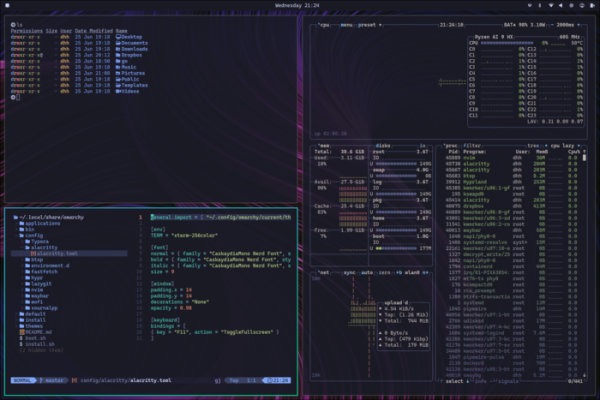
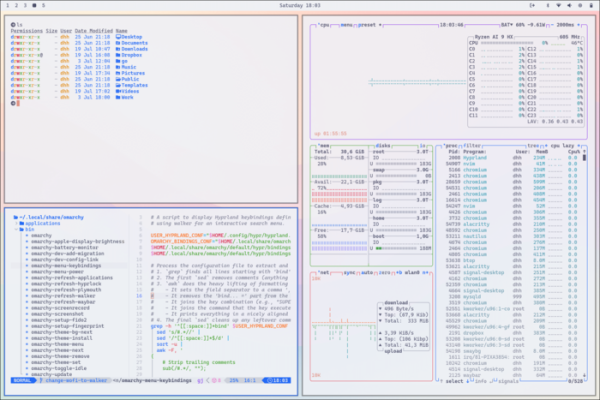
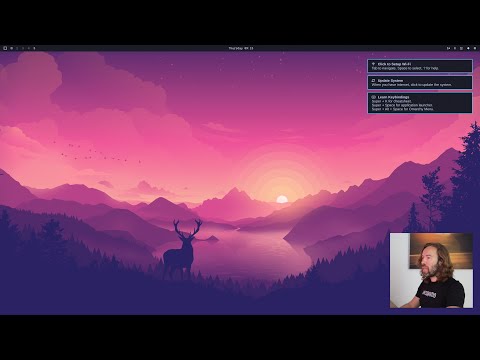
The distribution is based on the Arch Linux package base and offers a user environment based on the Hyprland composite manager with a tiling window layout. The project aims not only to provide a set of pre-installed packages but also to create an environment of compatible applications chosen with a focus on aesthetics and efficiency in solving tasks.
In David's opinion, for high performance work, motivation is essential, and part of that motivation is a beautiful and aesthetic environment. Omarchy includes nothing extraneous, offering only the applications David uses daily — from Neovim, Chromium, and LibreOffice to Spotify, Typora, Ghostty, and Zoom.
Omarchy does not try to resemble Windows or macOS, to please the majority, or to appear familiar to users; it simply aims to be better. The proposed environment, with coding in Neovim, extensive terminal use, and a tiling window layout, may seem unfamiliar to many, but those who dare to step outside their comfort zone and learn something new will be able to enhance their work efficiency.
Some features include:
- A console installer and orientation towards installation on a dedicated disk using full disk encryption.
- The ability to control all actions in a graphical environment using the keyboard, significantly speeding up typical tasks compared to using a mouse. For example, the application list can be called up with 'Super + Space', the menu can be shown with 'Super + Alt + Space', the terminal can be launched with 'Super + Return', and the browser can be opened with 'Super + Shift + B'.

- Choose from 14 themes that can be changed via the 'Style > Theme' section in the main menu.
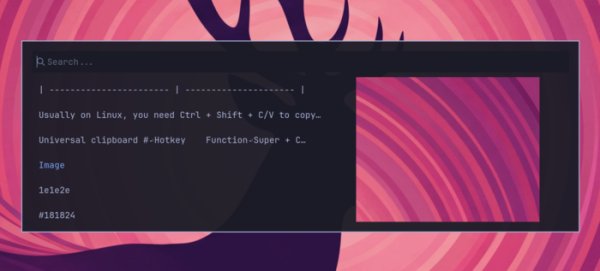
- Use the keyboard shortcuts Super + C, Super + X, and Super + V for copying and pasting from the clipboard. There's an interface (Super + Ctrl + V) for viewing and searching the clipboard history.

- Automatic system snapshots are created after updates, allowing you to roll back changes if issues arise. Manual snapshots can be created with the command 'omarchy-snapshot create'.
- The firewall is enabled by default, blocking all inbound connections to ports except for 22 (ssh) and 53317 (LocalSend).
- By default, it uses the official Arch Linux repositories: core, extra, multilib, and the Omarchy Package Repository, with optional installation from AUR.
- Includes AI tools: OpenCode (an agent for accessing AI services and large language models), Voxtype (voice input system), LM Studio, and Ollama (for running AI models locally). Providers for Claude Code, Gemini CLI, OpenAI Codex, and GitHub Copilot are also available.
- By default, the NeoVim code editor is used, with the option to replace it with VSCode, Cursor, Zed, Sublime Text, and Helix.
- Includes Docker, GitHub CLI, and tools for setting up pre-configured development environments, for example, for Ruby on Rails, Node.js, Bun, Deno, Laravel, Symfony, .NET, OCamal, Zig, and Elixir. The Mise tool is used for installing multiple versions of the same programming language or framework.
- Provides a console interface lazygit for working with Git, as well as Lazydocker for working with Docker.
- Utilizes the Impala console interface for Wi-Fi setup and BlueTUI for connecting Bluetooth devices.
- Includes graphic applications: note-taking system Obsidian, image editor Pinta, file-sharing system LocalSend, office suite LibreOffice, messaging app Signal, multimedia player mpv, streaming system OBS Studio, and video editor Kdenlive.
- Allows for quick installation of proprietary applications: password manager 1Password, markdown editor Typora, file synchronization system Dropbox. VPN Tailscale, music service Spotify.
- Installable web applications: email client and calendar-planner HEY (an alternative to Gmail, Outlook, and Apple Mail), project management system Basecamp, Google Maps, ChatGPT, WhatsApp, X/Twitter, YouTube, Zoom.
- For gamers, Steam, RetroArch, Minecraft, and Xbox Controllers are available.
- The menu includes the option 'Install > Windows' for quick installation of Windows 11 Pro (without activation) in a Docker virtual machine.
- Advanced command line utilities are available, such as fzf (enhanced file search), Zoxide (a replacement for the cd command with operation history), ripgrep (an advanced grep alternative for content searching), eza (a replacement for ls that shows more information), fd (a replacement for find), and try (for creating directories for experiments).
- Provides shell functions for common tasks like compress/decompress, iso2sd, format-drive, img2jpg, img2jpg-small, and img2png.
Source: opennet.ru
