

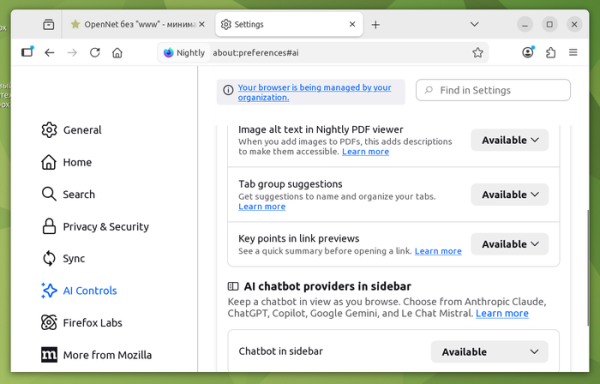
The codebase for Firefox 148, scheduled for release on February 24, now includes the previously promised setting to completely disable all AI-related features. A new parameter, 'browser.preferences.aiControls', has been added to the about:config page. Once activated, this parameter will display a section in the settings page for managing AI usage. Users can disable all AI functions at once or selectively activate only the necessary functionalities.
For selective disabling, the following AI-related features are available: language translation, text recognition in images and scanned PDFs, recommendations and tags for grouping tabs, generation of a brief summary for page previews, and an interface for chatting with chatbots. Each feature can be enabled, deactivated, or blocked. When blocked, locally installed AI models are removed, and interface elements are hidden.
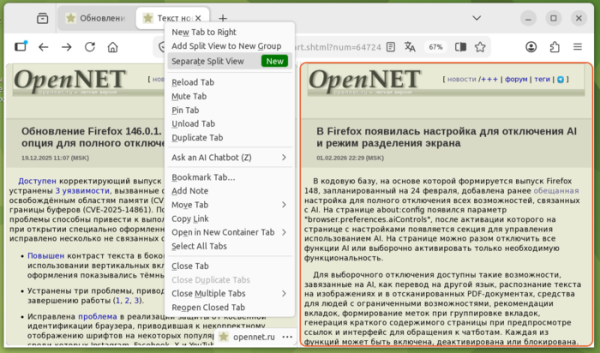
Additionally, the default inclusion of Split View mode is noted in nightly builds of Firefox, which will lead to the release of Firefox 149 on March 24. In this mode, users can view the content of two tabs side by side in a single window. In Firefox 147, the Split View mode is disabled by default and can be activated through the 'browser.tabs.splitView.enabled' parameter on the about:config page, after which the option 'Add Split View' will appear in the context menu when right-clicking on tabs.
When this button is pressed, the window's content is split into two parts, with the right part displaying the content of a new tab. If the option for a group of two tabs is selected, the specified tabs will immediately expand next to each other. Users can freely resize the left and right viewing areas by dragging the divider with the mouse. The active tab is highlighted with a red border during simultaneous viewing.
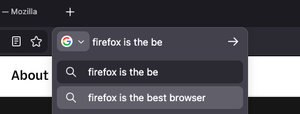
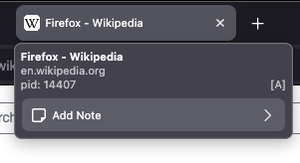
Among the changes in the nightly builds of Firefox is the introduction of a dedicated search field, which can be added to the toolbar, that utilizes the same dropdown information display mechanisms as those used in the AwesomeBar's address bar. Moreover, testing has begun on the Tab Notes feature, which allows users to attach arbitrary notes to tabs.
Source: opennet.ru
