

The release of the elementary OS 8.1.1 distribution has been announced, marketed as a fast, open-source, and privacy-centric alternative to Windows and macOS. The project focuses on quality design aimed at creating an easy-to-use system that consumes minimal resources and provides high boot speed. Users are offered its own desktop environment, Pantheon. Bootable ISO images (3.3 GB) have been prepared for amd64 and arm64 architectures (available for free download from the project's site by entering 0 in the donation field).
The original components of elementary OS are developed using GTK3, Vala language, and the custom Granite framework. The distribution is based on the Ubuntu project. On the package and repository support level, elementary OS 8.x is compatible with Ubuntu 24.04. All additional applications offered for installation via AppCenter, as well as some default applications, are packaged using the Flatpak format. The graphical environment is based on the custom Pantheon shell, which includes components such as the Gala window manager (based on LibMutter), Slingshot launcher, control panel Switchboard, Wing top panel, Dock taskbar, and Pantheon Greeter session manager (based on LightDM).
The environment includes a set of tightly integrated applications necessary for users to accomplish their tasks. Most of the applications are developed by the project, such as the Pantheon Terminal emulator, Pantheon Files file manager, Code text editor, and Music (Noise) music player. The project also develops the Pantheon Photos manager (a fork of Shotwell) and the Mail client (a fork of Evolution).
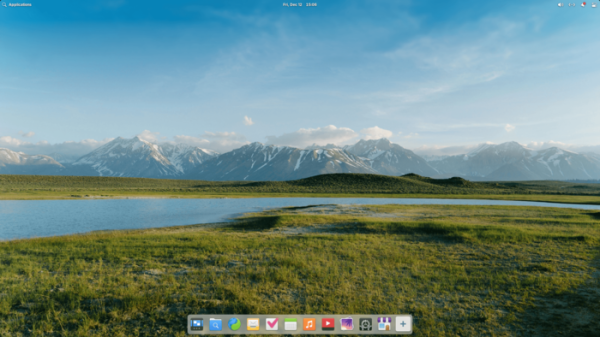
Key innovations:
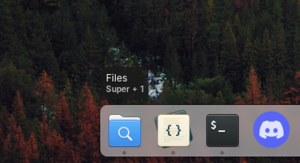
- The panel has enhanced the informative tooltips, which now include information about keyboard shortcuts for accessing the first 9 applications and additional details about background applications. The area for switching between virtual desktops features animation for pressing and expanding when dragging elements. A context menu option has been added to remove an application from the system or open the application's page in the AppCenter.

- In the AppCenter, the issue with the delay in response after clicking the 'Cancel' button has been resolved. Indicators in the panel and application menu are updated when the installation of updates is initiated from the console or another package management interface. A notification is now sent when an application is removed via options in the application menu or panel.
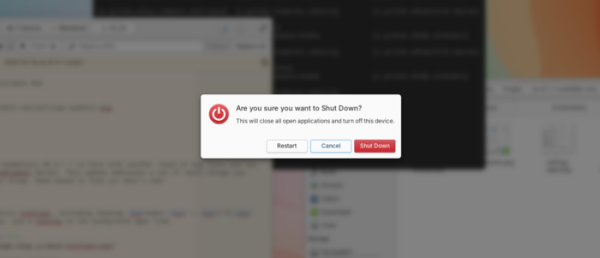
- In dialogs, such as password input and session ending windows, a background blur effect has been implemented in addition to the darkening effect.

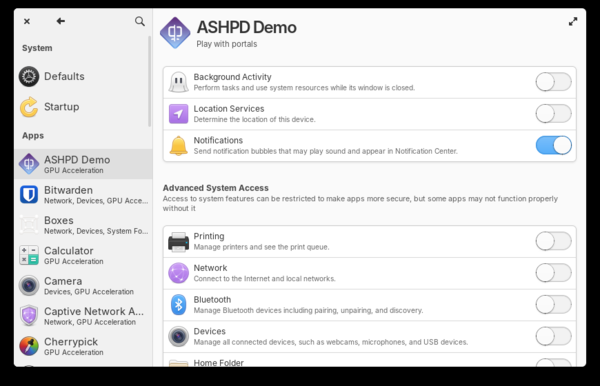
- In the configurator, some default settings have been changed, such as enabling automatic updates, disabling intrusive Wi-Fi notifications, removing shortcuts to the configurator (System Settings) and the interface for switching between virtual desktops (Multitasking View) from the panel. The ability to designate a default PDF viewer has been added. The section for configuring Wacom graphics tablets has been renamed to 'Pen & Drawing' as it can also apply to light pens. The icon for the option to allow background execution of applications has been modified.

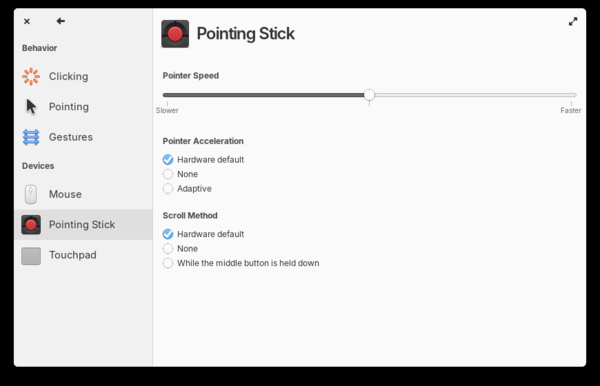
The mouse and touchpad settings section has added options for the trackpoint and drag mode using the touchpad.
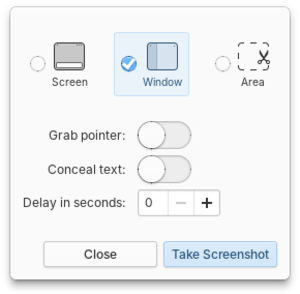
- The screenshot application features new mode icons and remembers the last selected mode.

- Kernel packages with Linux 6.17 have been added.
Source: opennet.ru
