

The release of the Firefox 151 web browser has taken place, and updates for the previous long-term support branches — 140.11.0 and 115.36.0 — have been formed. The Firefox 152 branch will soon enter the beta testing phase, with its release scheduled for June 16.
Key innovations in Firefox 151 (1, 2, 3, 4):
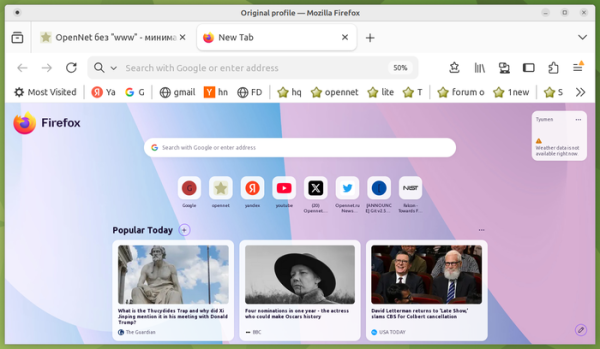
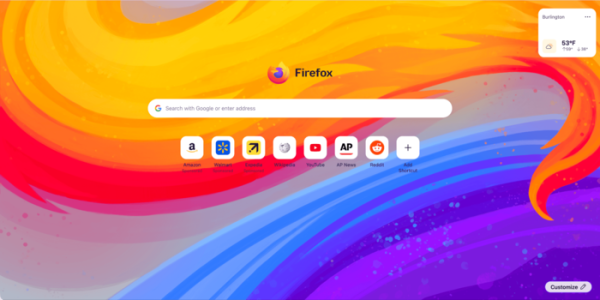
- The design of the page displayed when opening a new tab has been updated (the logo has been moved to the center, the search bar has been shifted down, and a background image has been included, which can be changed in the settings). The new design is optimized for the integration of new features on the page (for example, widgets and improvements for managing shortcuts), the inclusion of which is expected in the next release.


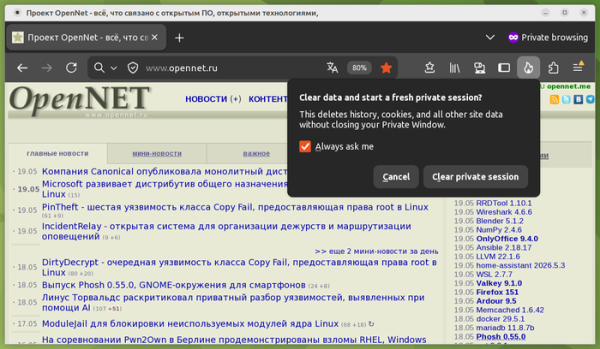
- A new ‘End Private Session’ button (an icon of a flame to the right of the address bar) has been implemented in private browsing mode, allowing users to instantly clear all data from the current private session without closing the browser window (websites previously opened in private browsing mode are closed, and an empty session remains).
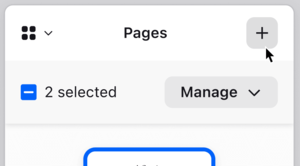
- The built-in PDF viewer now includes the capability to merge multiple pages into a document.

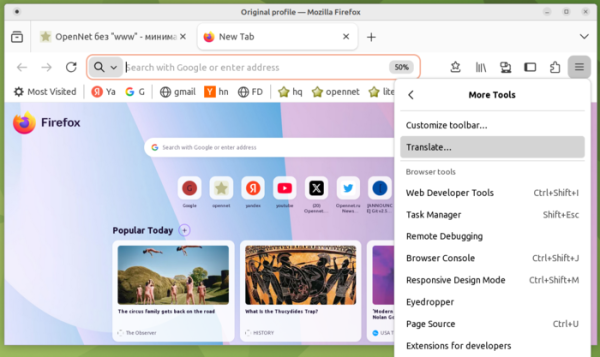
- The built-in translation interface from one language to another is now accessible through the ‘More Tools’ section in the main menu.

- The search bar in the configuration (about:preferences) has been expanded and now occupies the full available width.
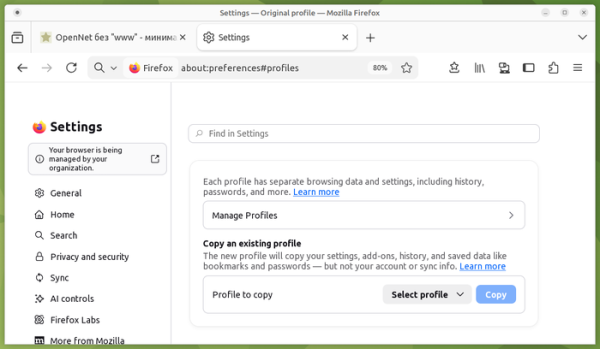
- In the builds for Linux, support for backing up profiles has been implemented, allowing users to save a chosen profile to a file, which can then be used to restore settings on another system. Previously, this function was available only on Windows.
- When transferring the Firefox profile folder to other parts of the file system or to systems with different operating systems, the restoration of installed extensions and themes is ensured.
- Protection against hidden user identification (Fingerprinting Protection), applied when enabling standard tracking protection (ETP, Enhanced Tracking Protection => Standard), has been strengthened. It is noted that the changes have allowed for an average reduction of 14% (49% for macOS) in the share of users identified using typical hidden identification methods compared to the previously available protection.
- The integrated free VPN service Firefox VPN now allows selecting the country of use. VPN server. The service allows access to websites not directly, but through intermediate proxiesservers in various countries, which hide the user's IP address. It is possible to enable VPN only for selected sites. To activate the VPN, registration of a Mozilla account is required. The VPN service has a limit of 50 gigabytes of traffic per month.
- When a web application requests access to location data on the Windows platform, it now takes into account the system settings for granting such access.
- The Web Serial API has been added for controlling microcontrollers connected via the serial port. For example, after confirming permissions, it is possible to program ESP chips, Raspberry Pi Pico boards, 3D printers, and CNC equipment from a web application. The Web Serial API can also be used in browser extensions, but not from the moz-extension context.
- All users can now apply the LNA (Local Network Access) specification to restrict access to the local system (loopback, 127.0.0.0/8) or internal network (192.168.0.0/16, 10.0.0.0/8, etc.) when interacting with public websites. To access internal resources, users must grant the web application special permissions, as such activity is exploited by attackers to carry out CSRF attacks on routers, access points, printers, corporate web interfaces, and other devices and services that accept requests only from the local network. Additionally, scanning internal resources can be used for indirect identification or information gathering about the local network. Previously, such protection only applied when enhanced tracking protection (ETP, Enhanced Tracking Protection => Strict) was enabled.
- A Fullscreen Keyboard Lock API has been implemented, adding a keyboardLock argument to the requestFullscreen method, allowing fullscreen web applications to intercept the handling of certain keys and keyboard combinations. For example, it is now possible to intercept the Esc key press (in this case, exiting fullscreen mode requires holding down the Esc key instead of just pressing it).
- The rendering of elements with absolute positioning within multi-column blocks or when printed has been improved.
- In the @container rules, it is now allowed to list multiple conditions simultaneously, similar to media queries.
- Inside the @container rules, the style() function can be used to check the computed values of the CSS properties of the container.
- The CSSContainerRule.conditions property has been added, containing a list of all conditions of the container query. The older properties CSSContainerRule.containerName and CSSContainerRule.containerQuery have been deprecated.
- The behavior of anchor positioning in CSS has changed. The position-anchor property now defaults to 'normal', and when using the position-area property, implicit anchors are applied automatically. Popups using anchor() or anchor-center now require an explicit 'position-anchor: auto' property.
- Added support for the Document Picture-in-Picture API to open arbitrary HTML content in 'picture-in-picture' mode, not just videos. Unlike opening a window using window.open(), windows created through the new API always display above other windows, do not remain after closing the original window, do not support navigation, and cannot explicitly define the output position.
- The API Permissions ensures the correct handling of temporary permissions granted to the site.
- The possibility of using declarative syntax has been provided to define how elements are distributed into slots within the Shadow DOM.
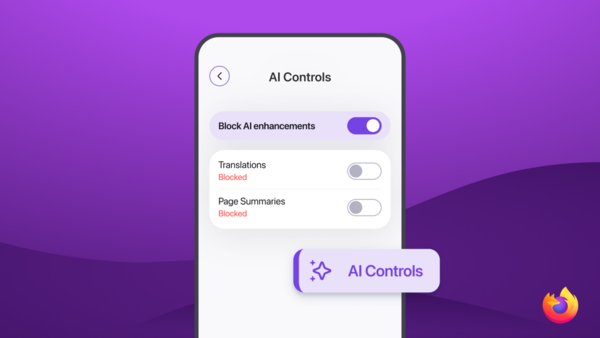
- Firefox for Android has added support for quickly switching between tabs using a vertical swipe gesture in the panel area. A switch has been added to the configurator, similar to the desktop version, to disable all features using AI, as well as settings for selectively enabling individual AI functions.

In addition to innovations and bug fixes, Firefox 151 addressed 154 vulnerabilities (65 collected under CVE-2026-8973, 54 under CVE-2026-8974, and 7 under CVE-2026-8975). 146 vulnerabilities were caused by memory handling issues, such as buffer overflows and access to already freed memory areas. Potentially, these issues could lead to the execution of malicious code when opening specially crafted pages.
Testing of the revamped configurator interface has begun in nightly builds of Firefox, which expands the tools for searching settings, improves navigation, and updates the labels and descriptions of settings.
Source: opennet.ru
