

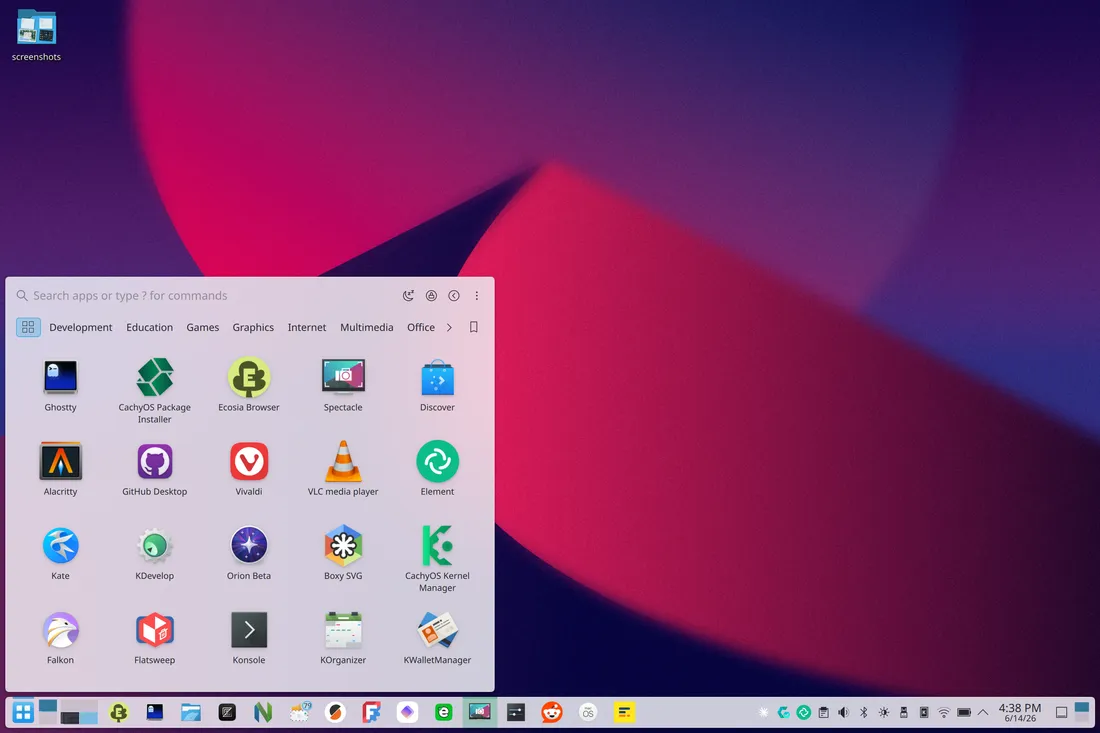
Release published AppGrid 1.9.0 — a third-party open application launcher for KDE Plasma 6. The release took place on June 14, 2026, as noted on the release page on GitHub. AppGrid is positioned as a modern alternative to the standard Kickoff and Kicker menus: the project offers an application grid, search, favorites, integration with KRunner, and two launch options — a central window and a pop-up panel menu. The project description can be found on the official AppGrid website and in the xarbit/plasma6-applet-appgrid repository.
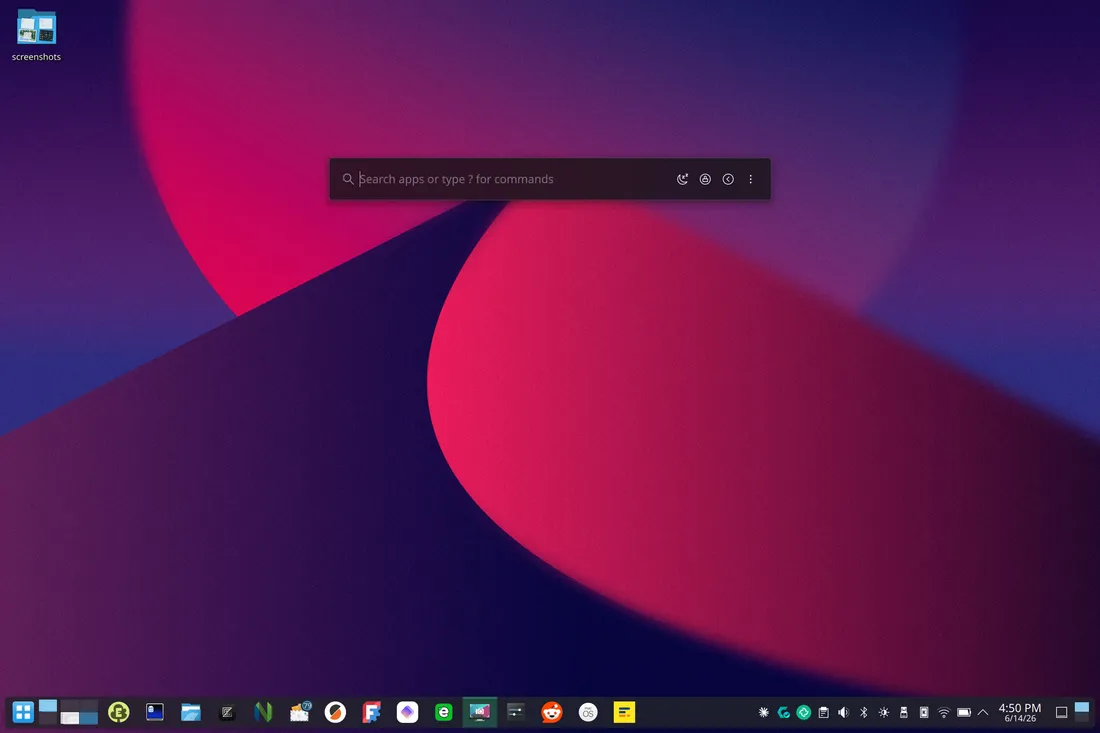
The main change in version 1.9 is the introduction of Compact mode. In this mode, AppGrid opens not as a full application grid, but as a compact search bar reminiscent of KRunner. The grid can be hidden until input begins, and the launcher can be activated with a hotkey like Alt+Space. The developer describes this as a way to use AppGrid as a replacement for KRunner; the review on Linuxiac also highlights Compact mode as a key innovation of the release. AppGrid 1.9.
Key changes in AppGrid 1.9:
Compact mode.
The new mode opens AppGrid immediately as a search bar, hiding the main application grid. This is convenient for users who often launch programs by typing their names rather than selecting from a menu. Essentially, AppGrid can now function not only as a 'beautiful Launchpad for KDE' but also as a quick search launcher in the style of KRunner.Inline autocompletion.
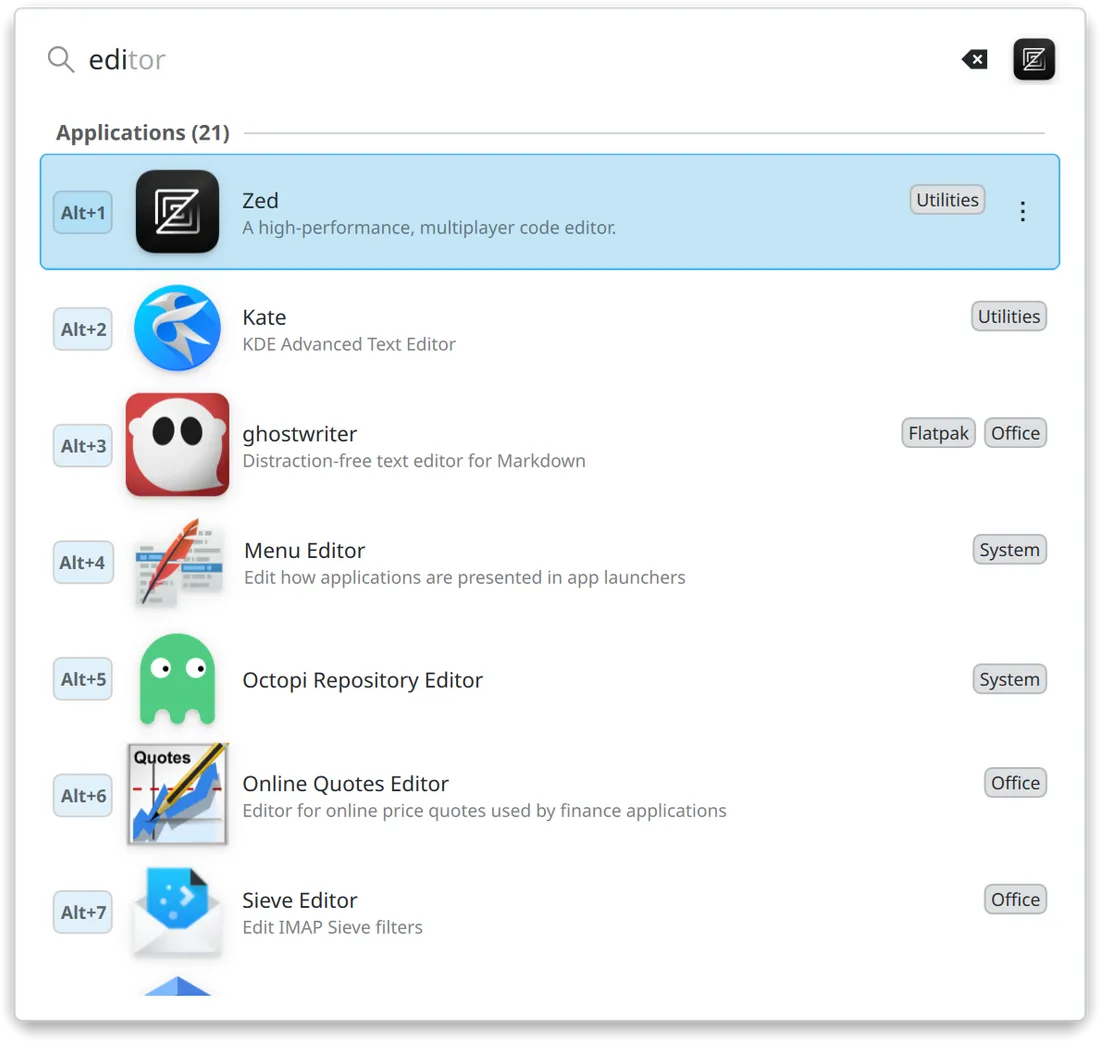
The search bar now includes autocompletion as you type. AppGrid shows a suggested match directly in the search field, and the suggestion can be accepted by pressing the right arrow key. This speeds up the launch of frequently used applications and reduces unnecessary clicks.Smarter search.
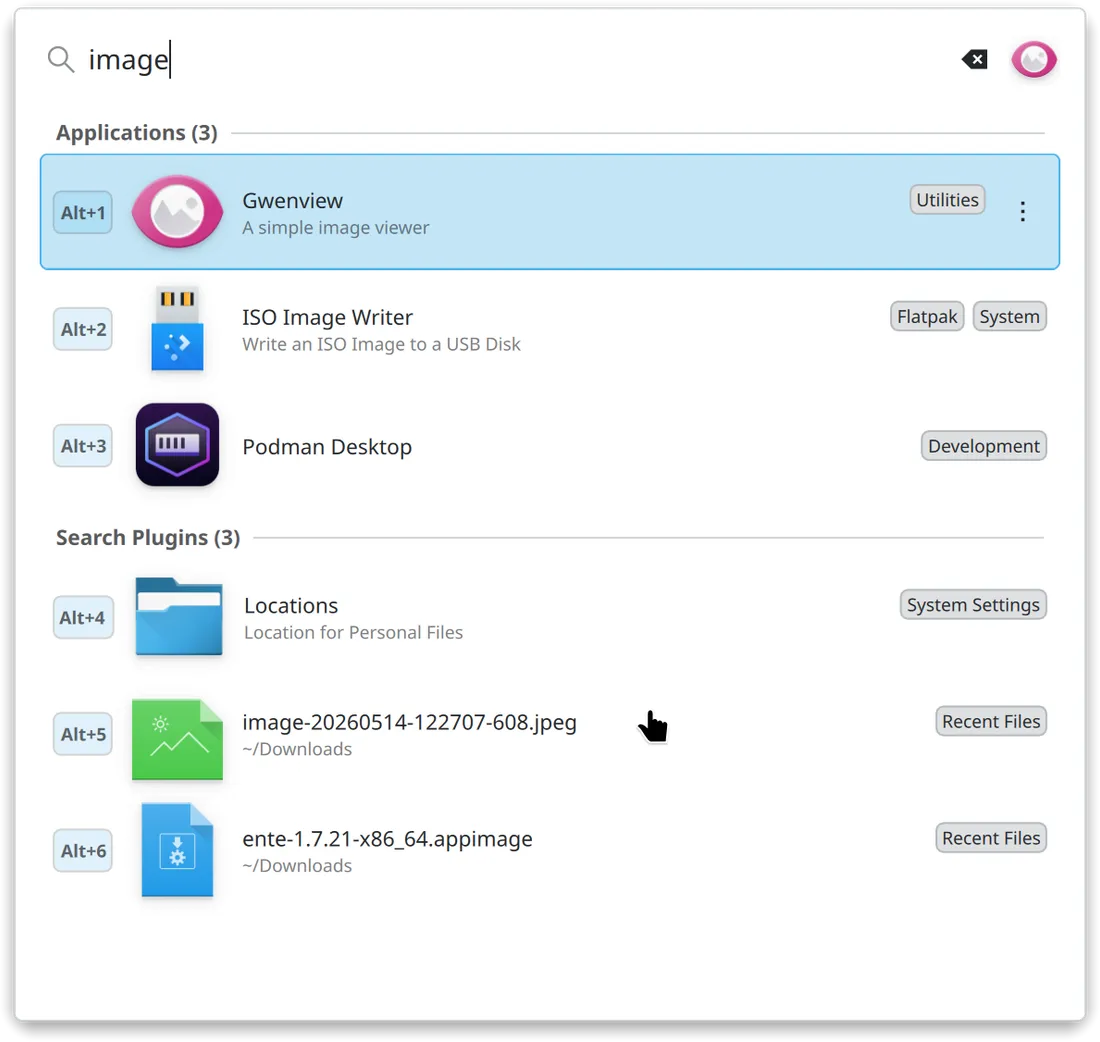
The search now supports KDE search-plugin actions, calculator computation chains, better ranking of applications by default, and a results order that takes KRunner plugin settings into account. In other words, the search now better understands not only application names but also system actions, calculations, and user preferences.Redesigned category panel.
Categories can now be displayed as text, icons, or icons with text. Added category opening on hover makes menu navigation less click-intensive. This is especially useful for users who use AppGrid as a classic application menu, not just as a search bar.A more refined application grid.
In AppGrid 1.9, the grid layout has been changed: cells are now square, long application names disrupt the appearance less, a 5×4 layout is added by default, label scaling and a tighter element placement option have been introduced. Visually, this makes the launcher resemble full-screen application menus found in macOS Launchpad, COSMIC, and other modern environments.Integration with Discover.
A new command has appeared in the context menu Manage in Discover. It allows access to manage system and Snap applications in KDE Discover: update or remove a package without having to search separately in the application center. This brings AppGrid closer to the system's software management tools in Plasma.Improved theme support.
For the main version of the launcher, an optional overlay from the Plasma theme has been added, dividers now derive from the current theme, interface density scales along with icon sizes, and background blurring and contrast can be turned on separately. This should help AppGrid better fit into customized Plasma themes.Redesigned settings.
The release includes an updated settings panel. The developer specifically notes 'reworked settings', while in release candidates, a clearer settings structure, customizable title buttons, and improved handling of hidden applications were mentioned. In the stable release, this is presented as part of the overall interface refinement.One compiled module.
The QML interface is now compiled into a C++ plugin and delivered as a single .so module. According to the author, this should speed up and make loading more reliable, as well as simplify installation. After the update, a Plasma restart is required: either log out and log back in or execute kquitapp6 plasmashell && kstart plasmashell.Fixes for the panel, Wayland interaction, and crashes.
A problem was fixed where the panel's pop-up menu would not retain its size when switching from Kickoff or Kicker to AppGrid. The release also includes minor crash fixes, layout adjustments, and Wayland functionality improvements. This is a crucial part of the release, as AppGrid primarily targets the modern Plasma 6 and Wayland sessions.
AppGrid 1.9 looks more like a significant development than just a cosmetic update, transitioning from a simple application grid to a more versatile launch tool that combines a fullscreen menu, a search feature, a KRunner-like compact mode, and integration with KDE Discover. The project is distributed as open-source software under the license GPL-2.0-or-later, as specified in the AppGrid repository on GitHub.
Source: linux.org.ru
