

After four months of development, the KDE Plasma 6.7 desktop environment release has been published. You can evaluate the performance of new KDE releases by using builds from the KDE Linux, KDE Neon, and openSUSE projects (Argon, based on openSUSE Leap, and Krypton, based on openSUSE Tumbleweed).
Key changes in KDE Plasma 6.7:
- A unified styling engine called Union has been integrated, allowing the use of various application styling technologies available in KDE. CSS is now used for styles by default instead of the previously used SVG format. A new implementation of the Breeze theme formatted in CSS has been prepared.
The Union engine consists of three layers:- The input layer is implemented through plug-in modules that parse the input file formats for styles and transform them into an abstract description for rendering. For example, theme formats such as SVG or CSS can be used as input formats.
- The intermediate layer is designed as a library that describes the data model and methods for applying styles to each element.
- The output layer contains plug-ins that transform the universal style generated by the intermediate layer into rendering commands specific to a particular graphics stack. For example, styles can be generated for QtQuick or Qt Widgets.

- Full support for saving and restoring sessions when using Wayland has been implemented, allowing the recovery of the state, binding to virtual desktops, and window positions of an interrupted session after a reboot or crash. This implementation is based on the xdg-session-management protocol support added in KWin, proposed in the Wayland-Protocols 1.48 release.
- The ability to switch independently between virtual desktops on each screen has been added (previously, virtual desktops were switched synchronously across all monitors, but now they are linked to each monitor).
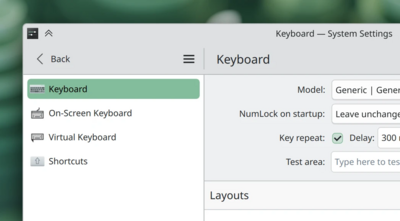
- A keyboard input mode for diacritical marks and special characters not available on a physical keyboard has been added. When holding down the key associated with a special character, a tooltip now appears, allowing for quick selection of the desired special character during input. Selection can be made using cursor control keys, pressing the numbers mentioned in the tooltip, or clicking the mouse. This mode is implemented in the plasma-keyboard module and requires enabling the virtual keyboard (System Settings > Keyboard > Virtual Keyboard).
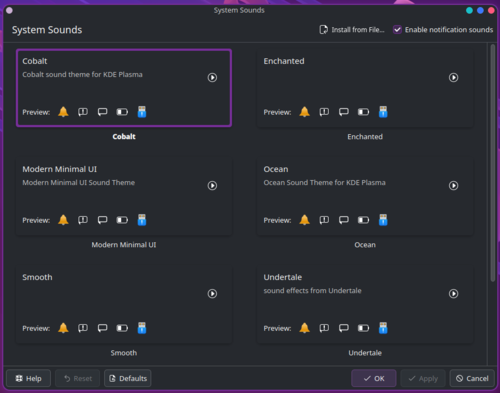
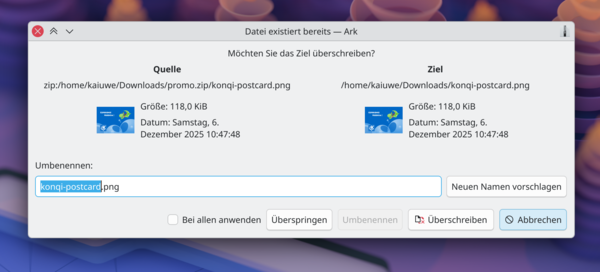
- It is now possible to install custom sound themes from downloaded archives without the need to manually extract them to the …/share/sounds directory beforehand.

- A function for checking microphone settings has been added, allowing you to record yourself and then play back the recording to evaluate the set microphone sensitivity.
- Buttons for quickly switching between light and dark themes have been added to the brightness and color management widgets.
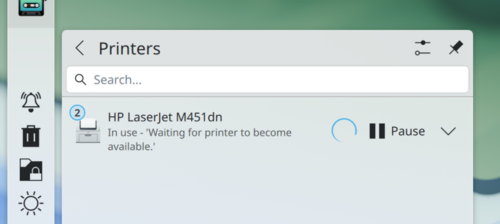
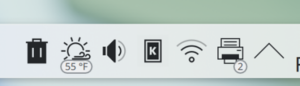
- The print output widget now includes an indicator of the number of active and queued print jobs separately for each printer.

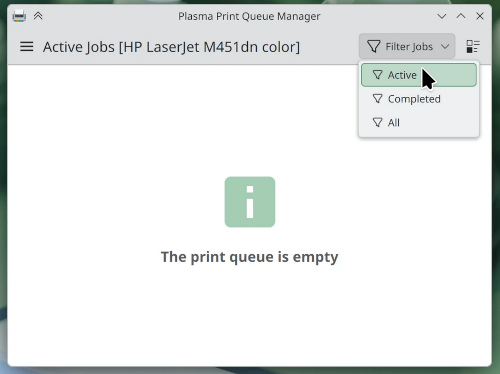
- The old dialog for managing the print queue has been replaced by a call to a separate plasma-print-queue application, allowing for clear management of multiple queues for different local or external printers.

- Labels indicating the number of active and queued jobs have been added to the print output widget placed on the panel.

- In overview mode, activated by the Meta + W key combination, scrolling or the Page Up/Page Down keys can now be used to switch between virtual desktops.
- The menu now supports moving applications to the 'Favorites' section and removing them from it by dragging the shortcut from the Application Launcher, Application Menu, and Application Dashboard widgets.
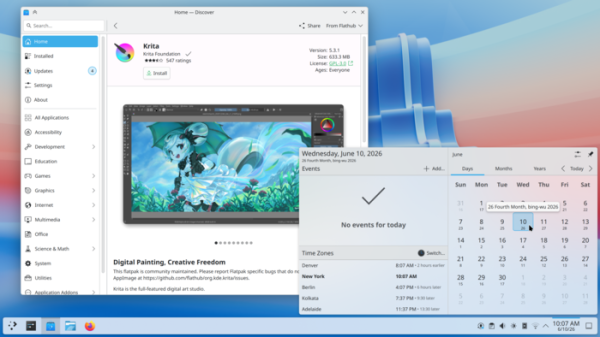
- The order of sections on the main page of the Discover application manager has been changed — the 'Edition Selection' section has been moved to second place and now follows the list of the most popular packages. The updates page has implemented case-insensitive search, and the installed programs list page has enabled category grouping by default to simplify the search for the desired application. An option has been added for automatic exit from the program after completing updates installation. By default, applications are sorted by the number of reviews (rating-based sorting can be restored in the settings). The main page has removed the display of elements unrelated to applications. The styling of the application parameters area has been redesigned, moving the installation button there.
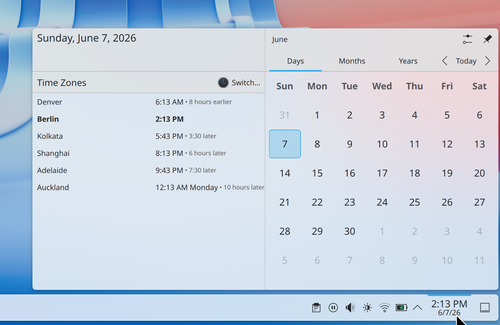
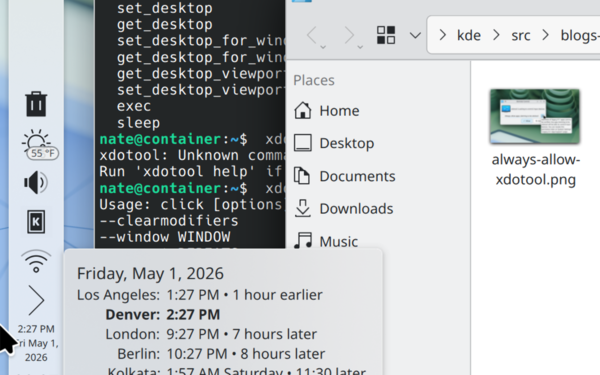
- The ability to add additional widgets with clocks for different time zones has been provided, which among other things will show the differences in time from the current time zone.

- The option to select the Air Plasma theme has been restored, which is lighter than the Oxygen theme.
- A rounded style of element highlighting has been implemented in applications based on QtWidgets, such as Dolphin, Okular, and KMail. This change has allowed for the unification of the appearance and a transition to the highlighting style previously used in applications based on QtQuick.


- The notification appearance animation has been changed, and notifications now slide in from the nearest edge of the screen. In notifications generated by the Plasma desktop, the icon has been changed and the title shortened.
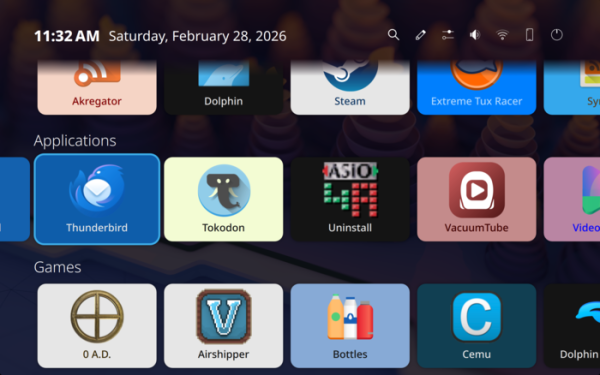
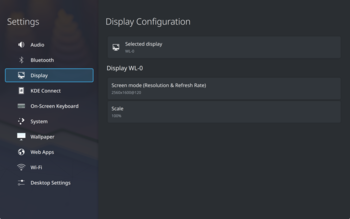
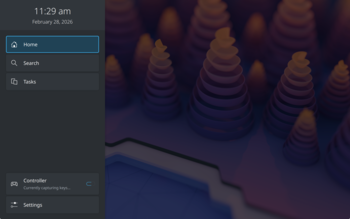
The ability to set a global shortcut for clearing the notification history has been provided. - The Plasma Bigscreen user interface has been included, designed for use on multimedia devices connected to televisions and projectors. The environment is optimized for large screens and control without a keyboard using remote controls or voice assistants.


- The ability to set the ICC color profile for the display while HDR mode is enabled has been implemented.
- The KWin compositor has added the ability to use interchangeable virtual framebuffers when working with multiple GPUs (multi-GPU swapchain), as well as support for the Vulkan graphics API in the DRM backend (Direct Rendering Manager), which, after further optimizations, will allow for increased performance in multi-GPU configurations. Currently, the performance of combinations of integrated AMD and Intel GPUs with discrete AMD and NVIDIA graphics cards using Vulkan is roughly equivalent to OpenGL.
- Support for the 'Background apps' portal (org.freedesktop.background.Monitor) has been added, allowing graphical applications to enter the background while hiding their windows, leaving only an indicator of their status in the system tray.
- Support for the xdg-portal Notification has been added for configuring and displaying notifications from sandboxed applications, such as those delivered in Flatpak format.
- Support for the second version of the portal
org.freedesktop.impl.portal.InputCapture has been added, used to facilitate access for input capture from sandboxed applications. - KWin has added support for the Wayland protocol ext-background-effect-v1, allowing
the creation of effects such as background blurring. - The KWin compositor has implemented support for the experimental Wayland protocol xx-fractional-scale-v2, which has resolved excessive gaps between neighboring elements on high pixel density screens, such as between a maximized window and the panel. The xx-fractional-scale protocol enables the scaling of logical coordinate systems, with values defined as integers, to enhance positioning accuracy and increase the resolution of logical coordinates to individual pixels. This capability addresses the issue of limited resolution in logical coordinate systems, which is insufficient for pixel-level positioning necessary for full fractional scaling implementation in KDE.
- KWin has been optimized to enhance performance and energy efficiency for programs rendering with CPU. The optimization is noticeable in most KDE programs and applications using QtWidgets (CPU is used for rendering in QtWidgets, while GPU acceleration is employed in QtQuick). For instance, while working in KDevelop, the pointer now moves smoothly, and CPU load during scrolling has decreased from 80-90% to 20%.
- KWin continues to work on implementing support for the Vulkan graphics API.
in the DRM backend (Direct Rendering Manager). The use of
Vulkan is expected to increase performance in configurations with multiple GPUs. Support for using Vulkan to load textures from GPU to CPU has been implemented. - On systems with i915 and Intel XE drivers for Intel GPUs, KWin has added support for hardware overlay planes, allowing content to be displayed directly without going through compositing. This change has improved performance and reduced the energy consumption of applications and games that support the added functionality.
- KWin has introduced heuristics that determine the feasibility of using direct scan-out to enhance performance and reduce energy consumption when maximizing windows.
- For many laptops with AMD processors, the ability to disable the adaptive screen backlight modulation driver or manually adjust its parameters has been implemented. This driver alters colors on the screen to improve the visibility of information at low brightness levels.
- KWin has added support for 3D LUTs (3D Lookup Tables) for color remapping, which has reduced GPU resource consumption for functions that accelerate color transformations.
- KWin has added optimizations that reduce energy consumption when working with fullscreen windows and effects that are not influenced by direct scan-out.
- The creation of OpenGL contexts for applications not using OpenGL has been discontinued, resulting in a reduction of memory consumption by 10-15 MB for each such application and a decrease in startup time.
- KWin has undergone optimizations that enhance the performance of the Alt+Tab window switching interface when the 'Highlight Window' effect is enabled and a large number of windows are minimized.
- KWin now remembers the margins between windows in mosaic mode for each screen.
- The appearance of dialogues created by KWin has been improved.

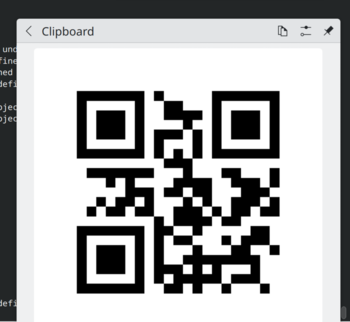
- The interface for displaying QR codes in the clipboard widget has been simplified (the copy button has been moved to the header).

- The accuracy of widget positioning on the desktop has been increased. When moving a widget to an area where it doesn't fit, a thumbnail showing the nearest available space where the widget will actually be displayed now appears.
- In the Task Manager and System Tray widgets, the option to use larger icons and increased padding on touchscreens and tablets has been removed. It was indicated that this option was not functioning correctly and led to display issues.
- Network activity tracking support has been implemented in the widgets and the System Monitor application on FreeBSD platforms.
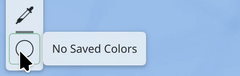
- In the pixel color picker widget, a hint indicating the absence of a selected color has been provided (previously it showed that the selected color was #000000).

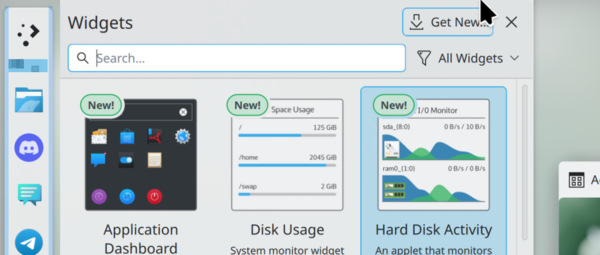
- Widgets now appear on the desktop control panel next to the mouse pointer, rather than next to the left edge of the screen.
- The 'Disks & Devices' widget has improved handling of devices mounted in loop mode.
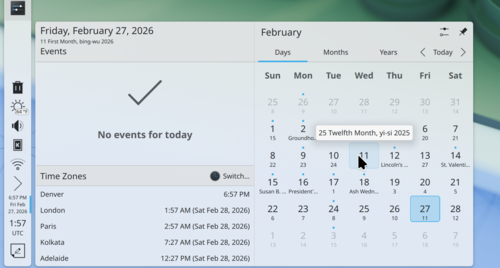
- Support for the Vietnamese lunar calendar has been added to the clock widget.

- In the clipboard and network connection management widgets, a unified back button has been implemented to return to the previous page (two 'Back' buttons are no longer displayed on nested pages).
- In the global menu widget, the menu for the active window is now shown even if that window is located on another screen. A special option has been added to settings to revert to the old behavior where the menu disappears once the window is moved to another screen.
- In the global menu widget, the corners of highlighted menu items have been rounded.
- An option to sort items in reverse order has been added to the System Tray widget.
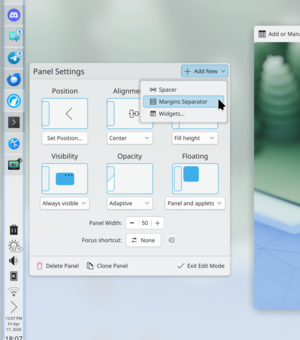
- The widget for adding a separator to the panel is now accessible through the button for adding new items on the panel settings page, rather than through the sidebar with the widget list.

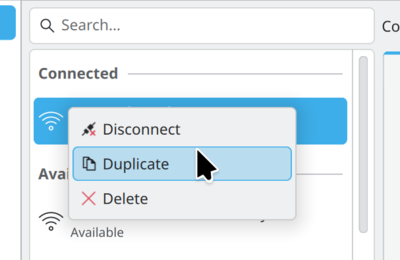
- The network management widget now supports creating duplicates of network connection profiles.

- The 25-second limit for selecting a color after invoking the Color Picker widget has been removed.
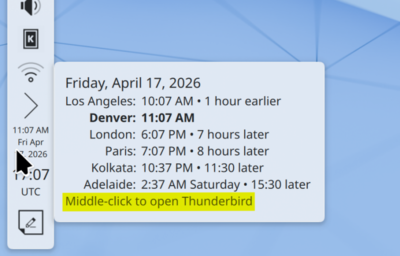
- An option has been added to the applet triggered by clicking the middle mouse button on the clock to open the calendar-scheduler.

- The network settings applet now provides the ability to limit the frequency range of Wi-Fi (2.4 GHz or 5 GHz).
- In menus that use the Breeze theme, background changes for elements have been implemented on click.
- In the Kicker application menu, similar to Kickoff, non-square buttons can now be used in the panel.
- In the Kickoff application menu, a flicker effect has been introduced in the 'favorites' section immediately after adding an app to favorites via the context menu, visually indicating where the app can now be quickly found.
- The KRunner by default includes a plugin that displays information about global keyboard shortcuts.

- When KRunner activation is disabled while typing on the desktop, a handler has been implemented to select files based on the first typed letters.
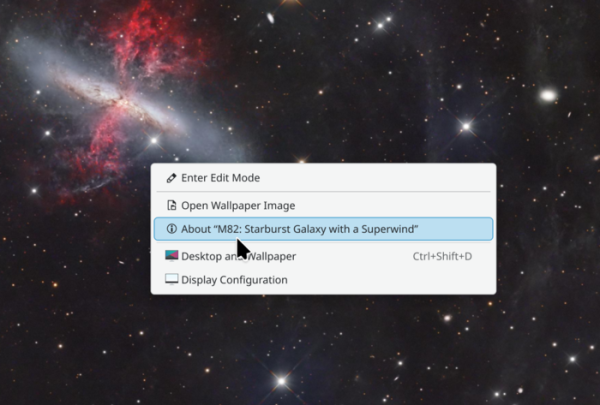
- A menu item has been added to the context menu shown when right-clicking on the desktop wallpaper to view image information.

- In the Kicker application menu, recently installed programs are now marked with a special icon, similar to how it is done in the Kickoff interface.
- KRunner's capabilities for calculating arbitrary mathematical expressions have been expanded; for example, you can now input not only 'sqrt(2) + 2' but also '2 + sqrt(2)'.
- The size of animated GIF images created in applications using the KPipeWire library has been reduced.
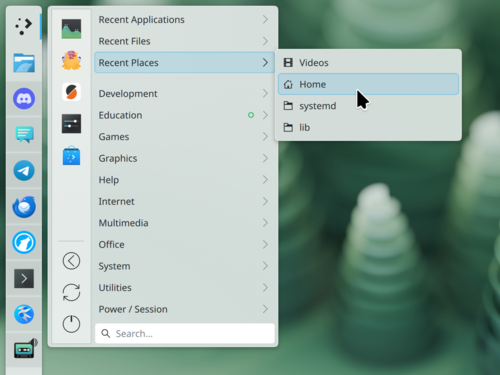
- An option has been added to the Kicker application menu to display a list of recently opened folders.

- The configurator now supports video previews for the login screen themes in SDDM.
- The configuration tool now shows settings pages for gaming controllers, mice, and touchpads only when those devices are present.
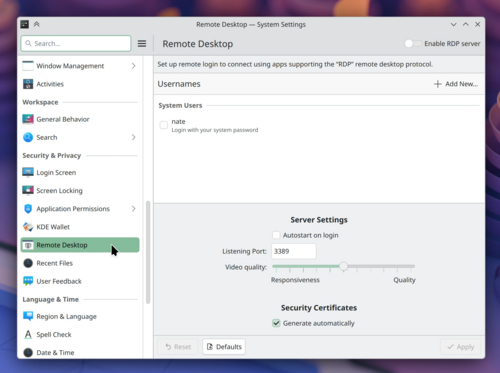
- In the configurator, the remote desktop settings page has been moved to the 'Security and Privacy' group.

- A setting has been added to change the delay before the window-switching interface appears after pressing and holding Alt+Tab.
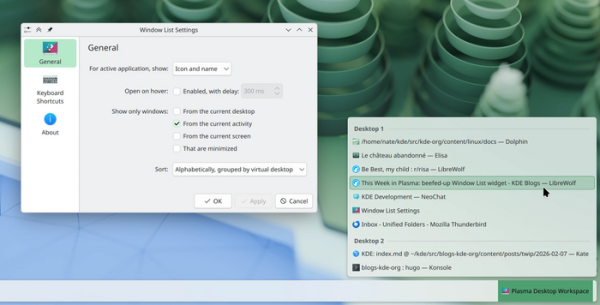
- Options have been added to the widget settings for viewing the window list to change the sorting order and grouping by virtual desktops and rooms (activities).

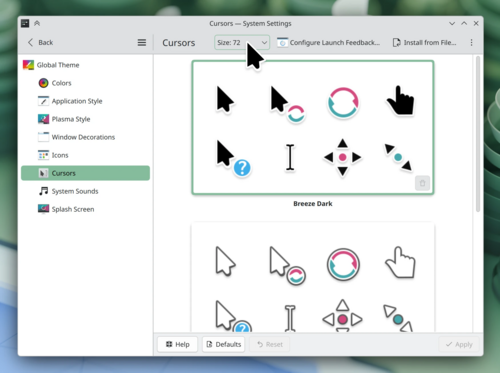
- In the configurator on the cursor settings page, cursor images are now resized to the selected dimensions during preview.
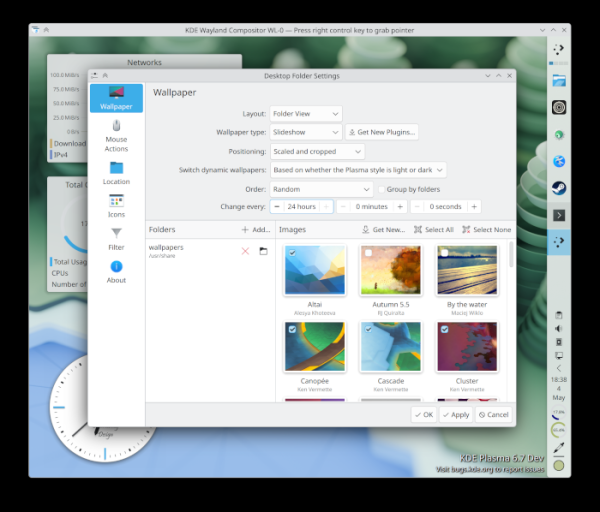
- When reopening the wallpaper selection interface, users are taken back to the location they stopped at the last time.
- The configurator now features a more traditional '< Back' button to return from subcategories (previously '< Category Name').

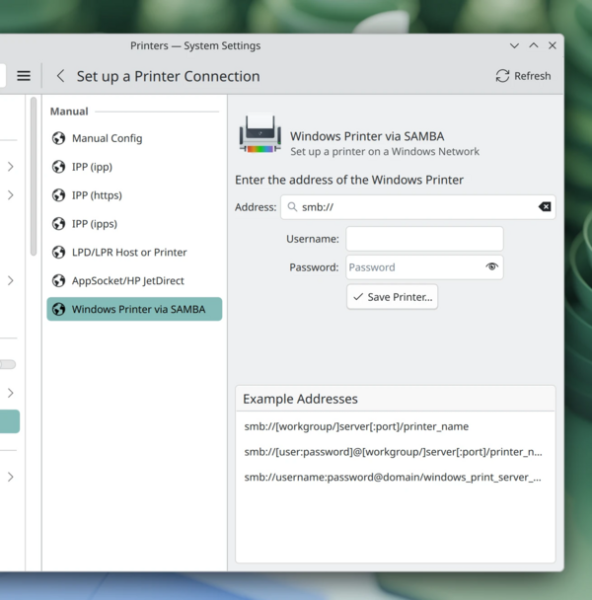
- A separate interface has been added for configuring network printers shared in Windows networks.

- In the configurator on the notifications settings page, there is now support for playing selected notification sounds, regardless of whether notification sounds are turned on.
- In the configurator, options have been added to the network settings page for VPN L2TP.
- The OpenVPN setup interface has been updated, adding support for parameters to control compression, MTU, NCP, TLS, timeouts, and ciphers.
- In the configurator, the 'Wi-Fi' and 'Wi-Fi Security' tabs have been merged on the network connection settings page.
- In the configurator on the application access rights management page, a button has been added to revoke all permissions for applications to record screencasts at once.
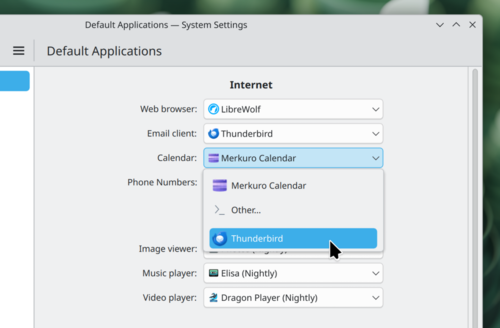
- On the 'Default Applications' page in the configurator, it is now possible to select the default application that implements the calendar-scheduler.

- The System Monitor utility and the system information display widget have been enhanced to identify multi-GPU configurations and provide statistics on full-disk encryption and RAID.
- In the System Monitor application and the system status tracking widget, the choice of measurement units for information is now taken into account, such as GB (billion bytes) or GiB (2^30).
- When searching for the word 'memory', the System Monitor application is now suggested among the recommendations.
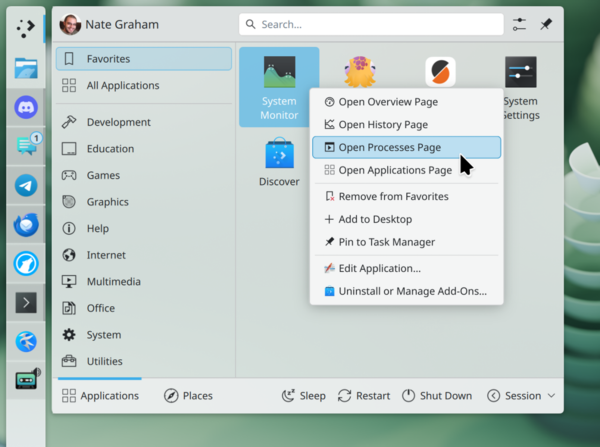
- In System Monitor, GPUs are now separated by name. Through the context menu displayed for the System Monitor application, specific monitoring modes can now be called directly, such as viewing the list of running processes.

- When displaying system information (Info Center), temperature sensor readings are now shown in the measurement units set in the system settings.
- The style of tooltips has been updated to match the active theme.
- The implementation of the Mouse Marks effect (transforming the cursor into a marker that leaves lines on the screen) has been improved on touch screens. Support for drawing multiple lines simultaneously on multi-touch supported screens has been added.
- Keyboard layout options have been added to the settings synchronized with the Plasma Login Manager.
- A global push-to-talk mode has been implemented, where the microphone is activated only while pressing and holding a specific key combination.
- Editing items on the desktop has been improved on systems with touch screens.
- A progress indicator for the completion of the operation has been added to the dialog for terminating hanging processes.
- On systems with Wayland, the synchronization of the stylus pointer image with the mouse and touchpad pointer has been ensured.
- The possibility of defining permanent rules in KWin to exclude the contents of certain windows from screen recording has been implemented.
- The Spectacle screenshot program has added the option "—release-capture", equivalent to the "Accept on click-and-release" option in settings (taking a screenshot immediately after releasing the mouse button after selecting a rectangular area, without separate confirmation of the operation).
- Screen scaling levels close to 100%, 200%, and 300% are now rounded to these values for improved performance.
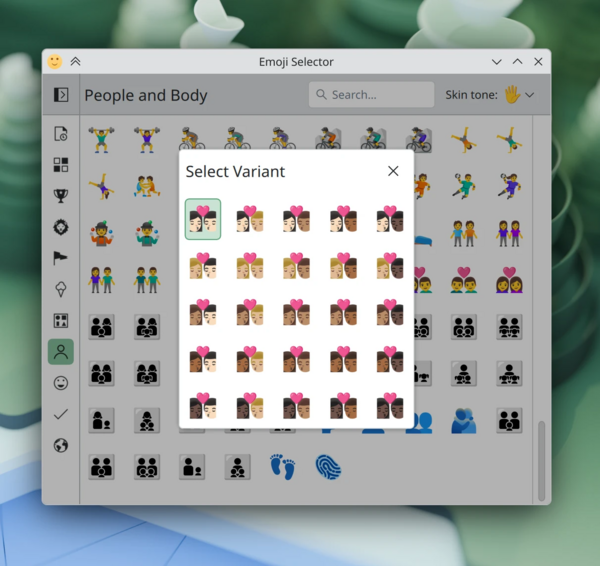
- In the Emoji selection interface, emoji variants with different skin tones are grouped into a separate pop-up dialog.

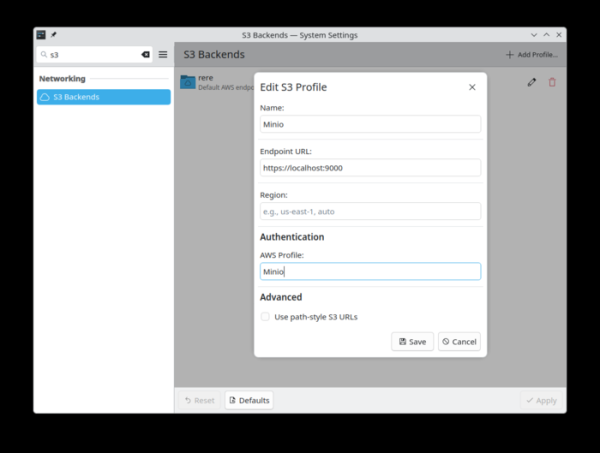
- A KIO S3 handler has been prepared, allowing direct access from Dolphin and KDE applications to files stored in S3-compatible cloud storage services, such as Amazon S3, Cloudflare R2, DigitalOcean Spaces, and MinIO.

- In mosaic layout of two adjacent windows, they are now evenly centered across all available screen space, taking panels into account (previously, the window closest to the panel was compressed more than the other window).
- The reliability of initiating screen recordings and requests to remote desktops in isolated applications has been improved.
- 3D acceleration has been enabled in configurations with multiple GPUs, one of which does not support OpenGL.
- Issues with clipboard handling in some wxWidgets-based applications, such as KiCad and Audacity, have been resolved. The fix is included in the development branch of wxWidgets 3.3.3.
- The kscreen-doctor utility has been enhanced to support changing the "AutoRotatePolicy" screen property, detecting the active screen, and simultaneously enabling/disabling HDR and Wide Gamut support.
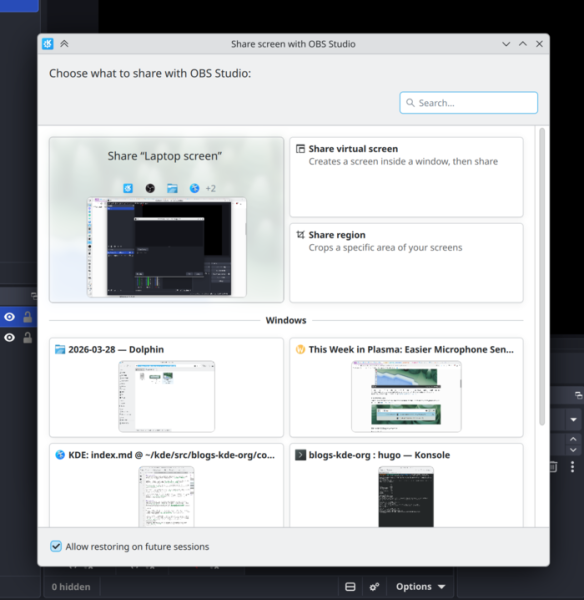
- The screen selection dialog for broadcasting to other systems or sharing has improved thumbnail visualization and now shows the desktop wallpaper as a background.

- A separate modifier key for focusing on the panel can now be defined.
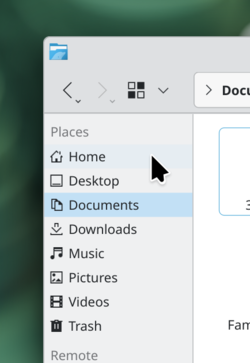
- The directory selection dialog is unified with the dialog used for saving and opening files (instead of a separate directory dialog, a mode for displaying only directories has been added to the standard file open dialog).
- The encryption tool for directories, Plasma Vault, now indicates when it is mounted in read-only mode.
- On systems with multiple GPUs, proper screen content recording is now ensured in Spectacle and applications based on KPipeWire (previously the wrong rendering device may have been used).
- For multi-monitor configurations, an option has been added to show the window switch interface via Alt+Tab only on the main screen, regardless of which screen has the input focus.
- The KWin Window Rules have been updated to allow dialog windows to be bound to a specified parent window.
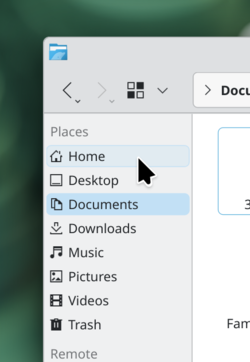
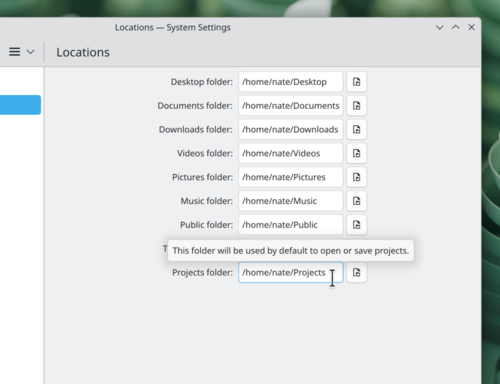
- The ability to rename or move the standard directory "Projects," which has recently started being created by distributions in the user's home directory alongside the directories "Documents," "Downloads," "Desktop," "Videos," "Music," and "Pictures," has been added.

- A function for zooming screen content without noticeable quality loss, based on the Zoom effect in KWin, has been added.
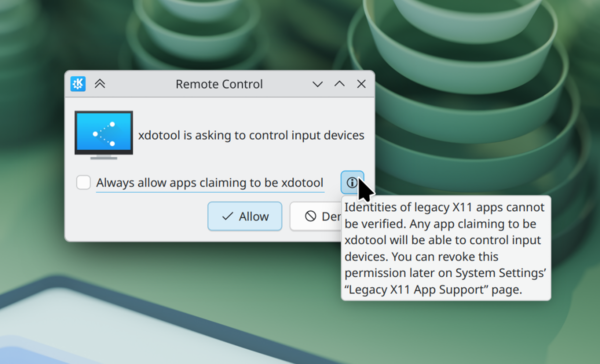
- When an X11 application running through XWayland requests permissions to send programmatically generated mouse and keyboard events, the application name is now displayed. The configurator now shows a list of applications that have previously been granted such permissions.

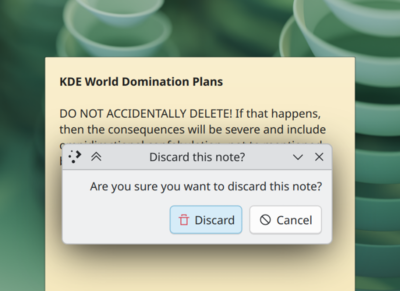
- KDE styling is now applied to dialogs displayed by Qt applications using the QML type MessageDialog (for example, used by the Sticky Note application in the confirmation dialog).

- Simplified button pressing in the upper part of Widget Explorer (the click now triggers if you move the cursor to the edge of the screen above the button, without needing to hit the button precisely).

- Implemented the consideration of additional parameters when automatically adjusting screen brightness for better performance in frequently changing lighting conditions.

Source: opennet.ru
