

Google has published the release of the open mobile platform Android 17. The source code related to the new release is available in the project's Git repository (branch android-17.0.0_r1). Firmware builds have been prepared for the Pixel 6/6a/6 Pro, Pixel 7/7a/7 Pro, Pixel 8/8a/8 Pro, Pixel 9/9a/9 Pro/9 Pro XL/9 Pro Fold, Pixel 10/10 Pro/10 Pro XL/10 Pro Fold, Pixel Fold, and Pixel Tablet devices. Pre-release firmware builds are available for HONOR, iQOO, Lenovo, OnePlus, OPPO, realme, Sharp, vivo, and Xiaomi devices. During the process, universal GSI (Generic System Images) builds suitable for various devices based on ARM64 and x86_64 architectures are being formed.
Among the changes (1, 2, 3):
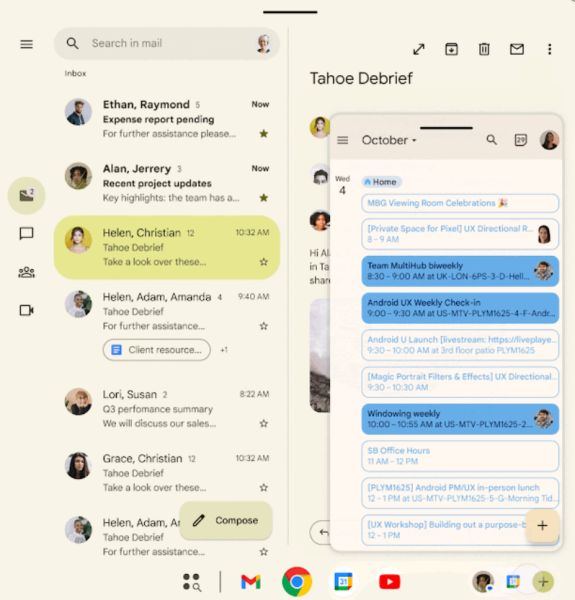
- A new multi-window mode called 'Bubbles' has been added, allowing any app to open in floating windows, similar to notifications for sending messages that appear over other content ('bubbles'), but not tied to a specialized API. Opening an app in a floating window is done by long-pressing the app icon. On larger screens, the floating window icons are displayed in a separate area on the taskbar. Such windows can be grouped, moved, and pinned to the screen.

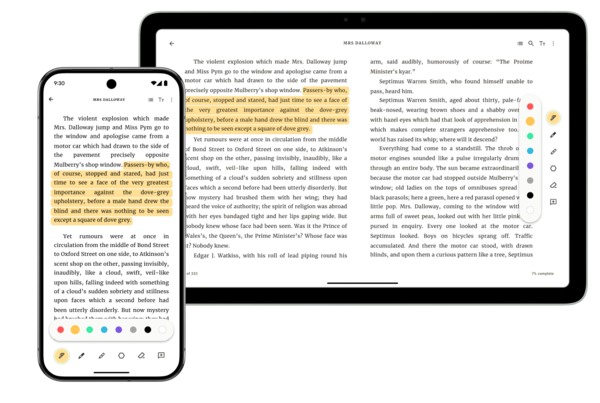
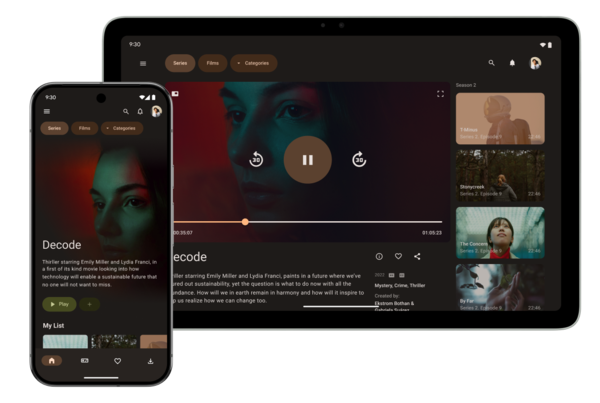
- Development of the platform for large-screen devices like tablets, laptops, desktop systems, and foldable-screen smartphones has continued. The previously existing options to disable the new behavior on devices with screens wider than 600 density-independent pixels (dp) have been removed. This behavior is related to ignoring certain APIs for managing screen resizing and orientation (screenOrientation, resizeableActivity, [min|max]AspectRatio), as well as adaptive placement of apps in windows that allow resizing and moving across the screen.

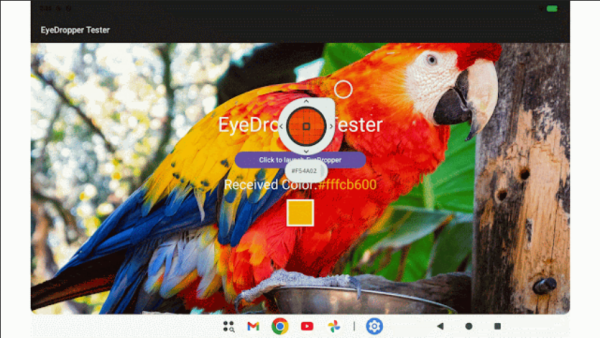
- A system API called EyeDropper API has been added, which allows applications to obtain color information from any pixel on the screen without the need for screen capture permissions. Security is ensured as the user selects the area for color determination through a platform-managed interface with a dropper that is not controllable by the application, meaning the application cannot request information about a specific pixel and cannot recreate the screen's content pixel by pixel.

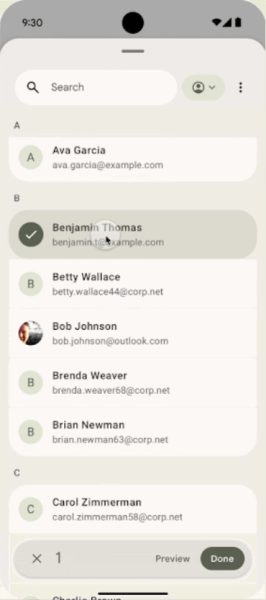
- A system interface has been added for selecting contacts from the address book, access to which is granted upon receiving the ACTION_PICK_CONTACTS permission. This interface allows avoiding the need to provide READ_CONTACTS permission, which grants access to all contact data. When invoking the new interface, the user decides which specific information from the address book to send to the application, with the ability to select only certain fields.

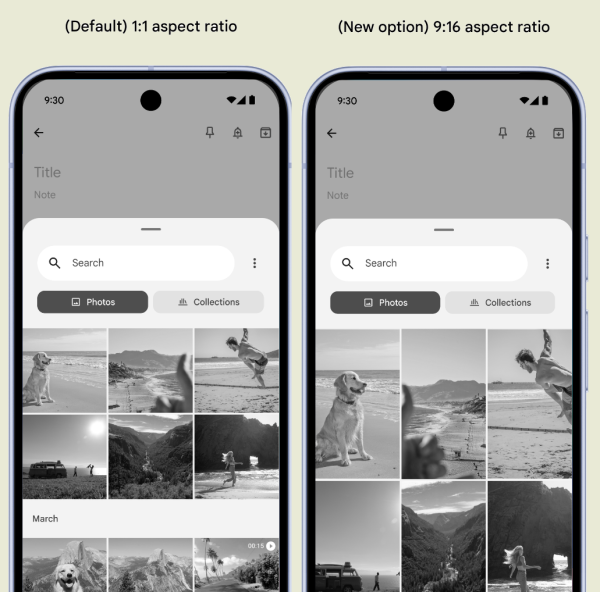
- The PhotoPickerUiCustomizationParams API has been added to change the photo selection interface, allowing it to match the style of the invoking application. For example, the aspect ratio of photo thumbnails can be changed from 1:1 (square) to 9:16 (portrait).

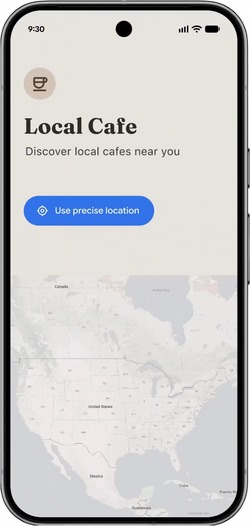
- The USE_LOCATION_BUTTON permission has been added, allowing the integration of a system button in the application interface to grant access to precise location data. The button is rendered by the system and opens access to the location only for the duration of the current session when pressed by the user.

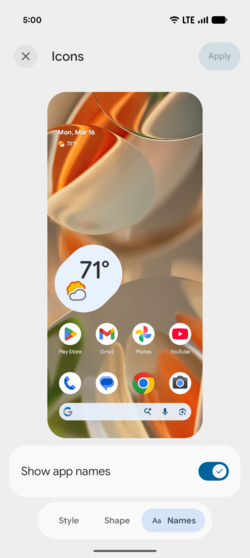
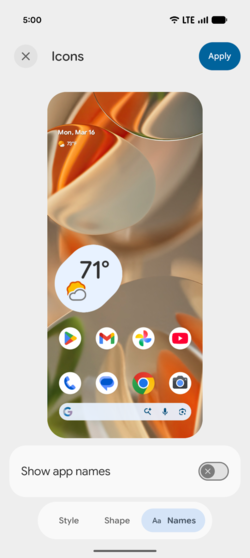
- A setting has been added to hide the names of applications under their icons.

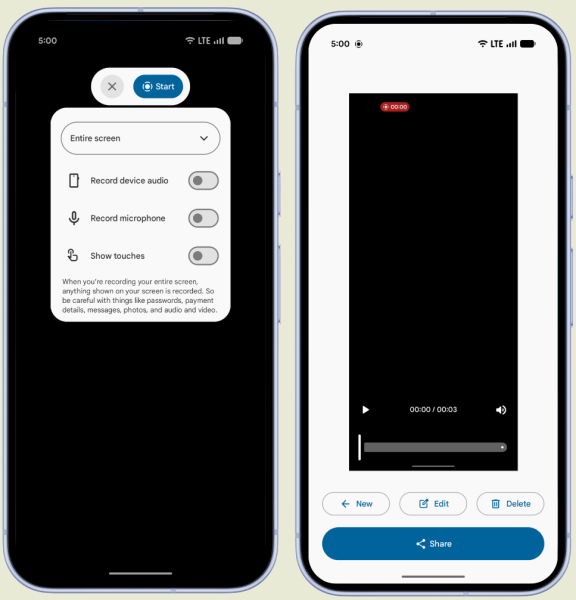
- The toolbar design for recording screencasts has been updated.

- Support for Screen Reactions has been added, combining video recording from the front camera with screencasting to overlay comments on screen actions.
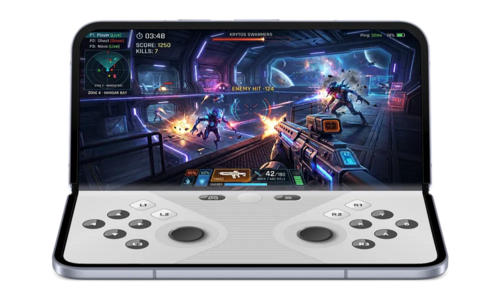
- A mode for games on devices with foldable screens has been added, where one half of the foldable screen is used to display gameplay, while the other half is used for a virtual gamepad.

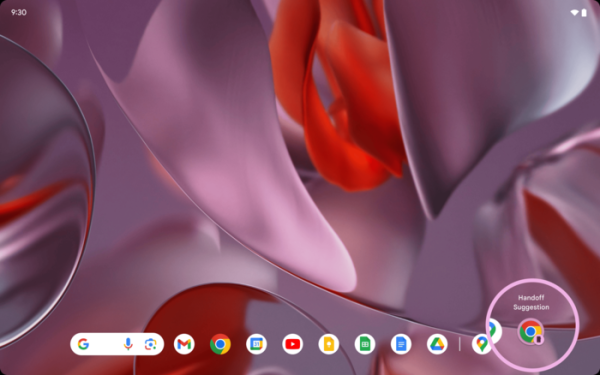
- The Handoff API has been added, allowing the transfer of the application state to another nearby Android device (e.g., a tablet) to continue working there.

- Interactive pinned windows have been implemented, which, unlike traditional Picture-in-Picture mode windows, remain interactive when pinned on top of other applications in desktop mode.
- Two new APIs have been added: the UWB DL-TDOA API for determining device positioning indoors using Wi-Fi for indoor navigation; and the Proximity Detection API for discovering nearby devices over Wi-Fi.
- Support for the VVC (Versatile Video Coding) video format has been added, also known as the H.266 video compression standard, developed jointly by the MPEG (ISO/IEC JTC 1) and VCEG (ITU-T) working groups, with participation from companies such as Apple, Ericsson, Intel, Huawei, Microsoft, Qualcomm, and Sony. H.266 replaces H.265 (HEVC) and provides high efficiency for transmitting and storing all screen resolutions (from SD and HD to 4K and 8K), supports video with High Dynamic Range (HDR), and 360-degree panoramic video.
- The ability to record video at a constant quality level has been added. The mode can be configured in the MediaRecorder object using the setVideoEncodingQuality() method, allowing the quality level to be fixed without being tied to the bitrate.
- Support for the RAW14 image format, used in professional digital cameras and offering storage of 15 bits per color channel, has been added.
- Support for the HDR video format Eclipsa Video has been added.
- A software encoder for the HE-AAC (High-Efficiency Advanced Audio Coding) audio format has been added, supporting both low and high bitrates.
- A new permission ACCESS_LOCAL_NETWORK has been added to restrict applications' access to the local network. This permission allows applications to discover and connect to devices on the local network, such as smart home devices and multimedia systems. The permission was added to prevent malicious applications from scanning resources on the local network, ensuring user environment confidentiality.
- Protection against interception of one-time passwords (OTP) and confirmation codes sent via SMS has been enhanced. Direct access to such messages is now available to most applications only three hours after receipt. In the default SMS reading application, these messages are displayed immediately.
- Protection against scam calls impersonating bank employees has been implemented. The platform can interact with installed banking applications to verify that the call is initiated by the bank. Additionally, banks can identify phone numbers that only allow incoming calls.
- A new feature has been added to allow applications temporary access to precise location data, effective only during the current session of the application.
- The Dynamic Code Loading (DCL) protection mechanism has been extended for use with native libraries loaded via the System.load() method, not just
files in DEX and JAR formats. DCL helps prevent the substitution of malicious code in dynamically loaded executable files by ensuring that such files have access rights set to read-only. - The Certificate Transparency mechanism is now enabled by default, maintaining a public log of all issued and revoked certificates.
- The ability to certify APK packages with a digital signature based on a hybrid algorithm combining a classical algorithm with the ML-DSA algorithm, resistant to quantum computer cracking, has been provided.
- For applications running in the background, access to the API for sound playback, connection to sound devices, and volume adjustment is restricted. It is implied that only active applications that the user is currently interacting with can begin playback and change the volume.
- Support for hybrid encryption based on the HPKE (Hybrid Public Key Encryption, RFC 9180) mechanism has been added, combining the simplicity of key transmission in public key encryption with the high performance of symmetric encryption (data is encrypted with a fast symmetric key, while the key itself is encrypted with a slow asymmetric method).
- When entering passwords and PIN codes using a physical keyboard, the display of the last entered character during typing is disabled by default.
- To simplify the implementation of touchpad support in games, mouse and touchpad event handling has been unified—by default, touchpad events related to pointer movement and scroll gestures are now converted to a format with relative coordinates, as is done for a mouse. Access to absolute coordinates is provided when explicitly specifying the POINTER_CAPTURE_MODE_ABSOLUTE mode.
- The ChooserSession object has been updated with the method getInitialRestingBounds(), allowing users to find out the final position and size of the chooser dialog after the animation and data loading have completed.
- Methods getStreamingAppMaxDownlinkKbps and getStreamingAppMaxUplinkKbps have been added to determine the maximum bandwidth of the communication channel for selecting the quality level during streaming.
- An API has been provided to equipment manufacturers to create extensions for cameras, allowing the use of specific features in applications, such as the Super Resolution detail enhancement mechanism, noise suppression modes, and AI quality optimizers.
- An API has been added to obtain information about the type of camera (built-in camera, USB web camera, or virtual camera).
- Support for hearing aids connected via Bluetooth Low Energy (BLE) has been added. Such devices are categorized as TYPE_BLE_HEARING_AID, allowing applications to differentiate between hearing aids and headphones, as well as to manage the playback of system sounds separately (for example, notification sounds, calls, and alarms can be played through the phone's built-in speaker rather than the hearing aid).
- Separate settings have been added to enable the display of passwords entered on physical keyboards and touch screens. By default, password characters entered via a physical keyboard are hidden immediately.
- The display of application widgets on external screens has been improved by taking DPI differences into account during scaling.
- A request ACTION_VPN_APP_EXCLUSION_SETTINGS has been added, allowing the system settings screen to be invoked to grant the application network access bypassing the tunnel. VPN-tunnel.
- Support for features available in OpenJDK 25 language and Java classes has been added.
- The capabilities of software interfaces for working with the camera have been expanded. The updateOutputConfigurations() method has been added to the CameraCaptureSession object for attaching or detaching output areas on the fly without the need to reconfigure the entire camera data capture session. In practice, this change allows for smooth switching between different camera operating modes (for example, video recording and taking photos). When working with logical cameras that encompass multiple physical sensors, it has been added the capability to obtain metadata about each sensor, rather than just the primary one.
- The android:usesCleartextTraffic attribute, which allowed applications to transmit unencrypted traffic, such as requests over "http://", has been deprecated. If unencrypted traffic is necessary, separate files with security settings should be used.
- Settings have been added to manage the history of VoIP calls, allowing for control over the retention of logs and the display of call information in the interface.
- The Wi-Fi RTT (Round-Trip-Time) API has been enhanced to provide continuous approximate distance measurements to access points and secure identification of nodes for P2P connections (peer-to-peer).
- New profiles for requesting permissions and application interaction with medical devices and fitness trackers have been added to the CompanionDeviceManager.
- A generational garbage collector (Generational Concurrent Mark-Compact Garbage Collector) has been implemented in the Android Runtime (ART), using separate processing for 'old' and 'young' objects, which increases the efficiency of cleaning recently created objects with short lifespans. The use of the generational garbage collector reduces the risk of pauses during resource allocation and lessens CPU load, thus improving energy consumption efficiency.
- A limit has been implemented on the maximum amount of RAM that an application can occupy. When the limit, calculated based on the device's available RAM, is exceeded, the application is forcefully terminated. The R8 Optimizer has been proposed to reduce memory footprint by packing class, method, and field names, as well as removing unused code and resources.
- When building the Linux kernel, AutoFDO (Auto-Feedback-Directed Optimization) has been enabled, utilizing profiling results with information on the execution frequency of various code segments to enhance the performance of frequently executed operations. Tests have shown that enabling AutoFDO for the kernel reduced boot time by 2.1%, sped up the first launch of applications by 4.3%, increased the efficiency of system calls by 9.3%, and reduced the execution time of mmap transactions on Binder by 12.3%, HwBinder by 20%, and Binder RPC by 21.7%.
- A new implementation of the message queue android.os.MessageQueue has been proposed, operating without locks. This new implementation enhances performance and reduces frame loss.
- Applications declaring support for Android 17 and newer releases are prohibited from modifying fields marked as 'static final', enabling more aggressive performance optimizations at runtime.
- To reduce memory consumption, the size of custom notification view layouts is limited.
- Additional triggers TRIGGER_TYPE_COLD_START, TRIGGER_TYPE_OOM, and TRIGGER_TYPE_KILL_EXCESSIVE_CPU_USAGE have been added to the ProfilingManager for collecting data useful in debugging performance issues.
Source: opennet.ru
