

The release of the Budgie desktop environment 10.10.3 has been announced, marking the third update in the 10.10 branch, which has transitioned to using the Wayland protocol. Concurrently, similar releases have been created for accompanying components, such as the Budgie Desktop View and the Budgie Desktop Services set (the update for the Budgie Session Manager and the interface for configuring the Budgie Control Center is delayed). The project's code is distributed under the GPLv2 license. Packages for Budgie 10.10.3 are available in Fedora Rawhide and will be included in Fedora 45 and Ubuntu Budgie 26.10 distributions.
Budgie is based on a panel that is similar in functionality to traditional desktop panels. All elements of the panel are applets, allowing for flexible configuration of the composition, placement adjustments, and replacement of core panel elements to personal preference. Among the available applets are a classic application menu, a task switcher, a list of open windows, and a viewer. virtual desktops, a power management indicator, a volume control applet, a system status indicator, and a clock.
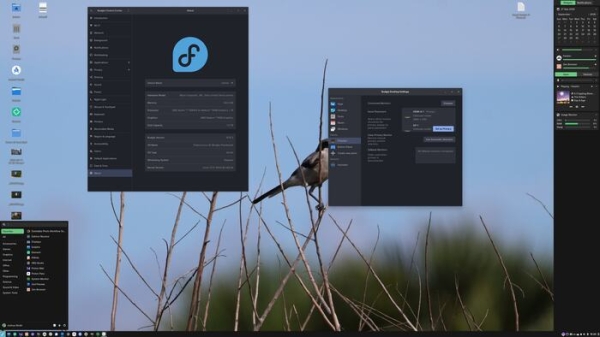
Among the changes in the new version:
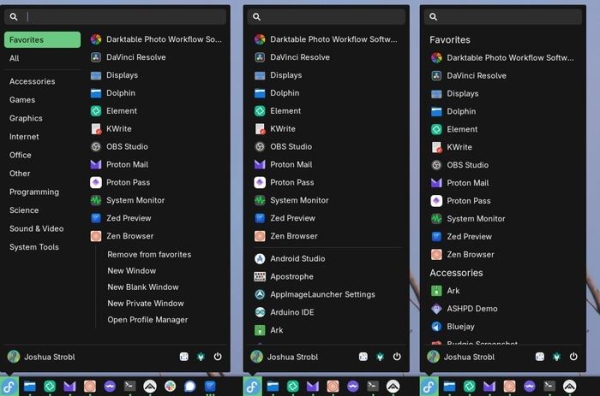
- The application menu (Budgie Menu) has added a section for favorites, enhancing the ability to pin applications to the taskbar. Adding and removing applications from favorites can be done through a context menu triggered by the right mouse button. Individual actions with programs can also be added to favorites, such as opening a new window in private browsing mode in a browser. In compact mode, favorite programs are displayed at the top of the list. The implementation of the application menu has been migrated from the GtkPopover class to GtkWindow, resolving input focus issues and application launches with the Enter key.

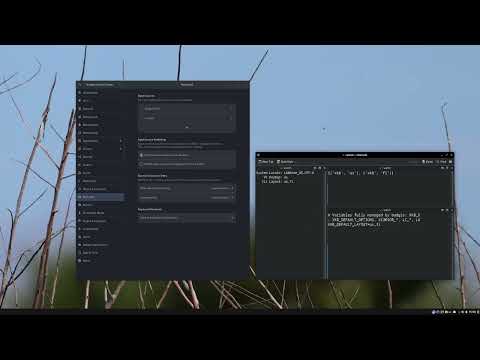
- The keyboard layout switcher applet has been reintroduced and rewritten in C. Synchronization of Budgie settings with the configuration file of the composite manager labwc (rc.xml) has been established; for instance, when changing the keyboard shortcut for switching layouts, Budgie alters labwc settings and restarts it. A background process, budgie-daemon, is utilized for sending keyboard layout switching events.

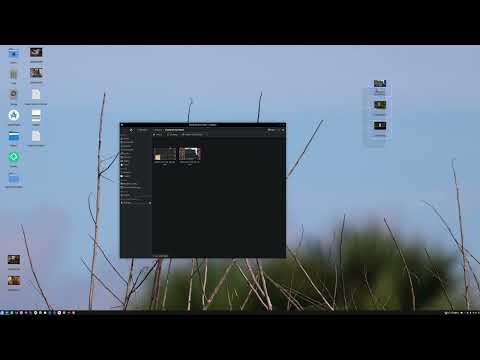
- Support for arbitrary placement of icons anywhere on the desktop has been added, without strict binding to a coordinate grid. Operations for grid alignment, snapping to the grid, sorting, and auto-arranging have been added to the context menu. It is now possible to resize icons with the mouse wheel while holding the Ctrl key. Support for selecting a group of icons with the mouse has been added, allowing exclusion and addition of individual elements using the arrow keys while holding Ctrl or Shift. A red highlight appears when attempting to move a file to the trash. Caching is utilized for thumbnail output, shared with the file manager.
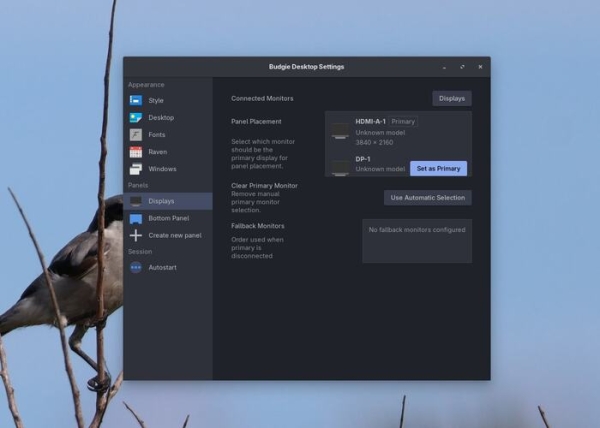
- A configuration page for multi-monitor setups has been added to the configurator, allowing the primary monitor to be designated, on which panels, notifications, and dialog boxes will be displayed. When the primary monitor is turned off, the panels will automatically move to the remaining monitor.

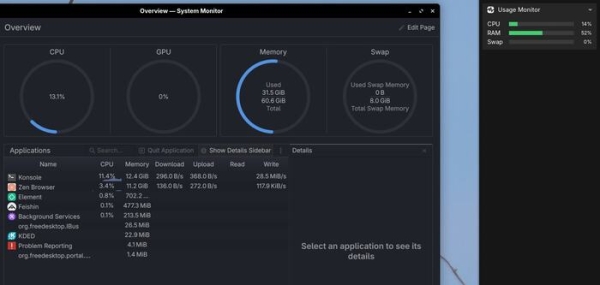
- Support for closing the Raven sidebar by clicking on elements outside the panel, such as on the desktop, has been implemented. The panel is stretched between the top and bottom edges of the screen without overlapping the top and bottom panels. The resource consumption monitoring widget has been transitioned to use libgtop instead of extracting values from the pseudo-FS /proc.

- The multimedia keys on the keyboard have been configured to work through a new handler in budgie-daemon.
- An optional ability to use the oo7 service as a provider for storing passwords and tokens instead of GNOME Keyring and KWallet has been added.
Source: opennet.ru
