

The release of web browser Firefox 157 has taken place, and updates have been formed for the past support branches — 153.4.0, 140.17.0, and 115.42.0. As part of the new two-week release cycle, the Firefox 158 branch has been moved to the beta testing stage, with the release scheduled for October 13.
Key innovations in Firefox 157 (1, 2, 3):
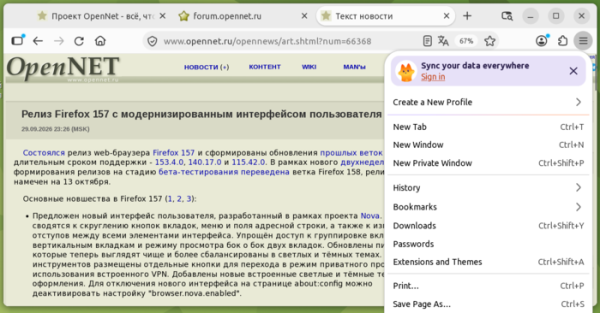
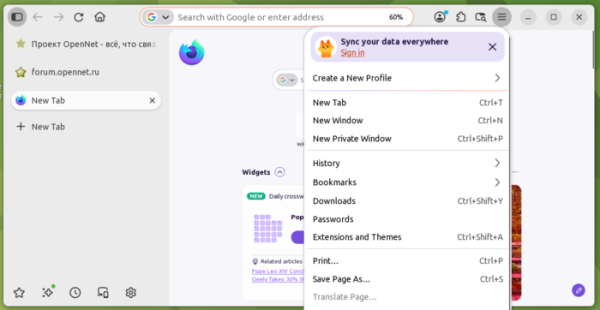
- A new user interface has been proposed, developed as part of the Nova project. Changes include rounded tab buttons, menus, and address bar, as well as adjustments to the spacing between all interface elements. Access to tab grouping, vertical tabs, and side-by-side viewing of two tabs has been simplified. The icons have been updated to look cleaner and more balanced across light and dark themes. New built-in light and dark themes have been added. To disable the new interface, the setting 'browser.nova.enabled' can be deactivated on the about:config page.

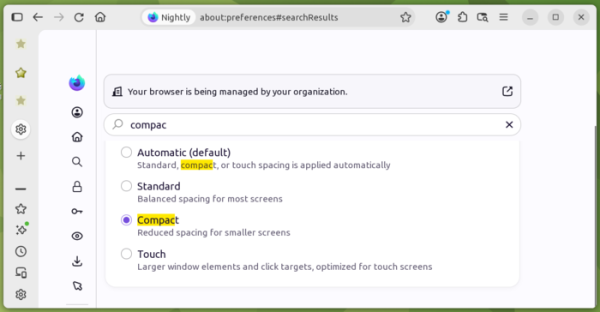
- The ability to enable compact mode has been restored, in which the toolbar and tab bar occupy minimal screen space, leaving more room for the content of web pages.

- A new implementation of the sidebar supporting vertical tabs has been activated for all users. For users of the old panel, the layout of elements is closer to the view where the panel switcher is at the very top. The option to show the sidebar has been removed from settings, but the old panel can still be restored by disabling the sidebar.revamp parameter on the about:config page. Support for the old panel is scheduled to be removed by the end of 2027.

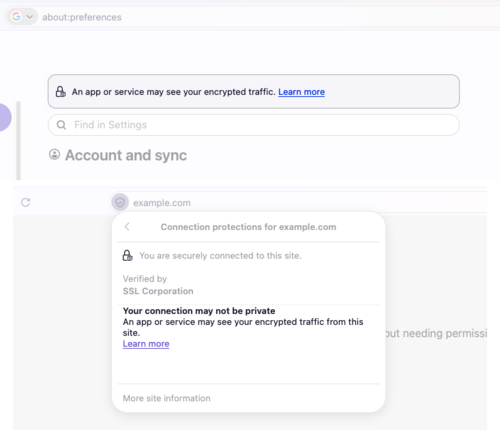
- In the settings and in the dropdown panel that appears when clicking on the shield icon in the address bar, a warning about the possibility of intercepting encrypted traffic has been implemented, which appears if the feature for saving encryption keys to log is enabled by setting the environment variable SSLKEYLOGFILE.

- In video calls via WebRTC, hardware acceleration for decoding the AV1 format has been implemented.
- For users from Austria, Belgium, the Czech Republic, Denmark, Finland, Hungary, Ireland, Luxembourg, the Netherlands, Norway, Poland, Portugal, Slovakia, Spain, Sweden, and Switzerland, a mechanism for displaying contextual recommendations and sponsored suggestions has been included. Recommendations can be disabled in the settings under 'Settings > Search > Firefox Suggests.'
- The Tab key now primarily focuses on the input area in the address bar and the search field, rather than on the search engine selection button.
- The Amazon search service has been removed from the list of built-in search engines.
- Dialogs shown when calling JavaScript functions alert(), confirm(), and prompt(), the autocomplete dropdown, and the color and date picker forms now match the set light or dark color scheme of the page.
- The CSS rule @supports has been enhanced with the at-rule() function, which allows for determining browser support for various @-rules. For example, '@supports at-rule(@scope)'
- The CSS properties overscroll-behavior, overscroll-behavior-block, overscroll-behavior-inline, overscroll-behavior-x, and overscroll-behavior-y have added support for the value 'chain', enabling seamless switching to scrolling in the parent element after reaching the end of the content in the nested block while disabling effects such as bounce at the end of scrolling.
- In Firefox for Android, the ability to return to previous search results when clicking on the search bar on the homepage has been implemented. An option to remove elements on the Downloads page with a swiping gesture has been added.
In addition to new features and bug fixes, Firefox 157 resolves 76 vulnerabilities, 38 of which have been assigned a high severity level. Most vulnerabilities are caused by memory management issues, such as buffer overflows and access to already freed memory areas. These issues could potentially allow for the execution of malicious code when accessing specially crafted pages.
Source: opennet.ru
