

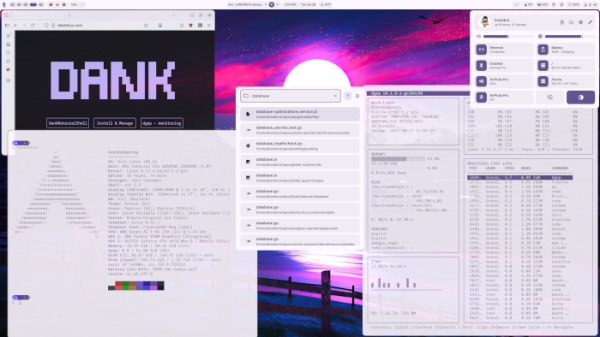
The release of the Dux Shell 2.0 user environment has been published, supporting operation over composite servers niri, Hyprland, Sway, MangoWC, labwc, Scroll, Aqueous, and Miracle WM. This is the first release after renaming the DankMaterialShell (DMS) project to Dux Shell. The new name is simpler, resonant with the penguin Tux, and does not include parts of someone else's brand in its title. Dux Shell develops a set of compatible components for creating a desktop, such as a taskbar, switcher virtual desktops, an application navigation interface, and a configurator. The design aligns with the Material Design 3 concept.
Dux Shell supports dynamic themes, automatically applied to GTK, Qt, and system applications. Color schemes for the themes are formed based on the color of the selected desktop wallpaper. There is an option to enable night mode and switch between light and dark themes. Functionality can be extended through plugins. The background process code for system integration, tools, and the installer is written in Go and is distributed under the MIT license. Interface components, panels, widgets, and graphical applications are prepared in QML using the Quickshell framework, written in C++ with Qt.
Included are:
- Widget panel for calendar, weather forecast, clipboard history, and integration with multimedia players via the MPRIS protocol.
- An interface for navigating installed applications in the system with support for searching programs, files, open windows, and commands.
- Control center with an interface for configuring network, Bluetooth, audio devices, and screen settings.
- Built-in metrics collection tools for CPU, RAM, and GPU temperature and resource consumption, along with an interface for managing running processes.
- Notification center supporting notification grouping, text formatting, and keyboard navigation.
- System lock screen with session management capabilities. Sleep mode activation or screen lock is possible after a certain period of user inactivity.
- The Dux Greeter login screen.
- A universal installer that allows deploying and configuring the Dux Shell environment on Arch, Fedora, Debian, Ubuntu, openSUSE, Gentoo, and Void Linux.
- Dux Search toolkit for searching files in the system.
- Dux Calendar, a scheduling calendar supporting the CalDAV protocol and synchronized with Google and Microsoft services.
- Dux Files, a file manager.
- DuxConnect application for integration with smartphones.
Among the changes in the new release:
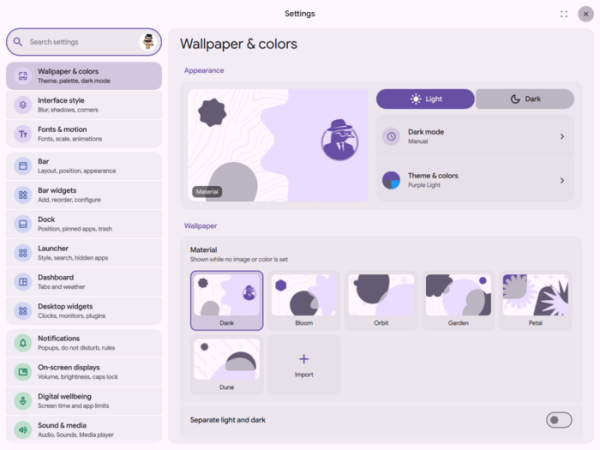
- The Material 3 Expressive design concept has been applied to the Settings, Control Center, Dash applications, and widgets. New interface controls have been implemented, settings have been grouped, new navigation tools proposed, and the color scheme modified.

- Expanded capabilities for customizing the content of the dropdown panel.
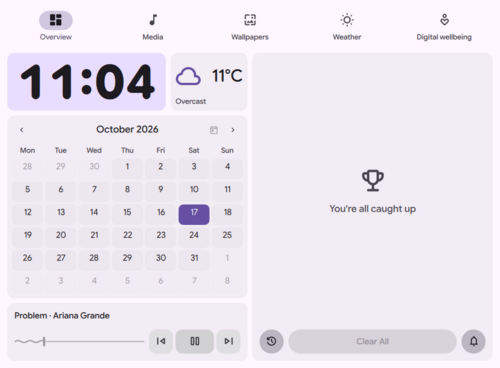
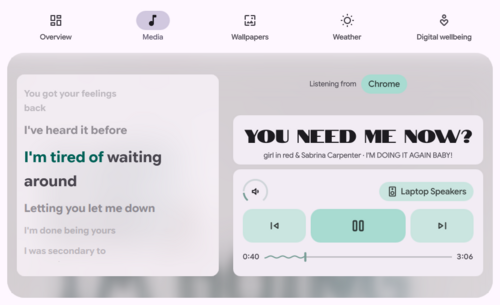
Dash, which now goes beyond built-in tabs and allows for plugins with additional tabs. Section rearrangement and resizing are possible. The design of the built-in pages has been updated — overview mode, multimedia player, and weather forecast area.
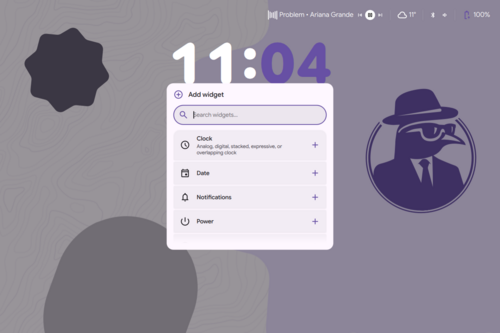
- Support for placing widgets on the system lock screen has been added, such as clocks, notification areas, status bars, and power control elements. Customization of fonts, colors, size, and style of widgets is now available.

- A new engine for downloading and syncing song lyrics from Better Lyrics, Unison, LyricsPlus, KuGou, LRCLIB, and YouTube Music has been added to the multimedia player.

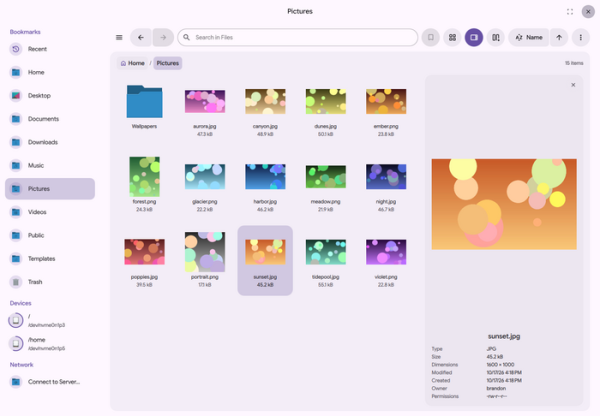
- An independent file manager, Dux Files, has been introduced, supporting tabs, dual-panel view, content display as a list or grid of icons, content preview, archive handling, file search, and access to network storage.

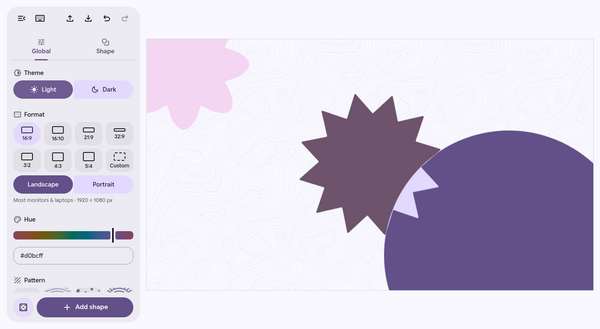
- A desktop wallpaper generator has been added.

- The ability to place multiple Dock panels has been allowed, pinning them to any edge of the screen, stretching them across the entire width, placing them in the standard widget and plugin panel. Switching between compact icon display mode and the new taskbar mode is now possible.

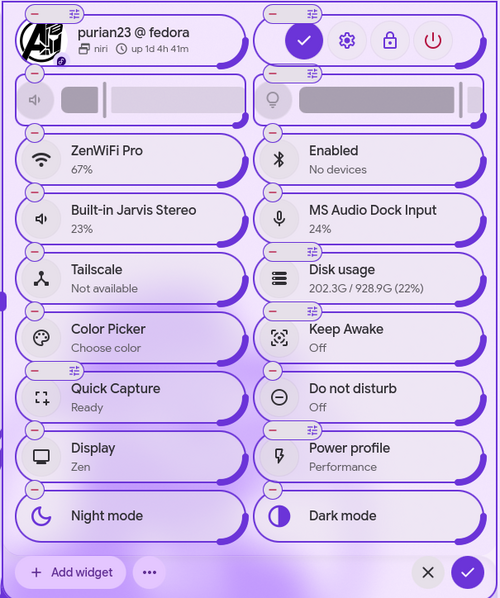
- Quick settings tiles in the control center have been revamped.

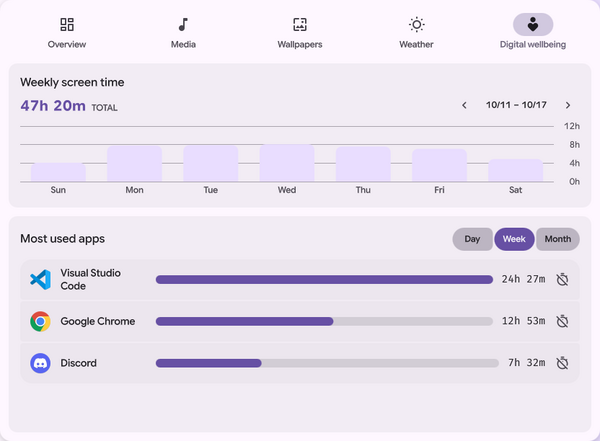
- The Dash panel has a separate tab for tracking time spent in front of the screen and setting daily limits for work or use of specific applications.

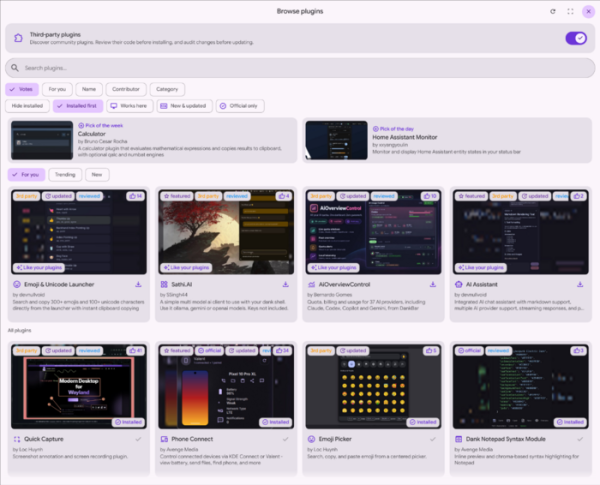
- A new interface for navigating the plugin catalog has been added.

- Integration with composite managers Hyprland, Niri, and MangoWC has been expanded with support for their new versions. Support for composite managers Aqueous and Umbriel has been implemented.
- Navigation through the configurator using only the keyboard has been made possible.

Source: opennet.ru
