

The release of the Omarchy 4.5 distribution has been published, raising over $23 million for its development. The project is led by David Heinemeier Hansson, the creator of the Ruby on Rails web framework, who aims to create the perfect Linux environment for himself. The distribution is designed based on the principle of 'Omakase Computing', which suggests that most users, at the beginning of their journey, do not know exactly what they want. It would be better for them not to struggle with choices but to use a set of tools prepared by someone whose expertise and taste they trust. The project's developments are distributed under the MIT license. The ISO image size is 6.5 GB (x86_64, ARM64).
Omarchy is built on the Arch Linux package base, but it does not merely offer a set of pre-installed packages; it aims to provide an environment of compatible applications selected for both aesthetics and task efficiency. According to the project's author, motivation is crucial for high labor productivity, and part of that motivation comes from a beautiful and aesthetically pleasing environment. The graphical environment is built on the composite manager Hyprland.
The distribution does not seek to resemble Windows or macOS, cater to the majority, or appear familiar to users. Instead of focusing on a hypothetical average user, Omarchy offers only applications that the author uses daily — from Neovim, Chromium, and LibreOffice to Spotify, Omawrite, Foot, and Zoom. It is assumed that the prepared environment, coding in Neovim, frequent terminal use, and tiled window management may seem unusual to many, but those who dare to step out of their comfort zones and learn something new will be able to increase their work efficiency.
Changes in Omarchy 4.5:
- For users who experience difficulties using the tiled window layout after switching from Windows or macOS, support for classic floating windows and a taskbar has been provided. You can quickly switch between tiled, scrolling, and floating window layouts using the key combination 'Super + L'. The taskbar displays pinned shortcuts, running applications, and a button for navigation through installed programs. Windows can be minimized using the combination 'Super + M', configured through the context menu, and dragged with the mouse.
- Support for ARM64-based systems has been added, allowing installation on Apple MacBook M1, M2, M3, and Neo devices using a specially prepared installer. The standard builds for ARM64 implement support for workstations on NVIDIA DGX Spark chips and laptops on NVIDIA RTX Spark (N1X) chips, such as the Dell XPS 16 Creator Edition and ASUS ProArt P14. Support for devices on Qualcomm Snapdragon chips is in development.
- Support for 50 languages and 5 input methods has been added. Switching between languages is done through the configurator (Setup > Language) or the command 'omarchy language '.
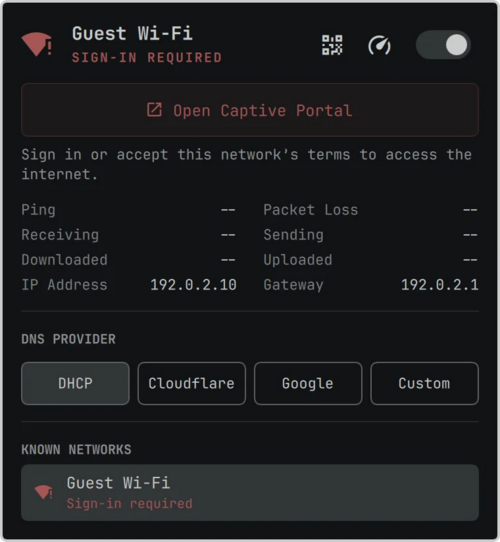
- The ability to activate access to wireless networks through captive portals has been integrated. Such wireless networks with web interface authorization are automatically detected, and a special indicator is displayed for logging in.

- A new set of applications is available by default:
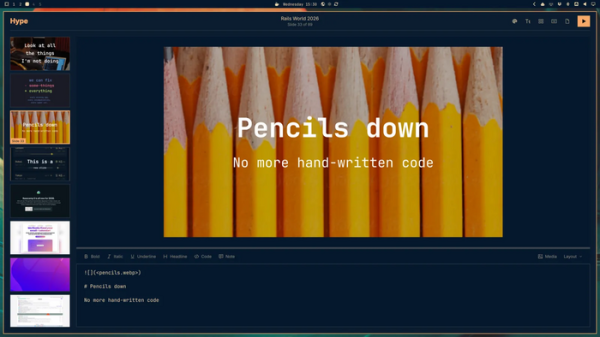
- Hype — a program for creating presentations in Markdown format, editing slides in visual mode, and exporting to PDF or PPT (PowerPoint).

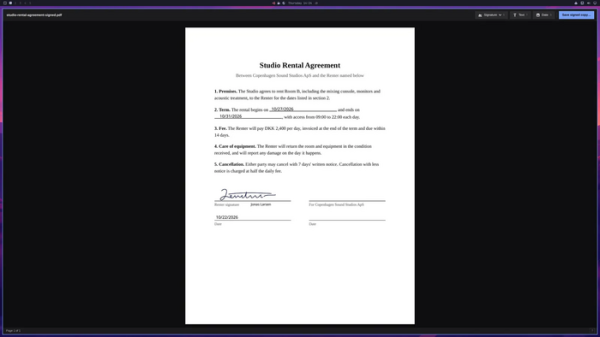
- Signed — viewing, signing, and editing PDF documents.
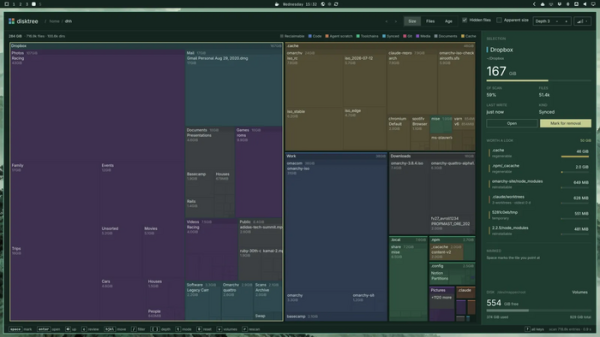
- Disktree — analyzing used disk space.
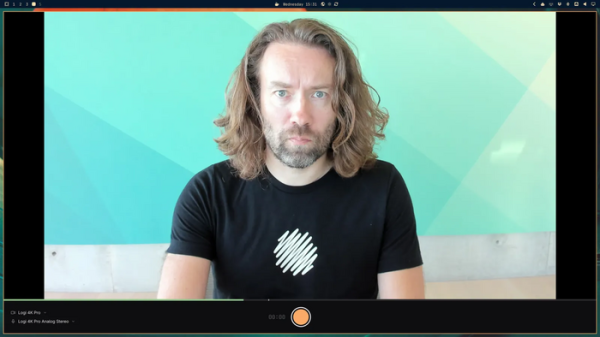
- Monologue — recording video from the camera.
- Gliff — access to remote desktop via SSH.
- OBS Studio, Kdenlive, and Lazydocker have been removed from the default package.
For video recording and cutting, Monologue and Omacut are offered, while Docker and Docker Compose are available for working with docker containers.
- Hype — a program for creating presentations in Markdown format, editing slides in visual mode, and exporting to PDF or PPT (PowerPoint).
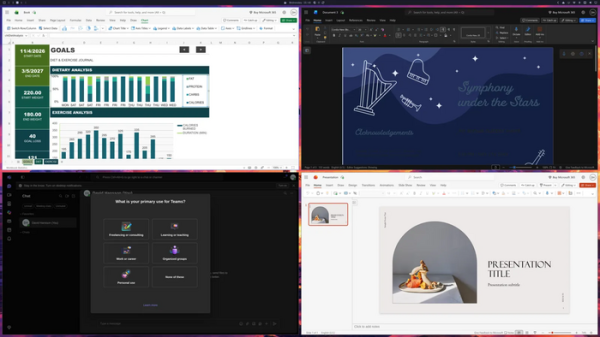
- A quick installation option for web applications with Microsoft 365 Outlook, Word, Excel, PowerPoint, Teams, and OneDrive has been added through the menu 'Install > Service > Microsoft'. Each application opens in a separate window and is accessed via a shortcut in the menu, similar to traditional programs.
- By default, the Superwhisper speech recognition engine is enabled, allowing you to dictate text instead of typing. Voice input is activated by the key combination 'Alt + Space' or by holding down the right Alt key. Both a locally running model and an external cloud service can be used for recognition (the first ten thousand words are free). Support for Voxtype is also included as an option.
- The new F1 installer unpacks a ready system image and adds only device-specific packages on top. Unlike the previously used method of separately copying and installing each package, the new installer deploys a ready-to-work system almost instantly — in one test, installation on a laptop with an AMD CPU took just 7 seconds.
- The boot process has been optimized, resulting in faster system loading and shutdown, elimination of delays before opening menus and panels via hotkeys, accelerated menu item checks in Omarchy (from 200 ms to 16 ms), and display.
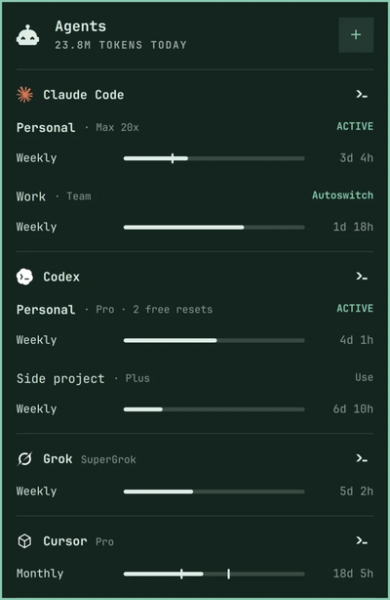
of the terminal emulator. The desktop has been switched to event-driven processing without periodic polling. - In control panel AI agents now support 23 providers (up from 6), including Cursor, OpenCode, GitHub Copilot, Antigravity, Hermes, Amp, Kiro, Devin, Qwen, DeepSeek, OpenRouter, and Ollama. Token and limit statistics are displayed. A pop-up window for working with the AI agent can be activated by pressing 'Super + ~' in Quake console style. AI agents Kimi and Ori have been added, and Google Antigravity is used instead of Gemini CLI. For those who are not satisfied with working with AI agents in the terminal, GUI applications Claude and Amp are available.

- The notification output system has implemented grouping notifications by sender, collapsing duplicate messages, styling according to the current theme, and displaying links, confirmation codes, and buttons for quick action calls.
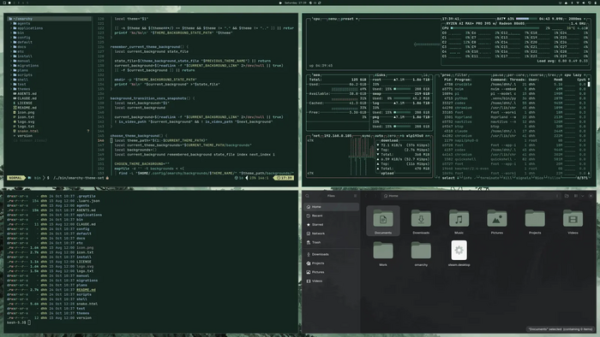
- New themes have been added: Jade Horse, styled in green tones, and Starship.
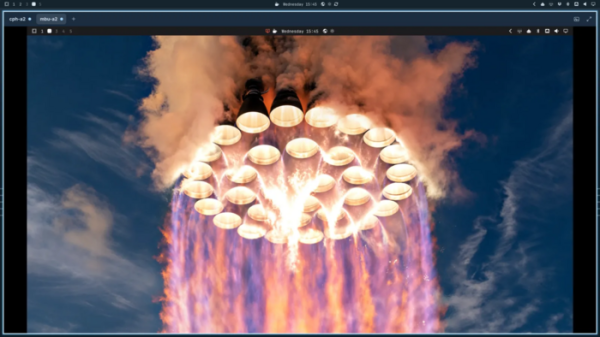
- Support for placing videos as desktop wallpapers has been added. Themes now have the ability to play short welcome videos upon system login or user switch.
- By default, the boot menu is hidden, and the wait time for activating the Limine boot loader menu has been reduced to 1 second (the timeout can be changed via /boot/limine.conf). The menu appears when any key is pressed during boot.
- The ability to bind individual sets of virtual desktops to each monitor has been added. Combinations of 'Super + 1-0' are used to switch between virtual desktops, while 'Super + cursor control keys' are for switching between monitors.
- A new menu for customizing the appearance, selecting themes and desktop wallpapers, and configuring panels and windows has been added. Transparency for window backgrounds can be set. A no-animation mode has also been added (enabled by default when started in virtual machines).
Source: opennet.ru

 Russian
 Italian
 German
 Polish
 Estonian
 Albanian
 Bosnian
 Bulgarian
 Croatian
 Czech
 Danish
 Dutch
 English
 Finnish
 French
 Hungarian
 Latvian
 Lithuanian
 Norwegian
 Portuguese
 Romanian
 Slovak
 Slovenian
 Spanish
 Swedish