

Good day.
I am currently using the console player cmus, which is very convenient to use. In light of this, I would like to write a short review.
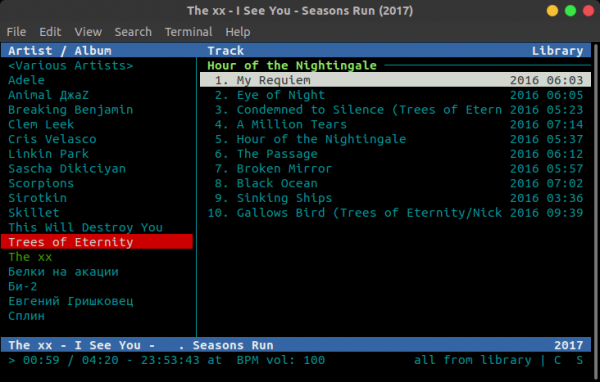
At my new job, I have fully switched to Linux. As a result, I needed to find software that would meet my work-related needs. While there are plenty of GUI players for Linux, they all seem overly complicated and not very aesthetically pleasing (my opinion may not align with that of the readers as this is IMHO). The search parameters included the following criteria:
- Simplicity
- Convenience
- Low RAM consumption
- Ability to play and scan subfolders
- Additional features typical of a regular player
In the process, I came across cmus. A player... console... why not, I thought, and executed the familiar command:
sudo apt-get install cmus After the first launch, we see the following:
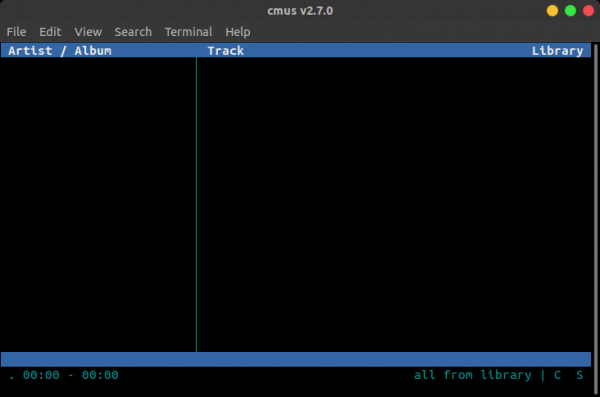
To add music to the playlist, simply execute the command. Press ":" like in vi and type:
add ~/Music As a result of executing this command, a list of subfolders and tracks will appear before you, just like in the first screenshot.
For navigation within the program, you can use the arrow keys, tab (to switch between areas), space (to expand subfolders), delete (to remove tracks from the list). There are also plenty of keyboard shortcuts. To switch windows in the player itself, you use the number keys from 1 to 7. In window 7, you can reconfigure the keyboard shortcuts to your preference.
You can, of course, read more about this by executing the command:
man cmus In playback mode, the player consumes about 10 MB of RAM, which I consider to be a very modest size.
At Support for several other nice features is also claimed (like audio scrubbing), as well as add-ons (connecting multimedia keys, loading music from Spotify or YouTube).
In conclusion, I can confidently say that this player is extremely convenient and flexible. I agree it isn’t for everyone, just for console enthusiasts =)
With that, I take my leave.
Source: habr.com
